Many websites display cookie banners, but not all of them follow privacy rules correctly. Some banners clearly inform users and allow them to choose their preferences. Others try to push visitors toward clicking “Accept” without giving real control.
Understanding good and bad cookie banner examples is important if you run a website. A poorly designed banner can violate privacy laws like GDPR and damage user trust.
In this guide, we’ll look at real-world cookie banner examples, explain what makes them compliant or non-compliant, and show what website owners should do instead. You can also read our guide on GDPR Cookie Consent to understand the legal rules behind cookie banners.
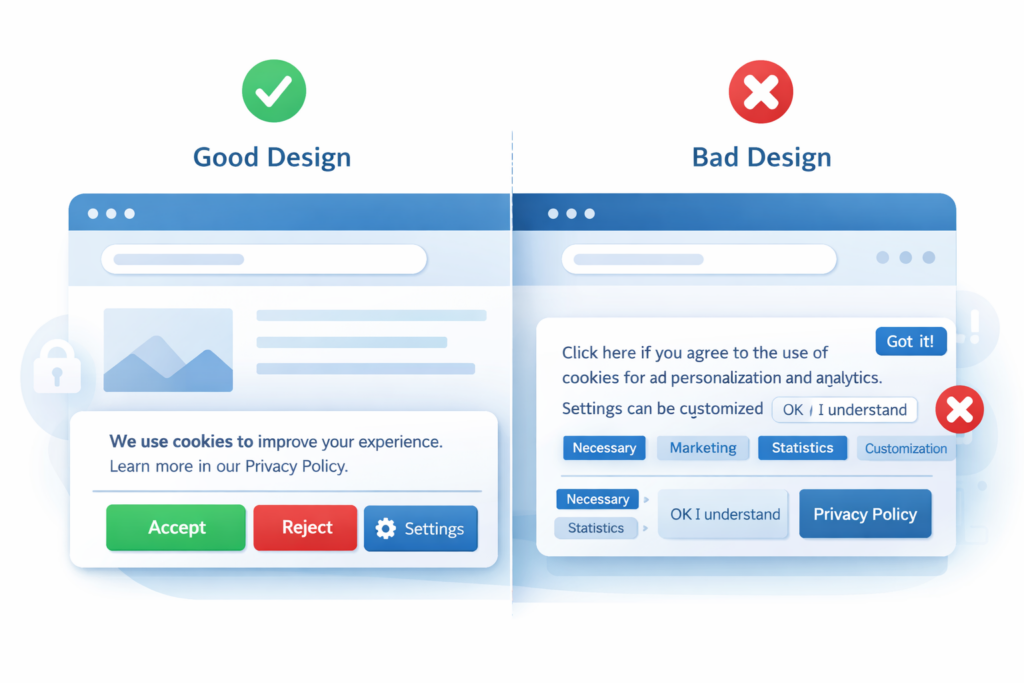
A good cookie banner clearly explains how cookies are used and allows visitors to accept, reject, or manage their preferences before non-essential cookies are set. A bad cookie banner hides options, makes rejection difficult, or automatically tracks users without consent.
1. What Is a Cookie Banner?
A cookie banner is a notification shown on a website that informs visitors about the use of cookies and asks for permission before certain cookies are stored in their browser.
These banners typically appear when a user visits a website for the first time.
A cookie banner may allow visitors to:
• Accept cookies
• Reject non-essential cookies
• Customize cookie preferences
Under regulations like GDPR, many websites must obtain consent before placing tracking cookies such as analytics or advertising cookies.
According to the European Commission, websites must obtain user consent before storing non-essential cookies that track behavior.
2. Example of a Good Cookie Banner

A good cookie banner follows privacy regulations and respects the user’s ability to choose.
Here are the key characteristics of a good cookie banner:
Clear explanation
The banner explains what cookies are used for and why.
Example text: “We use cookies to improve your experience and analyze website traffic.”
Equal choices
Users can easily choose between:
• Accept
• Reject
• Manage preferences
The reject option should be just as visible as the accept option.
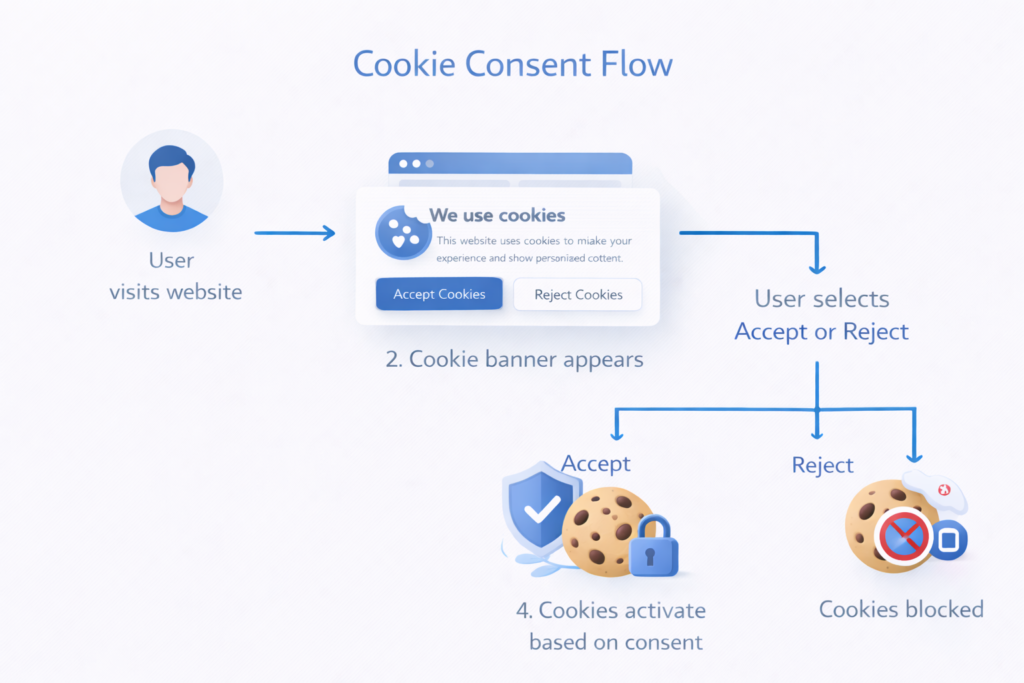
No cookies before consent
Non-essential cookies should not be activated until the user gives permission.
This is a core GDPR requirement.
Easy preference management
Users should be able to change their consent later through a settings link.
Under GDPR and the ePrivacy Directive, websites must not set tracking cookies before consent. Analytics and marketing cookies should only activate after the user agrees.
3. Example of a Bad Cookie Banner
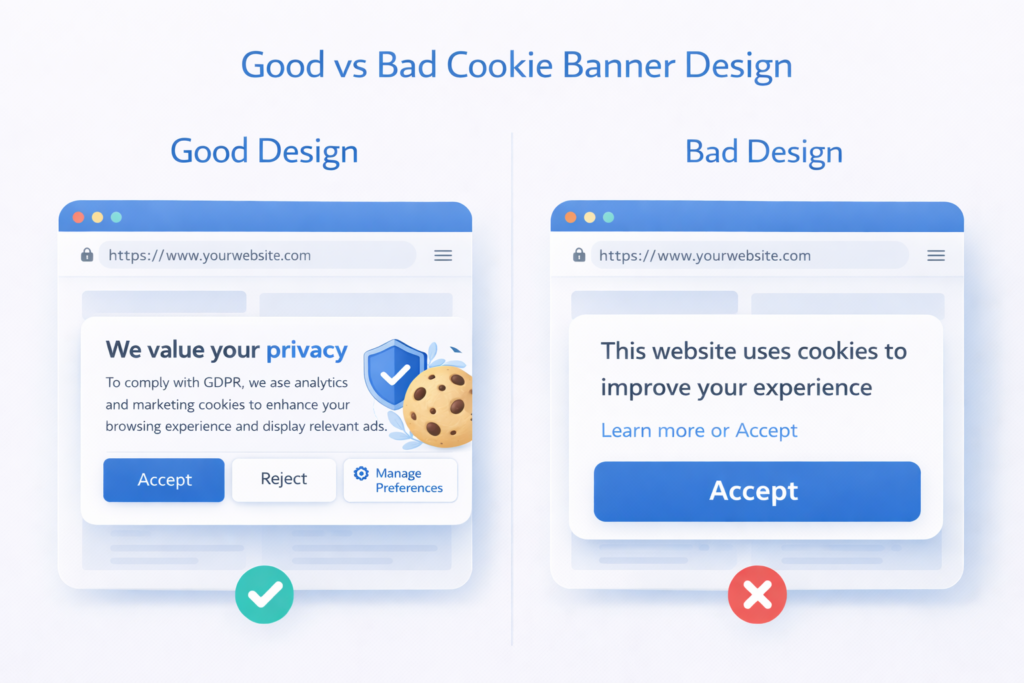
Some cookie banners are designed to push users into accepting cookies. These designs may violate privacy regulations.
These misleading designs are often called dark patterns because they steer users toward accepting tracking instead of making a free and balanced choice.
Common problems include:
Hidden reject option
Some banners show a large Accept All button but hide the reject option in a small link.
Pre-selected consent
In some cases, cookie categories are already checked by default.
This is not valid consent under GDPR.
No explanation
The banner simply says: “This website uses cookies.”
Without explaining why cookies are used.
Tracking before consent
Some websites load analytics or advertising cookies before users have made any choice.
This is one of the most common compliance mistakes.
4. Common Cookie Banner Mistakes
Many website owners unintentionally create non-compliant cookie banners.
Common mistakes include:
• Only showing an Accept button
• Hiding the reject option inside settings
• Using confusing language
• Activating cookies before consent
• Making it difficult to withdraw consent
These issues often happen when websites use outdated cookie banner plugins or poorly configured tools.
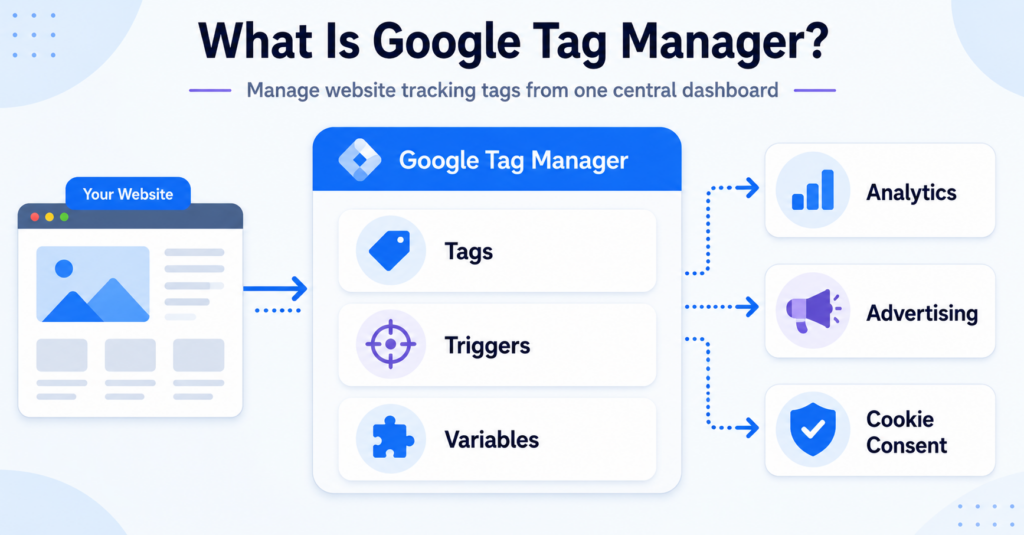
If you run a WordPress site, use a modern cookie consent plugin that supports automatic cookie blocking until consent is given.
If you want to create a better banner without building everything manually, see our guide to
👉 Best Cookie Consent Tools for Websites
This guide compares popular cookie banner platforms and helps you choose the right solution for your website.
5. What a GDPR-Compliant Cookie Banner Should Include
A compliant cookie banner should include several key elements.
| Feature | Why It Matters |
|---|---|
| Clear cookie explanation | Helps users understand data collection |
| Accept and reject buttons | Gives users real choice |
| Cookie categories | Allows granular consent |
| No cookies before consent | Required by GDPR |
| Easy consent withdrawal | Users must be able to change their mind |
A well-designed banner improves transparency and builds trust with visitors.
You can also read our guide on Types of Website Cookies Explained to understand what cookies websites typically use.
6. Real-World Cookie Banner Design Tips
If you want to create a better cookie banner, keep these design principles in mind.
• Keep the message short and clear
• Avoid complicated legal language
• Provide equal visibility for accept and reject buttons
• Allow users to customize cookie preferences
• Make the banner easy to understand on mobile devices
A good cookie banner should help users make an informed decision rather than forcing them into accepting tracking.
Conclusion
Cookie banners play an important role in website privacy and transparency. A good cookie banner informs users, respects their choices, and ensures cookies are only activated after consent.
Bad cookie banners often try to manipulate users into accepting tracking or hide important options. These designs can lead to privacy violations and legal risks.
If you run a website, reviewing your cookie banner design is an important step toward privacy compliance and building user trust.
📘 Next Steps: Learn More About Cookie Compliance
Now that you understand what good and bad cookie banner examples look like, the next step is learning how to implement a compliant cookie consent system.

Frequently Asked Questions
Common questions about this topic
Not always. If a website only uses essential cookies, consent may not be required. However, most websites use analytics or marketing cookies, which typically require consent under GDPR.
A compliant banner allows users to accept or reject non-essential cookies before they are set. It also explains how cookies are used and lets users change their preferences later.
No. GDPR requires users to have a real choice. This means they must be able to reject non-essential cookies as easily as accepting them.
In most cases, yes. Analytics cookies that track user behavior are generally considered non-essential and require consent under GDPR.