If your website has visitors from Europe or the United States, you may need to follow different privacy laws.
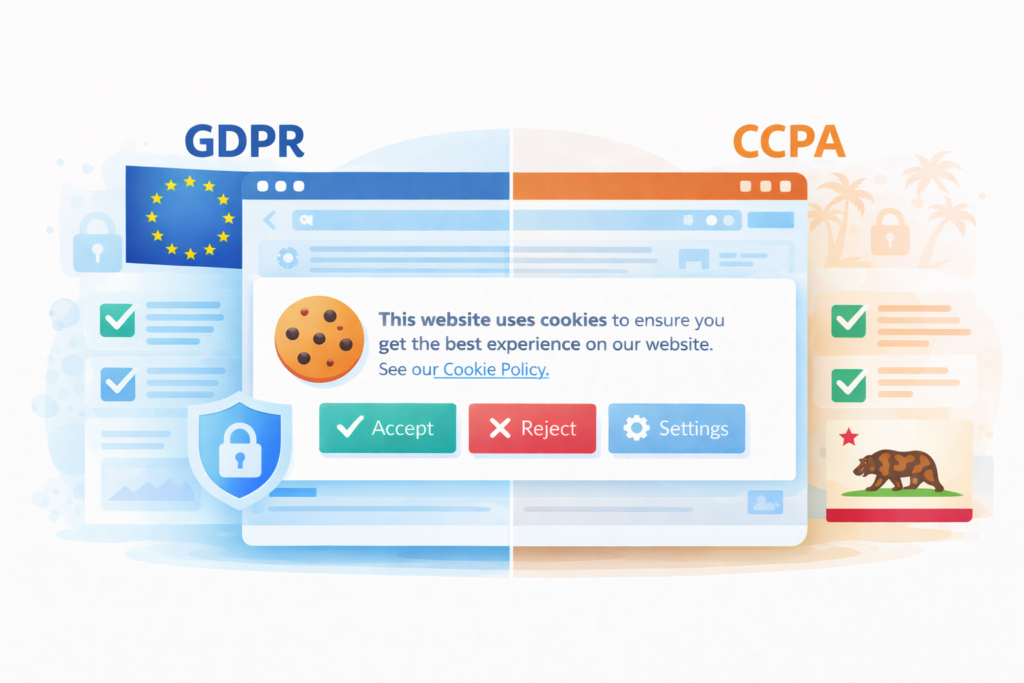
Two of the most important regulations are the GDPR (General Data Protection Regulation) in Europe and the CCPA (California Consumer Privacy Act) in the United States.
While both laws aim to protect user privacy, they work very differently. GDPR requires opt-in consent before cookies are used, while CCPA focuses on giving users the right to opt out of data selling.
In this guide, we’ll explain the key differences between GDPR and CCPA and what they mean for your website’s cookie banner and privacy compliance.
What Are GDPR and CCPA?
Before we compare them, here’s a quick overview.
What Is GDPR?
GDPR (General Data Protection Regulation) is a European Union privacy law. It protects personal data of EU residents.
If you have visitors from the EU and collect data through cookies, GDPR likely applies to you.
GDPR requires prior cookie consent before setting non-essential cookies.
What Is CCPA?
CCPA (California Consumer Privacy Act) protects residents of California.
It focuses on transparency and the right to opt out of data selling or sharing.
Unlike GDPR, CCPA does not always require prior cookie consent. Instead, it emphasizes giving users control over their data.
How Cookie Laws Affect Your Website
Here’s where things become practical.
Most websites today use:
-
Analytics tools
-
Advertising platforms
-
Social media pixels
-
Embedded content
All of these may use cookies.
Under both GDPR and CCPA, you cannot ignore this.
GDPR vs CCPA: The Key Cookie Differences
Let’s compare how each law treats cookies.
1. Consent Model
GDPR = Opt-In
You must get clear cookie consent before placing tracking cookies.
No consent → no tracking.
CCPA = Opt-Out
You can place cookies, but users must be able to opt out if data is sold or shared.
Quick Summary
| Feature | GDPR | CCPA |
|---|---|---|
| Region | European Union | California |
| Consent model | Opt-in | Opt-out |
| Cookie consent required | Yes | Usually not required |
| Max fines | €20M or 4% revenue | $7,500 per violation |
Not sure if your website needs a cookie banner?
👉 Read our guide: Do I Need a Cookie Banner for My Website?
2. Cookie Banner Requirements
Under GDPR:
-
A cookie banner must appear before non-essential cookies load
-
Users must have an Accept and Reject option
-
Pre-ticked boxes are not allowed
Under CCPA:
-
A cookie notice is required
-
A “Do Not Sell My Personal Information” link may be necessary
-
Prior blocking is not always mandatory
3. Cookie Policy Requirements
Both laws require transparency.
You must provide a clear cookie policy explaining:
-
What cookies you use
-
Why you use them
-
How users can manage their preferences
Do You Need to Comply With Both?
This depends on your audience.
You need GDPR compliance if:
-
You have EU visitors
-
You target EU customers
-
You track EU users
You may need CCPA compliance if:
-
You have visitors from California
-
You meet certain business thresholds
Many small businesses have international traffic without realizing it.
That means both GDPR and CCPA could apply.
What Happens If You Ignore Cookie Laws?
Ignoring GDPR or CCPA can result in:
-
Legal complaints
-
Investigations
-
Fines
-
Damage to reputation
But beyond legal risks, privacy compliance builds trust.
Users are becoming more privacy-aware. Clear cookie consent improves credibility.
For official CCPA information, you can review the California Attorney General’s website: https://oag.ca.gov/privacy/ccpa
The Practical Solution: Use Geo-Targeted Cookie Management
Managing GDPR and CCPA manually can feel overwhelming.
That’s why many websites use a cookie consent manager with geo-targeting.
Geo-targeting allows your website to:
-
Show GDPR-style consent banners to EU users
-
Show CCPA-style notices to California users
-
Show simplified notices elsewhere
This prevents overcomplicating the experience for users outside strict regions.
A modern cookie consent tool can also:
-
Block scripts before consent
-
Log consent records
-
Allow preference changes
-
Automatically update compliance settings
This simplifies compliance — especially for small businesses.
Common Mistakes Website Owners Make
Let’s quickly review what to avoid:
-
❌ Showing a banner but not blocking cookies
-
❌ Assuming GDPR and CCPA are the same
-
❌ Forgetting to include a cookie policy
-
❌ Not allowing users to change preferences
-
❌ No “Do Not Sell” option when required
These mistakes are common — but fixable.
Why This Matters for Small and Micro Businesses
You might think privacy laws are only for big companies.
But even small websites use:
-
Google Analytics
-
Facebook Ads
-
Email marketing tools
These tools rely on cookies.
That means cookie laws affect you too.
The good news? You don’t need to be a legal expert. With the right setup, compliance can be automated.
Summary
GDPR and CCPA are two major cookie laws that affect websites worldwide.
Here’s the key difference:
-
GDPR requires prior cookie consent (opt-in).
-
CCPA focuses on opt-out and transparency.
If your website has international traffic, you may need to consider both.
Using a cookie consent tool with geo-targeting makes compliance much easier and protects your business from unnecessary risk.
Understanding how these laws affect your website is the first step. Implementing the right solution is the next.
What Should Website Owners Do Next?
If your website has visitors from Europe or California, you may need a cookie banner or privacy controls.

Frequently Asked Questions
Common questions about this topic
Yes, if you collect data from EU visitors.
Not always. It requires transparency and an opt-out mechanism.
Yes, if it adapts based on user location (geo-targeting).
Yes. Analytics cookies require prior consent.
Use a cookie consent manager that blocks cookies until consent is given.