If your website uses cookies, creating a cookie policy page is an important step. It helps visitors understand what cookies your website uses, why they are there, and how they can manage their choices. It also supports transparency and makes your website feel more trustworthy.
In this guide, you’ll learn how to create a cookie policy page step by step. We’ll cover what to include, how to structure the page, common mistakes to avoid, and when a cookie consent provider can help you create and maintain it more easily. If you are new to the topic, start with What Is a Cookie Policy?.
To create a cookie policy page, list the cookies your website uses, group them by category, explain what they do, name any third-party services involved, and tell users how they can manage their cookie choices. You should also check whether your cookie banner provider includes a built-in cookie policy generator or policy support.
What Is a Cookie Policy Page?
A cookie policy page is a page on your website that explains how cookies are used. In simple terms, it tells visitors what cookies your website places, what those cookies do, and how users can control them.
This page is different from a privacy policy. A privacy policy covers broader personal data practices, while a cookie policy focuses specifically on cookies and similar tracking technologies. If you want to understand that difference better, read What Is a Cookie Policy?.
Why Creating a Cookie Policy Page Matters
A cookie policy page matters because it helps users understand what happens on your website. It shows that you are being clear about analytics, preferences, marketing tools, and other technologies that may collect data.
It also helps support your overall compliance setup. On many websites, the cookie policy works together with the cookie banner, consent preferences, and privacy policy. Without a clear policy page, your setup can feel incomplete. If you want to understand the risks, read What Happens If You Don’t Have a Cookie Policy?.
A cookie policy page should match how your website actually uses cookies. Generic text is usually not enough. If you use analytics, advertising, embedded videos, or social media tools, your policy should reflect that clearly.
What to Include on a Cookie Policy Page
A good cookie policy page should be easy to scan and easy to understand. Most websites should include the following information.
- What cookies are
- Why your website uses cookies
- What types of cookies your website uses
- Whether cookies come from third-party services
- How long cookies stay on a user’s device
- How users can accept, reject, or change cookie choices
- How users can control cookies in their browser
For many websites, grouping cookies into categories makes the page much easier to understand.
| Cookie Category | What It Usually Does | Typical Example |
|---|---|---|
| Essential | Supports core website functions | Login, security, cart functionality |
| Preferences | Remembers user choices | Language or region settings |
| Analytics | Measures website traffic and behavior | Google Analytics |
| Marketing | Tracks users for advertising | Meta Pixel, ad platforms |
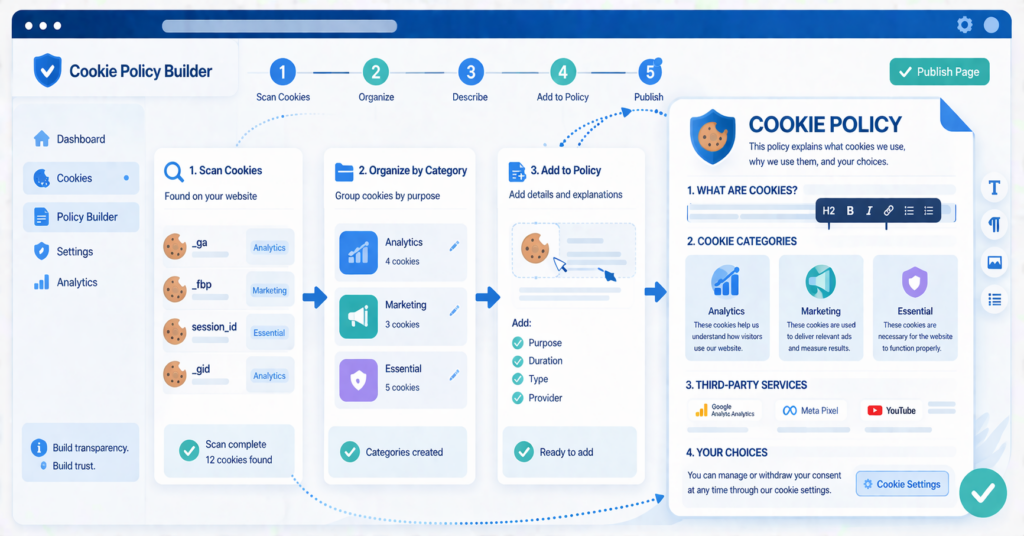
Step-by-Step: How to Create a Cookie Policy Page
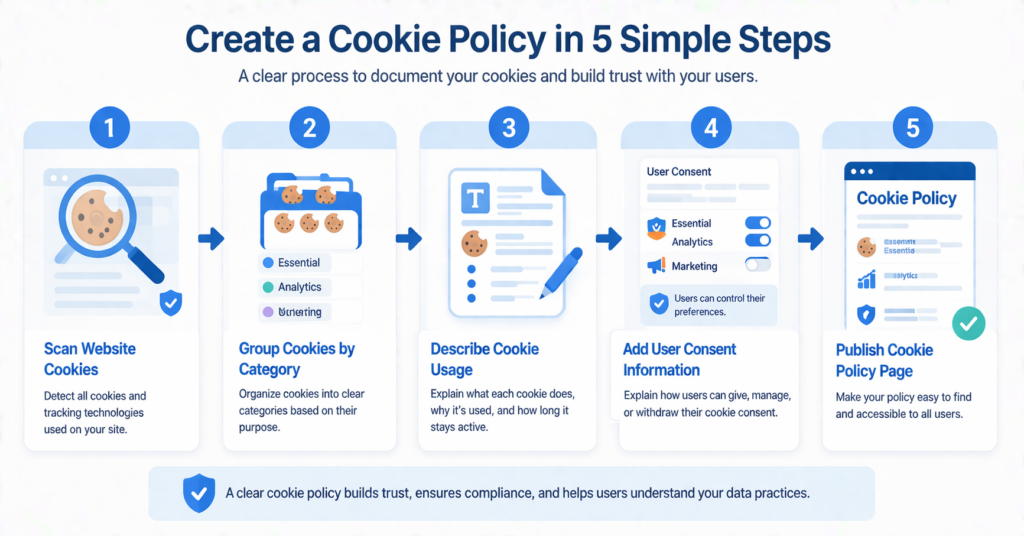
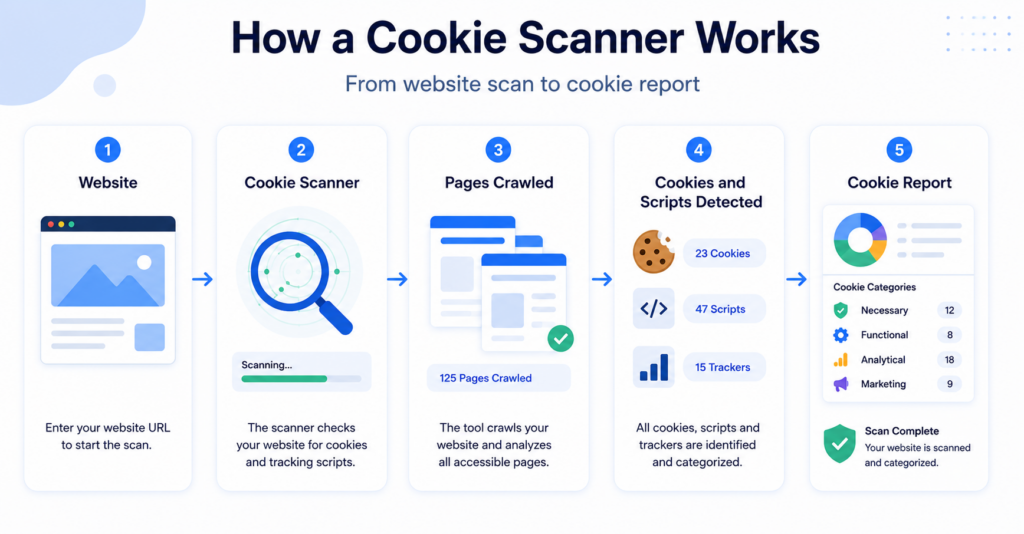
Step 1: Identify the Cookies Your Website Uses
The first step is to find out what cookies are actually running on your website. This is important because your cookie policy should describe real cookie usage, not just a generic template.
You can do this manually, but for most website owners it is much easier to use a scanner or a cookie consent tool that detects cookies automatically. This gives you a clearer starting point.
Before writing your cookie policy manually, check whether your cookie banner provider already helps with this. Many consent tools offer cookie scanning, auto-generated cookie tables, or even a built-in cookie policy generator.
Step 2: Group Cookies by Category
Once you know what cookies your website uses, group them into simple categories. This makes the page more readable and helps users understand why different cookies exist.
For most websites, the main groups are essential, preferences, analytics, and marketing cookies. You do not need to make this more complicated than it needs to be.
Step 3: Explain What Each Category Does
Next, explain each category in plain language. Avoid technical wording when possible. The goal is to help a normal website visitor understand what is happening.
For example, you can explain that analytics cookies help measure traffic, while marketing cookies may be used to personalize ads or track browsing activity across websites.
Step 4: Mention Third-Party Services
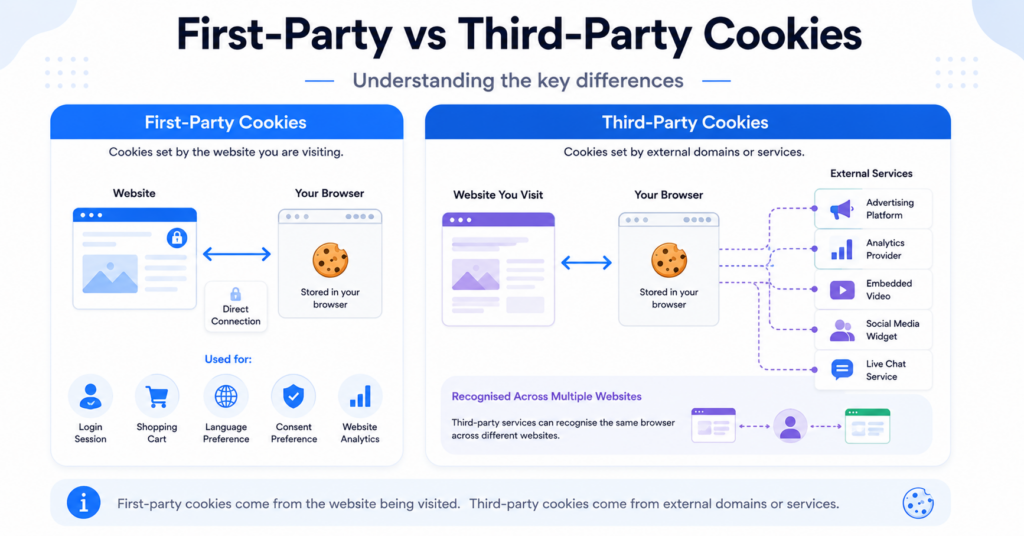
If your website uses third-party tools, mention them clearly. This is especially important if those tools place their own cookies or collect user data through embedded scripts.
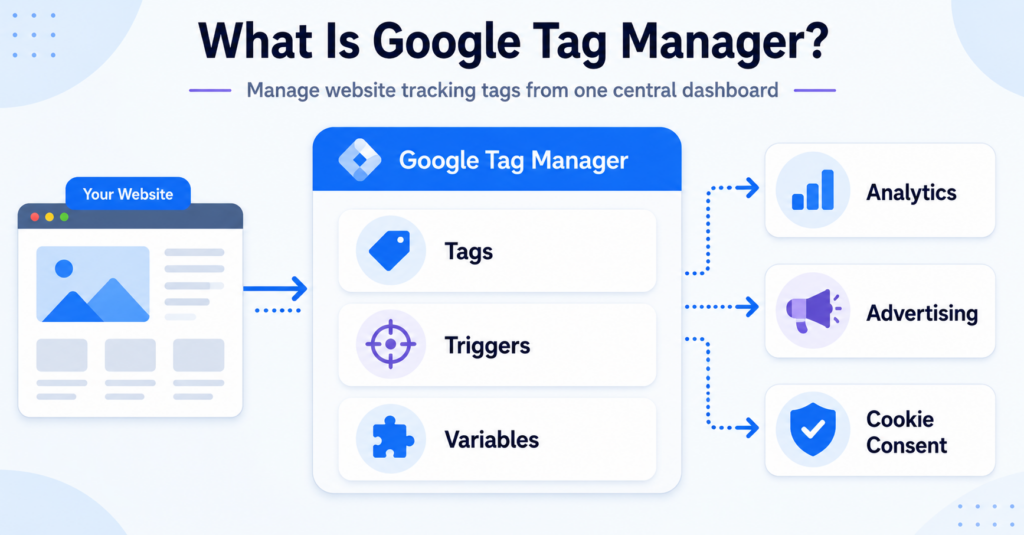
Common examples include Google Analytics, YouTube embeds, Meta Pixel, Google Ads, chat tools, and social media widgets. If these services are active on your website, they should be reflected in your cookie policy page.
Step 5: Explain How Users Can Manage Their Choices
Your cookie policy should also tell users how they can control cookies. This usually includes changing choices through the cookie banner or cookie settings link, and adjusting browser settings if needed.
If your website has a consent management platform, mention how users can reopen cookie preferences later. This makes the policy more useful and practical.
Step 6: Publish the Page in the Right Place
After writing the content, publish the page somewhere easy to find. In most cases, the best place is your website footer. Many websites also link to the cookie policy directly from the cookie banner.
This helps visitors access the information at the moment they are making cookie choices, which makes the experience clearer and more transparent.
A Simple Cookie Policy Page Structure
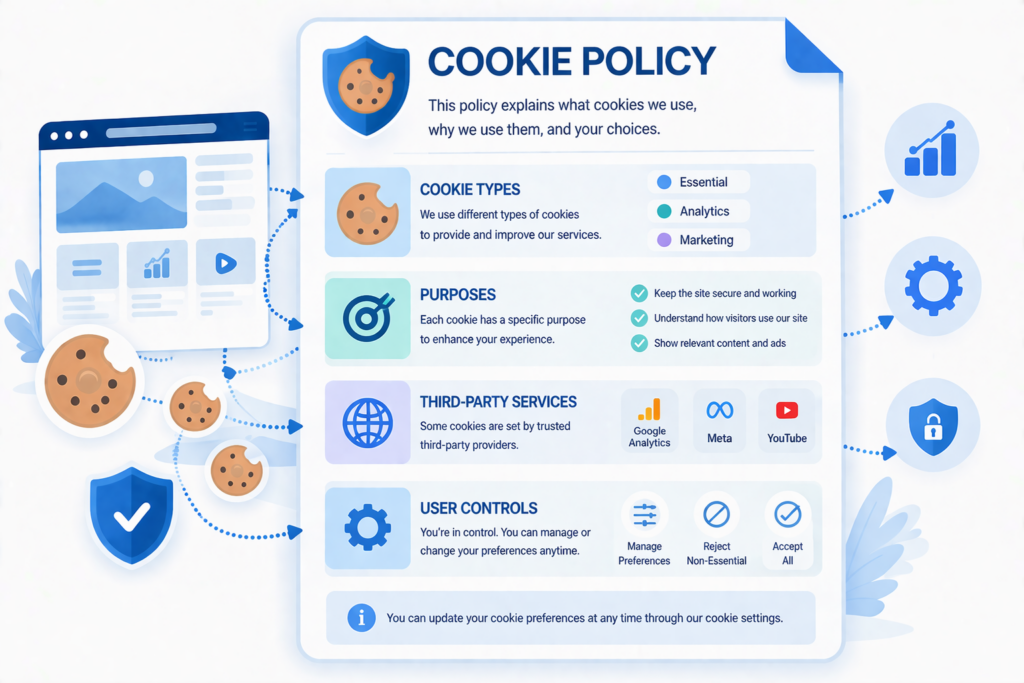
You do not need a complicated layout. A simple structure is usually the best choice.
A basic cookie policy page can include these sections: what cookies are, what cookies your website uses, cookie categories, third-party services, how users can manage cookies, and how users can contact you with questions.
| Section | What to Include |
|---|---|
| Introduction | A short explanation of why the page exists |
| What Cookies Are | A simple beginner-friendly definition |
| Cookies Used on the Site | The main categories and examples |
| Third-Party Services | Tools like analytics, ads, videos, or social plugins |
| Managing Cookie Choices | Banner settings, preference center, browser controls |
| Contact Information | A way for users to reach you if needed |
Should You Create It Manually or Use a Tool?
That depends on your website and how many scripts or services you use. A simple website may be able to manage with a manual cookie policy page. But if your website changes often, a tool can make things much easier.
This is why it is smart to check whether your cookie banner provider also helps with cookie policy creation. Some tools offer automatic cookie scanning, policy updates, or generated cookie declarations. That can save time and reduce mistakes.
| Option | Best For | Main Benefit | Main Limitation |
|---|---|---|---|
| Manual page | Small simple websites | More control over wording | Needs manual updates |
| Tool-supported page | Websites with more scripts or changing tools | Faster updates and easier maintenance | Depends on the provider’s features |
If you are still deciding which provider to use, read Best Cookie Consent Tools to compare your options.
Common Mistakes to Avoid
Many cookie policy pages fail because they are too vague or too generic. A page that does not match your real setup can confuse users and weaken trust.
Use this checklist to avoid the most common problems when creating your page.
- Using copied text that does not match your website
- Forgetting to list third-party services
- Not explaining how users can change consent choices
- Publishing the page but not linking to it clearly
- Never reviewing or updating the content later
How to Keep Your Cookie Policy Page Updated
Your cookie policy page should not be a one-time task. If you add new tracking tools, change providers, install plugins, or embed new services, your cookie use may change too.
That is another reason why it is useful to check whether your cookie consent provider includes policy support, automatic scanning, or cookie declaration updates. This can help keep your page aligned with your actual setup over time.
Conclusion
Creating a cookie policy page is not just about adding another legal page to your website. It is about giving visitors a clear explanation of how your website uses cookies and how they can control their choices.
The best approach is to start by identifying your cookies, organizing them clearly, and checking whether your cookie banner provider can help with policy creation or updates. Once your page is published, the next step is to make sure your website also has the right consent setup. To continue, read Does My Website Need a Cookie Banner?
Next Step: Make Sure Your Website Is Fully Compliant
Creating a cookie policy page is an important step, but it is only one part of cookie compliance. Most websites also need a cookie banner to collect user consent before placing non-essential cookies.
To understand what your website actually needs, the next step is to check your cookie setup and consent requirements.

Frequently Asked Questions
Common questions about this topic
Yes, in most cases you should have both. The banner helps users make choices, while the cookie policy explains what cookies are used and what they do.
That is not a good idea. Your cookie policy should match your own website’s cookies, tools, and consent setup.
The most common place is the website footer. Many websites also link to it directly from the cookie banner or cookie settings area.
Yes, many providers offer some level of help. Some include cookie scanning, cookie declarations, or built-in policy generators, so it is worth checking your provider’s features before creating everything manually.