If your website uses cookies for analytics, advertising, or tracking, you likely need a cookie banner that follows privacy regulations. Laws such as the GDPR and ePrivacy Directive require websites to clearly inform visitors about cookies and obtain consent before certain cookies are placed on a user’s device.
However, many website owners are unsure what a cookie banner must actually include to be compliant. In this guide, you’ll learn the key cookie banner requirements, what information must be displayed, and how websites can correctly collect user consent.
If you’re not sure whether your site needs a cookie banner at all, read our guide 👉 Does My Website Need a Cookie Banner?
Understanding cookie banner requirements helps website owners ensure that cookies are used legally and transparently.
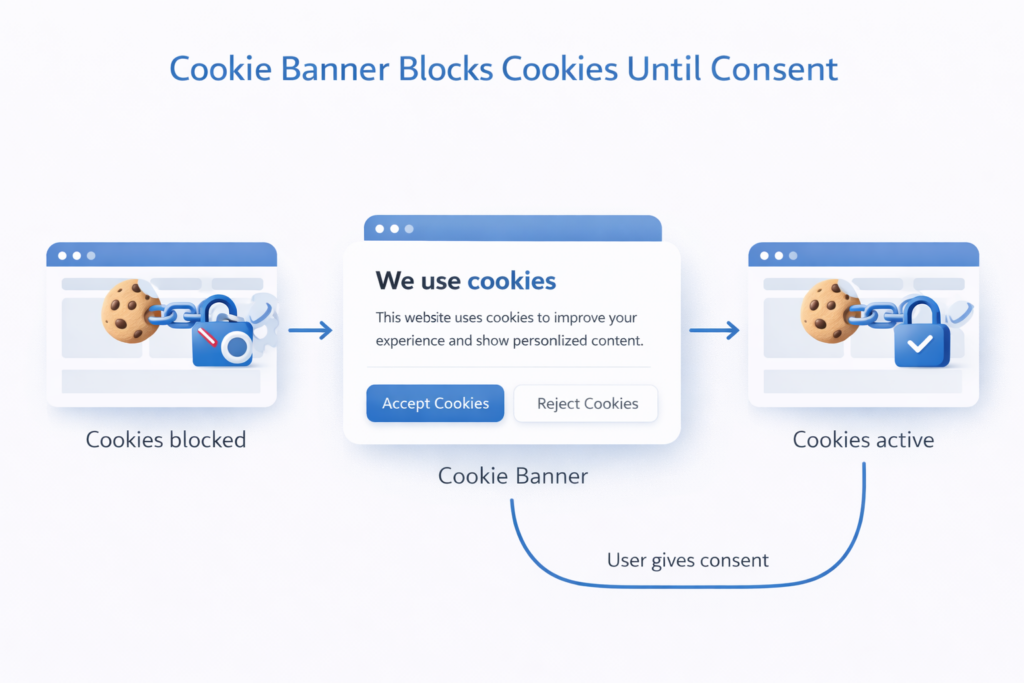
Cookie banner requirements ensure that websites inform users about cookies and obtain consent before placing non-essential cookies such as analytics or marketing trackers. A compliant cookie banner must clearly explain cookie usage, allow users to accept or reject cookies, and block tracking cookies until consent is given.
1. What Are Cookie Banner Requirements?
Cookie banner requirements define what information websites must show when asking users for permission to use cookies.
These requirements come mainly from:
-
the GDPR (General Data Protection Regulation)
-
the ePrivacy Directive
-
national privacy authorities in EU countries
The goal is simple:
Users must understand how their data is used and be able to control tracking technologies on websites.
This means a cookie banner must do more than simply display a message. It must give users clear options and prevent tracking cookies from loading before consent.

2. Why Cookie Banner Requirements Exist
Privacy laws were created to protect personal data and give users control over how websites collect information.
Cookies can track things like:
-
browsing behavior
-
device identifiers
-
location data
-
advertising interactions
Because this information can be used to identify or profile users, websites must obtain consent before placing non-essential cookies.
According to the European Commission, websites must clearly inform visitors about cookies and obtain consent before using tracking technologies.
3. Cookie Banner Requirements Under GDPR
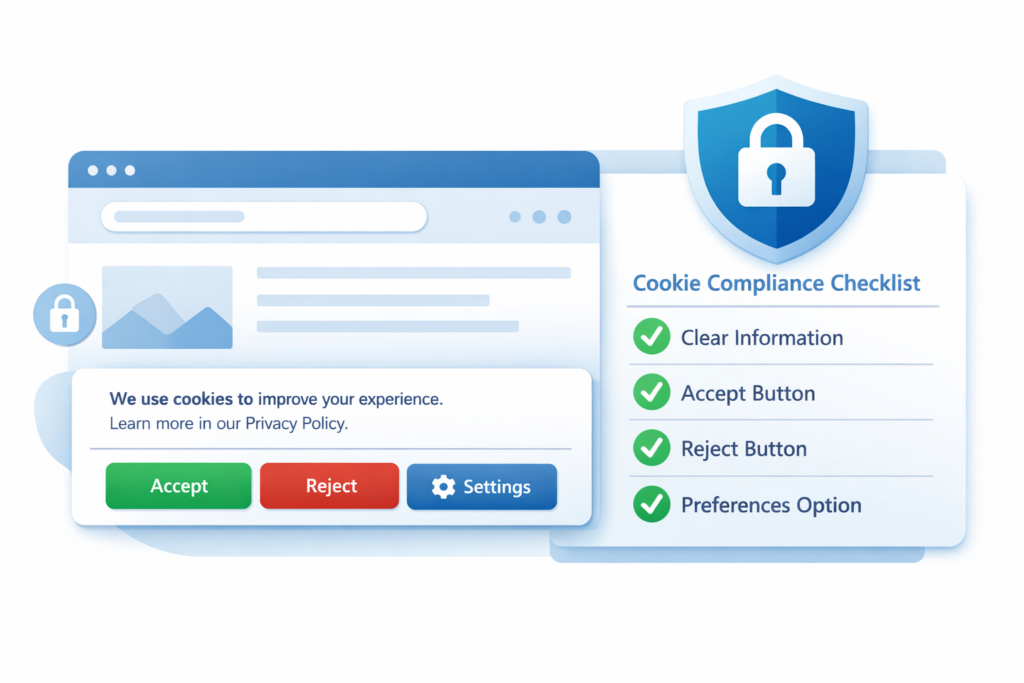
A compliant cookie banner must include several essential elements.
1. Clear information about cookies
Users must understand:
-
what cookies are used
-
why they are used
-
which services set them
This information is usually explained in the cookie banner and linked cookie policy.
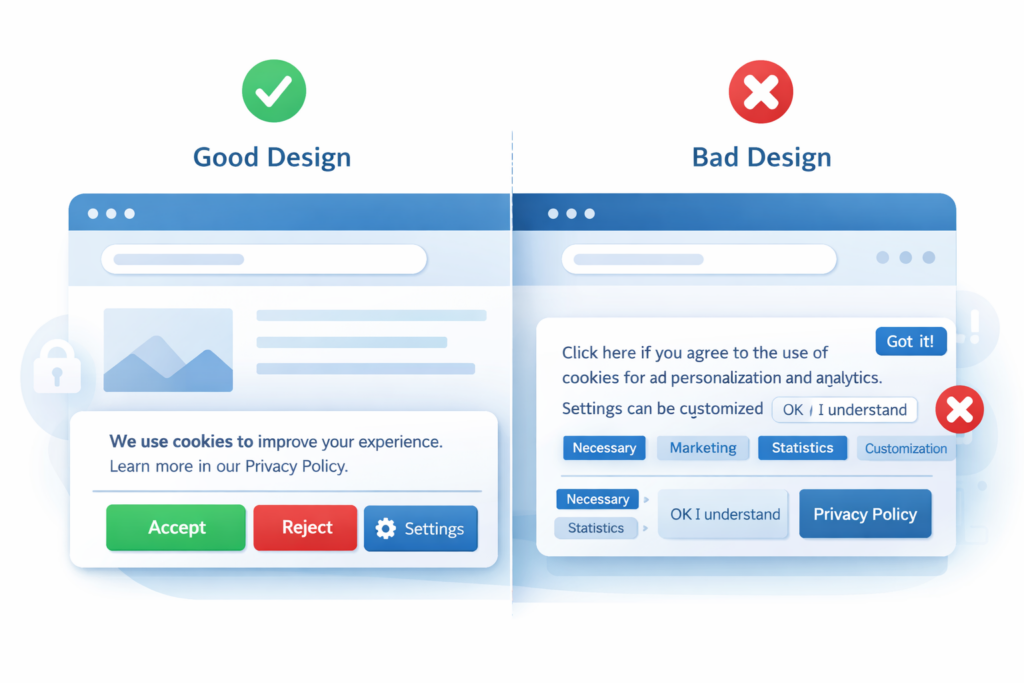
2. Accept and reject options
Visitors must be able to:
-
accept cookies
-
reject non-essential cookies
-
customize cookie preferences
Simply showing an “Accept” button only is not compliant in many jurisdictions.
3. Blocking non-essential cookies before consent
Tracking cookies must not load before consent.
This includes cookies from:
-
analytics tools
-
advertising platforms
-
marketing pixels
-
social media integrations
4. Ability to change consent
Users must be able to modify their consent later.
Most websites provide this through:
-
a cookie settings button
-
a privacy settings link
-
a consent management panel
5. Consent logging
Websites should record user consent decisions.
This helps demonstrate compliance if regulators request proof.
Under GDPR rules, non-essential cookies such as analytics or marketing trackers must not load before a user gives consent. If tracking cookies are activated before permission is granted, the website may violate privacy regulations.
4. What Information a Cookie Banner Must Show
A cookie banner should clearly explain the purpose of cookies and provide options for managing them.
| Element | Purpose |
|---|---|
| Cookie notice | Explains that the website uses cookies |
| Accept button | Allows users to accept cookies |
| Reject button | Allows users to decline tracking cookies |
| Cookie settings | Lets users choose cookie categories |
| Privacy / cookie policy link | Provides detailed information |
Providing clear information helps websites remain transparent and build trust with visitors.
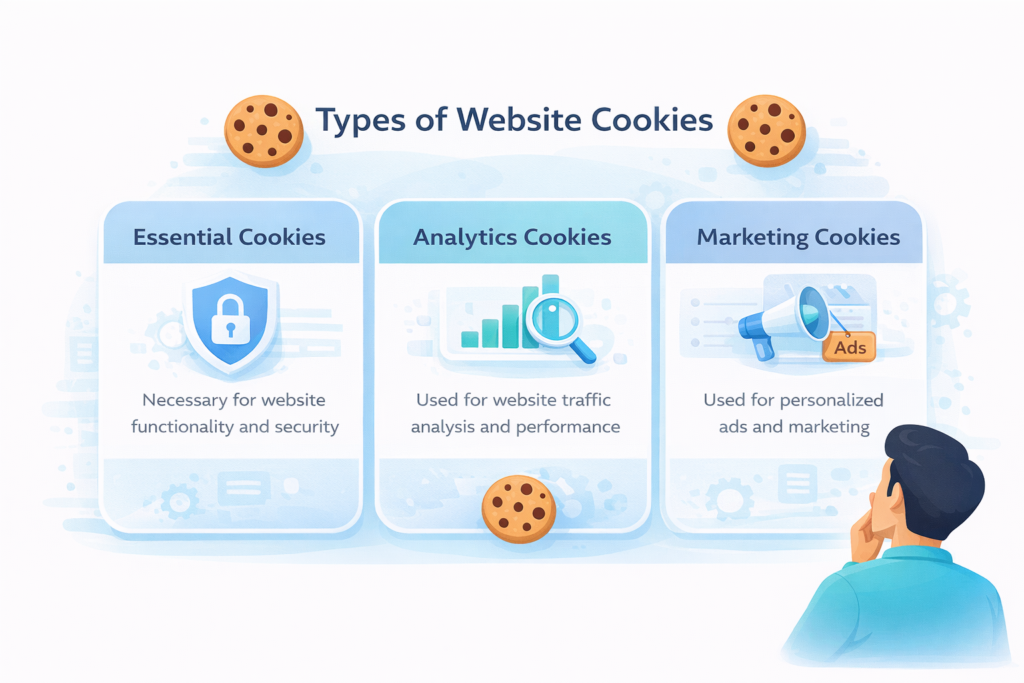
5. Types of Cookies That Require Consent
Not all cookies require user consent.
Strictly necessary cookies
These cookies are required for the website to function properly.
Examples:
-
login sessions
-
security authentication
-
shopping cart functionality
These cookies do not require consent.
Non-essential cookies
These cookies require user consent before they are activated.
Examples include:
-
analytics cookies (Google Analytics)
-
advertising cookies
-
marketing tracking pixels
-
social media tracking cookies
These cookies may collect user behavior data and therefore require prior permission under GDPR.
To understand how cookies work in more detail, read our guide: What Are Web Cookies?
6. Common Cookie Banner Mistakes
Many websites display cookie banners that appear compliant but actually violate privacy regulations.
Common mistakes include:
Loading cookies before consent
Some websites show a banner but still load tracking scripts in the background.
This is not compliant.
Missing reject button
Users must have a clear option to decline non-essential cookies.
Pre-selected consent boxes
Consent must be freely given.
Pre-ticked boxes are not allowed under GDPR.
Unclear cookie information
Users must understand what cookies do and why they are used.
Most website owners do not implement cookie consent systems manually.
Modern cookie consent platforms automatically block cookies, manage user consent, and keep compliance records.
If you’re looking for a simple solution, see our guide: 👉 Best Cookie Consent Tools for Websites (2026)
This guide compares popular cookie banner platforms and helps you choose the right solution for your website.
7. How Cookie Consent Tools Help Meet Requirements
Managing cookie compliance manually can be difficult.
Modern cookie consent managers automate much of the process.
Most cookie consent platforms automatically block tracking scripts until a visitor gives consent. This means website owners usually do not need to configure cookie blocking manually.
These tools can:
-
block scripts before consent
-
scan websites for cookies
-
store consent logs
-
show banners based on visitor location
-
allow users to change preferences
This makes compliance easier for small businesses and website owners.
Conclusion
Cookie banner requirements exist to protect user privacy and ensure transparency about how websites use cookies. Any website that uses analytics, advertising, or tracking technologies must clearly inform users and obtain consent before placing non-essential cookies.
By implementing a compliant cookie banner and using proper consent management tools, website owners can follow privacy regulations while maintaining trust with their visitors.
📘 Next Steps: Learn More About Cookie Compliance
Now that you understand the key cookie banner requirements, the next step is learning how cookie consent works in practice. Implementing these rules correctly is an important step toward GDPR compliance.

Frequently Asked Questions
Common questions about this topic
Cookie banner requirements are rules that require websites to inform users about cookies and obtain consent before using non-essential tracking cookies.
No. Strictly necessary cookies used for website functionality do not require user consent.
No. Under GDPR, users must have the option to reject or customize cookie preferences.
Ignoring cookie consent rules can lead to privacy complaints, investigations by regulators, and potential fines.
Cookie banner requirements under GDPR include blocking non-essential cookies before consent, providing clear information about cookies, and allowing users to accept or reject tracking technologies.