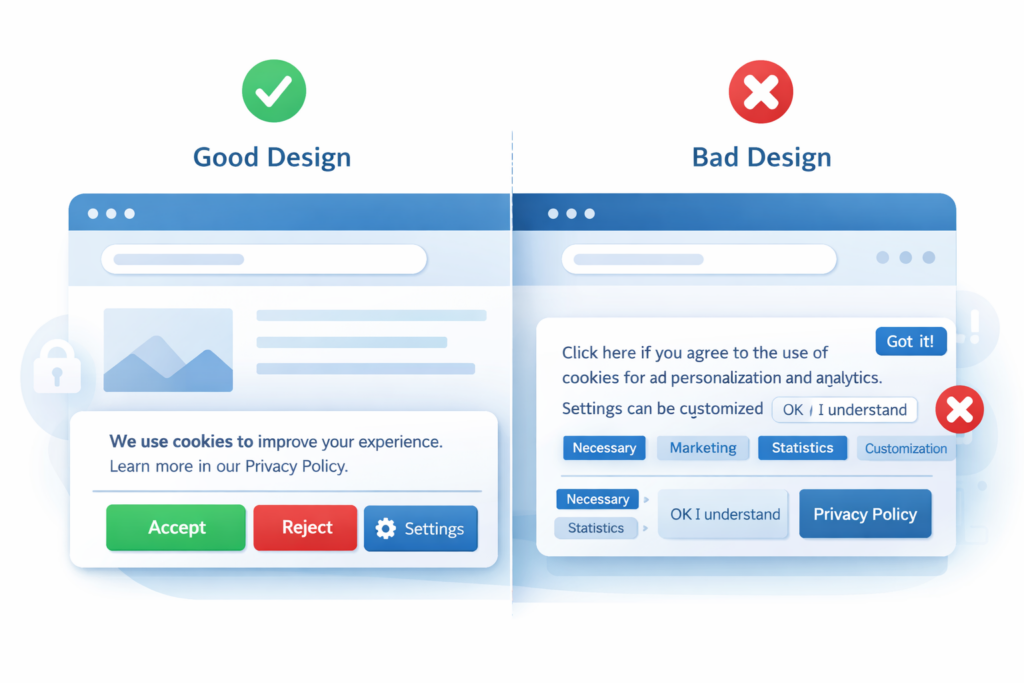
Cookie banner examples make it easier to see which designs give visitors a clear choice and which designs may push them toward accepting tracking.
A good banner explains why cookies are used, provides understandable consent options, and keeps non-essential cookies blocked until valid consent is obtained where required. A bad banner may hide the reject option, use pre-selected settings, or load tracking technologies before the visitor has made a choice.
This guide compares good and bad cookie banner designs, explains common mistakes, and shows what website owners should check. If you need the legal basics first, read our guide to GDPR cookie consent.
A good cookie banner clearly explains why cookies are used, gives visitors understandable consent choices, and keeps non-essential cookies blocked until the required consent has been obtained. A bad banner may hide the reject option, use pre-selected choices, or load tracking technologies before the visitor has made a decision.
1. What Is a Cookie Banner?
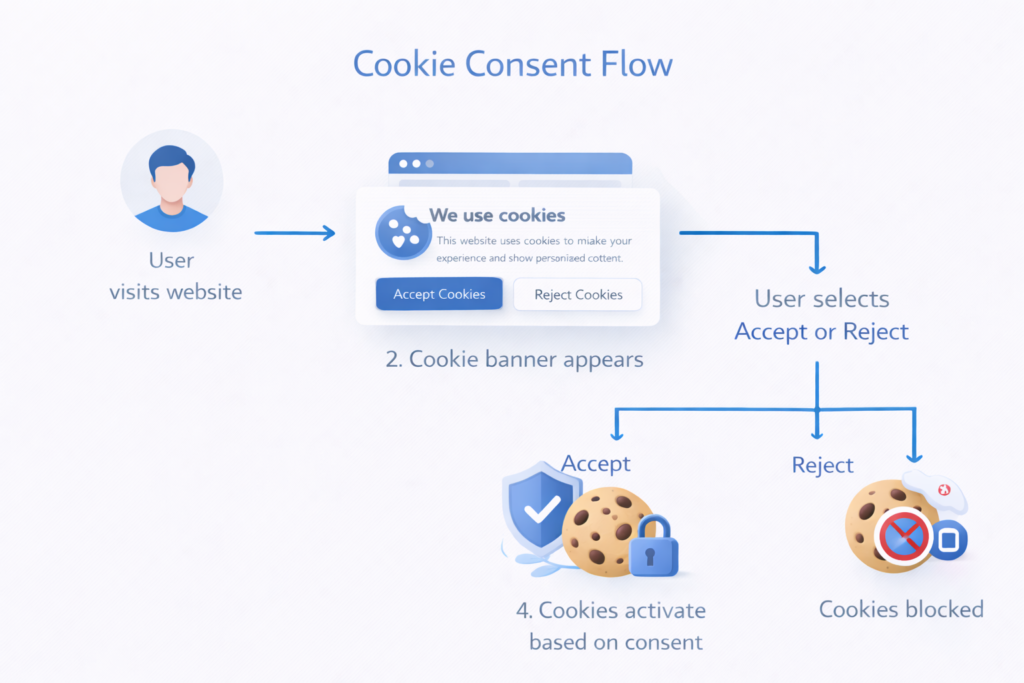
A cookie banner is a notice that tells visitors about the use of cookies or similar technologies and, where required, asks for permission before non-essential cookies are stored or accessed.
These banners normally appear when someone visits a website for the first time. A cookie banner may allow visitors to:
- accept non-essential cookies;
- reject non-essential cookies;
- review and customize cookie categories;
- change or withdraw their consent later.
If you are new to consent notices, start with our explanation of what a cookie banner is and how it works.
Under EU-focused privacy rules, consent is commonly required before using non-essential technologies for purposes such as advertising or visitor tracking. The exact requirements depend on the technology, purpose, location, and applicable national rules.
European data protection authorities have identified practices such as pre-selected consent, missing rejection choices, misleading button design, and difficult consent withdrawal as common cookie banner problems. These issues are discussed in the EDPB Cookie Banner Taskforce report.
2. Example of a Good Cookie Banner

A good cookie banner respects the visitor’s ability to make an informed choice. It explains the purpose of the request without overwhelming the visitor with legal language.
Clear explanation
The banner should explain what the website uses cookies for and why the visitor is being asked to choose.
For example: “We use cookies to remember your preferences, measure website traffic, and support personalized content. You can accept, reject, or manage optional cookies.”
Accessible choices
Where consent is required, visitors should be able to find and understand the available choices without unnecessary steps. Common options include:
- Accept All;
- Reject Non-Essential;
- Manage Preferences.
The design should not make visitors believe that accepting is the only practical way to continue.
No non-essential cookies before required consent
Cookies and trackers that require prior consent should remain inactive until the visitor has made a valid choice. Strictly necessary technologies can normally operate without consent when they are genuinely required to provide a service requested by the visitor.
Easy preference management
Visitors should have an accessible way to reopen their settings and change or withdraw consent after closing the banner.
A banner can look correct while tracking still loads too early. Design and technical behavior must both be checked.
3. Example of a Bad Cookie Banner
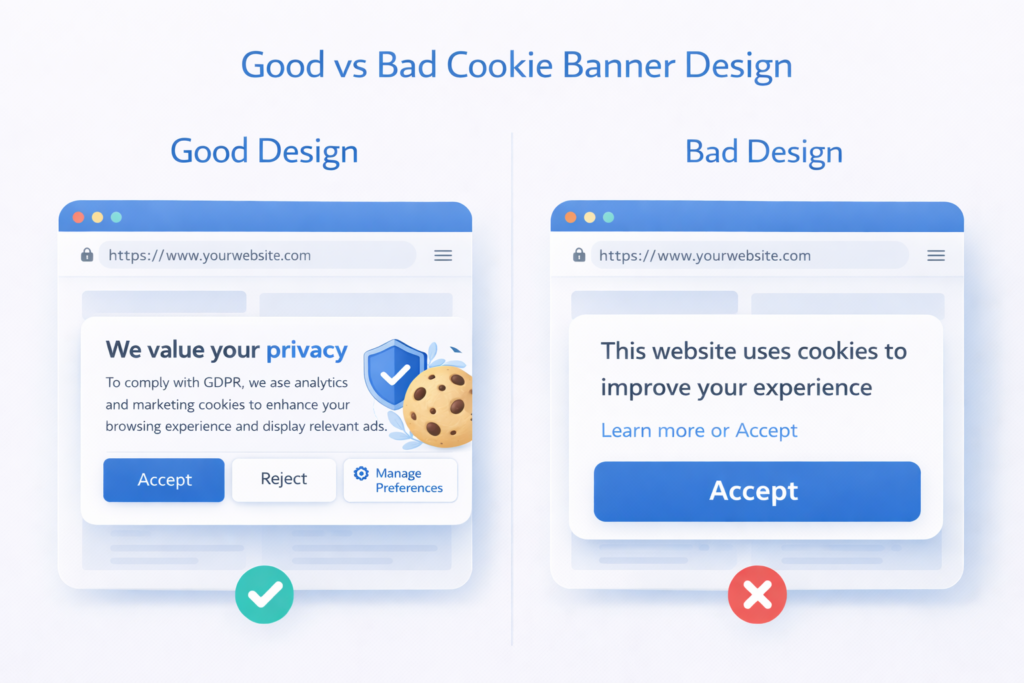
A bad cookie banner makes it difficult for visitors to understand or refuse tracking. These designs are sometimes described as deceptive patterns because they steer visitors toward the choice preferred by the website.
Hidden reject option
The banner shows a large Accept All button but places the rejection option behind another screen, in a small link, or somewhere visitors are unlikely to notice.
Pre-selected consent
Optional cookie categories are already enabled, and the visitor must switch them off manually. Pre-selected choices do not demonstrate an active indication of consent.
Vague explanation
The banner only says, “This website uses cookies,” without explaining the purposes, categories, or available choices.
Tracking before consent
Analytics, advertising, or other non-essential tracking starts before the visitor chooses, even though that tracking requires prior consent in the applicable jurisdiction.
4. Good vs Bad Cookie Banner Comparison
The following comparison shows how the same consent request can either support a genuine choice or make that choice unnecessarily difficult.
| Element | Good Banner | Bad Banner |
|---|---|---|
| Explanation | Clearly explains the main purposes | Uses vague text such as “We use cookies” |
| Consent choices | Provides clear accept, reject, and settings options | Hides or removes the rejection option |
| Button design | Makes each choice easy to find and understand | Uses visual contrast to push visitors toward acceptance |
| Cookie activation | Blocks non-essential cookies when prior consent is required | Loads tracking before the visitor has chosen |
| Preferences | Allows optional categories to be reviewed | Uses pre-selected non-essential categories |
| Withdrawal | Provides an accessible way to change consent | Makes consent difficult to change or withdraw |
5. Common Cookie Banner Mistakes
Website owners can create a misleading or ineffective banner even when they use a recognized consent tool. Common mistakes include:
- showing an Accept button without an accessible way to refuse optional cookies;
- hiding important choices inside several settings screens;
- using confusing or overly technical language;
- enabling non-essential cookie categories by default;
- loading trackers before the required consent has been obtained;
- failing to provide a way to change or withdraw consent;
- testing the visual design but not the website’s technical behavior.
These problems can result from an outdated plugin, incorrect settings, scripts installed outside the consent tool, or a banner that was published without proper testing.
If you use WordPress, check whether your consent solution supports automatic blocking or provides clear instructions for controlling scripts that it cannot block automatically.
If you still need a consent solution, see our comparison of the best cookie consent tools for websites.
The guide compares popular options and helps you choose a solution that matches your platform and website requirements.
6. What a GDPR Cookie Banner Should Typically Include
A GDPR-oriented cookie banner should help visitors understand the request and make a genuine choice. Its exact content and behavior will depend on the cookies used and the rules that apply to the website.
| Feature | Why It Matters |
|---|---|
| Clear purpose explanation | Helps visitors understand why their choice is requested |
| Accessible accept and reject choices | Supports a free and informed decision |
| Cookie categories or purposes | Helps visitors understand and control optional uses |
| Non-essential cookies blocked before consent | Supports prior-consent requirements where applicable |
| No pre-selected optional categories | Requires visitors to make an active choice |
| Accessible consent settings | Allows visitors to change or withdraw consent later |
A well-designed banner improves transparency, but design alone does not prove that the underlying blocking and consent controls work correctly.
Read our guide to website cookie types to understand how necessary, functional, analytics, and marketing cookies are commonly categorized.
Analytics cookies often require consent, especially when they track individual visitors or share data with an external provider. Limited exemptions may exist for narrowly configured analytics in some jurisdictions, so check the website’s setup and the rules that apply to its visitors.
7. Practical Cookie Banner Design Tips
Use these principles when designing or reviewing a cookie banner:
- keep the first message short and clear;
- avoid complicated legal or technical language;
- make acceptance and rejection choices easy to find;
- explain optional purposes before asking for consent;
- allow visitors to review cookie categories;
- provide a persistent way to reopen consent settings;
- make sure the banner works on mobile devices and smaller screens;
- avoid colors, sizes, or wording that pressure visitors toward one choice.
A good cookie banner should support an informed decision instead of treating acceptance as the expected or only practical response.
8. How to Check Your Own Cookie Banner
Do not judge a banner only by its appearance. Open your website in a private or incognito window and check the complete consent process.
- Confirm that the banner appears for a new visitor.
- Check whether optional cookies or tracking requests load before a choice is made.
- Test the Accept, Reject, and Manage Preferences controls separately.
- Confirm that rejecting optional cookies does not activate them.
- Find the settings control and test whether consent can be changed later.
- Repeat the test on both desktop and mobile.
For detailed instructions, follow our guide on how to test a cookie banner and check if it works.
Conclusion
Good cookie banner examples combine clear information, accessible choices, and correct technical behavior. Visitors should understand why they are being asked to choose and should not be pressured into accepting optional tracking.
Bad cookie banners hide choices, use pre-selected settings, or load tracking too early. Even a professionally designed banner can fail if the underlying scripts are not controlled correctly.
Review both the design and technical behavior of your banner whenever you change consent tools, add new tracking services, or update your website.
Recommended Next Step: Test Your Cookie Banner
A cookie banner can look correct while still allowing analytics, advertising, or embedded-content trackers to load before the visitor has made a choice.
The next step is to test what happens before consent, after clicking Accept, after clicking Reject, and when a visitor changes or withdraws their preferences.
This practical check will show whether your banner only looks correct or whether its consent controls actually work.

Frequently Asked Questions
Common questions about this topic
Not always. If a website only uses essential cookies, consent may not be required. However, most websites use analytics or marketing cookies, which typically require consent under GDPR.
A compliant banner allows users to accept or reject non-essential cookies before they are set. It also explains how cookies are used and lets users change their preferences later.
No. GDPR requires users to have a real choice. This means they must be able to reject non-essential cookies as easily as accepting them.
In most cases, yes. Analytics cookies that track user behavior are generally considered non-essential and require consent under GDPR.