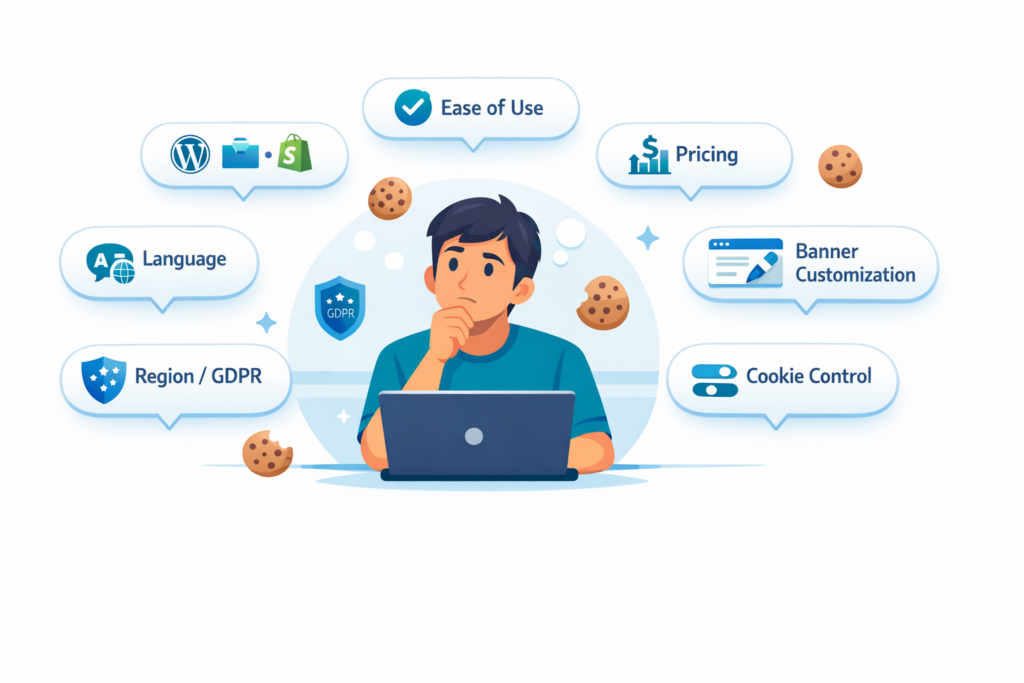
Choosing a cookie consent tool can feel confusing at first. Most tools look similar, and it is not always clear what actually matters or what you really need.
The reality is that picking the wrong tool can waste time, create setup problems, or even lead to compliance issues if cookies are not handled correctly.
The good news is that most cookie consent providers cover the basics. The real difference is how easy they are to use, how well they fit your website, and whether they support the setup you actually need.
In this guide, you’ll learn how to choose the right cookie consent tool based on your website platform, your goals, your visitors, and the level of simplicity or control you want.
The best cookie consent tool depends on your website and how you plan to use it.
- WordPress websites: Usually work best with plugin-based tools
- Simple websites: A beginner-friendly tool is often enough
- Websites using analytics or ads: More advanced features may be needed
Most tools offer similar core features. The best choice is the one that fits your setup, your visitors, and how easy you want the process to be.
Start with Your Website Platform
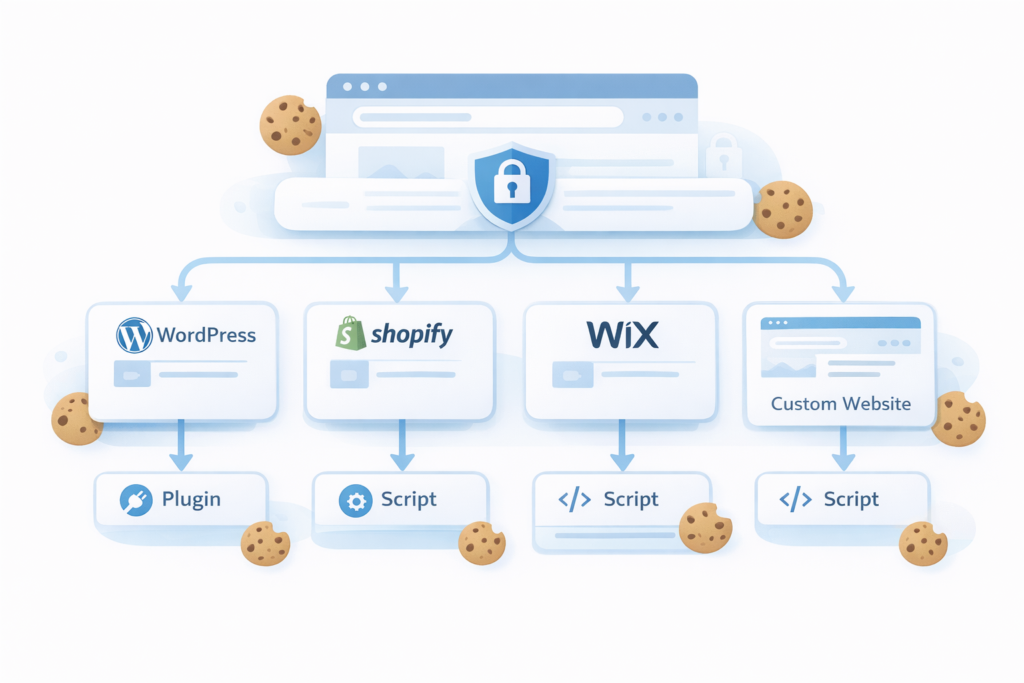
The first thing to look at is your website platform. This affects how the cookie consent tool will be installed, how easy it will be to manage, and which providers make the most sense for your setup.
In simple terms, the best tool is not just the one with the most features. It is the one that fits how your website is built.
- WordPress: Usually works best with plugin-based tools.
- Shopify: Often uses apps or script-based setup.
- Wix or Squarespace: Usually relies on script-based tools or built-in code injection options.
- Custom HTML website: Usually needs manual script installation or a setup through Google Tag Manager.
How Easy Do You Want the Setup to Be?
Some website owners want the easiest setup possible. Others are comfortable with more options and more control. This is one of the biggest differences between cookie consent tools.
If you are a beginner, you will usually want a tool that gives you a simple dashboard, a guided setup process, and clear steps you can follow without technical help.
If you are more advanced, or if your website uses more third-party tools, you may prefer a provider that gives you more control over how the banner behaves and how consent is managed.
- Easier setup: Better for beginners, bloggers, and small business websites.
- More advanced setup: Better for websites with more tracking tools, more legal requirements, or more complex needs.
If you are just starting out, do not choose a tool only because it has the most features. A simpler tool that you can actually install and manage properly is often the better choice.
Free vs Paid Tools
One of the first things many website owners look at is price. That makes sense. If you are running a small website, you may want to start with a free plan and avoid paying for features you do not need yet.
Many cookie consent providers offer a free version or a limited free plan. For a small blog, brochure website, or simple business site, that may be enough in the beginning.
As your website grows, you may need more advanced features, more page views, more languages, more customization, or better support. That is usually when a paid plan starts to make more sense.
Before choosing a free tool, ask yourself:
- Will the free plan be enough for your website traffic?
- Does it include the features you actually need?
- Will you likely need to upgrade soon?
- Is the free version useful, or is it too limited to be practical?
Free plans can be a good starting point, but they are not always the best long-term solution.
Will It Work in Your Country and with Your Visitors?
Another important question is whether the tool supports the rules that matter for your website and your visitors.
For example, if your website serves visitors from the European Union, GDPR and ePrivacy rules are usually important. If your website serves people in places like California, you may also care about rules linked to CCPA or similar privacy laws.
If a tool does not properly support the regions your visitors come from, your banner may not meet local requirements or may confuse users. This can affect both compliance and user experience.
You don’t need to become a legal expert. The goal is simply to make sure the tool can adapt to your audience, especially if your visitors come from different regions.
When looking at a cookie consent provider, here are a few practical things to check:
- Do they clearly mention GDPR or EU compliance?
- Do they support region-based banner behavior?
- Do they explain how consent is handled for visitors from different countries?
- Do they offer automatic location detection or manual region settings?
If most of your visitors are from one country, a simple tool is usually enough. But if your audience comes from multiple regions, it becomes more important to choose a provider that can handle different requirements more flexibly.
If you run a travel blog and get visitors from Europe, the US, and other regions, a good tool can show a GDPR-style banner to EU users and a different version to visitors from other regions.
A cookie consent tool can support compliance, but it does not automatically make your website compliant by itself. The setup, configuration, and how cookies are actually loaded on your site still matter.
Does It Support Your Website Language?
This is something many website owners forget at first, but it matters a lot in practice.
If your website is in English, this may be simple. But if your site is in Estonian, Norwegian, German, or multiple languages, the banner should also work in the language your visitors expect to see.
A good provider should make it easy to:
- show the banner in the correct language
- support multiple languages if your site is multilingual
- translate banner text clearly
- match the language of your privacy and cookie information
If the banner appears in the wrong language, it can make the website feel less trustworthy and less clear. That is a user experience issue, not just a technical detail.
Does It Include a Cookie Policy?
Some cookie consent providers only focus on the banner itself, while others also help you create a cookie policy, privacy policy, or other legal pages.
This matters because a cookie banner and a cookie policy serve different purposes. The banner asks for consent, while the policy explains what cookies your website uses and why.
When comparing tools, check whether the provider:
- includes a cookie policy generator
- keeps the policy updated automatically
- lets you link the banner directly to your cookie policy page
- offers additional legal documents like a privacy policy
In most cases, websites that use analytics or marketing cookies should have a cookie policy. If your tool includes this, it can save time and make setup easier.
If you already manage your legal pages separately, this may not be a priority. But if you want an all-in-one solution, this can be a useful feature to look for.
Do You Need Advanced Features?
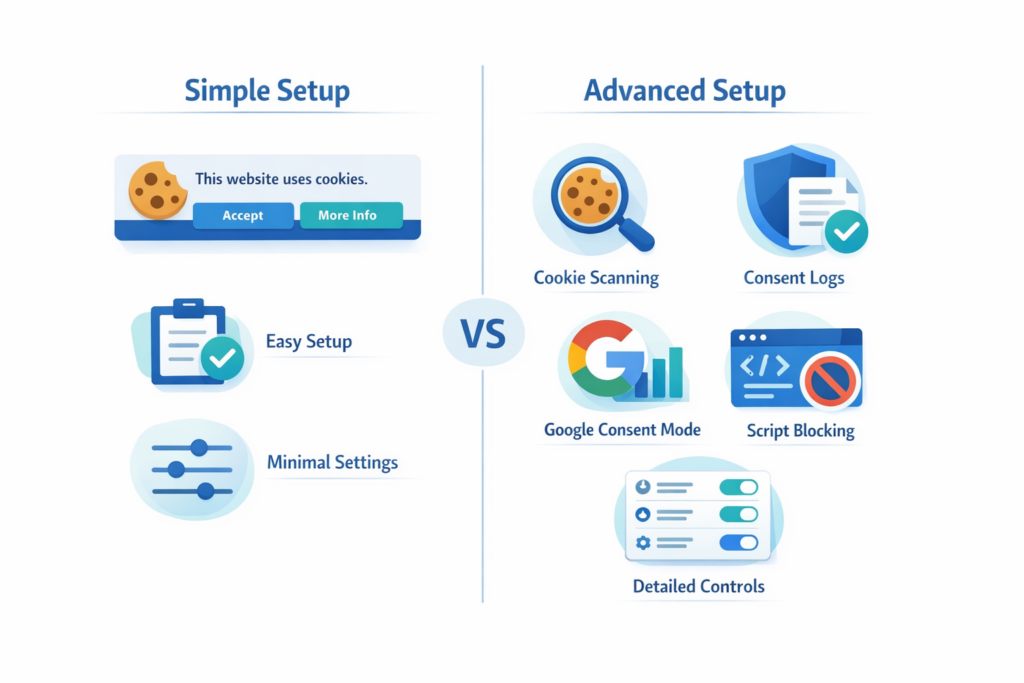
Most websites do not need every advanced feature available. But some do need more than just a simple banner.
This is where it helps to understand a few common features in plain language.
You do not need to understand these features in detail. The goal is simply to recognize when they might matter for your website.
Consent Logs
Consent logs help record what choice a visitor made. Some website owners want this for better record-keeping and stronger privacy management.
Automatic Cookie Scanning
This feature helps detect cookies and tracking technologies on your website. It can save time and make it easier to understand what your website is using.
Cookie Blocking Before Consent
This means the tool helps prevent non-essential cookies from loading before the user has given permission. You do not need to understand the technical side in detail, but this is one of the features people often look for when they want stronger GDPR-style compliance support.
Google Consent Mode
Google Consent Mode is a feature that works with Google services such as Google Analytics and Google Ads. In simple terms, it helps Google tools adjust how they collect and use data based on the visitor’s consent choices.
You do not need to understand every technical detail to choose a tool, but if your website uses Google Analytics, Google Ads, or similar Google services, support for Google Consent Mode can be useful.
Region-Based Banner Settings
Some tools let you show different banner behavior depending on where the visitor is located. This can be useful if your website serves visitors from different countries with different privacy expectations.
Not every website needs all of these features. The point is not to choose the most advanced tool. The point is to understand which features matter for your website and ignore the rest.
How Much Banner Customization Do You Need?
Banner customization is another thing worth checking before you choose a tool. Most providers let you change the basics, but the level of control can vary quite a lot.
Some website owners only want a clean banner that matches their brand colors. Others want much more control over layout, button text, style, position, and how the banner behaves.
When looking at customization, ask yourself:
- Can you change the colors to match your website?
- Can you edit the button text and wording?
- Can you choose the banner layout and position?
- Can you make the banner fit your brand without needing custom code?
- Can you customize the cookie settings panel as well as the main banner?
For many small websites, basic customization is enough. But if your brand matters a lot, or if you want the banner to feel more natural on your site, this can be an important difference between providers.
A small business website may only need a simple banner with matching colors and clear buttons. A larger brand site may want more design control so the banner feels fully integrated into the website experience.
Real Examples: What Different Website Owners Should Look For
Sometimes the easiest way to choose the right tool is to look at your own situation.
Example 1: A Small Local Business Website in Europe
If you run a simple business website in one European country, you will probably want a tool that is easy to set up, supports your language, and gives you a clear banner with a manageable free or low-cost plan.
You may not need a highly advanced enterprise tool. Simplicity, language support, and clear GDPR-focused setup are usually more important.
Example 2: A Blog or Content Website
If your site is mostly articles and a few basic tools, a beginner-friendly provider with a free plan may be enough. In this case, ease of use and low maintenance often matter more than advanced customization.
Example 3: An Ecommerce Website Using Ads and Analytics
If your site uses multiple marketing tools, analytics, tracking pixels, and advertising platforms, you may want a provider with stronger control, better scanning, and more advanced settings.
This is also where features like Google Consent Mode, better consent handling, and stronger policy support can become more important.
Example 4: A Multilingual Website
If your website serves users in more than one language, make sure the banner can also match that experience. Language support becomes much more important here than many people expect at first.
Example 5: A Website Owner with No Technical Experience
If you want to do everything yourself, choose a provider with a clear setup process, simple dashboard, and good documentation. A tool that is technically powerful is not always the best choice if it feels confusing from day one.
Common Mistakes When Choosing a Cookie Consent Tool
Many people choose too quickly and focus only on one thing, usually price. That can lead to the wrong decision.
Here are some common mistakes:
- choosing a tool without checking platform compatibility
- choosing only based on price
- ignoring language support
- assuming every tool includes a cookie policy
- picking a tool that is too advanced for a simple website
- choosing a simple tool when the site needs more control
- focusing only on features without thinking about ease of use
A good choice is usually the one that fits your real situation, not the one with the longest feature list.
A banner that looks out of place can reduce trust and make your website feel less professional.
What Matters Most When Choosing a Cookie Consent Tool?
When comparing cookie consent tools, most providers will offer similar core features. The real difference comes down to how well the tool fits your website, your setup, and your specific needs.
Instead of focusing on long feature lists, use this simple checklist to quickly evaluate which cookie consent tool is the right fit for your situation.
If you only remember one thing from this guide, use this checklist.
Use this checklist to quickly compare cookie consent tools and find the one that fits your website best.
- Is it a good fit for your website platform?
- Is it easy enough for you to set up and manage?
- Does the price make sense for your website size?
- Does it support the regions your visitors come from?
- Does it support your website language?
- Does it include a cookie policy?
- Do you need more control over how cookies are handled?
- Can you customize the banner to match your website?
Now that you know what to look for, the next step is comparing the best options side by side.
Conclusion
Choosing the right cookie consent tool is not about finding one perfect provider that works for everyone. It is about choosing the one that fits your website, your platform, your experience level, and the setup you actually need.
Most tools cover the basics. What matters most is whether the provider is easy enough to use, supports your website language and region, fits your budget, and gives you the level of control you need without making things unnecessarily complicated.
Next Step: Compare the Best Cookie Consent Tools
Now that you understand what to look for, the easiest next step is to compare the best cookie consent tools side by side and see which one fits your website best.

Frequently Asked Questions
Common questions about this topic
Start with your website platform, then look at ease of use, pricing, language support, region support, and whether the tool includes the policies and controls you need. The best tool is usually the one that fits your website best, not the one with the longest feature list.
Most cookie consent tools cover the basics, such as showing a banner and helping manage consent. The main differences usually come down to setup simplicity, customization, pricing, language support, policy generation, and how much control the tool gives you.
Not always. Many small websites only need a simple tool that is easy to install and manage. More advanced tools are usually a better fit for websites with more tracking tools, more complex setups, or broader privacy requirements.
Yes, this can be very important. If your website is in a specific language or uses multiple languages, the banner and related privacy information should match that experience as closely as possible.
In many cases, yes. A cookie banner helps collect or manage consent, while a cookie policy explains what cookies your website uses and why. Some providers include a cookie policy generator, while others only focus on the banner itself.
That depends on your website, but for many small website owners, ease of use matters more than chasing the cheapest option. A tool that is simple to set up and manage can often save more time and frustration than a cheaper tool that feels harder to use.