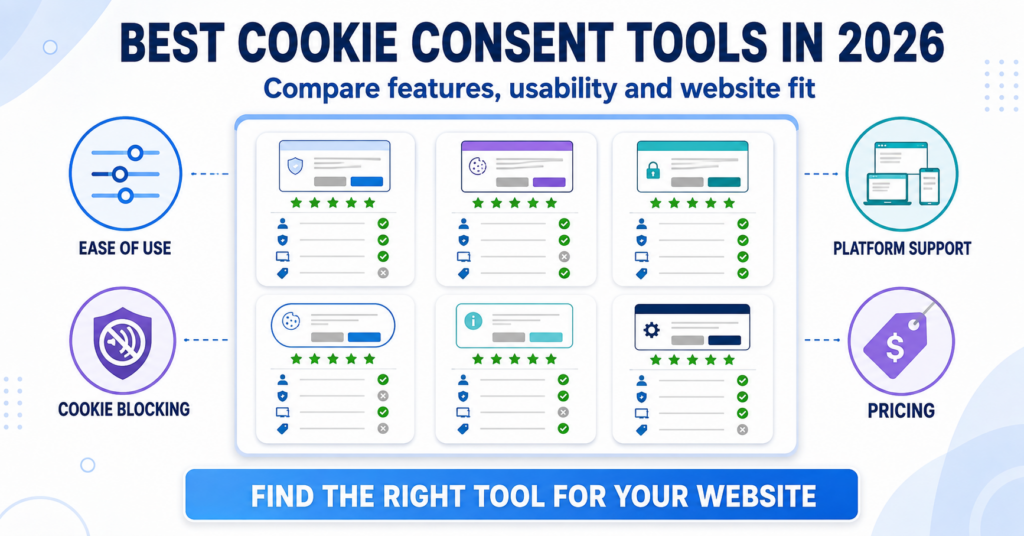
This comparison helps you shortlist a cookie consent tool for your website. Compare eight providers by platform fit, included features and free-plan limits, then use the practical examples to decide which option to investigate first.
CookieYes is our recommended starting point for beginners who want a guided setup. Choose Cookiebot if recurring scanning is your priority, Termly if you want cookie consent and policy tools together, or Complianz if you prefer managing consent inside WordPress. The right plan depends on your traffic, website platform, and required features.
Find the Right Cookie Consent Tool
How We Compared These Cookie Consent Tools
Our recommendations focus on the practical questions website owners face when choosing a cookie consent tool: how to install it, which features are included, and what happens as the website grows.
- Setup: The installation steps, available guides, and settings you need to manage.
- Consent features: Cookie scanning, script blocking, visitor preferences, and consent records.
- Platform support: Whether the tool supports your website and the services you use.
- Cost: Free-plan restrictions, paid features, usage allowances, and billing terms.
- Ongoing maintenance: How you check for new cookies and update the setup after website changes.
“Best for” labels are our editorial recommendations for the stated use case, not measured rankings. We use provider documentation alongside our linked reviews and setup guides. No provider automatically makes a website compliant: the selected plan, configuration, and actual tracking behaviour still matter.
The sections below explain where each tool fits and what to check before choosing.
CookieYes — Our Starting Pick for Beginners
CookieYes is our first recommendation for beginners who want a guided way to add a cookie banner. Its WordPress plugin and hosted dashboard provide a clear route from installation to managing banner settings.
It is worth considering for blogs, small business websites, and website owners who want to follow a setup guide. Check your traffic and required features before deciding between Free and a paid plan.

Why choose CookieYes?
- A WordPress plugin with a hosted dashboard for managing consent settings.
- A free starting option for websites within its usage limits.
- Cookie scanning and blocking features to help manage website tracking.
- A dedicated WordPress installation guide you can follow.
What to watch: The standard Free allowance for new websites is 5,000 monthly pageviews, with scanning for up to 100 pages per scan. Some older accounts have different allowances. Check which features your selected plan includes and what happens when you reach its usage limit.
Choose CookieYes if you want a guided starting point and its plan limits match your website. Our beginner recommendation does not mean Free will be enough for every site.
Affiliate disclosure: The CookieYes, Complianz, and Cookiebot provider buttons below use affiliate links. We may earn a commission if you purchase through them, at no extra cost to you.
Find a CookieYes plan that fits your site
Compare traffic allowances and included features before choosing Free or a paid plan.
Cookiebot — Our Pick for Recurring Scanning
Cookiebot is our recommendation when recurring cookie scans and centrally managed consent are your main priorities. It is worth comparing if your website changes regularly and you want scans to help identify new cookies and services.
Its paid plans are the relevant comparison for recurring scanning and broader automation. Do not assume that the ongoing free plan includes everything available during a Premium trial.

Why choose Cookiebot?
- Recurring scanning on paid plans to help detect changes to website cookies.
- Automatic blocking features on applicable plans.
- Central management of consent settings.
- Consent logging and reporting options, depending on the plan.
What to watch: Pricing depends on domain and subpage counts. The free option is for one domain with fewer than 50 subpages and has reduced functionality. Check the scanner’s page count and the differences between Free, the trial, and Premium before deciding.
Choose Cookiebot if you want recurring scans and are prepared to select a paid plan that includes the automation your website needs.
Compare Cookiebot’s plans for your domain
Check the website-size tiers and which scanning and blocking features each plan includes.
Termly — For Cookie Consent and Policy Tools
Termly is worth comparing if you want a cookie banner and legal policy tools in one account. This can suit a small business that wants to manage both without choosing separate services.
The important question is which policies and consent features your plan includes. A free account and a paid package can provide different scan frequencies, usage allowances, and settings.

Why choose Termly?
- Cookie consent and legal policy tools in one account.
- A hosted dashboard for managing the setup.
- Free and paid packages for different website needs.
- A useful shortlist option if you need both a banner and policy documents.
What to watch: Free includes 10,000 monthly banner views, one basic legal policy, and quarterly scans. Compare paid plans if you need more policies, more frequent scans, multilingual settings, or additional consent features.
Choose Termly if you want to manage your banner and policy documents together, and the selected package covers the documents and features you actually need.
Check what Termly includes
Compare policy allowances, banner views, and scanning frequency across the available plans.
Complianz — Our Pick for a WordPress Plugin
Complianz is our recommendation if you use WordPress and prefer managing consent inside your website dashboard. Its setup wizard provides a plugin-based route through the main settings.
This is a different approach from choosing a service mainly around an external dashboard. Compare the free plugin with Premium according to the features your website needs.

Why choose Complianz?
- A plugin designed for WordPress.
- A setup wizard inside your website dashboard.
- A free starting option without a monthly pageview allowance.
- Premium options for consent records, multiple regions, and additional integrations.
What to watch: The WordPress plugin discussed here cannot be installed on a non-WordPress website. Features such as Records of Consent, multiple-region settings, and its Google Consent Mode v2 integration are included in Premium, so compare the plans against your requirements.
Choose Complianz if you want a WordPress plugin and prefer managing consent settings alongside the rest of your website.
See whether Complianz fits your setup
Start by comparing the free plugin with the Premium features your website may need.
iubenda — For Broader Privacy Documents
iubenda is worth comparing when you need more than a cookie banner. Its packages combine consent tools with privacy and cookie policy features, with broader document options available depending on the plan.
It belongs on your shortlist if the documents, supported languages, and consent controls are all part of your decision. Check the package contents carefully so you do not pay for features you will not use.

Why choose iubenda?
- Privacy and cookie policy tools alongside cookie consent.
- Packages with different document and language allowances.
- Integrations for WordPress and other website platforms.
- A useful option when documents are as important to your decision as the banner.
What to watch: Document coverage, languages, and traffic allowances differ by package. Essentials includes one language and 25,000 monthly pageviews, with additional usage charges beyond the allowance. Check the documents included rather than assuming every package covers every requirement.
Choose iubenda if you want to manage privacy documents and consent tools together and have checked which package covers your website.
Compare iubenda’s package contents
Check the included documents, languages, pageviews, and additional usage charges before choosing.
Cookie Information — For Ongoing Monitoring
Cookie Information is our shortlist suggestion for teams that want regular scanning and ongoing monitoring as part of website maintenance. Its Business package adds consent-rate tracking and risk alerts to the core banner service.
This makes it worth comparing when someone on your team will regularly review reports and act on changes. A smaller website that only needs a basic banner may not need the broader package.

Why choose Cookie Information?
- Automated cookie scanning and classification.
- Packages with different scanning and monitoring options.
- Consent-rate tracking and risk alerts in Business.
- An option for teams that include consent checks in regular website maintenance.
What to watch: There is a trial rather than an ongoing free plan. Package pricing depends on factors such as website size, scanning needs, and usage. Confirm the trial duration for your selected product at signup and check the subscription terms before continuing.
Choose Cookie Information if your team will use the scanning and monitoring features regularly, rather than only installing a banner and leaving it unchanged.
Check Cookie Information’s packages
Compare the core banner service with the monitoring features and allowances your team needs.
CookieHub — For a Straightforward Consent Setup
CookieHub is worth comparing if you want a hosted consent service with scanning, blocking, and banner settings in one place. It is an alternative for website owners who prefer a central dashboard.
Its plans use sessions as the main traffic measurement. Compare your expected usage with that allowance instead of treating sessions and pageviews as the same number.
Why choose CookieHub?
- A hosted dashboard for managing banner and consent settings.
- Scanning and blocking tools, with coverage depending on the selected plan.
- A WordPress plugin and a dedicated installation guide.
- Session-based plans you can compare with your website’s usage.
What to watch: Free is intended for fewer than 1,000 monthly sessions and includes a one-time scan of up to 50 pages. The free banner stops displaying when the allowance is exceeded. Check the current plan-change rules for paid subscriptions before choosing.
Choose CookieHub if you want a hosted consent service and its session allowances and included features match your website.
Compare CookieHub’s session allowances
Check the included sessions, scanning coverage, and upgrade rules for your expected traffic.
Cookie Consent Tools Compared
Use this table to narrow your shortlist. A free option is not automatically the best fit: check the allowance and whether it includes the consent features your website needs.
| Tool | Our suggested use case | Free option | Main consideration |
|---|---|---|---|
| CookieYes | Beginners following a guided setup | Yes — pageview and scanning limits | Traffic allowance and paid features |
| Cookiebot | Recurring scanning on a suitable paid plan | One domain with fewer than 50 subpages; reduced features | Subpage count and Free versus Premium features |
| Termly | Cookie consent and policy tools together | Yes — usage and feature limits | Included policies and scan frequency |
| Complianz | Managing consent inside WordPress | Free WordPress plugin; Premium extras | Whether your setup needs Premium features |
| iubenda | Privacy documents and consent tools together | Limited free option | Documents, languages, and usage charges |
| Cookie Information | Teams using ongoing monitoring | Trial rather than an ongoing free plan | Monitoring package and usage allowances |
| CookieHub | A straightforward hosted consent setup | Yes — monthly session limit | Session allowance and plan-change rules |
Provider plan information reviewed on 25 October 2026. Prices, features, and allowances can change. Pageviews, banner views, sessions, and subpages are different measurements. Platform-specific app plans may also differ from the provider’s standard plans.
Choosing between CookieYes and Cookiebot? Read our Cookiebot vs CookieYes comparison for a closer look at setup, scanning, pricing, and free-plan restrictions.
For a WordPress plugin versus a hosted consent service, see our Complianz vs Cookiebot comparison.
Which Cookie Consent Tool Should You Choose?
Start with your website platform and the job you need the tool to do. Then check the plan that includes those features.
- Choose CookieYes if you want our beginner starting recommendation and a guided installation path.
- Choose Cookiebot if recurring scanning and centrally managed consent are your main priorities.
- Choose Termly if you want a cookie banner and policy tools in one account.
- Choose Complianz if you use WordPress and prefer managing consent inside your website dashboard.
- Choose iubenda if document coverage, languages, and consent tools all matter to your decision.
- Choose Cookie Information if your team will regularly use its scanning and monitoring features.
- Choose CookieHub if you prefer a hosted consent service with session-based allowances.
If you are a beginner setting up a WordPress website, start by checking CookieYes and follow our installation guide. If you prefer managing everything inside WordPress, compare Complianz. Choose the plan around your traffic and required features rather than the recommendation alone.
What to Check Before Choosing a Tool
Before creating an account or paying for a plan, check these practical details:
- Your website platform: Confirm that the tool supports your platform, theme, and installation method.
- Your tracking services: Check how it handles your analytics, advertising, embedded videos, forms, and other integrations.
- Your required features: Compare blocking, consent records, language options, regional settings, and any Google Consent Mode requirements.
- Your usage: Check which measurement the provider uses and leave room for traffic spikes or additional pages.
- Your likely total cost: Check domains, billing period, taxes, renewal terms, and what happens when you exceed an allowance.
- Your maintenance routine: Decide who will check scan results and test the banner after website changes.
If you use Shopify or another hosted platform, check the integration with its native privacy settings, pixels, and installed apps. Avoid running two separate banners that compete to control the same services.
For a broader explanation, read How to Choose the Right Cookie Consent Tool →
Choosing Specifically for WordPress?
For WordPress, the main choice is often between a plugin-focused setup and a service managed through a hosted dashboard. Both approaches still require configuration and testing.
Our Best Cookie Consent Plugins for WordPress comparison focuses on those differences, including where Complianz, CookieYes, and Cookiebot fit.
What to Check After Installation
Installing a tool is the start of the process. Open your website in a fresh private browsing session and check how it behaves before and after a visitor makes a choice.
- Before consent: Check whether services requiring consent are restricted as intended.
- After rejecting: Confirm those services remain restricted.
- After accepting: Check that the services the visitor allowed work correctly.
- After changing preferences: Confirm visitors can reopen the settings and withdraw their choices.
- On mobile: Check that the banner, buttons, and settings are readable and usable.
- After changes: Repeat your checks when you add tracking, plugins, embeds, or a new plan.
Follow our practical guide: How to Test a Cookie Banner →
Recommended Next Step
If CookieYes fits your website, follow our CookieYes WordPress installation guide. If you prefer a WordPress plugin setup, use our Complianz WordPress installation guide.
Using another provider or platform? Find the right cookie banner setup guide for your website →
Frequently Asked Questions
Common questions about this topic
Start by comparing CookieYes and CookieScript if you prefer a hosted dashboard, or Complianz if you want to work inside WordPress. Choose the option whose setup process, features and plan limits fit your website.
There is no universal winner. Compare the controls your website needs, including consent choices, blocking, consent records and withdrawal options. The provider name alone does not establish compliance; correct configuration and testing matter.
Only if a free plan cannot cover your required features or usage. Check traffic allowances, scan coverage, languages, regional settings and consent records. Also check what happens when you reach a limit or a trial ends.
Yes, but plan the migration carefully. Replace the old integration, configure the new tool and test your tracking again. Existing consent choices may not transfer, so you may need to ask visitors for consent again.
The easiest option depends on your platform and preferred workflow. Check whether you can install it, configure the necessary controls and maintain it confidently. A quick installation is useful, but the complete setup must also work with your website’s tracking.