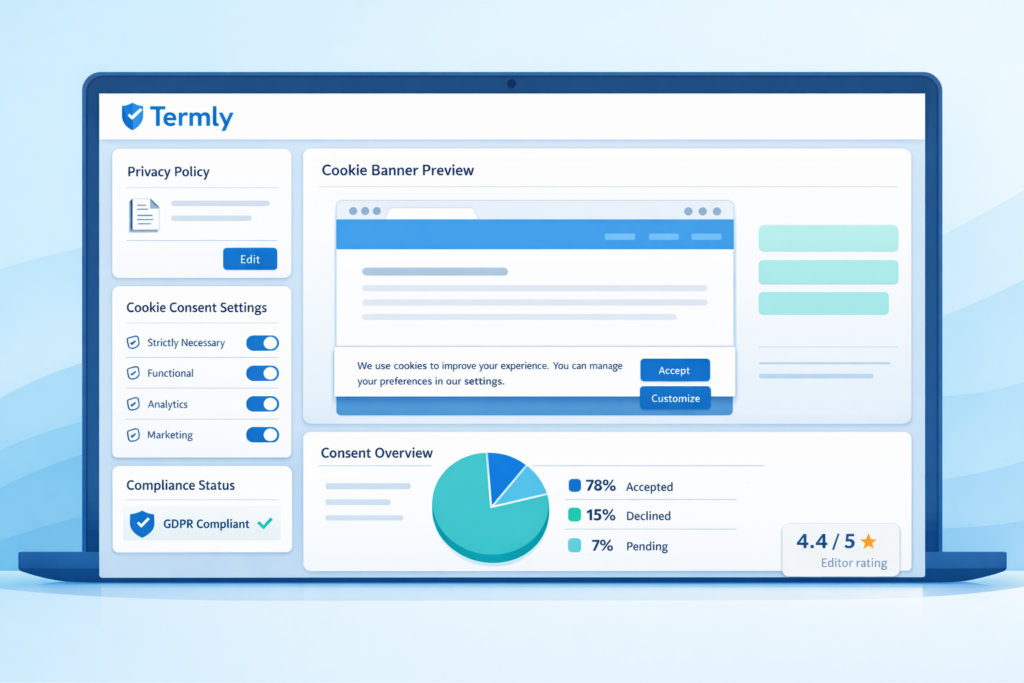
Termly is an all-in-one compliance platform that helps website owners manage cookie consent, privacy policies, and legal documents. It is designed for simplicity and ease of use.
In this Termly review, you’ll learn about pricing, features, setup difficulty, and whether it is the right cookie consent tool for your website.
If you are new to cookie consent, you can also read What Is a Cookie Banner? or Understanding GDPR Cookie Consent.
Reviewed by: Cookie compliance specialist
5+ years of hands-on experience with GDPR and consent tools
Tested on real websites (WordPress, Shopify, and custom setups)
Is Termly worth considering?
Termly is a simple and affordable cookie consent and privacy compliance tool built for small websites and businesses. It is especially useful for users who want a beginner-friendly solution that combines cookie consent management with legal policy generation in one platform.
What is Termly?
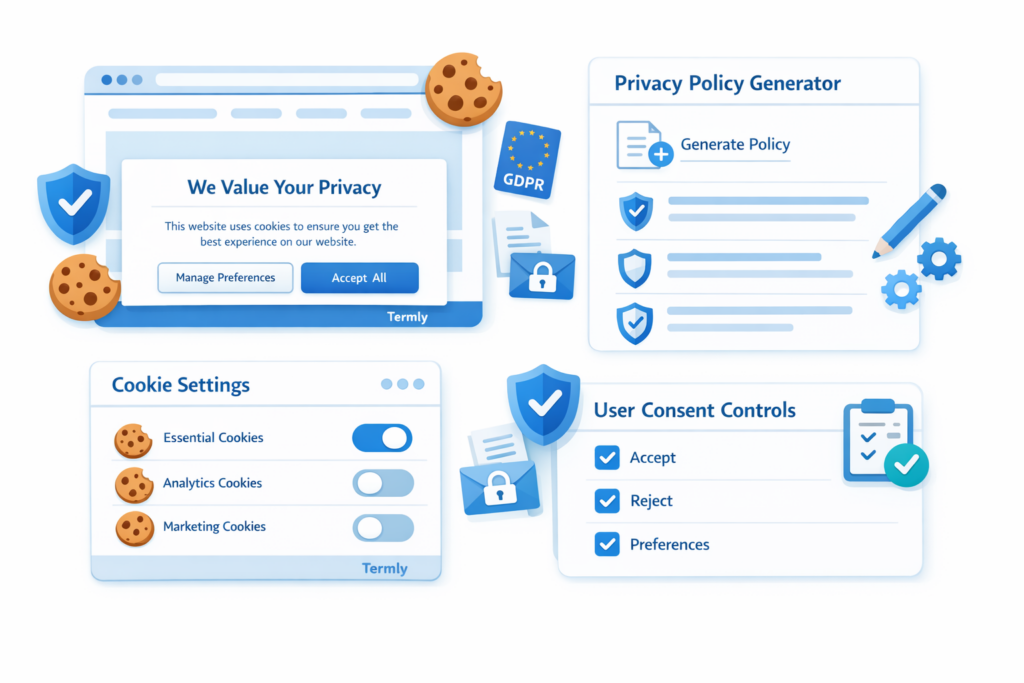
Termly is a privacy compliance platform that helps websites manage cookies, user consent, and legal policies such as privacy policies, cookie policies, and terms and conditions.
Unlike some tools that only focus on cookie banners, Termly combines cookie consent management with legal document generation, making it a complete solution for many small websites.
It supports regulations such as GDPR and CCPA and provides tools for displaying cookie banners, managing consent preferences, and generating policies.
Termly is widely used by website owners who want a simple and affordable way to handle privacy compliance without technical complexity.
Is Termly the Right Fit for You?
Use this section to quickly evaluate whether Termly matches your website and compliance needs.
These are the key factors to consider when choosing a cookie consent tool.
- Platform fit: Works with WordPress, Shopify, and custom websites.
- Ease of use: Very beginner-friendly and easy to set up.
- Pricing: Free plan available. Paid plans unlock more features.
- Region support: Supports GDPR, CCPA, and other privacy laws.
- Language support: Supports multiple languages depending on setup.
- Cookie policy: Strong focus on policy generation and legal documents.
- Control: Users can accept, reject, or customize consent.
- Customization: Good customization for banners and policies.
- Cookie blocking: Supports blocking scripts before consent.
- Consent records: Consent logging available on paid plans.
- Integrations: Works with common platforms and tracking tools.
Overall, Termly is a strong choice for users who want a simple all-in-one compliance platform.
If you want cookie consent and legal documents in one tool, Termly is a great choice.
If you only need a simple cookie banner, a more lightweight tool may be a better fit.
If you are still unsure, compare the best cookie consent tools before deciding.
Pros and Cons
Pros
- Very easy to set up and use
- Affordable pricing compared to competitors
- Includes legal policy generators
- Works well for small websites
- Clean and beginner-friendly interface
Cons
- Limited advanced customization
- Less powerful than advanced tools like Cookiebot
- Not ideal for large or complex websites
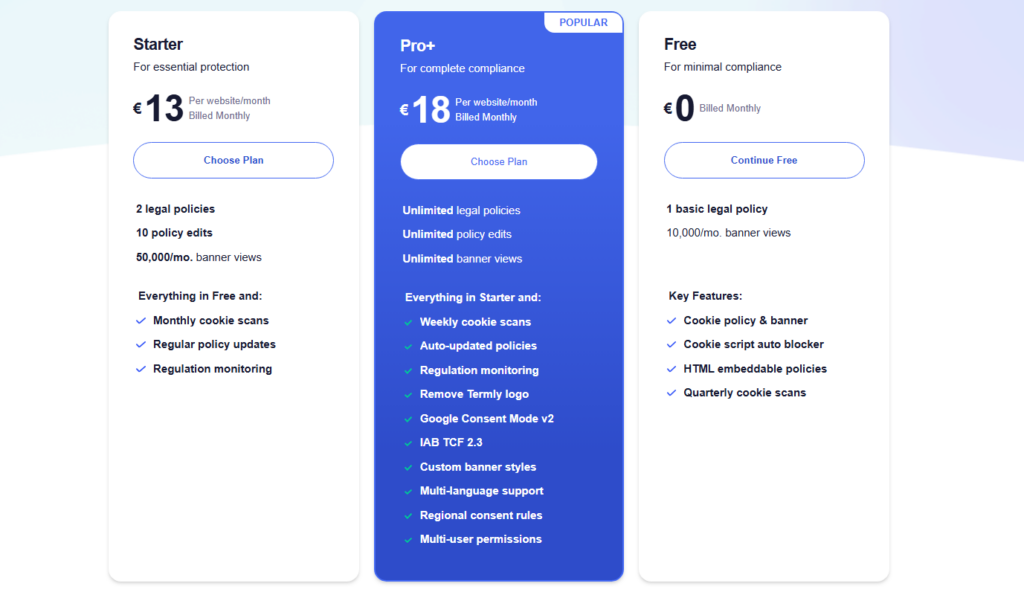
Pricing
Termly offers a free plan, which is suitable for small websites or testing. It includes basic cookie consent features and limited policy generation.
Paid plans unlock more advanced features, including additional policies, higher limits, and more customization options.
You can check the latest pricing on the official Termly pricing page.
| Plan | Best for | Starting price |
|---|---|---|
| Free | Small websites | $0 |
| Paid | Growing websites | From ~€10/month |
Is Termly GDPR Compliant?
Termly is designed to support GDPR compliance and other privacy regulations. It provides tools for consent collection, cookie management, and policy generation.
However, compliance depends on correct configuration. You need to ensure that non-essential cookies are not loaded before consent and that users have real choices.
According to the European Commission, websites must obtain consent before placing non-essential cookies.
Who is Termly best for?
Termly is best suited for users who want a simple and affordable way to manage cookie consent and privacy compliance.
It is especially a good fit for:
✔ Small business websites
✔ Bloggers and content creators
✔ Startups with limited budgets
✔ Website owners who want a quick setup
✔ Beginners with no technical experience
A small business owner running a WordPress site can use Termly to quickly generate a privacy policy and display a cookie banner without needing a developer.
If this sounds like your situation, Termly is a practical and easy-to-use solution.
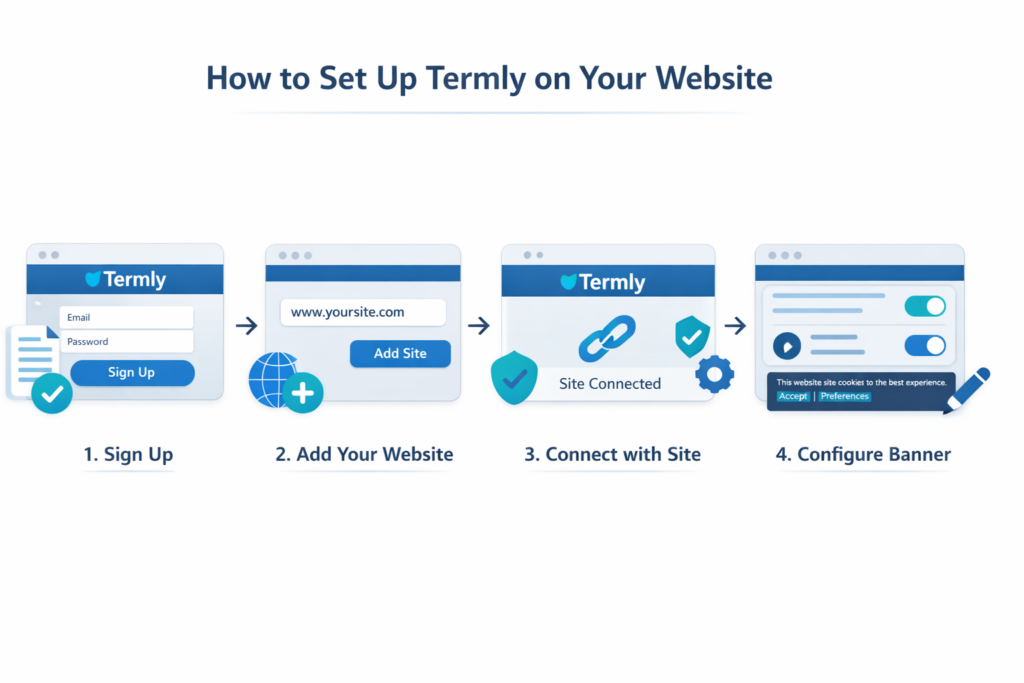
How easy is it to set up?
Termly is one of the easiest cookie consent tools to set up.
For most users, the process is simple:
– Sign up for an account
– Add your website
– Generate your policies
– Configure your cookie banner
While it does not offer as much advanced control as tools like Cookiebot, it makes up for it with simplicity and speed.
Termly vs other tools
Here’s how Termly compares to other popular cookie consent tools:
| Feature | Termly | Cookiebot | CookieYes |
|---|---|---|---|
| Free plan | Yes | Limited | Yes |
| Ease of use | Easy | Moderate | Very easy |
| Best for | Small websites | Advanced compliance | Beginners |
| Cookie scanning | Yes | Advanced | Yes |
| Legal policies | Yes | Limited | Limited |
Termly stands out because it combines cookie consent management with legal policy generation in one platform.
When Termly might not be the best choice
Termly may not be the best choice if:
– You need advanced cookie scanning and automation
– You run a large or complex website
– You require deep customization and integrations
Termly focuses on simplicity, so it may feel limited compared to more advanced tools like Cookiebot.
If your website grows or requires more advanced consent automation, another tool may be a better long-term fit.
Final verdict
Termly is a simple, affordable, and beginner-friendly cookie consent tool that works well for small websites.
It may not offer the most advanced features, but it provides everything most users need to stay compliant without complexity.
If you are looking for an easy way to manage cookie consent and generate legal policies, Termly is definitely worth considering.
If you want more advanced control and automation, tools like Cookiebot may be a better fit.
Next step: Start with Termly or compare other tools
If Termly seems like the right choice for your website, the next step is to set it up or compare it with other tools before making your decision.

Frequently Asked Questions About Termly
Common questions about this topic
Yes, Termly offers a free plan that includes basic cookie consent tools and limited legal policy generation. Paid plans are available for more advanced features and higher usage limits.
Yes, Termly is one of the easiest cookie consent tools to use. It is designed for beginners and small website owners who want a simple and quick setup without technical complexity.
Yes, Termly offers a WordPress plugin that allows you to connect your account and manage your cookie banner directly from your website.
Yes, one of Termly’s main advantages is that it includes tools for generating privacy policies, cookie policies, and other legal documents.
Termly is designed to support GDPR compliance, but your website is only compliant if the tool is properly configured and cookies are blocked before user consent.
Termly is easier to use and better suited for beginners and small websites. Cookiebot is more advanced and offers more control, making it a better choice for complex or high-traffic websites.