Website cookies can change more often than many website owners realize. A new plugin, analytics tool, advertising script, or embedded video may add cookies without you noticing.
A cookie audit helps you identify these cookies, understand what they do, and check whether your cookie banner and cookie policy still match your website. In this guide, you’ll learn what a cookie audit includes, how to perform one, and how it differs from a basic cookie scan.
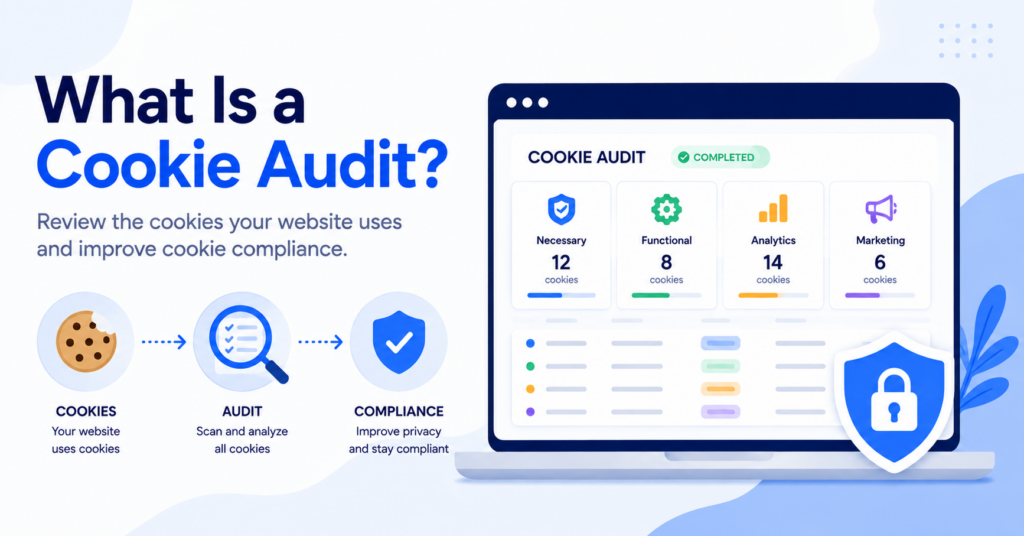
A cookie audit is a structured review of the cookies and similar tracking technologies used by a website. It involves finding cookies, identifying their purpose and provider, placing them into the correct categories, and checking whether consent and cookie information are handled correctly.
What Is a Cookie Audit?
A cookie audit is the process of reviewing all cookies and similar technologies that may be used on your website.
The audit does more than produce a list of cookie names. It helps you understand:
- which cookies your website uses;
- where those cookies come from;
- what information they collect;
- why they are needed;
- how long they remain active;
- whether they require consent;
- whether they are correctly described in your cookie policy.
Cookies are small pieces of data stored in a visitor’s browser. They may support essential website functions, remember preferences, measure traffic, or track visitors for advertising. You can learn more in our beginner-friendly guide to what web cookies are and how they work.
A cookie audit brings this information together so you can see what is actually happening on your website.
You install a new live chat plugin on your website. The plugin begins using cookies to remember conversations and identify returning visitors. A cookie audit can detect these cookies and help you decide how they should be categorized and disclosed.
Why Is a Cookie Audit Important?
Your website may change even when its design looks the same. Plugins, external services, tracking codes, and integrations can all introduce new cookies.
A cookie audit helps you keep your cookie information and consent setup accurate.
Understand what your website collects
Many website owners do not know exactly which cookies are active. This is especially common when a website uses several plugins or third-party services.
An audit creates a clearer inventory of the technologies that may store or access information on a visitor’s device.
Improve cookie compliance
Privacy rules may require websites to provide clear information about cookies and obtain consent before using certain non-essential technologies.
The UK Information Commissioner’s Office explains that website users should receive clear information about the purpose of storage and access technologies and the choices available to them. You can read the official ICO guidance on storage and access technologies.
A cookie audit cannot provide a legal guarantee. However, it gives you the information needed to review your cookie banner, consent settings, and policy more carefully.
Keep your cookie policy accurate
Your cookie policy should describe the cookies and tracking tools that your website actually uses.
If the policy lists old cookies or misses newly added technologies, visitors may receive incomplete information. Regular audits help reduce this problem.
Find cookies that load before consent
A website may display a cookie banner while analytics or marketing cookies are already loading in the background.
An audit can help identify this difference between what the banner says and what the website actually does.
Displaying a cookie banner does not automatically mean that your website handles cookies correctly. You must also check whether non-essential cookies are blocked until the required choice or consent has been provided.
What Does a Cookie Audit Include?
A useful cookie audit should examine more than the cookies visible during a single page visit.
| Audit Step | What Is Checked | Why It Matters |
|---|---|---|
| Cookie discovery | Cookies and similar technologies found across the website | Creates an inventory of what the website may store or access |
| Provider identification | The service or domain responsible for each cookie | Helps separate first-party tools from external providers |
| Purpose review | Why each cookie is used | Helps visitors receive clear and accurate information |
| Category review | Whether a cookie is necessary, functional, analytical, or marketing | Supports correct consent settings |
| Duration review | How long the cookie remains in the browser | Helps keep cookie descriptions accurate |
| Consent testing | Whether non-essential cookies load before or after consent | Checks whether the banner controls cookies in practice |
| Policy comparison | Whether detected cookies appear in the cookie policy | Finds missing, outdated, or incorrect information |
How to Perform a Cookie Audit
You do not need to be a developer to perform a basic cookie audit. A scanner can complete the technical discovery, while you review the results and test how your website behaves.
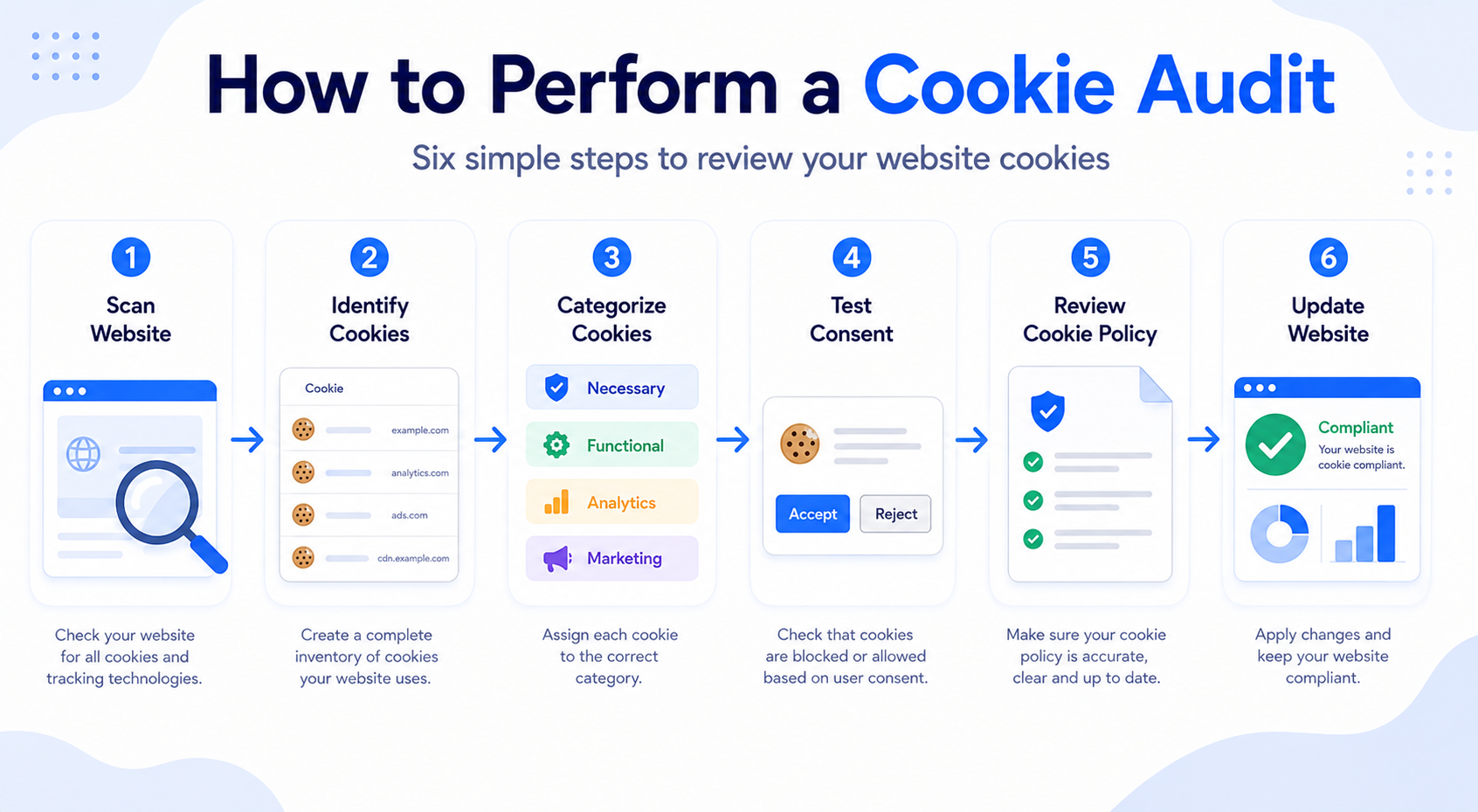
Step 1: Scan your website
Start by running a cookie scanner across your website. The scanner looks for cookies and other technologies that appear when pages are loaded.
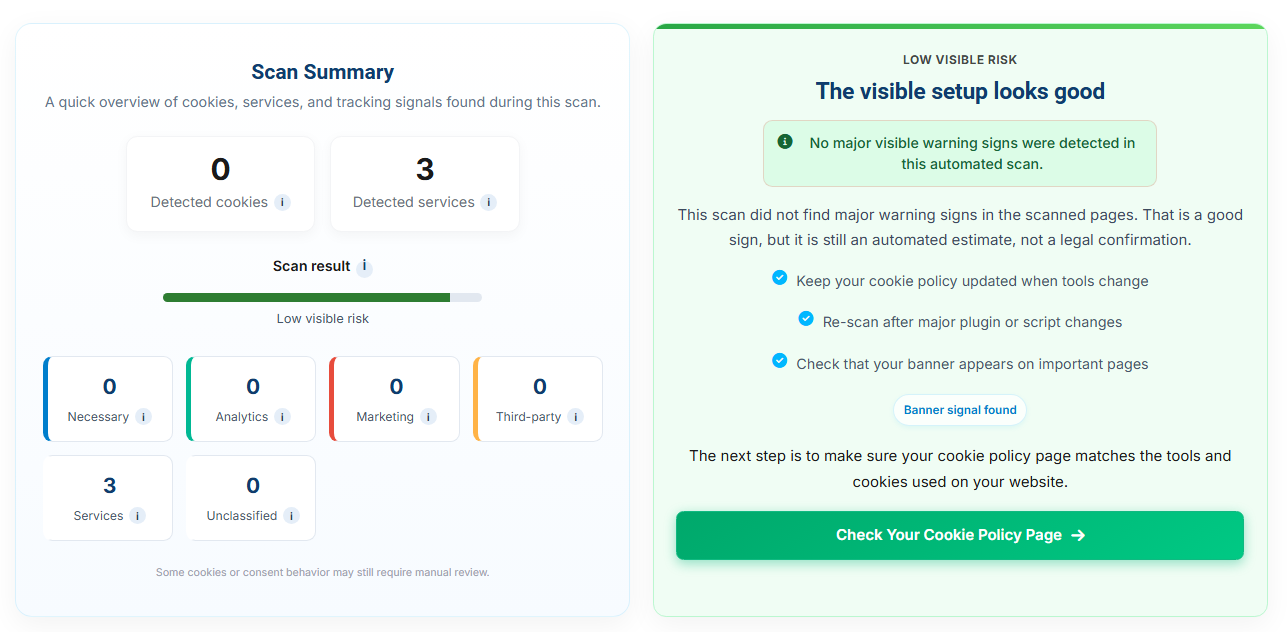
You can use the free CookieBannerGuide Cookie Scanner to get an initial overview of the cookies detected on a page.
Do not test only your homepage. Important cookies may appear on:
- contact pages;
- checkout pages;
- login or account pages;
- blog posts with embedded videos;
- pages containing maps or social media content;
- landing pages with advertising scripts.
Step 2: Create a cookie inventory
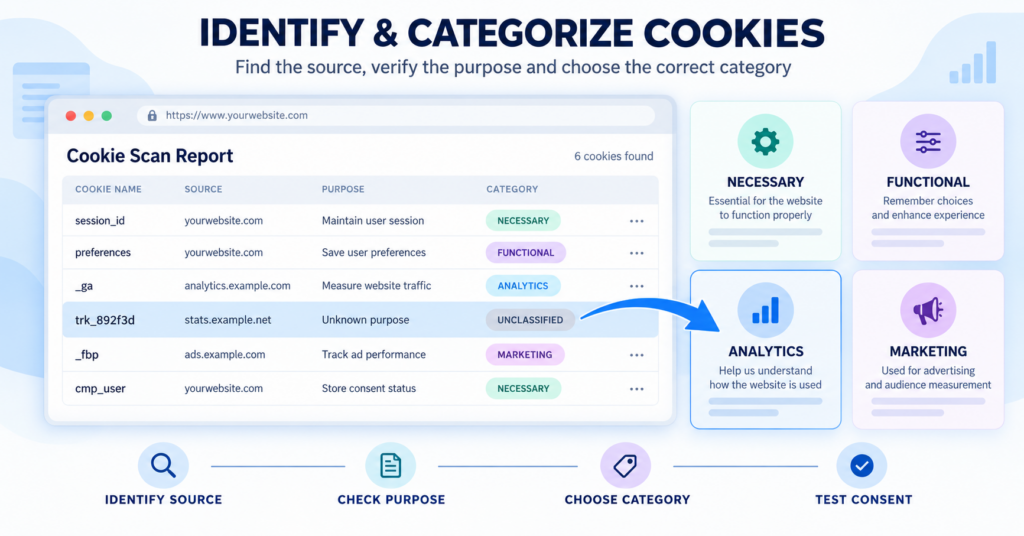
Record the cookies found during the scan. Your inventory should include the cookie name, provider, purpose, category, and duration whenever this information is available.
A simple inventory may contain the following columns:
- cookie name;
- domain or provider;
- purpose;
- cookie category;
- expiry or duration;
- whether consent is required;
- page where the cookie was detected.
Step 3: Identify each cookie’s purpose
A cookie name alone may not explain what the cookie does. Check which plugin, script, or external service creates it.
For third-party services, the provider’s documentation may explain the cookie’s purpose and duration. However, you should still confirm that the information matches how the service is used on your website.
Step 4: Categorize the cookies
Place each cookie into an appropriate category. Common categories include:
- Necessary cookies: support essential website functions such as security, checkout, or consent preferences.
- Functional cookies: remember visitor choices and provide additional website features.
- Analytics cookies: measure traffic and how visitors use the website.
- Marketing cookies: support advertising, retargeting, or cross-site tracking.
Our guide to the different types of website cookies explains these categories in more detail.
Step 5: Test the website before consent
Open the website in a private or incognito browser window. Clear existing cookies before beginning the test.
Before interacting with the banner, check whether analytics, advertising, or other non-essential cookies appear.
Then test each available choice:
- accept all cookies;
- reject non-essential cookies;
- accept only selected categories;
- change consent preferences later.
The results should match the choices shown in the banner.
Step 6: Compare the results with your cookie policy
Review whether the cookies in your inventory are described in your current cookie policy.
Check for:
- cookies missing from the policy;
- cookies that are no longer used;
- incorrect providers;
- incorrect durations;
- unclear descriptions;
- incorrect categories.
Step 7: Fix problems and document the audit
Update your banner, blocking rules, cookie categories, and cookie policy where necessary.
It is also helpful to save the date of the audit and a copy of the results. This gives you a reference point for future reviews.
Perform the audit in a clean browser session. Previously accepted cookies can make it difficult to see what a new visitor experiences before giving consent.
Cookie Audit vs Cookie Scan: What Is the Difference?
A cookie scan and a cookie audit are related, but they are not the same process.
A scan is usually an automated discovery step. An audit is the broader review that uses the scan results and checks whether your website handles those technologies correctly.
| Cookie Scan | Cookie Audit |
|---|---|
| Automatically searches for cookies | Reviews cookies, consent behavior, categories, and documentation |
| Usually produces a technical list | Explains what the findings mean for the website |
| May test one page or several pages | Should review important pages and user journeys |
| Identifies possible cookies | Confirms their purpose, provider, category, and duration |
| Provides a starting point | Supports practical changes to the banner and policy |
In simple terms, a cookie scan tells you what may be present. A cookie audit helps you decide whether that setup is accurate and properly managed.
How Often Should You Perform a Cookie Audit?
There is no single schedule that fits every website. The right frequency depends on how often your website changes.
For a relatively stable small website, reviewing cookies every few months may be reasonable. Websites that frequently add tools, plugins, campaigns, or advertising integrations may need more frequent checks.
You should also consider performing a new audit after:
- installing or replacing a WordPress plugin;
- adding Google Analytics, advertising, or tracking tools;
- embedding videos, maps, chat tools, or social media content;
- changing your cookie banner or consent plugin;
- redesigning or migrating your website;
- adding a new ecommerce or payment system;
- updating your cookie policy;
- receiving a complaint about cookies or tracking.
A small company audits its website in January. In March, it adds Meta Pixel and a new embedded booking system. The January report no longer represents the current website, so another audit should be performed after these changes.
Common Cookie Audit Mistakes
Scanning only the homepage
Some cookies appear only after a visitor opens a particular page, starts a video, adds a product to the cart, or submits a form.
Testing only the homepage may therefore produce an incomplete result.
Assuming every detected cookie requires consent
Different cookies have different purposes. Some technologies may be strictly necessary for a service requested by the visitor, while others may be used for analytics or marketing.
Each cookie should be reviewed individually instead of treating every cookie in the same way.
Trusting the scanner without reviewing the results
Automated scanners are useful, but they may not always identify the purpose or category correctly.
A scanner should support the audit, not replace the human review.
Ignoring similar technologies
Websites may use local storage, tracking pixels, SDKs, scripts, and other technologies that do not always appear as traditional browser cookies.
A broader audit should consider these technologies where relevant.
Forgetting to test the reject option
Many website owners test whether the Accept button works but do not test what happens after a visitor rejects optional cookies.
The Reject option should prevent the relevant technologies from loading and should not simply hide the banner.
Failing to repeat the audit after website changes
A cookie audit is a snapshot of your website at a particular time. It does not remain accurate after major tools or integrations are added.
Does a Cookie Audit Make Your Website GDPR Compliant?
No. A cookie audit is an important part of reviewing your website, but it cannot guarantee GDPR cookie compliance or compliance with every privacy law.
The audit can show which technologies are present and whether your consent setup appears to control them. Legal requirements may still depend on your location, your visitors, the purpose of the data processing, and the specific technologies you use.
CookieBannerGuide provides educational information and practical guidance, not legal advice. For situations involving sensitive data, complex tracking, or several legal regions, consider obtaining professional legal advice.
Do You Need a Cookie Audit?
A cookie audit is useful for almost any website that uses analytics, advertising, embedded content, ecommerce tools, or third-party plugins.
It is especially valuable when:
- you do not know which cookies your website uses;
- your cookie policy has not been updated recently;
- you recently installed new tools or plugins;
- your banner does not seem to block cookies;
- your website uses several external services;
- you are preparing a new cookie compliance setup.
A cookie audit should be a priority if one or more of these statements apply to your website.
- You are unsure which cookies are active.
- You have added new plugins or third-party services.
- Your cookie policy may be outdated.
- Analytics or marketing cookies load before consent.
- Visitors cannot easily reject optional cookies.
- You have not tested the banner in a private browser window.
Next Step: Check Your Website for Cookies
A cookie audit starts with knowing which cookies your website actually uses. Scan your website first, then review the results, cookie categories, and consent settings before updating your cookie policy.

Frequently Asked Questions
Common questions about this topic
The purpose of a cookie audit is to identify the cookies and similar technologies used by a website, understand why they are used, and check whether the website’s consent setup and cookie information are accurate.
No. A cookie scan is usually an automated search for cookies. A cookie audit is a wider process that also reviews cookie purposes, categories, durations, consent behavior, and policy information.
Yes. You can begin with a free cookie scanner and manually review the results. Larger or more complex websites may benefit from a consent management platform or professional review.
A basic audit for a small website may take less than an hour. A larger website with many pages, plugins, regions, and tracking services can take much longer.
Yes, especially when the plugin adds analytics, advertising, videos, forms, chat, ecommerce, or other third-party services. These plugins may introduce new cookies or tracking technologies.