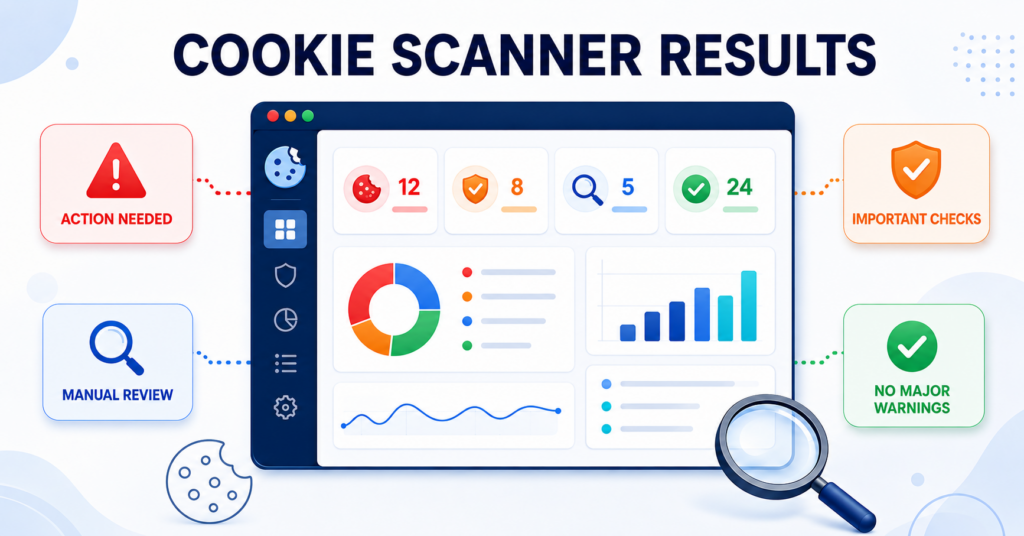
Your cookie scan is complete – but what do the colors, cookie totals, service detections, and banner status actually mean? The CookieBannerGuide scanner combines visible website signals into one of six practical results.
This guide explains every result, including why a scan can show zero cookies but several services, what the scanner can and cannot verify, and which manual checks or guides to use next.
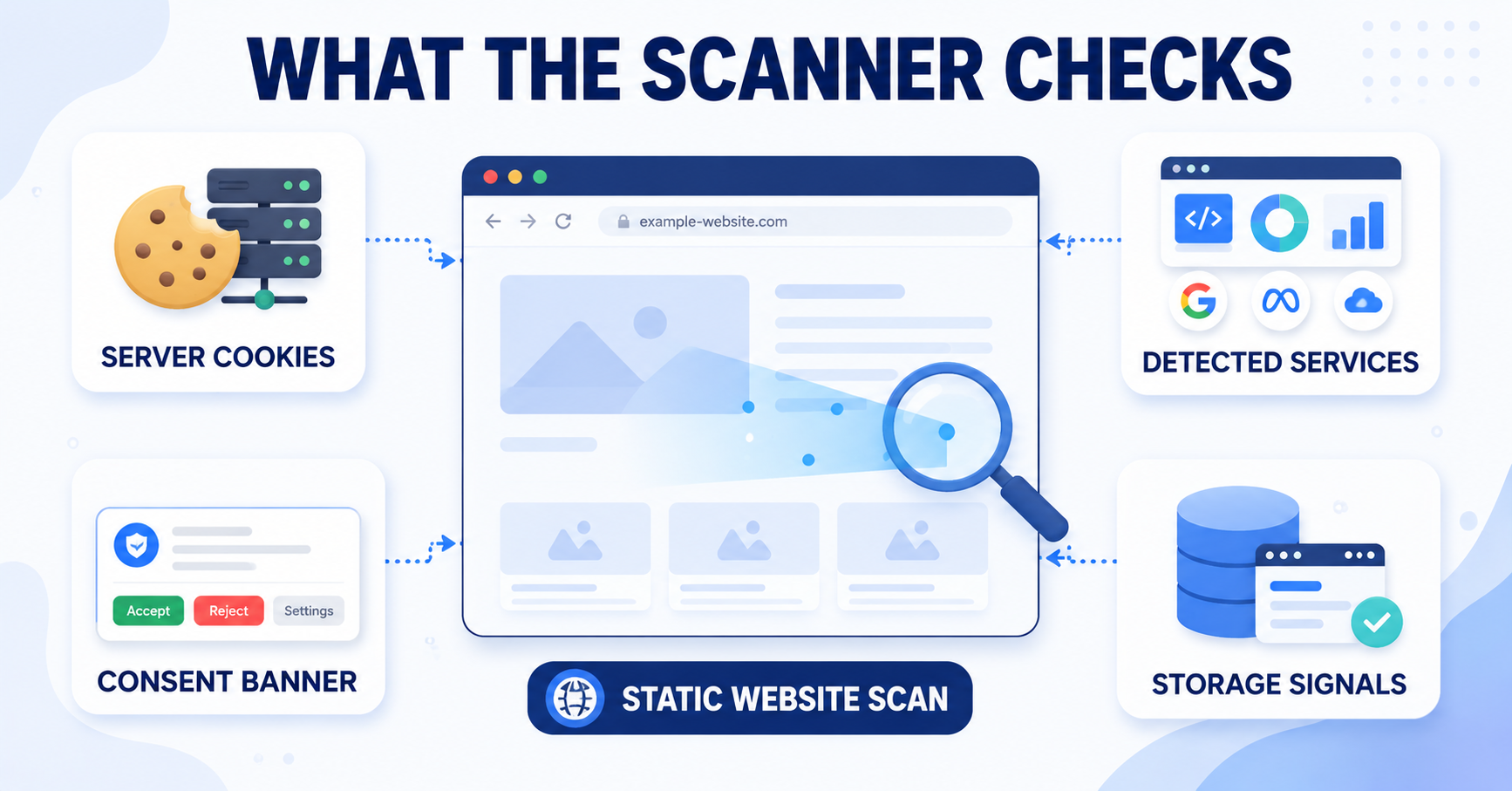
The CookieBannerGuide scanner looks at several visible signals, including server-response cookies, known services, browser-storage references, and consent banner markup. It then places the scan into one of six practical result states. The result is a starting point for review, not a legal verdict or a complete browser-level consent test.
What the Cookie Scanner Actually Checks
The scanner performs a static check of publicly available website code. It reviews the first page you enter and may scan up to two additional internal pages. During that process, it looks for several types of signals:
- Cookies sent directly in the server’s
Set-Cookieresponse headers - Known analytics, marketing, consent, and functionality services found in page code
- HTML elements and attributes that may belong to a visible consent banner
- References to
localStorageandsessionStorage - Unclassified or third-party cookies that may need a closer look
The scanner does not open a full browser session, execute every script, click Accept or Reject, or watch live network requests. This distinction is important when reading your result.
A scanner result describes what was visible during the automated check. It cannot confirm legal compliance or prove that every non-essential script is blocked before consent.
How to Read the Scan Summary
The Scan Summary separates cookies from services because they are not the same thing. A service can be visible in page code without setting a cookie during the initial server response.
| Summary item | What it means | What it does not prove |
|---|---|---|
| Server-response cookies | Cookies found in the Set-Cookie headers returned by scanned pages |
It does not include every cookie that JavaScript may create later |
| Detected services | Recognizable services or platforms found in HTML, scripts, or related page code | Detection does not always mean the service activated or collected data |
| Consent banner | Whether banner markup was found, only a consent tool was detected, or no clear signal was found | It does not confirm that Accept and Reject work correctly |
| Analytics services | Visible tools commonly used to measure traffic or visitor behavior | It does not confirm whether they loaded before or after consent |
| Marketing services | Visible tools associated with advertising, pixels, or marketing measurement | It does not confirm whether prior consent is configured correctly |
| Third-party cookies | Server-response cookies associated with a domain different from the scanned website | It does not cover every possible third-party request or script |
| Essential / functional | Services commonly related to site functionality, security, or consent management | The category should still be checked against the service’s real purpose |
| Unclassified cookies | Cookies the scanner could not confidently place into a known category | Unclassified does not automatically mean unsafe or non-compliant |
Why Can the Scanner Show 0 Cookies but Several Services?
This is a normal result. The cookie number currently represents cookies sent in the initial server responses. The service number comes from recognizable code, script URLs, domains, and other visible signatures in the page source.
For example, the scanner may find Google Analytics, Google Tag Manager, a consent platform, and an embedded service in the HTML while still showing zero server-response cookies. Those services may load later through JavaScript, wait for consent, activate after interaction, or be present in the code without running during the static check.
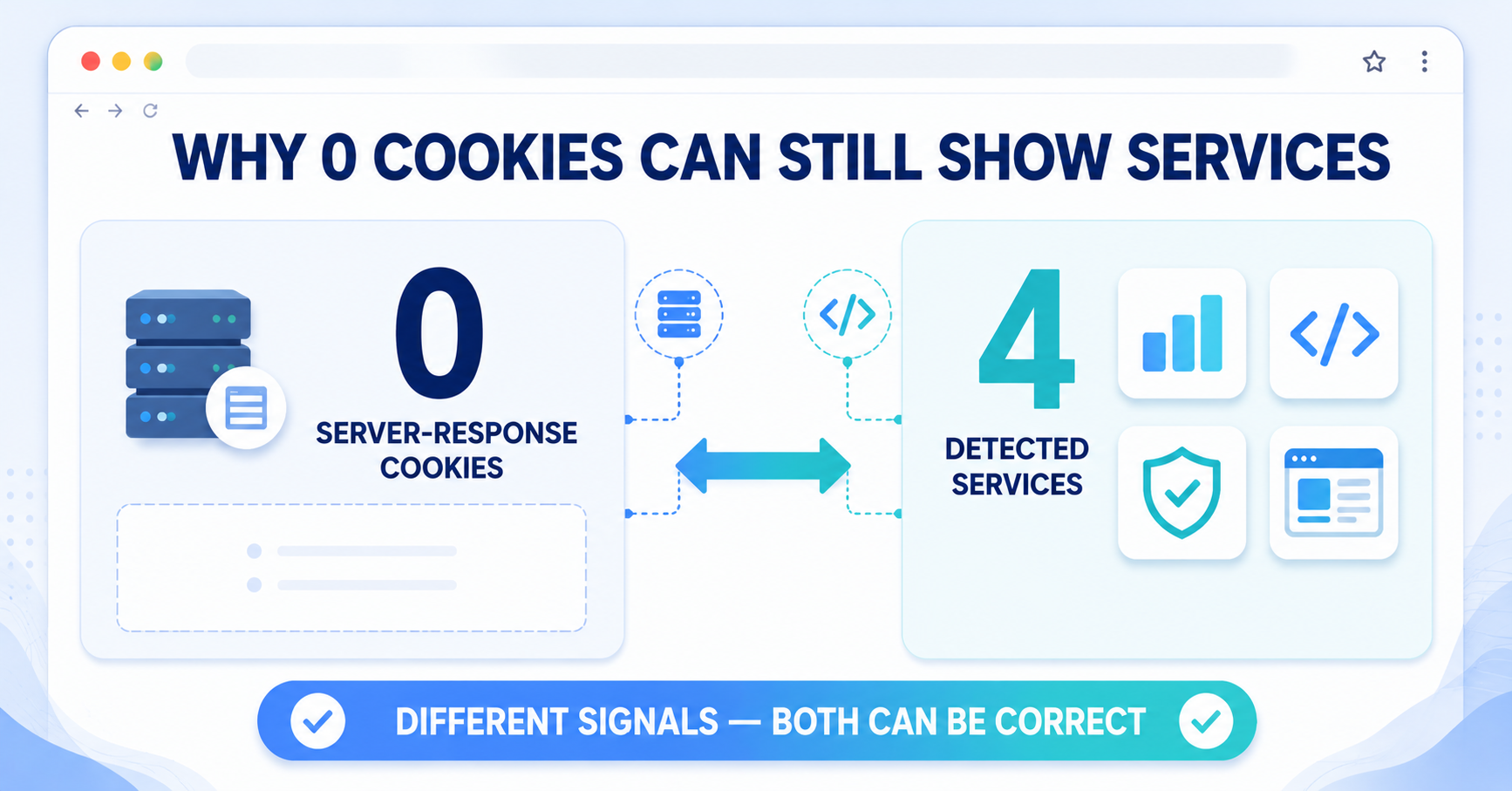
Read the cookie and service totals together. “0 server-response cookies” means no matching cookies were found in those HTTP responses. It does not mean the entire website is cookie-free.
The Six Cookie Scanner Results Explained
The overall status is chosen from the combination of banner, service, cookie, and storage signals. The following results are listed from the clearest action signal to the most positive visible result.
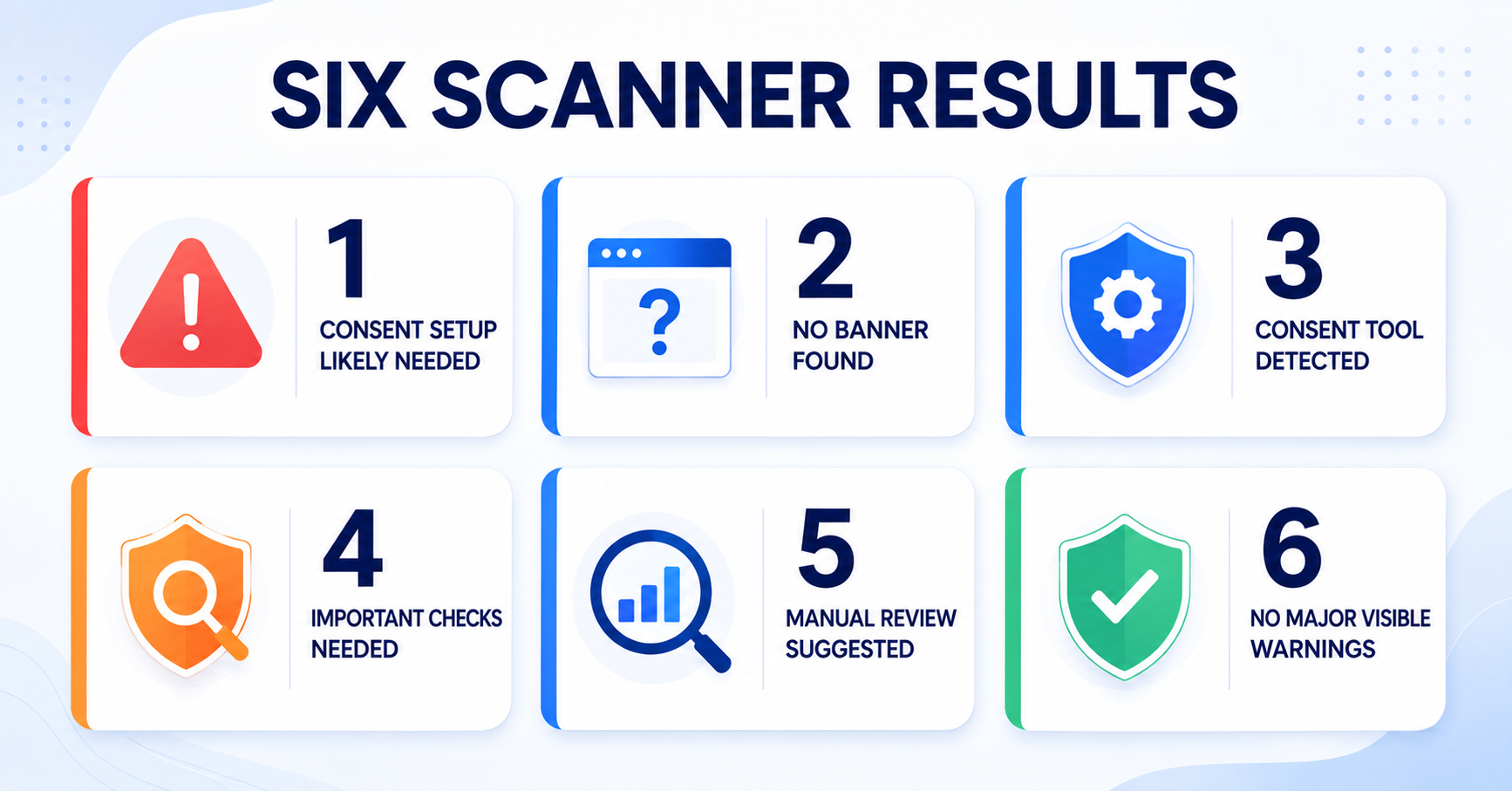
| Result | When it appears | Main next step |
|---|---|---|
| Red: Consent setup likely needed | No confirmed banner plus analytics, marketing, or third-party signals | Check whether a banner and prior consent are required |
| Blue: No banner, no sensitive signals | No confirmed banner and no strong consent-sensitive signal | Review whether other pages or delayed tools change the answer |
| Blue: Consent tool detected | A consent platform is visible, but banner markup is not confirmed | Test banner visibility in a private browser window |
| Orange: Important consent checks needed | A banner plus marketing or third-party signals | Confirm that these signals stay blocked before consent and after Reject |
| Blue: Manual review suggested | A banner plus analytics, storage, or unclear signals | Manually test analytics and identify unclear items |
| Green: No major visible warnings | A banner with no major analytics, marketing, third-party, storage, or unclassified warning | Keep the setup updated and test it periodically |
1. Red: Consent Setup Likely Needed
This result appears when the scanner cannot confirm a consent banner but finds analytics, marketing, or third-party cookie signals.
The combination deserves attention because the website appears to use something that may depend on consent, while no clear banner was visible to the scanner. It does not automatically prove that the website is non-compliant. The banner may be region-specific, injected later by JavaScript, hidden because of previous consent, or missing from the scanned pages.
What to check next:
- Open the website in a private or incognito window
- Check whether a banner appears for a completely new visitor
- Review the detected analytics and marketing services
- Confirm whether non-essential tools wait for consent where required
- If no consent solution is installed, review suitable consent tools
Start with Does My Website Need a Cookie Banner?. If a banner is needed but missing, compare the best cookie consent tools for your website.
2. Blue: No Banner Found and No Sensitive Signals Detected
This result appears when no clear banner is found and the static scan does not find strong analytics, marketing, or third-party cookie signals.
This is a neutral result rather than a warning or a compliance confirmation. A simple website that only uses essential functionality may not need the same setup as a website using advertising and analytics. However, services can also appear on pages the scanner did not visit or load only after a user opens a video, form, map, checkout, or other interactive feature.
What to check next:
- Review plugins, embeds, forms, maps, video players, and checkout pages
- Check whether any services load only after user interaction
- Identify the types of cookies your website uses
- Test representative pages, not only the homepage
Continue with How to Test Your Cookie Banner or review the types of website cookies before deciding that no banner is needed.
3. Blue: Consent Tool Detected but Banner Not Confirmed
This result appears when the scanner recognizes a consent platform such as Cookiebot, CookieYes, or Complianz, but does not find enough visible banner markup in the static HTML.
The tool may be installed correctly while the banner itself is added later by JavaScript. It may also be disabled, unpublished, limited to certain regions, or hidden because consent has already been saved in your browser. If analytics or marketing signals are also found without a confirmed banner, the scanner may show the red result instead.
What to check next:
- Open the website in a fresh private browser session
- Check the banner on desktop and mobile
- Review regional display or geolocation rules
- Confirm that the banner configuration is published
- Test more than one important page
Use How to Test Your Cookie Banner for the manual checks.
4. Orange: Banner Found — Important Consent Checks Needed
This result appears when banner signals are found together with marketing services, marketing cookies, or third-party cookies.
Finding the banner is positive, but its presence alone does not show whether marketing and third-party tools remain blocked before a visitor makes a choice. This result asks you to test the behavior of the setup rather than only its appearance.
What to check next:
- Open a private window and inspect cookies and network requests before touching the banner
- Click Reject and confirm that marketing tools remain blocked
- Click Accept and confirm that approved services can activate as intended
- Check that category controls accurately describe the detected services
- Make sure your cookie policy lists the relevant tools
Review the main cookie banner requirements, then follow the practical steps in How to Test Your Cookie Banner.
5. Blue: Banner Found — Manual Review Suggested
This result appears when a banner is found together with analytics services, unclassified cookies, or references to browser storage, but no stronger marketing or third-party warning takes priority.
The visible setup may be reasonable, but the scanner cannot tell when analytics activates or what every unclassified cookie and storage entry is used for. These items need a manual check.
What to check next:
- Test analytics before consent and again after clicking Reject
- Identify the purpose and provider of unclassified cookies
- Review relevant
localStorageandsessionStorageentries - Confirm that the cookie policy matches the tools in use
Follow How to Test Your Cookie Banner and update your documentation with How to Create a Cookie Policy Page if needed.
6. Green: Banner Found — No Major Visible Warnings
A banner signal was found and the static scan did not detect major analytics, marketing, third-party, storage, or unclassified warning signals on the scanned pages.
This is the most positive scanner result, but it is deliberately described as “no major visible warnings” rather than “fully compliant.” A service may still load on another page, after interaction, or through JavaScript that the static scanner cannot execute.
What to do next:
- Keep the banner and cookie information updated when plugins or scripts change
- Re-scan after adding analytics, advertising, embeds, or other third-party services
- Periodically test both Accept and Reject behavior
- Check that visitors can reopen and change their consent choices
For broader context, read Understanding GDPR Cookie Consent.
How the Scanner Chooses Between Similar Results
Some websites produce several different signals at once. The scanner therefore applies the result rules in a set order.
- If no banner is confirmed and analytics, marketing, or third-party signals exist, the red result takes priority.
- If no sensitive signal takes priority but a consent tool is visible, the blue “tool detected” result is shown.
- If neither a banner nor a consent-sensitive signal is visible, the neutral blue result is shown.
- If a banner is found with marketing or third-party signals, the orange result takes priority.
- If a banner is found with analytics, storage, or unclear signals, the blue manual-review result is shown.
- The green result is shown only when a banner is found and no major visible warning signal is detected.
This priority system prevents a positive banner signal from hiding a more important marketing or third-party check.
Why Your Result May Change Between Scans
Scanner results can change even when the visible website looks similar. Common reasons include:
- A plugin, script, tag, or embedded service was added or removed
- The website returns different content by region or device
- A service loads only on certain pages
- The server changes its response headers
- A consent platform changes its generated markup
- The scanner’s cached result has expired and a fresh version is checked
The scanner may cache the same URL for a short period to reduce repeated requests. If you have just changed the website, wait a little before expecting the scan to reflect the update.
What the Scanner Cannot Confirm
The current scanner cannot fully verify:
- Whether scripts are blocked before consent
- What happens after Accept or Reject is clicked
- Every cookie created later by JavaScript
- Every browser storage value or live network request
- Every page, user journey, region, or device
- Whether your wording and setup meet every legal requirement
These limitations are why the result always recommends practical follow-up checks rather than presenting a compliance score.
Your Best Next Step After Any Scan
Use the automated result to decide where to look first, then complete a short manual test:
- Open the website in a private browser window.
- Check what loads before interacting with the banner.
- Click Reject and check cookies, storage, and network activity again.
- Start a fresh session, click Accept, and confirm approved services activate correctly.
- Compare the detected tools with your banner categories and cookie policy.
Run a new cookie scan whenever you make a major change to your plugins, scripts, analytics tools, embedded services, or consent configuration.
An automated scan cannot click the banner buttons or verify every browser request. The next guide explains how to manually test what happens before consent, after Reject, and after Accept.
Conclusion
The CookieBannerGuide scanner is designed to turn visible website signals into a practical next step. Red highlights a likely consent setup problem, orange points to important blocking checks, blue identifies neutral or manual-review situations, and green means no major warning was visible during the scan.
The most useful approach is to treat the result as a map, not a certificate. Review the detected services, test the banner in a real browser, and keep your cookie policy aligned with the tools your website actually uses.

Frequently Asked Questions
Common questions about this topic
The cookie total currently counts cookies found in server Set-Cookie response headers. Services are detected separately from recognizable HTML, scripts, domains, and page-code signatures. A service may be present without setting a server-response cookie, or it may create cookies later through JavaScript.
No. Green means a banner signal was found and the static scan did not detect major visible warning signals. It does not test every page, execute every script, or confirm what happens after Accept or Reject is clicked.
The scanner may recognize a consent platform in the page code even when the banner markup is added later by JavaScript, limited by region, unpublished, or otherwise absent from the static HTML. Test the site in a fresh private browser window to confirm visibility.
Results may change when plugins, scripts, response headers, regional content, scanned pages, or consent-platform markup changes. A fresh scan after the short cache period may also see updated website code.
No. The current scanner performs a static website check and does not click the banner buttons. Use a private browser session and developer tools to manually compare the website before consent, after Reject, and after Accept.