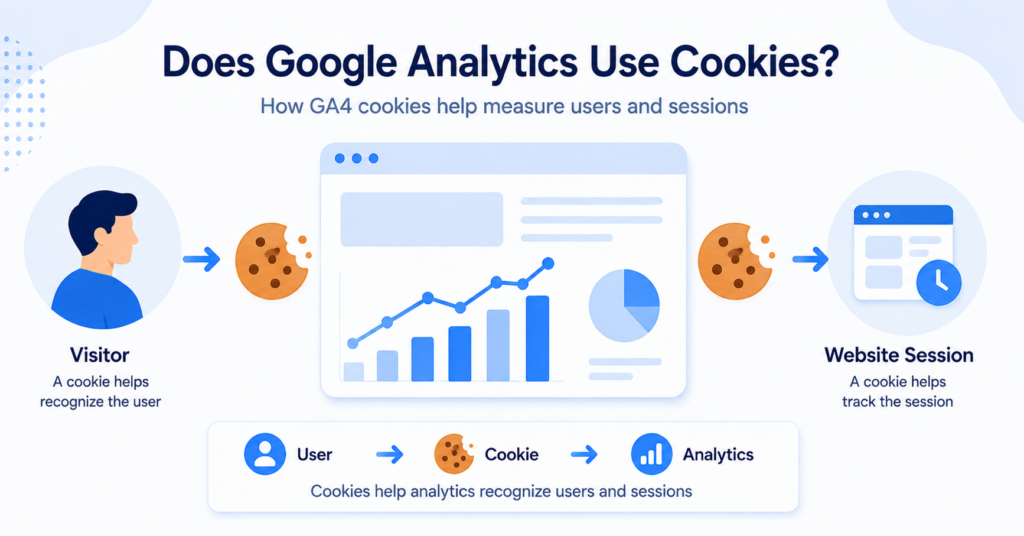
Google Analytics 4 can use first-party cookies to distinguish website users and sessions. The most common GA4 cookies include _ga and _ga_<container-id>.
In this guide, you’ll learn what these Google Analytics cookies do, how long they normally last, and why GA4 uses them for website measurement.
We’ll also explain how cookie consent can change Analytics cookie behavior and when additional advertising cookies may appear.
Yes. Google Analytics 4 uses first-party cookies such as _ga and _ga_<container-id> to distinguish users and maintain session information.
However, GA4 can also send measurement data without analytics cookies in some configurations.
Does Google Analytics Use Cookies?
Yes. Google Analytics 4 JavaScript tags can use first-party cookies on your website.
The main purpose of these cookies is to help Google Analytics distinguish users and sessions. This allows website owners to understand how visitors interact with their site over time.
For example, Google Analytics may need to determine whether:
- a visitor is new or returning
- several page views belong to the same user
- website activity belongs to the same session
- a visitor returns to the website later
These cookies are different from cookies used for essential website functions such as logging in or keeping products in a shopping cart.
If you are new to website cookies in general, start with our guide to what web cookies are and how they work.
Which Cookies Does Google Analytics 4 Use?
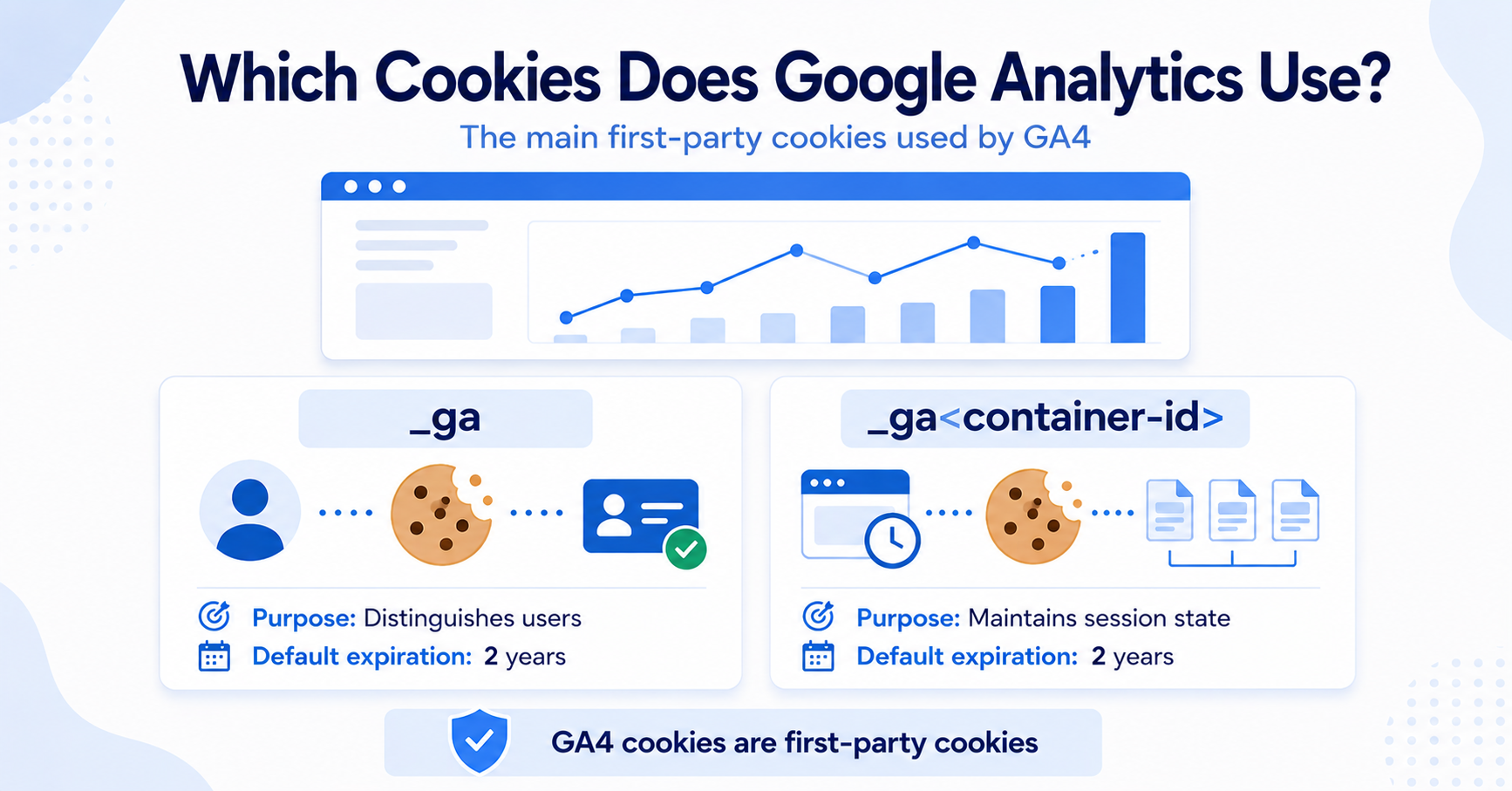
The standard GA4 JavaScript implementation commonly uses two main first-party cookies.
| Cookie | Purpose | Default Expiration |
|---|---|---|
_ga |
Used to distinguish users | 2 years |
_ga_<container-id> |
Used to maintain session state | 2 years |
The exact cookie name can vary because the second cookie includes an identifier connected to your Analytics configuration.
You may therefore see something similar to:
_ga_ABC123XYZ
instead of the literal name _ga_<container-id>.
You open a website using GA4 and check the cookies stored in your browser.
You may see a general _ga cookie together with another _ga_ cookie containing the website’s Analytics identifier.
What Does the _ga Cookie Do?
The _ga cookie helps Google Analytics distinguish one browser from another.
It stores an identifier that Analytics can use when processing website activity. In simple terms, this helps Analytics understand whether multiple interactions are likely to come from the same browser.
This is important for metrics such as:
- users
- returning visitors
- page views
- engagement
- website activity over multiple visits
The cookie does not simply store a person’s name or email address. Its purpose is to provide an identifier that Analytics can use for measurement.
What Does the _ga_<container-id> Cookie Do?
The second common GA4 cookie starts with _ga_ and then includes an identifier.
This cookie is used to maintain session state.
A session is a group of interactions that happen while someone uses your website. For example, a visitor might:
- open your homepage
- read a blog article
- visit a product page
- submit a form
Analytics needs a way to understand how these actions relate to the same website visit. Session information helps it organize those interactions correctly.
Are Google Analytics Cookies First-Party or Third-Party?
The standard cookies created by GA4 JavaScript tags are first-party cookies.
A first-party cookie is stored under the domain the visitor is currently using.
For example, if someone visits:
example.com
the GA4 cookies created for that website are associated with example.com, rather than appearing as cookies from a completely unrelated domain.
This is different from a third-party cookie, which is typically associated with another domain embedded or connected to the website.
Not sure how first-party and third-party cookies differ?
How Long Do Google Analytics Cookies Last?
Google lists a default expiration of two years for the standard _ga and _ga_<container-id> cookies.
However, this does not necessarily mean every Google Analytics cookie will remain on a device for exactly two years.
The actual lifetime can be affected by:
- browser privacy restrictions
- user settings
- cookie deletion
- Analytics configuration
- whether the visitor returns to the website
Modern browsers can also limit how long first-party cookies remain available when a visitor does not return.
The “2 years” value is the default GA4 expiration setting. It should not be interpreted as a guarantee that the cookie will always remain available for exactly two years.
Why Does Google Analytics Need Cookies?
Cookies make it easier for Analytics to connect website interactions over time.
Without some form of browser identifier, every page view could look more like a completely separate interaction.
Analytics cookies can help with measurements such as:
- unique users
- new versus returning visitors
- sessions
- engagement
- traffic patterns
For a website owner, this means reports can provide a more useful picture of how people actually use the website.
Can Google Analytics Work Without Cookies?
Yes, in some configurations Google Analytics can receive measurement data without setting normal Analytics cookies.
Google states that GA4 libraries do not require cookies simply to transmit data to Google Analytics.
This becomes especially relevant when Google Consent Mode is used.
For example, if:
analytics_storage = denied
Google Analytics does not read or write first-party analytics cookies.
With an advanced Consent Mode implementation, Google tags may still send limited cookieless pings. These can be used for measurement and modeling without using the normal Analytics cookies on the visitor’s device.
This is an important distinction:
| Setup | Analytics Cookies | Measurement Data |
|---|---|---|
| Analytics storage granted | Can be used | Normal measurement can occur |
| Analytics storage denied with advanced Consent Mode | Not read or written | Limited cookieless signals may still be sent |
| Google tags fully blocked | Not used | No tag data is sent before consent |
Want to understand how consent changes Google Analytics behavior?
Do Google Analytics Cookies Require Consent?
This depends on the privacy rules that apply to your website and visitors.
Analytics cookies are generally not required for the basic operation of a website. In regions where consent is required before storing or accessing non-essential information on a visitor’s device, Google Analytics cookies may therefore need to wait for consent.
The important point is that this is a separate question from whether Google Analytics uses cookies.
This article explains what the cookies do. For the consent side, see our full guide to Google Analytics cookie consent.
How Can You Check Google Analytics Cookies on Your Website?
You can inspect Google Analytics cookies directly in your browser.
In Chrome or another Chromium-based browser, a common process is:
- Open your website.
- Open Developer Tools.
- Select the Application tab.
- Open Storage → Cookies.
- Select your website domain.
- Look for cookies beginning with
_ga.
If Google Analytics is installed, you may see entries such as:
_ga_ga_ABC123XYZ
You can also perform the test before and after accepting your cookie banner to see whether consent changes when these cookies appear.
Use a private or incognito browser window when testing cookies. Old cookies from previous visits can otherwise make your results confusing.
If you want a quick overview of the cookies detected on your website, you can also try our Cookie Scanner.
Google Analytics Cookies vs Other Website Cookies
Google Analytics cookies belong to a broader group of cookies commonly found on websites.
| Cookie Type | Main Purpose | Example |
|---|---|---|
| Necessary | Core website functionality | Login or shopping cart |
| Preference | Remember visitor choices | Language preference |
| Analytics | Measure website usage | Google Analytics |
| Marketing | Advertising and campaign tracking | Advertising or remarketing tools |
Standard GA4 measurement cookies normally fit into the analytics category.
You can learn more about these categories in our guide to the different types of website cookies.
Conclusion
Google Analytics 4 can use first-party cookies to distinguish users and maintain session information. The most common GA4 cookies are _ga and _ga_<container-id>.
However, cookies are only one part of how Google Analytics measurement can work. Consent settings and modern privacy controls can change whether Analytics cookies are stored and what measurement data is sent.
Next Step: Understand Google Tag Manager Cookie Consent
If you also use Google Tag Manager, the next step is to understand how consent can control when Analytics and other tracking tags are allowed to run on your website.

Frequently Asked Questions
Common questions about this topic
Yes. GA4 JavaScript tags can use first-party cookies such as _ga and _ga_<container-id> to distinguish users and maintain session state.
The _ga cookie is a first-party Google Analytics cookie used to distinguish users. Its default expiration is two years.
The standard _ga cookie created by GA4 on your website is a first-party cookie because it is associated with the website domain being visited.
Google lists a default expiration of two years for the main GA4 cookies. Browser restrictions, user settings, or cookie deletion can shorten the actual lifetime.
Yes. GA4 can transmit some measurement data without normal Analytics cookies. For example, advanced Google Consent Mode can send limited cookieless signals when analytics storage is denied.