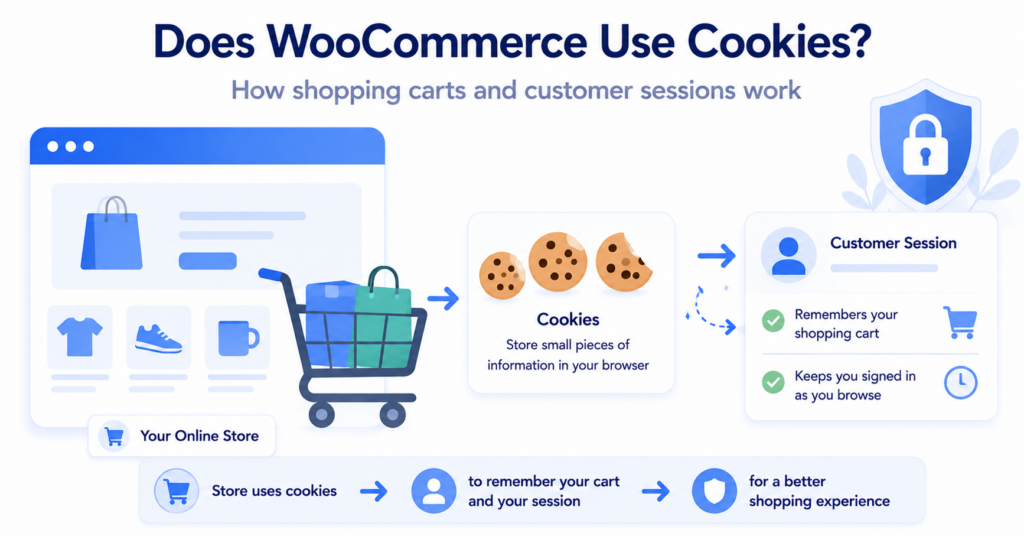
WooCommerce uses cookies and session data to support important ecommerce functions such as remembering shopping cart contents and maintaining customer sessions.
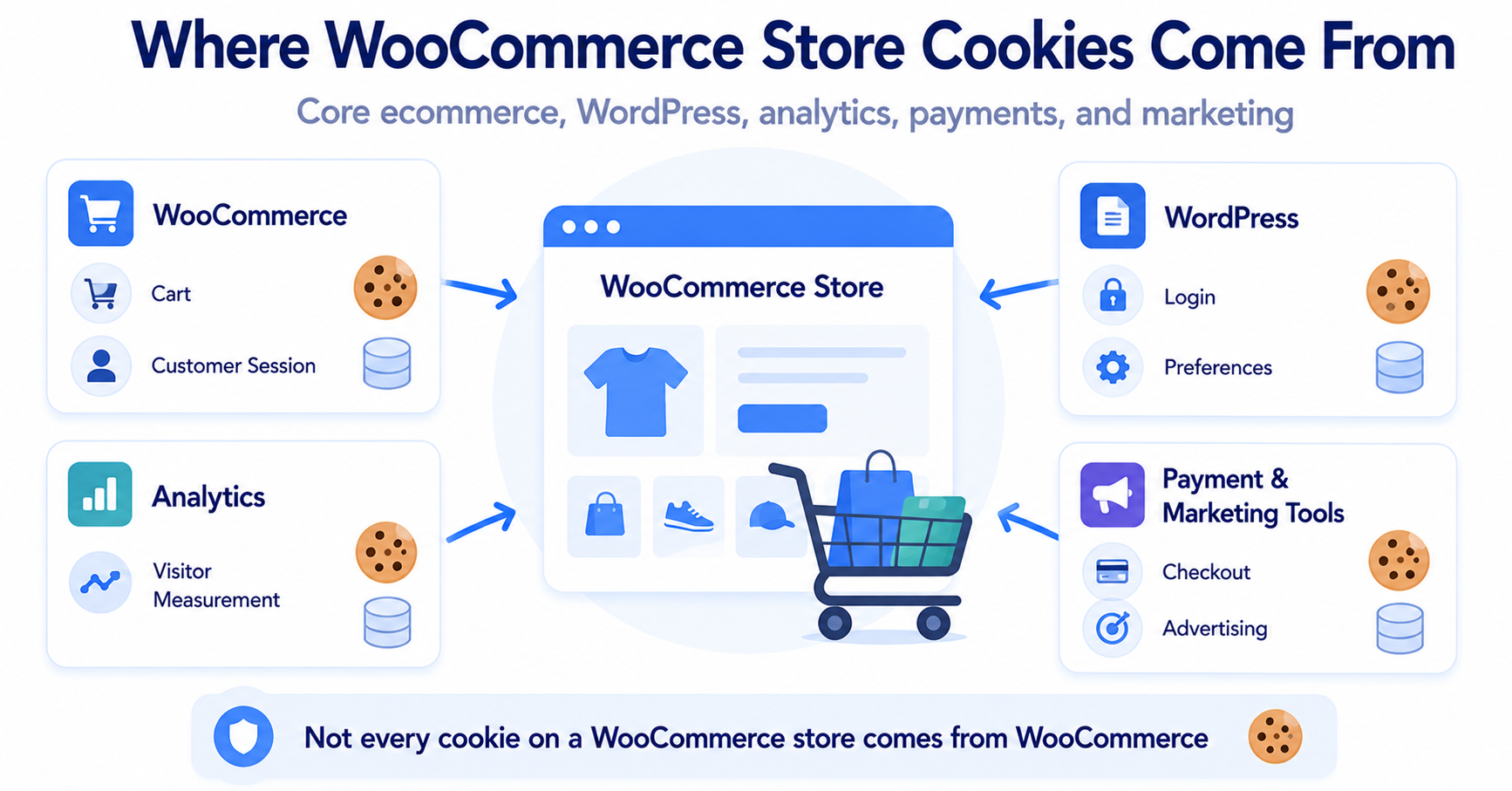
But not every cookie on a WooCommerce store comes from WooCommerce itself. Payment providers, analytics tools, marketing platforms, plugins, and embedded services can add additional cookies.
In this guide, you’ll learn which cookies WooCommerce uses, what they do, and how to check the actual cookies used by your online store.
Yes. WooCommerce uses cookies and session data to support ecommerce functions such as remembering cart contents and maintaining customer sessions. Additional plugins, analytics tools, payment services, and marketing platforms can also add their own cookies to a WooCommerce store.
Does WooCommerce Use Cookies?
Yes. WooCommerce uses cookies as part of its normal store functionality.
These cookies can help WooCommerce:
- detect changes to a shopping cart
- remember that products are in the cart
- connect a customer with cart data stored on the server
- remember recently viewed products when that feature is used
- remember when a visitor dismisses a store notice
These functions are very different from analytics or advertising tracking.
For example, a shopping cart needs to continue working when a visitor moves from a product page to the checkout page. WooCommerce uses cookies and session data to help maintain that experience.
WooCommerce runs on WordPress, so it is also useful to understand the cookies used by the underlying platform. See Does WordPress Use Cookies? for that part of the picture.
What Cookies Does WooCommerce Use?
The core WooCommerce plugin documents several cookies used on the storefront.
| Cookie | Duration | Purpose |
|---|---|---|
woocommerce_cart_hash |
Session | Helps WooCommerce detect changes to cart contents or cart data |
woocommerce_items_in_cart |
Session | Helps WooCommerce detect changes to cart contents or cart data |
wp_woocommerce_session_ |
2 days | Contains a unique customer code that helps WooCommerce find that customer’s cart data in the database |
woocommerce_recently_viewed |
Session | Supports the Recently Viewed Products widget |
store_notice[notice id] |
Session | Remembers when a customer dismisses a store notice |
Not every WooCommerce store will use every cookie in this table. Some cookies appear only when the related feature is active or when the visitor interacts with that feature.
A WooCommerce store can contain many more cookies than these core examples. Extensions, WordPress plugins, analytics tools, payment services, and marketing platforms can all add additional cookies or browser storage.
How WooCommerce Shopping Cart Cookies Work
Shopping cart functionality is one of the clearest examples of why an ecommerce website may need cookies.
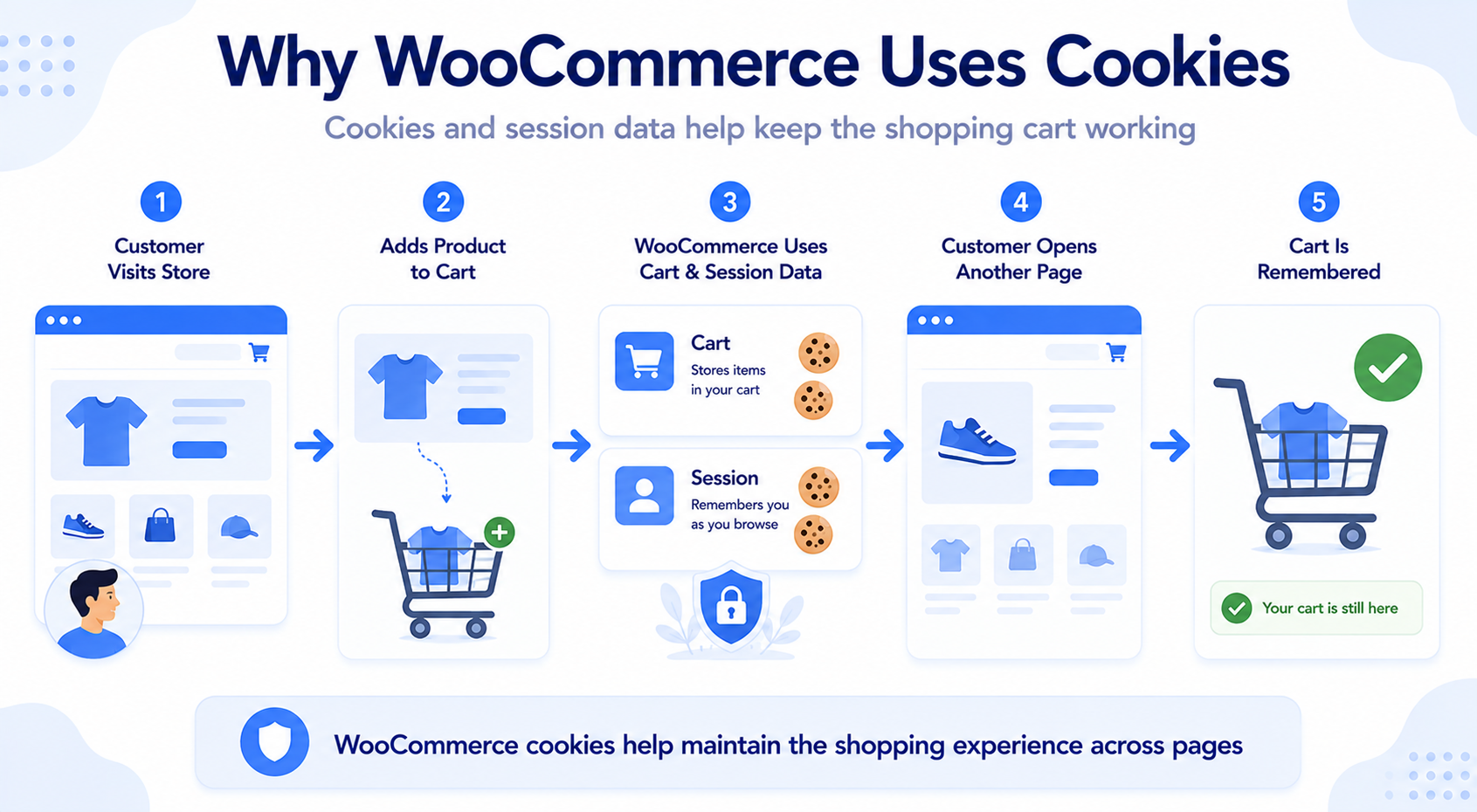
A simplified WooCommerce cart flow looks like this:
Visitor Adds Product → Cart Changes → WooCommerce Remembers the Cart → Visitor Opens Another Page → Cart Remains Available
WooCommerce uses cookies such as woocommerce_cart_hash and woocommerce_items_in_cart to help detect changes to the cart.
The actual cart data can be connected to a customer session stored on the server.
A customer adds a product to the cart and then opens another product page.
The store still knows that the first product is in the cart. WooCommerce cookies and session handling help maintain that shopping experience across pages.
What Is the WooCommerce Session Cookie?
One of the most important WooCommerce cookies begins with:
wp_woocommerce_session_
WooCommerce uses this cookie to associate a customer with their session data.
The cookie contains a unique code that allows WooCommerce to find the correct customer cart data stored in the database.
According to WooCommerce’s current documentation, this cookie has a default duration of two days.
In simple terms, the cookie helps connect the browser with the correct shopping session without storing the full cart contents directly inside the cookie.
Are WooCommerce Cookies Necessary?
Some WooCommerce cookies support core ecommerce functionality and may be necessary for the service the customer is actively using.
For example, cookies used to maintain a shopping cart serve a very different purpose from cookies used for advertising or visitor profiling.
A useful way to think about a WooCommerce store is to separate cookie purposes:
| Cookie Purpose | Example |
|---|---|
| Store functionality | Remembering cart contents or customer session |
| Preferences | Remembering optional settings |
| Analytics | Measuring store visits and customer behavior |
| Marketing | Advertising, remarketing, or conversion tracking |
This distinction matters when you configure a cookie banner. You should not classify every cookie on an ecommerce website as necessary simply because the site uses WooCommerce.
For a broader explanation of these categories, see Types of Website Cookies Explained.
Does WooCommerce Use Tracking Cookies?
WooCommerce core cart and session cookies are primarily connected to store functionality rather than general visitor analytics or advertising.
However, a WooCommerce store can easily include separate tracking tools.
For example, store owners may install:
- Google Analytics
- Google Ads conversion tracking
- marketing pixels
- affiliate tracking
- heatmap tools
- email marketing integrations
Those tools may create their own cookies or use other browser storage.
This means finding a tracking cookie on a WooCommerce store does not automatically mean WooCommerce core created it.
Do WooCommerce Plugins and Extensions Add Cookies?
They can.
WooCommerce is often extended with additional plugins and services for:
- payments
- shipping
- subscriptions
- memberships
- analytics
- marketing
- fraud prevention
- customer support
Each extension can have its own storage behavior.
Some may use functional cookies. Others may introduce analytics, marketing, or third-party technologies.
Whenever you add a new WooCommerce extension, payment service, analytics tool, or marketing integration, check whether it adds new cookies or other browser storage.
Do Payment Providers Add Cookies?
Payment providers can use their own cookies or other technologies depending on how the checkout integration works.
This is separate from the cookies created by WooCommerce core.
A typical ecommerce setup may look like this:
WooCommerce → Checkout → Payment Provider
WooCommerce manages the store and cart, while the payment provider handles payment-related functionality.
Because payment integrations can differ, you should review the specific provider used by your store rather than assuming all checkout cookies come from WooCommerce.
We will cover one common example separately in our guide Does Stripe Use Cookies?.
Does Google Analytics on WooCommerce Use Cookies?
It can.
If Google Analytics is installed on your WooCommerce store, GA4 may use its own first-party analytics cookies.
A common example is:
_ga
This is a Google Analytics cookie, not a WooCommerce core cart cookie.
Google Analytics may be installed through:
- a WordPress plugin
- a WooCommerce integration
- Google Tag Manager
- custom website code
For more detail, see Does Google Analytics Use Cookies?.
Does a WooCommerce Store Need a Cookie Banner?
Using WooCommerce does not automatically mean that every cookie on the store requires the same consent treatment.
The important question is which cookies and technologies the complete website uses.
A WooCommerce store may include:
- core cart and session cookies
- WordPress login or preference cookies
- analytics cookies
- advertising cookies
- payment provider technologies
- marketing pixels
- third-party embedded content
Your cookie consent setup should therefore be based on the actual services and purposes present on the store, rather than treating every cookie the same way.
Need to add or configure cookie consent on your WooCommerce store?
How to Check Which Cookies Your WooCommerce Store Uses
The best way to understand your store’s cookie setup is to test the actual website.
WooCommerce stores should be tested through several stages because different cookies may appear only after the visitor interacts with ecommerce features.
A practical testing process is:
- Open the store in a fresh private or incognito browser window.
- Check which cookies exist on the homepage.
- Open a product page.
- Add a product to the cart.
- Check which new cookies appear.
- Open the cart and checkout pages.
- Check the cookies and browser storage again.
- If you use a cookie banner, repeat the test after Accept and Reject.
You can inspect cookies through your browser’s Developer Tools under:
Application → Storage → Cookies
Testing the cart is especially important because core WooCommerce cart/session cookies may not appear during a simple homepage visit.
Test your store while logged out of WordPress. Administrator login cookies can make it harder to see what a normal customer actually receives.
You can also use our Cookie Scanner as a starting point for identifying cookies and tracking technologies on your store.
WooCommerce Cookies vs Other Store Cookies
A WooCommerce store usually combines several different systems, so it helps to identify the source of each cookie.
| Source | Typical Purpose | Example |
|---|---|---|
| WooCommerce | Cart and customer session | woocommerce_cart_hash |
| WordPress | Login and user preferences | wordpress_logged_in_[hash] |
| Analytics | Measure store usage | _ga |
| Payment provider | Payment or fraud-related functionality | Provider-specific |
| Marketing tools | Advertising and conversions | Provider-specific |
This is why a complete WooCommerce cookie audit should identify both the cookie name and the service responsible for creating it.
Common WooCommerce Cookie Mistakes
These are some of the most common mistakes store owners make when reviewing cookies:
- assuming every cookie on the store comes from WooCommerce
- classifying every ecommerce cookie as necessary
- ignoring cookies added by payment providers
- forgetting analytics and marketing integrations
- installing the same analytics tool more than once
- showing a cookie banner while marketing tags still run independently
- testing only the homepage
- not testing cart and checkout behavior
- testing while logged into WordPress as an administrator
- ignoring local storage and other tracking technologies
You scan the homepage of your WooCommerce store and see very few cookies.
After adding a product to the cart and opening checkout, additional session or payment-related technologies appear. Testing only the homepage would have missed part of the store’s real cookie setup.
Conclusion
WooCommerce uses cookies and session data to support important ecommerce functions, especially shopping carts and customer sessions. Core cookies such as woocommerce_cart_hash, woocommerce_items_in_cart, and wp_woocommerce_session_ help the store maintain a consistent shopping experience.
But WooCommerce core is only one part of the complete cookie setup. Analytics tools, payment providers, marketing services, WordPress plugins, and other integrations can all add additional cookies or browser storage.
Next Step: Add a Cookie Banner to WordPress
Now that you understand which cookies WooCommerce and other store tools can use, the next step is to set up cookie consent on your WordPress website.

Frequently Asked Questions
Common questions about this topic
Yes. WooCommerce uses cookies for features such as detecting cart changes, maintaining customer sessions, recently viewed products, and store notices when those features are used.
Core WooCommerce cookies can include woocommerce_cart_hash, woocommerce_items_in_cart, wp_woocommerce_session_, woocommerce_recently_viewed, and store_notice[notice id].
Yes. Several WooCommerce cookies are session cookies. The wp_woocommerce_session_ cookie has a documented default duration of two days and helps connect a customer with their cart data.
Some WooCommerce cookies support core store functionality such as cart and session management. Other cookies on the same store may come from analytics or marketing tools and serve different purposes.
WooCommerce core cart/session cookies are mainly functional. However, WooCommerce stores often use separate analytics, advertising, and marketing tools that may create tracking cookies.
WooCommerce itself does not determine this. You need to review the complete set of cookies and tracking technologies used by the store and the privacy rules that apply to your visitors.
Test the store in a fresh private browser session and inspect cookies before and after adding products to the cart, opening checkout, and interacting with your cookie banner.