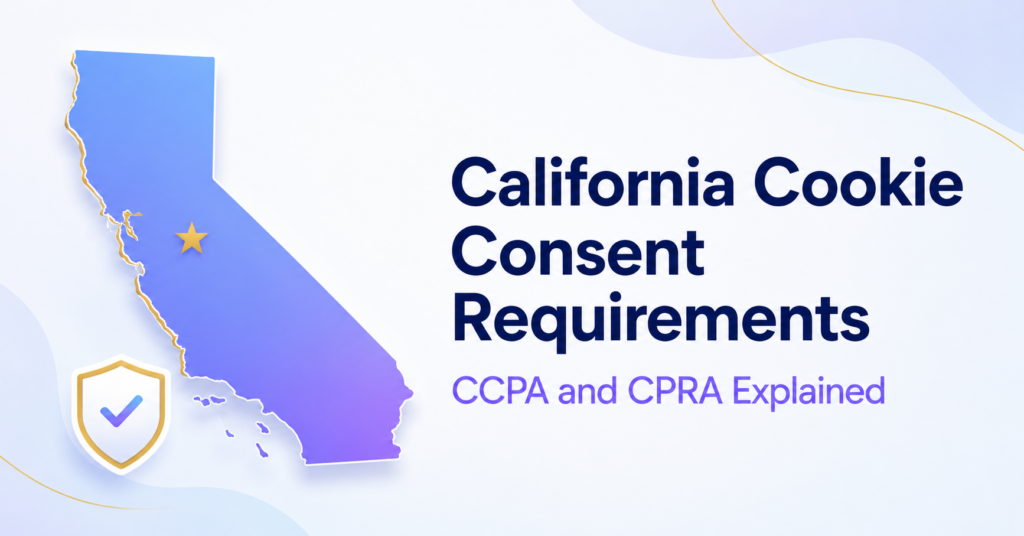
California gives consumers important rights over personal information collected through cookies and other tracking technologies.
The main framework is the California Consumer Privacy Act, commonly called the CCPA. The California Privacy Rights Act, or CPRA, amended and expanded the CCPA rather than creating a completely separate privacy law.
California generally uses an opt-out model for the sale or sharing of personal information. However, additional rules apply to children, sensitive personal information, consent, privacy signals, and higher-risk data practices.
California does not require every website to obtain EU-style prior consent before using all non-essential cookies.
However, covered businesses that sell or share personal information must provide an effective opt-out, honour applicable Global Privacy Control signals, and follow additional rules for minors and sensitive personal information.
What Are California’s Cookie Consent Requirements?
California does not have one law dedicated exclusively to browser cookies. Instead, the CCPA regulates personal information collected through cookies and similar technologies.
Personal information can include data that identifies, relates to, describes, or could reasonably be linked with a consumer or household.
Depending on how they are used, this may include:
- online identifiers;
- IP addresses;
- browsing and search history;
- interactions with websites and advertisements;
- device identifiers;
- precise geolocation;
- profiles and inferences about a consumer;
- information connected with a consumer account.
Cookies are therefore important because they can collect, store, combine, or disclose information covered by the CCPA.
For a broader introduction, see our guide to US cookie consent laws.
What Is the Difference Between the CCPA and CPRA?
The CCPA created California’s main consumer privacy framework. The CPRA later amended and expanded that framework.
The CPRA introduced or strengthened several important areas, including:
- the right to opt out of sharing for cross-context behavioural advertising;
- the right to limit certain uses of sensitive personal information;
- additional requirements for data minimisation and purpose limitation;
- new responsibilities for contractors and service providers;
- the creation of the California Privacy Protection Agency;
- additional regulatory and enforcement powers.
In practice, website owners normally refer to the current amended law as the CCPA. The CPRA is important because it changed what the CCPA requires.
Want to understand how California’s approach differs from European consent rules?
What Changed on January 1, 2026?
Updated CCPA regulations took effect on January 1, 2026. These regulations updated existing CCPA requirements and introduced additional obligations for certain businesses.
The 2026 regulations cover:
- updates to existing CCPA regulations;
- risk assessments for certain processing activities;
- annual cybersecurity audits for certain businesses;
- consumer rights relating to certain uses of automated decisionmaking technology;
- clarification of how the CCPA applies to insurance companies.
These requirements do not mean that every website must complete a cybersecurity audit or automated decisionmaking assessment. Their application depends on the business, the processing activities involved, and the regulatory thresholds and conditions.
Website owners should review the California Privacy Protection Agency’s 2026 CCPA regulation materials when assessing higher-risk processing, behavioural profiling, automated decisions, or large-scale use of personal information.
Which Businesses Must Follow the CCPA?
The CCPA does not apply to every website or small business.
It generally applies to certain for-profit businesses doing business in California that meet at least one of the following thresholds:
- annual gross revenue above the current inflation-adjusted CCPA threshold;
- buying, selling, or sharing the personal information of 100,000 or more consumers or households in a year;
- earning 50% or more of annual revenue from selling or sharing consumers’ personal information.
The revenue threshold is adjusted periodically. Website owners should confirm the current amount using the California Privacy Protection Agency’s current monetary-threshold guidance.
The law also contains definitions, exemptions, and rules covering businesses that control or are controlled by another covered business.
A website should therefore check:
- whether it is operated for profit;
- whether it does business in California;
- whether it meets an applicable threshold;
- whether it sells or shares personal information;
- whether a statutory exemption applies.
A website is not automatically covered simply because someone in California can visit it. The business must first fall within the scope of the CCPA or another applicable privacy law.
Which Tracking Technologies Can Be Covered?
The CCPA is not limited to files labelled as cookies. It can apply to different technologies that collect or disclose personal information.
Examples include:
- first-party and third-party cookies;
- advertising pixels and web beacons;
- local storage;
- mobile advertising identifiers;
- scripts and tags;
- embedded social media services;
- cross-site tracking identifiers;
- device fingerprinting;
- location tracking technologies;
- software development kits used in mobile applications.
The important questions are what information the technology collects, why it is used, and which third parties receive it.
Learn more in our guides to tracking pixels and browser fingerprinting.
Does California Require Prior Cookie Consent?
California does not generally require prior consent before every analytics, personalisation, or advertising cookie is activated.
The most common CCPA model is:
- provide clear information about the collection and use of personal information;
- allow consumers to opt out of the sale or sharing of personal information;
- honour valid opt-out preference signals;
- stop the relevant processing after a valid opt-out request.
Prior opt-in consent becomes important in specific circumstances, including the sale or sharing of personal information belonging to consumers known to be under 16.
Consent may also become relevant when a business wants to:
- ask a consumer to opt back in after an opt-out;
- use personal information for a materially different purpose;
- use or disclose sensitive personal information after a consumer has exercised the right to limit;
- conduct another activity for which the CCPA or its regulations require consent.
Any consent used for these purposes must be genuine. An agreement obtained through a dark pattern does not constitute valid consent.
What Does “Sell or Share” Mean Under the CCPA?
One of the most important steps is determining whether advertising or tracking activities involve a sale or sharing of personal information.
Sale of personal information
A sale can involve transferring or making personal information available to another business or third party for monetary or other valuable consideration.
This means that a transaction may potentially qualify as a sale even when personal information is not sold through a traditional data marketplace.
Sharing personal information
Sharing generally concerns making personal information available to a third party for cross-context behavioural advertising, whether or not money is exchanged.
Cross-context behavioural advertising can involve selecting advertisements based on information collected about a consumer’s activity across different businesses, websites, applications, or services.
Technologies that may become relevant include:
- third-party advertising cookies;
- remarketing pixels;
- social media advertising tags;
- cross-site identifiers;
- advertising measurement technologies;
- third-party profiling services.
A website allows an advertising provider to collect information about a California visitor and use it to select advertisements across unrelated services. This may involve sharing for cross-context behavioural advertising even when the website does not receive a direct cash payment.
What Is the Right to Opt Out?
California consumers have the right to direct a covered business to stop selling or sharing their personal information.
A covered business that sells or shares personal information must provide an effective way to exercise this right.
A common website link is:
- Do Not Sell or Share My Personal Information
A business may also use an approved alternative link such as:
- Your Privacy Choices
- Your California Privacy Choices
The opt-out method should:
- be clear and conspicuous;
- be easy for an ordinary visitor to find;
- use understandable language;
- avoid unnecessary questions or steps;
- work correctly on supported browsers and devices;
- stop the relevant sale or sharing;
- communicate the request to connected providers where required.
A business should not require a consumer to create an account merely to submit an opt-out request. It should also avoid requesting more information than reasonably necessary to process the choice.
What Is Global Privacy Control?
Global Privacy Control, commonly called GPC, is an opt-out preference signal sent by a browser, extension, or another supported technology.
When enabled, GPC communicates that the visitor wants to opt out of the sale or sharing of personal information.
Covered California businesses must treat an applicable GPC signal as a valid opt-out request.
This means the website should:
- detect the signal;
- apply the choice to the browser or device sending it;
- stop the relevant sale or sharing;
- avoid asking the visitor to repeat the same choice unnecessarily;
- not override the signal with default banner settings;
- explain how preference signals are handled.
A consent management platform may help detect GPC, but it must be configured correctly. Installing a banner does not automatically mean that the website honours the signal.
Do not treat GPC as the same thing as the browser’s older “Do Not Track” setting. California specifically recognises qualifying opt-out preference signals such as GPC.
Do Analytics Cookies Require Consent in California?
California does not automatically require prior consent before every analytics cookie is activated.
The correct assessment depends on how the analytics tool is configured and what its provider is permitted to do with the information.
An analytics setup may present a lower CCPA risk when:
- the information is used only to measure the website’s performance;
- collection is limited to what is reasonably necessary;
- the provider acts under an appropriate service provider or contractor arrangement;
- the information is not used for cross-context behavioural advertising;
- the provider does not combine it with data obtained from unrelated businesses;
- the website’s disclosures accurately explain the processing.
Opt-out or other requirements may become relevant when analytics information is:
- used for targeted advertising;
- combined with advertising profiles;
- made available to third parties for their own purposes;
- used to follow consumers across unrelated services;
- connected with sensitive personal information.
Website owners should review the provider’s contracts and actual configuration rather than relying only on the product name.
Our separate guide explains what to consider when configuring Google Analytics cookie consent.
What Is Sensitive Personal Information?
The CCPA gives consumers additional control over certain sensitive personal information.
Examples can include:
- precise geolocation;
- government identifiers;
- financial account credentials;
- genetic data;
- biometric information used to identify a consumer;
- the contents of certain private communications;
- information concerning health;
- racial or ethnic origin;
- religious or philosophical beliefs;
- union membership;
- information concerning sex life or sexual orientation.
California does not impose one universal prior-consent rule on every use of sensitive personal information. Instead, consumers may have a right to limit certain uses and disclosures outside specified purposes.
When the right applies, a business may need to provide a link labelled:
- Limit the Use of My Sensitive Personal Information
A business may alternatively provide one clearly labelled privacy choices link that allows the consumer to exercise both the opt-out and right-to-limit choices.
Do not state that the CCPA always requires prior consent before sensitive personal information is collected. The California framework commonly provides a right to limit particular uses and disclosures, although other laws may impose additional consent requirements.
What Are the Rules for Children Under 16?
California uses an opt-in model for the sale or sharing of personal information belonging to consumers a business knows are under 16.
| Age | Who Provides Authorisation? | General Requirement |
|---|---|---|
| Under 13 | Parent or guardian | Affirmative authorisation is required before the business sells or shares the child’s personal information |
| 13 to 15 | The consumer | The teenager must affirmatively authorise the sale or sharing of their personal information |
| 16 or older | The consumer can exercise the standard opt-out right | The general CCPA sale and sharing rules apply |
Websites directed to children under 13 may also need to comply with the federal Children’s Online Privacy Protection Act.
Businesses should not use age-related design choices to pressure children or teenagers into accepting tracking.
What Counts as Valid Consent Under the CCPA?
When the CCPA requires consent, the consumer must make a clear and informed choice for a narrowly defined purpose.
Valid consent should generally be:
- informed: the consumer understands what will happen;
- specific: the choice relates to a clearly described purpose;
- freely given: the interface does not use unfair pressure;
- unambiguous: the consumer takes a clear action;
- easy to withdraw: revoking consent should not be unnecessarily difficult.
The following methods should not be relied on as valid consent:
- pre-ticked boxes;
- silence or inactivity;
- acceptance of unrelated general terms;
- confusing button labels;
- interfaces that hide important information;
- dark patterns that interfere with consumer choice.
California Cookie Banner Requirements
The CCPA does not automatically require every website to display a traditional cookie banner.
A covered business may need a privacy notice, an opt-out mechanism, a right-to-limit control, a consent interface, or a combination of these elements.
The correct setup depends on whether the website:
- sells or shares personal information;
- uses information for cross-context behavioural advertising;
- collects sensitive personal information;
- sells or shares information belonging to consumers under 16;
- must obtain consent for another use;
- receives opt-out preference signals.
A California privacy interface should generally:
- use clear and understandable wording;
- explain the main tracking purposes;
- provide the required privacy choices;
- avoid dark patterns;
- honour valid GPC signals;
- allow consumers to change their choices;
- work correctly on desktop and mobile devices;
- link to complete privacy information.
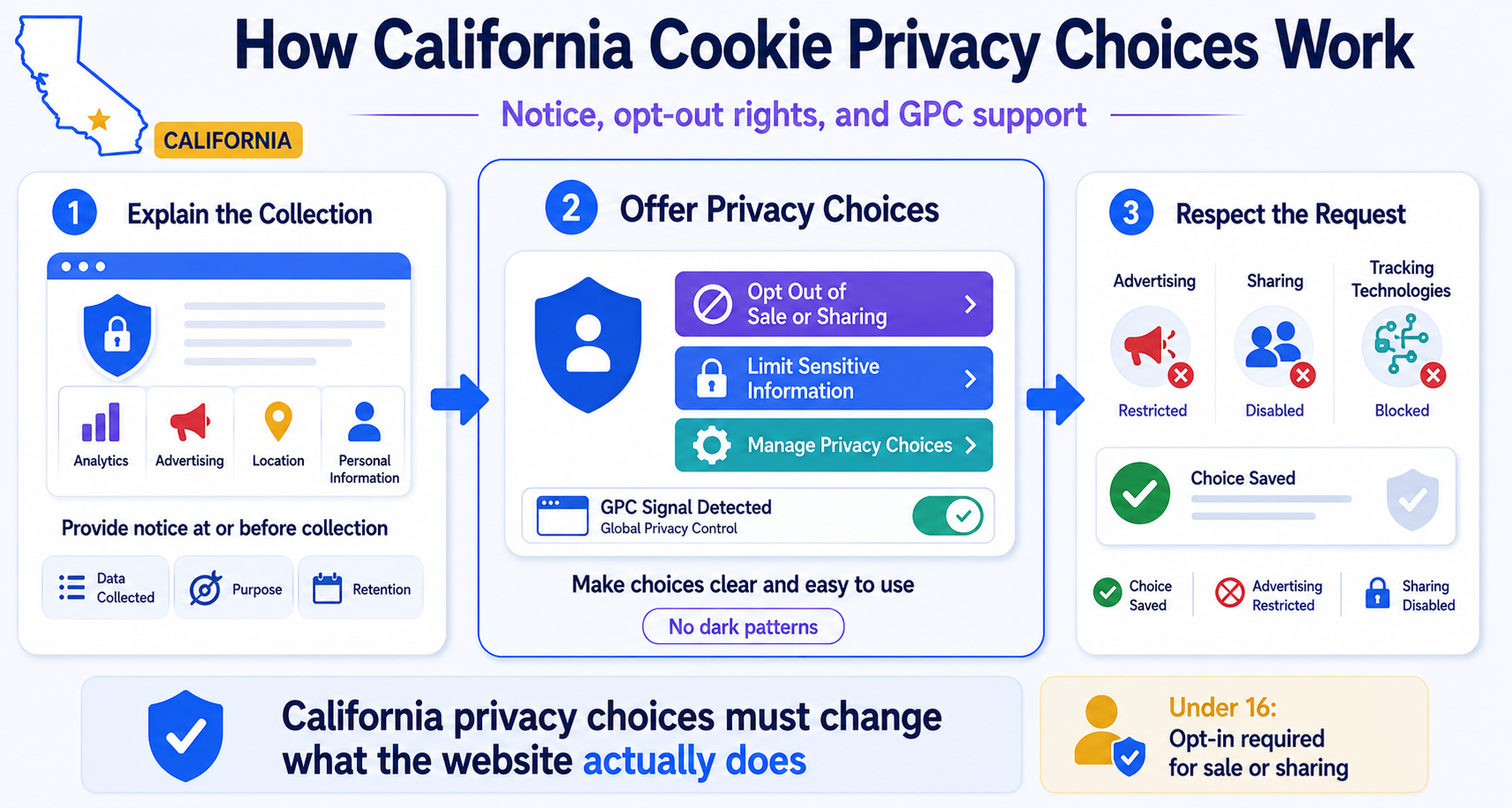
Notice at collection
A covered business must provide appropriate information at or before the point where personal information is collected.
The notice should explain:
- the categories of personal information collected;
- the purposes for which the information is used;
- whether the categories are sold or shared;
- how long the information will be retained or how the retention period is determined;
- where the consumer can find more complete privacy information.
Privacy choices interface
A privacy panel could provide controls such as:
- Opt Out of Sale or Sharing
- Limit Sensitive Personal Information
- Manage Other Privacy Choices
The interface should show whether the request has been processed. The underlying advertising and tracking technologies must also respect the selected choice.
Does a California Banner Need a Reject All Button?
The CCPA does not generally require every website to display a button labelled “Reject All.”
California’s primary concern is whether consumers can effectively exercise specific rights, including:
- opting out of the sale of personal information;
- opting out of sharing for cross-context behavioural advertising;
- limiting certain uses of sensitive personal information;
- withdrawing consent where consent is used.
A button labelled “Reject All” may be useful when a business asks for consent to several optional purposes. However, it does not replace a required CCPA opt-out if the control does not actually stop sale or sharing.
A privacy interface should not:
- make the acceptance option substantially more prominent;
- require significantly more steps to opt out;
- use double negatives or confusing wording;
- repeatedly ask consumers to reverse their privacy choice;
- require account creation for an opt-out;
- request unnecessary personal information;
- continue sharing information after the choice is submitted.
A privacy panel displays “Allow Targeted Advertising” and “Opt Out of Targeted Advertising” with equally clear wording. Selecting the opt-out immediately prevents the advertising tags covered by the request from sharing the visitor’s information.
Does a California Website Need a Cookie Policy?
The CCPA requires covered businesses to provide specific privacy notices. It does not require every business to publish a separate document titled “Cookie Policy.”
However, a cookie policy can help explain technical tracking information in a format that visitors can understand.
The privacy or cookie notice should normally explain:
- which categories of personal information are collected;
- which cookies and similar technologies are used;
- the purposes of the technologies;
- whether information is sold or shared;
- which categories of third parties receive information;
- which categories of sensitive personal information are processed;
- how long information is retained;
- which California privacy rights are available;
- how consumers can exercise those rights;
- how opt-out preference signals are processed.
The information must reflect the website’s actual practices. Copying a generic privacy policy without auditing the website can result in inaccurate disclosures.
Learn how to organise tracking information in our guide on how to create a cookie policy page.
Does the CCPA Apply to Businesses Outside California?
A business does not necessarily avoid the CCPA because its office, website, or server is located outside California.
Relevant questions include:
- whether the business operates for profit;
- whether it does business in California;
- whether it processes personal information about California consumers;
- whether it meets an applicable CCPA threshold;
- whether it sells or shares personal information;
- whether an exemption applies.
An international website may need different privacy configurations for California, other US states, the European Union, and other regions.
Do not determine CCPA applicability only from the company’s physical location. Its California business activities and processing of California consumers’ personal information may also matter.
Who Enforces the CCPA?
The CCPA is enforced by the California Privacy Protection Agency and the California Attorney General.
They may investigate whether businesses:
- provide the required notices;
- offer working privacy request methods;
- honour sale and sharing opt-outs;
- respond correctly to GPC signals;
- protect children’s personal information;
- avoid dark patterns;
- use personal information consistently with disclosed purposes;
- maintain appropriate contracts with service providers, contractors, and third parties.
Using a third-party cookie banner or consent management platform does not transfer responsibility away from the business. The tool must be configured and tested properly.
What Happens If a Business Does Not Comply?
Possible consequences can include:
- consumer complaints;
- regulatory investigations;
- requests for documents or information;
- orders to change or stop unlawful practices;
- administrative fines or civil penalties;
- contractual problems with advertising providers;
- loss of visitor trust;
- private claims for certain qualifying security breaches.
The CCPA does not create a general private right to sue for every cookie or privacy violation. Its private right of action is limited mainly to certain security incidents involving specified personal information.
California regulators have brought enforcement actions involving broken opt-out mechanisms, failure to honour privacy signals, unnecessary identity verification, inadequate notices, and tracking that disclosed sensitive information.
Practical California Cookie Compliance Checklist
Website owners can use the following steps to review their California cookie and tracking setup.
Use these steps to identify the CCPA requirements that may apply to your website.
- Check whether the CCPA applies. Review the business structure, California activities, applicable thresholds, and exemptions.
- Identify your technologies. Check cookies, pixels, tags, local storage, advertising identifiers, embeds, and fingerprinting.
- Map the personal information. Record which categories of information every technology collects or accesses.
- Identify every purpose. Separate necessary functions, analytics, personalisation, advertising, and profiling.
- Review third-party relationships. Determine which providers receive information and how they may use it.
- Assess sale and sharing. Check whether advertising or tracking involves sale or cross-context behavioural advertising.
- Review sensitive information. Identify precise location, health, biometric, and other sensitive categories.
- Check children’s data. Determine whether the website knowingly sells or shares personal information belonging to consumers under 16.
- Provide the required notices. Keep the notice at collection and privacy policy complete and accurate.
- Configure privacy choices. Provide effective opt-out, right-to-limit, and consent controls where applicable.
- Honour GPC. Confirm that applicable signals stop the relevant sale or sharing.
- Avoid dark patterns. Make privacy-protective choices clear and easy to use.
- Test the final setup. Confirm that every request changes the behaviour of the relevant technologies.
- Repeat the review. Check again whenever laws, plugins, tags, contracts, or providers change.
A cookie audit can help identify which technologies your website currently loads.
After configuring your privacy controls, follow our guide on how to test a cookie banner.
Official California Privacy Guidance
Website owners should consult current California law, regulations, and enforcement guidance when reviewing their setup.
Useful official sources include:
- California Privacy Protection Agency CCPA FAQs;
- California CCPA laws and regulations;
- California Attorney General CCPA guidance;
- California guidance on Global Privacy Control;
- California guidance about dark patterns;
- California CCPA enforcement examples.
California regulations and enforcement guidance can change. Businesses should review their privacy setup regularly rather than treating compliance as a one-time task.
Conclusion
California does not require every website to use an EU-style prior-consent cookie banner. The CCPA primarily gives consumers control over the sale and sharing of personal information and certain uses of sensitive personal information.
Covered businesses must provide accurate notices, effective privacy choices, and working opt-out mechanisms. They must also honour qualifying Global Privacy Control signals and follow special opt-in rules when selling or sharing the personal information of consumers known to be under 16.
The practical starting point is to identify every cookie and tracker, understand which providers receive information, and determine whether the processing involves sale, sharing, sensitive information, or children’s data.
If your website also serves European visitors, the next step is to compare California’s opt-out model with the GDPR’s consent-first approach.
This article provides general information about cookie consent and privacy requirements. It does not constitute legal advice.
Recommended Next Step
If your website serves both California and European visitors, compare California’s opt-out model with the GDPR’s consent-first approach.
The next guide explains the main differences in consent, opt-out rights, cookie blocking, privacy notices, and visitor controls.

Frequently Asked Questions
Common questions about this topic
No. The CCPA does not require every website to display a traditional cookie banner. A covered business may instead need a notice at collection, sale or sharing opt-out, sensitive information control, consent interface, or a combination of these elements.
Not for every cookie. California generally uses an opt-out model for the sale or sharing of personal information. Prior opt-in authorisation is required for certain activities, including selling or sharing personal information belonging to consumers known to be under 16.
Selling can involve transferring personal information for money or another form of value. Sharing generally concerns making personal information available to a third party for cross-context behavioural advertising, even when no money is exchanged.
Global Privacy Control, or GPC, is a browser-based signal that communicates a consumer’s request to opt out of the sale or sharing of personal information. Covered California businesses must honour applicable GPC signals.
Not generally. California focuses on specific privacy rights, such as opting out of sale or sharing and limiting certain uses of sensitive personal information. A “Reject All” button does not replace these controls unless it actually processes the required privacy choices.
Not automatically. Requirements depend on how the analytics tool is configured, which information it collects, and what the provider can do with the data. Opt-out rights may become relevant when analytics information is shared, sold, combined with advertising profiles, or used across unrelated services.
This link allows California consumers to request that a covered business stop selling their personal information or sharing it for cross-context behavioural advertising. The link and the underlying opt-out process must be clear, accessible, and functional.
A business that knows a consumer is under 16 must obtain affirmative authorisation before selling or sharing their personal information. For children under 13, the authorisation must come from a parent or guardian. Consumers aged 13 to 15 may provide it themselves.
Not in every situation. Consumers may have the right to limit certain uses and disclosures of sensitive personal information. Other laws or specific processing activities may create additional consent requirements.
Yes. A business located outside California may fall under the CCPA if it does business in California, processes California consumers’ personal information, and meets an applicable statutory threshold.
The CCPA requires appropriate privacy notices but does not require every business to publish a separate document titled “Cookie Policy.” A cookie policy can still help explain tracking technologies, purposes, providers, sale or sharing, and available privacy choices.