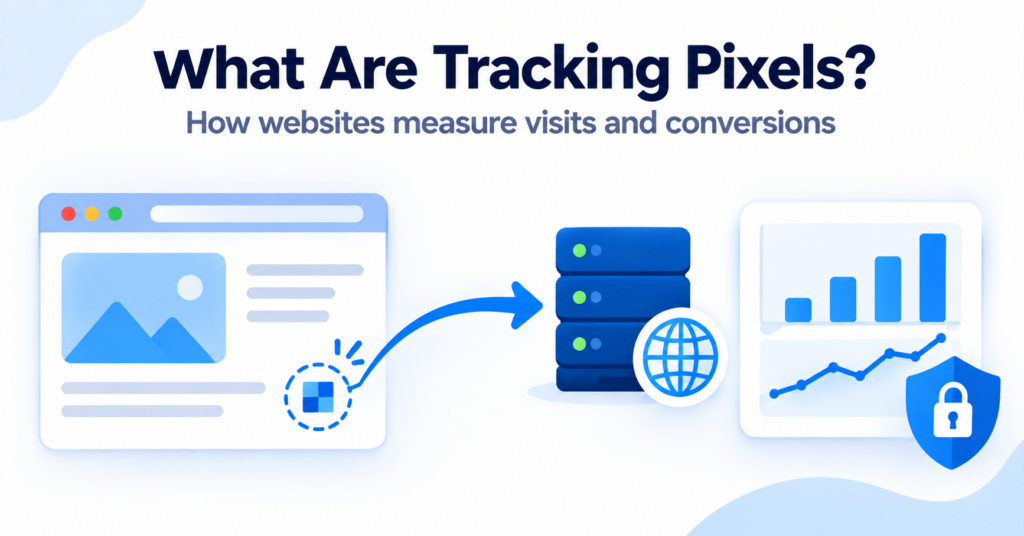
Tracking pixels help websites and external services measure visits, conversions, advertising results, and other user interactions.
They often work quietly in the background and may be difficult for visitors to notice. Although tracking pixels frequently work together with cookies, they are not the same technology.
In this guide, you’ll learn what tracking pixels are, how they work, what information they may collect, and how they differ from regular website cookies.
A tracking pixel is a small image or piece of code that sends information to a server when a webpage, advertisement, or email is opened. It can help measure page views, conversions, email opens, and other activity, often together with cookies or similar technologies.
What Is a Tracking Pixel?
A tracking pixel is a small website or email element used to record when digital content is loaded or viewed.
Traditional tracking pixels are often described as tiny transparent images, sometimes only one pixel wide and one pixel high. When the browser or email application loads the image, it sends a request to the server hosting it.
That request can show that a particular page, advertisement, or email was opened. Depending on the setup, the server may also receive technical information connected to the request.
Tracking pixels are also known as:
- web beacons;
- pixel tags;
- tracking beacons;
- clear GIFs;
- conversion pixels.
Modern tracking systems do not always use a literal one-pixel image. Some use JavaScript, tags, browser requests, or similar methods to send event information to a server.
This means the term “tracking pixel” may sometimes describe the wider tracking process rather than only a visible image file.
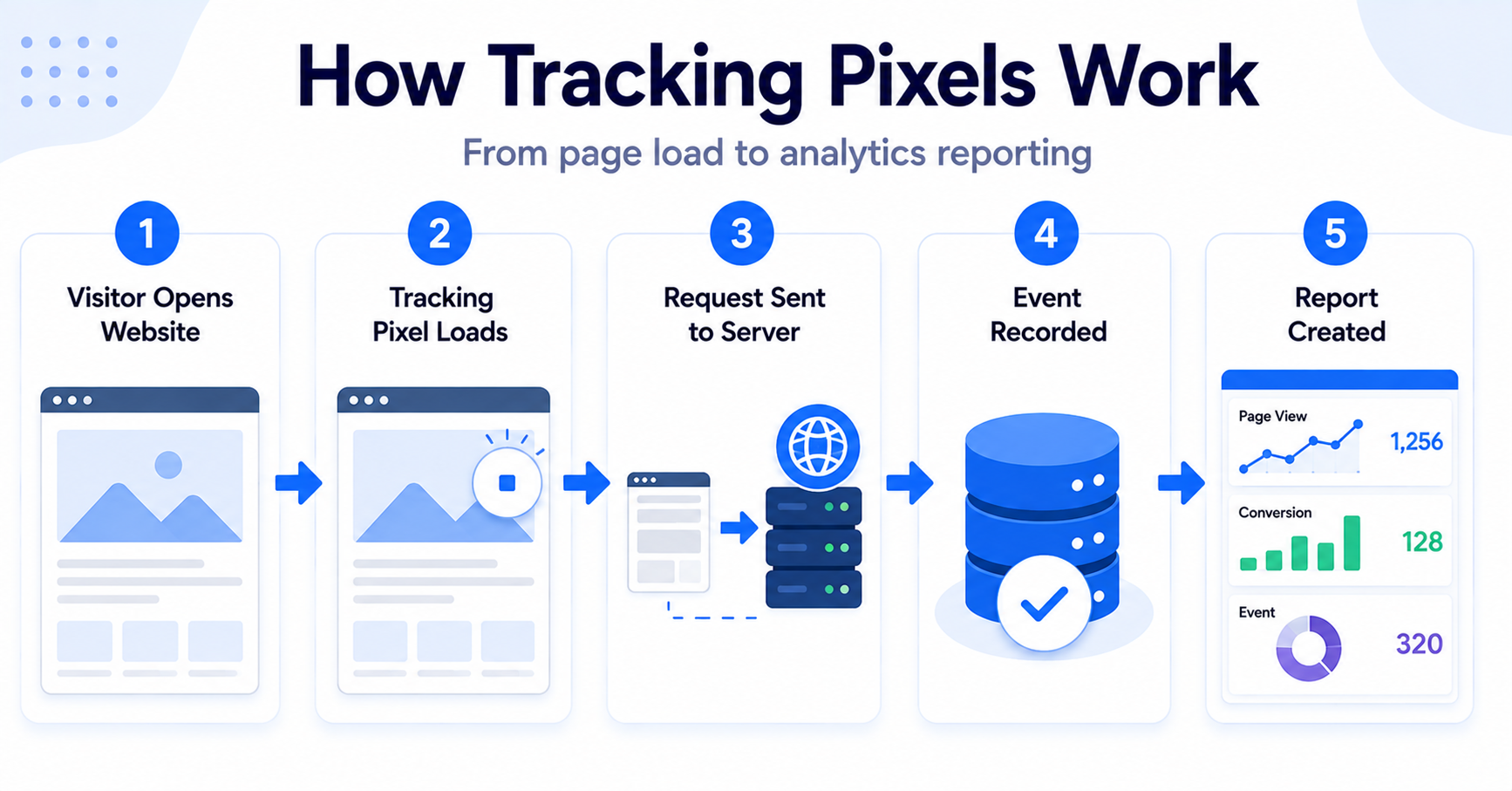
A visitor opens an order confirmation page. A conversion pixel loads and sends an event to an advertising platform, helping the website owner measure whether an advertising campaign led to a completed purchase.
How Do Tracking Pixels Work?
A tracking pixel usually works by creating a connection between the visitor’s browser and a website or external server.
A simplified tracking pixel process looks like this:
- A visitor opens a webpage, advertisement, or email.
- The browser or email application loads the pixel or tracking code.
- A request is sent to the server connected to the pixel.
- The server records information about the request.
- The activity appears in an analytics or advertising report.
The website owner may then use the report to understand whether someone viewed a page, completed an action, or interacted with a campaign.
Step 1: The tracking code is added
The website owner or service provider adds tracking code to a webpage, advertisement, checkout page, or email.
The code may be installed directly, through a plugin, or through a tag management system.
Step 2: A visitor loads the content
When someone opens the content, their browser attempts to load the resources connected to it.
If the tracking pixel is active, this creates a request to the server that provides the pixel or tracking service.
Step 3: The server records the request
The server may record the time of the request and technical details that are normally included when browsers communicate with servers.
The exact information depends on how the tracking system is configured.
Step 4: The event appears in a report
The request may be counted as a page view, email open, advertisement impression, conversion, or another event.
Website owners can use these reports to measure performance and understand how visitors interact with their content.
A tracking pixel does not always work alone. It may use cookies, browser storage, identifiers, or other data to connect activity across pages, sessions, or devices.
What Information Can a Tracking Pixel Collect?
The information available to a tracking system depends on the technology, configuration, browser, and context in which the pixel is used.
A tracking request may provide information such as:
- the date and time the content was loaded;
- the page or email connected to the request;
- the visitor’s IP address;
- browser and device information;
- the referring webpage;
- campaign or advertisement identifiers;
- events such as page views or completed purchases.
A pixel may also work with an existing cookie or another identifier. This can help the provider connect the event with an earlier visit, advertisement click, or user session.
However, not every pixel collects the same information. Website owners should review the documentation and configuration of each tracking service they use.
What Are Tracking Pixels Used For?
Tracking pixels can support several different measurement and marketing tasks.
| Use | What the Pixel Measures | Common Example |
|---|---|---|
| Website analytics | Page visits and website activity | Recording that a page was loaded |
| Conversion tracking | Completed actions | Purchase or form submission |
| Advertising measurement | Campaign performance | Connecting an advertisement with a later action |
| Remarketing | Visits to selected pages or products | Building an advertising audience |
| Email analytics | Possible email opens | Recording when an image in an email loads |
| Performance monitoring | Technical events and errors | Sending information about page performance |
Analytics pixels
Analytics pixels can help measure page views, sessions, and other website activity.
The collected information may be used to understand which pages receive traffic and how visitors move through the website.
Advertising pixels
Advertising pixels can measure whether someone viewed or clicked an advertisement and later completed an action on the website.
They may also support remarketing, audience creation, and advertising campaign optimization.
Conversion pixels
A conversion pixel is normally placed on or activated by an important completion event.
Examples include:
- completing a purchase;
- submitting a contact form;
- registering an account;
- booking an appointment;
- signing up for a newsletter.
Email tracking pixels
An email may contain a small image hosted on an external server. When the email application loads that image, the sender may receive a signal suggesting that the email was opened.
Email tracking is not always completely accurate. Some email applications block remote images, preload images, or use privacy features that affect the results.
Are Tracking Pixels the Same as Cookies?
No. Tracking pixels and cookies are different technologies, although they often work together.
A cookie stores a small piece of information in the visitor’s browser. A traditional tracking pixel creates a request to a server when it loads.
| Feature | Tracking Pixel | Cookie |
|---|---|---|
| Main action | Sends a request when content loads | Stores or reads information in the browser |
| Typical form | Image, tag, script, or server request | Small browser data record |
| Common use | Recording views, events, or conversions | Remembering information or identifiers |
| Can work alone? | Sometimes | Yes |
| Can work together? | Yes | Yes |
For example, a tracking pixel may record that a product page was opened. A cookie may help the tracking service recognize that the same browser previously clicked an advertisement.
You can learn more about browser cookies in our guide explaining what web cookies are and how they work.
First-Party vs Third-Party Tracking Pixels
Tracking requests can involve either the website’s own domain or an external provider.
First-party tracking
First-party tracking generally involves systems controlled through the website owner’s own domain or infrastructure.
It may be used for internal analytics, performance monitoring, or measuring activity directly for the website.
Third-party tracking
Third-party tracking involves an external service that receives information when its code or resource loads on the website.
Common examples include external:
- analytics providers;
- advertising platforms;
- social media services;
- email marketing tools;
- conversion measurement services.
Whether tracking is first-party or third-party does not automatically determine whether it is necessary, privacy-friendly, or permitted. Its purpose, configuration, collected information, and applicable rules still need to be reviewed.
Our guide to first-party and third-party cookies explains the similar distinction used for browser cookies.
Do Tracking Pixels Require Consent?
Tracking pixels may require consent depending on what they do, what information they access, and which privacy rules apply to the website and its visitors.
A pixel used for optional advertising, remarketing, behavioral analytics, or cross-site tracking should not be treated in the same way as technology that is strictly necessary to provide a service requested by the visitor.
Consent considerations may depend on:
- the purpose of the tracking;
- whether information is stored or accessed on the visitor’s device;
- whether personal data is processed;
- which provider receives the information;
- the visitor’s country or region;
- the applicable privacy and electronic communications rules.
The UK Information Commissioner’s Office includes tracking pixels within its guidance on storage and access technologies. The guidance explains that these rules can apply to technologies beyond traditional cookies.
Read the ICO guidance on storage and access technologies.
Calling a technology a “pixel” instead of a “cookie” does not automatically remove consent or transparency requirements. Website owners should review what the technology actually does.
How Should a Cookie Banner Handle Tracking Pixels?
A cookie banner or consent management platform should control optional tracking technologies, not only traditional cookies.
If a visitor rejects advertising or analytics tracking, the related optional pixels and scripts should follow that choice when required by the applicable rules and configuration.
This may involve:
- preventing tracking tags from loading before consent;
- activating tags only after the relevant category is accepted;
- sending updated consent choices to connected services;
- allowing visitors to change their choices later;
- describing tracking technologies clearly in the website’s privacy information.
A banner that blocks cookies but still allows optional tracking pixels to send information may not reflect the visitor’s actual choice.
Our guide to cookie banner requirements explains the main elements website owners should review.
How Does Google Consent Mode Affect Tracking Tags?
Google Consent Mode allows supported Google tags to adjust their behavior according to the visitor’s consent choice.
However, Consent Mode is not the cookie banner itself. A consent management platform or another consent interface is still needed to collect and communicate the visitor’s choices.
The final behavior depends on the consent setup, tag configuration, implementation method, and services being used.
Read our beginner’s guide explaining what Google Consent Mode is and how it works.
Can You See Tracking Pixels on a Website?
Tracking pixels are often difficult to identify by looking at the visible webpage because they may be transparent, extremely small, or loaded through scripts.
You can investigate possible tracking pixels using:
- browser developer tools;
- the Network panel;
- page source or script inspection;
- tag debugging tools;
- cookie and tracking scanners;
- consent management platform reports.
In a browser’s Network panel, a tracking request may appear as an image, script, fetch request, or another type of network connection.
However, identifying the request does not always explain its purpose. You may need to review the domain, file name, script, provider documentation, and the event that caused it to load.
Test the website in a private browser window before accepting optional tracking. Then accept selected categories and compare which new requests appear.
Can a Cookie Scanner Detect Tracking Pixels?
Some cookie scanners can identify tracking scripts, external services, and other technologies in addition to traditional cookies.
However, scanner capabilities differ. A basic scanner may focus mainly on browser cookies, while a broader website scan may also detect:
- tracking tags;
- analytics scripts;
- advertising services;
- external domains;
- pixels and beacons;
- browser storage technologies.
Automated results should still be reviewed manually. Some tracking pixels activate only after a button click, purchase, form submission, consent choice, or another event.
Our guide explaining what a cookie scanner is covers the role and limitations of automatic website scanning.
Common Misconceptions About Tracking Pixels
Every tracking pixel is a visible image
No. Traditional pixels may use tiny transparent images, but modern tracking can also use scripts, tags, APIs, and server requests.
Tracking pixels always store cookies
No. A pixel request can send information without creating a traditional browser cookie. However, many tracking systems use pixels and cookies together.
Tracking pixels only measure advertising
No. Pixels can support analytics, conversions, email measurement, performance monitoring, and other purposes.
Visitors can easily see every tracking pixel
No. Many tracking elements are invisible and may require browser developer tools or scanning software to detect.
A cookie banner automatically controls every pixel
No. Tracking tags must be properly connected to the consent system. Simply displaying a banner does not guarantee that optional pixels are blocked or adjusted.
Next Step: Compare Tracking Pixels and Cookies
Tracking pixels and cookies often support the same analytics or advertising system, but they perform different jobs. The next step is comparing them directly so you can understand how each technology collects and communicates information.

Frequently Asked Questions
Common questions about this topic
A tracking pixel is a small image or piece of code that sends information to a server when digital content is loaded. It can help measure page views, conversions, email opens, and other activity.
No. A tracking pixel normally sends a request to a server, while a cookie stores or reads information in the browser. The two technologies often work together.
A pixel request may include or connect with identifiers and other information. Whether it identifies or relates to a particular person depends on the technology, configuration, and available data.
Some pixel requests may still load without traditional cookies. However, their ability to recognize returning browsers or connect activity may be reduced, depending on the tracking method.
Browsers, email applications, privacy tools, content blockers, and correctly configured consent systems may block or limit certain tracking pixels and related requests.