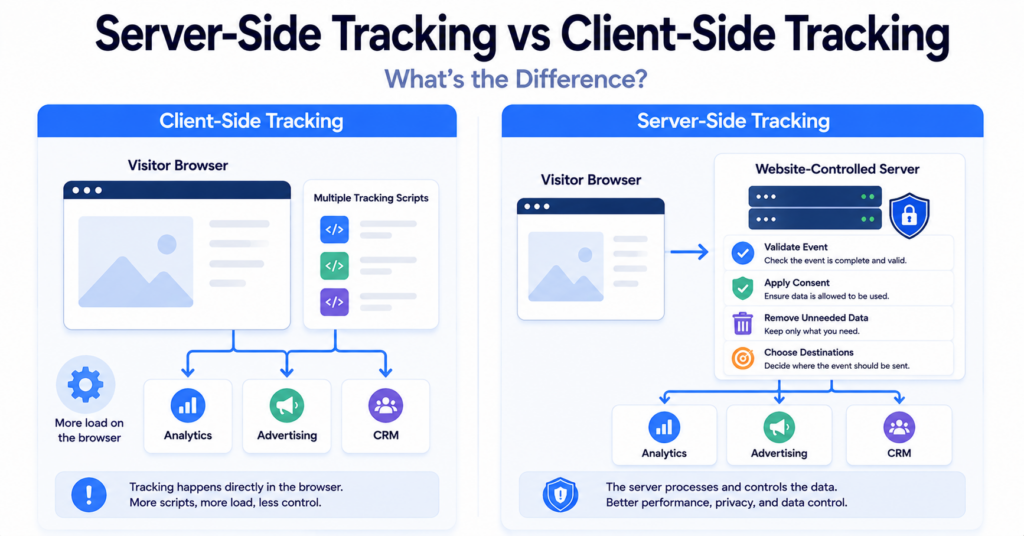
Server-side tracking and client-side tracking are two different ways of collecting and processing website data.
Client-side tracking runs mainly in the visitor’s browser and often sends events directly to analytics or advertising services. Server-side tracking sends events through a website-controlled server before selected data is forwarded to external platforms.
In this guide, you’ll learn the key differences between server-side and client-side tracking, the advantages and limitations of each approach, and which setup may be more suitable for your website.
Client-side tracking collects and sends data mainly from the visitor’s browser. Server-side tracking processes events through a website-controlled server before forwarding selected information. Client-side tracking is easier to set up, while server-side tracking offers more control but adds cost and technical complexity.
Server-Side Tracking vs Client-Side Tracking: Quick Comparison
The main difference is where the tracking logic and external platform communication take place.
| Feature | Client-Side Tracking | Server-Side Tracking |
|---|---|---|
| Processing location | Visitor’s browser or application | Website-controlled server environment |
| Data flow | Browser sends data directly to providers | Browser or backend sends data to a server first |
| Setup difficulty | Usually easier | Usually more complex |
| Data control | More dependent on individual browser tags | Data can be reviewed before forwarding |
| Browser workload | May load several scripts and requests | Can reduce some browser-side processing |
| Hosting cost | Usually no separate tracking server | May require paid server infrastructure |
| Debugging | Often easier through browser tools | May require browser and server debugging |
| Consent requirements | Depend on purpose and data use | Depend on purpose and data use |
| Best suited for | Simple and smaller tracking setups | More advanced and controlled data setups |
What Is Client-Side Tracking?
Client-side tracking collects data through scripts or code running in the visitor’s browser or application.
When a visitor opens a webpage or performs an action, the browser can send an event directly to an analytics, advertising, or other external platform.
Client-side tracking is commonly used to measure:
- page views;
- button clicks;
- form submissions;
- product views;
- shopping cart activity;
- completed purchases;
- advertising conversions.
A website may load separate browser tags for several providers. Each tag can detect events, read available information, and create its own network requests.
A visitor completes a purchase. A browser-based analytics tag records the purchase and sends the event directly from the visitor’s browser to the analytics provider.
What Is Server-Side Tracking?
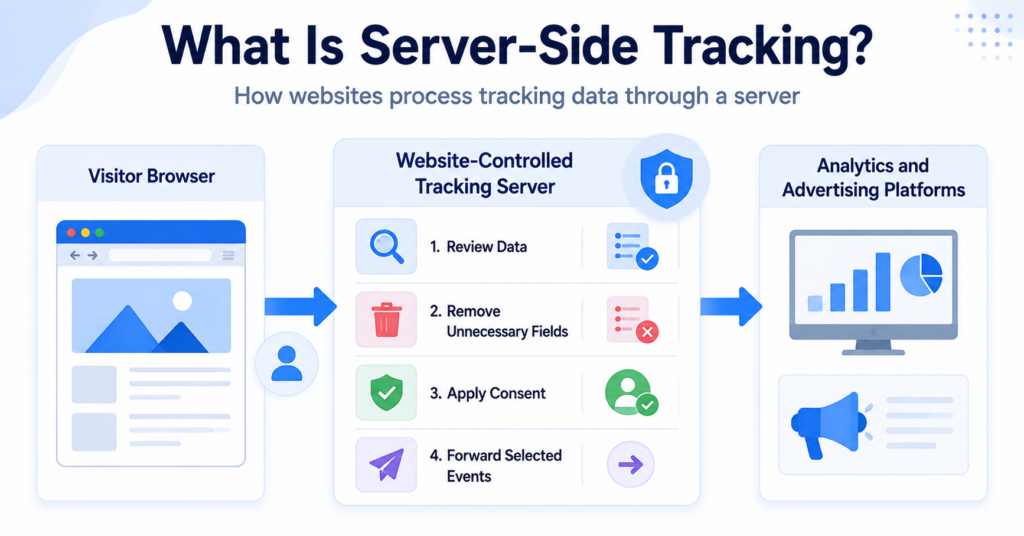
Server-side tracking processes website events through a server environment before selected information is sent to external services.
The browser may still detect the original action and create the event. Instead of communicating directly with every provider, it sends the event to a website-controlled server endpoint.
The server can then:
- validate the event;
- remove unnecessary information;
- standardise names and values;
- apply consent rules;
- choose which providers receive the event;
- send different data to different destinations.
Server-side tracking is therefore an additional processing layer, not necessarily a complete replacement for browser-based collection.
Read our complete guide explaining what server-side tracking is for a more detailed overview.
How Does Client-Side Tracking Work?
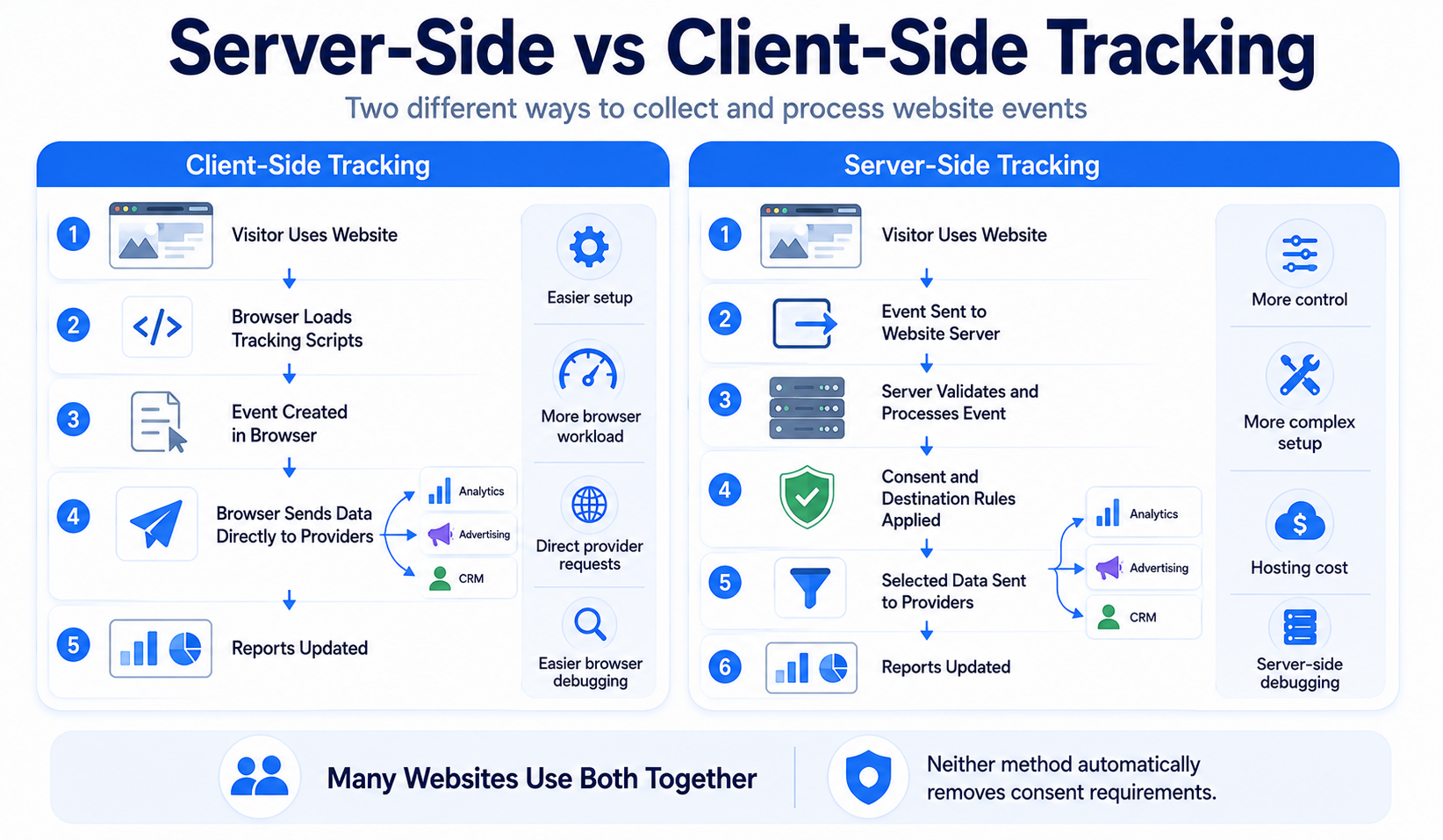
A typical client-side tracking process looks like this:
- A visitor opens a website.
- The browser loads a tracking script or tag.
- The visitor performs an action.
- The tag creates an event.
- The browser sends the event directly to an external provider.
- The event appears in a report.
For example, a browser may send one page-view event to an analytics platform and a separate conversion event to an advertising platform.
Because the tracking code runs in the visitor’s browser, its operation can be affected by:
- browser privacy settings;
- content blockers;
- ad-blocking extensions;
- slow connections;
- JavaScript errors;
- the visitor leaving the page quickly;
- consent choices.
How Does Server-Side Tracking Work?
A server-side setup adds a website-controlled server between the browser and external providers.
A typical process looks like this:
- A visitor performs an action on the website.
- The website creates an event.
- The event is sent to a tracking server.
- The server validates and processes the data.
- Consent and destination rules are applied.
- Selected information is forwarded to approved platforms.
- The event appears in the relevant reports.
Some events may also be created directly by the website’s backend. For example, a server may create an event after confirming that a payment was successful.
Server-side tracking does not always happen entirely on the server. Many implementations still rely on browser code to detect the initial event.
Key Differences Between Server-Side and Client-Side Tracking
They process data in different places
Client-side tracking performs most tracking activity in the browser.
Server-side tracking moves some processing and provider communication to a server environment controlled by the website.
They provide different levels of data control
With client-side tracking, each external tag may collect and send its own information.
A server-side setup can provide a central point where events are reviewed and adjusted before they are forwarded.
They create different technical workloads
Client-side tracking may require several scripts and external browser requests.
Server-side tracking can reduce some of those requests, but it also introduces server processing, hosting, monitoring, and maintenance.
They differ in setup difficulty
Installing a basic client-side tag is usually relatively simple.
Server-side tracking may require domain configuration, cloud hosting, event mapping, consent logic, security, testing, and ongoing technical support.
They expose different parts of the data flow
Client-side requests are often visible in browser developer tools.
With server-side tracking, the initial event may be visible, but the server’s later processing and provider requests may not be fully visible to the visitor.
Advantages of Client-Side Tracking
It is easier to set up
Many analytics and advertising providers offer a script, plugin, or tag that can be added without building a separate server environment.
This makes client-side tracking more accessible for small businesses and beginner website owners.
It is easier to test in the browser
Browser developer tools can show loaded scripts, network requests, cookies, and events.
Many platforms also provide browser-based debugging tools and preview modes.
It can collect browser interaction details
Client-side tracking can directly observe actions happening inside the webpage, including:
- clicks;
- scrolling;
- form activity;
- video interaction;
- navigation between page elements;
- other interface events.
It often costs less
A basic client-side setup does not usually require a dedicated tracking server.
There may still be costs for analytics, advertising, consent tools, plugins, or technical support.
It is sufficient for many small websites
A simple blog or small company website may need only basic page views, consent-aware analytics, and a few conversion events.
In these cases, a carefully configured client-side setup may be enough.
Limitations of Client-Side Tracking
It can increase browser workload
Several tracking and marketing scripts may slow page loading or use additional browser resources.
It may communicate directly with many providers
Each tag can create its own external connection and send data according to its configuration.
This can make the complete data flow harder for a website owner to manage.
Events can be blocked or lost
Browser restrictions, extensions, connection problems, page closures, and script errors can prevent events from being delivered.
Provider scripts may have broad access
External JavaScript running on a webpage may be able to observe page information and browser activity.
Website owners should therefore avoid loading unnecessary third-party scripts.
Consent logic can become fragmented
If each tag is configured separately, accepted and rejected consent states may not be handled consistently.
Before moving to server-side tracking, remove unnecessary browser tags and make sure your existing consent setup works correctly.
Advantages of Server-Side Tracking
More control over outgoing data
The server can decide which fields and events are forwarded to each destination.
This can support data minimisation when the setup is designed carefully.
Centralised event processing
Events can be cleaned, validated, standardised, and routed from one controlled environment.
This may reduce differences between several independently configured browser tags.
Potential performance improvements
Moving some provider communication away from the browser can reduce scripts and network requests.
The result depends on the implementation. A server-side setup that keeps every existing browser tag may provide little performance benefit.
More reliable server-confirmed events
Events based on confirmed backend activity may be more reliable than events triggered only by a webpage.
For example, the website server may create a purchase event only after the payment system confirms the transaction.
Reduced direct browser-to-provider communication
The visitor’s browser may communicate mainly with the website’s tracking endpoint instead of contacting every external provider directly.
Limitations of Server-Side Tracking
It is more complex
Server-side tracking requires planning, technical configuration, testing, monitoring, and maintenance.
It creates ongoing costs
The website may need to pay for:
- cloud hosting;
- event processing;
- technical implementation;
- monitoring;
- maintenance;
- specialist support.
Debugging can be harder
Part of the tracking process happens outside the browser.
Website owners may need access to server logs, container previews, platform reports, and backend monitoring tools.
It can create a false sense of privacy
Using a first-party server endpoint may make the tracking system look more controlled, but the server can still forward data to several external companies.
It does not recover every lost event
If the initial browser event is never created or sent, the server may have no event to process.
Incorrect setups can duplicate data
Running browser and server events together without proper deduplication may cause one action to be counted twice.
Server-side tracking is not automatically better. It is useful only when the added control and data quality justify the technical complexity and cost.
Can Client-Side and Server-Side Tracking Work Together?
Yes. Many websites use a hybrid setup that combines both approaches.
Client-side tracking may detect browser interactions, while server-side tracking processes, validates, and forwards selected events.
A hybrid setup may work like this:
- The browser detects a product view or button click.
- The event is sent to the tracking server.
- The server validates the event.
- The server applies consent and destination rules.
- Selected data is forwarded to analytics and advertising platforms.
- The website backend separately confirms a completed purchase.
- Browser and server events are matched or deduplicated.
This approach can combine the browser’s visibility into user interactions with the server’s control over processing and distribution.
Which Approach Is Better for Small Websites?
For many small websites, client-side tracking is the more practical starting point.
It is usually:
- quicker to install;
- less expensive;
- easier to test;
- easier to maintain;
- sufficient for basic analytics and conversions.
A small website may not need server-side tracking if it uses only a limited number of consent-aware tags and does not depend heavily on complex advertising measurement.
Before introducing a server, it may be more valuable to:
- remove unused tracking scripts;
- configure the cookie banner correctly;
- test Accept and Reject choices;
- avoid duplicate analytics installations;
- improve event naming and reporting.
Which Approach Is Better for Ecommerce?
Ecommerce websites may benefit more from combining client-side and server-side tracking.
Client-side tracking can record product views, cart interactions, and on-page behavior.
Server-side tracking can help confirm events such as:
- completed payments;
- refunds;
- subscription renewals;
- cancelled orders;
- customer account creation;
- backend order updates.
This can provide more reliable ecommerce reporting, but the setup must prevent duplicate events and respect consent choices.
Which Approach Provides Better Data?
Server-side tracking can improve the consistency and reliability of some events, but neither approach guarantees perfect data.
Client-side data may be incomplete because of browser restrictions, blockers, or interrupted page activity.
Server-side data may be incomplete because:
- the original event was never collected;
- the backend does not contain the required information;
- consent prevents processing;
- event mapping is incorrect;
- the server rejects or modifies the event;
- the external provider rejects the request.
The best setup collects only the information that is genuinely needed and tests whether each event is accurate.
Which Approach Is Better for Privacy?
Neither approach is automatically more private.
Client-side tracking can expose visitors to several external scripts and direct provider requests.
Server-side tracking can reduce those direct connections and filter data before forwarding it.
However, a server-side system can also centralise and share large amounts of information if it is configured poorly.
Privacy depends on factors such as:
- which events are collected;
- which fields are included;
- which providers receive the information;
- how long data is retained;
- whether identifiers are used;
- whether the purpose is necessary or optional;
- whether visitor choices are respected.
Do Both Methods Use Cookies?
They can.
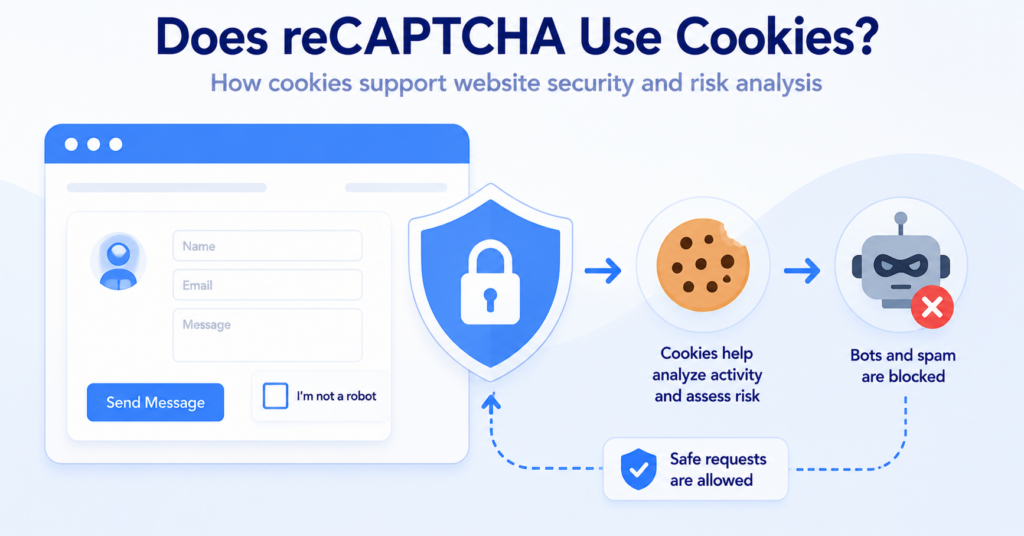
Client-side tracking often uses cookies to maintain sessions, recognise returning browsers, store campaign information, or remember consent choices.
Server-side tracking may also use cookies, including first-party cookies associated with the website’s domain.
A server-side setup is therefore not automatically cookieless.
Cookies may still help:
- connect page events to one session;
- recognise returning browsers;
- store consent choices;
- connect advertising clicks with conversions;
- prevent duplicate events.
Learn more in our guide explaining what web cookies are and how they work.
Does Either Method Remove Consent Requirements?
No. Choosing client-side or server-side tracking does not by itself determine whether consent is required.
The important questions include:
- what information is collected;
- why the information is collected;
- whether cookies or similar technologies are used;
- whether personal data is processed;
- whether analytics or advertising is optional;
- which external providers receive data;
- whether visitors are recognised across sessions or websites;
- which regional rules apply.
Moving an advertising event from the browser to a server does not change the advertising purpose.
Similarly, sending analytics information through a website-controlled endpoint does not automatically make the analytics strictly necessary.
Our guide to cookie banner requirements explains why visitor choices must affect the technologies operating behind the banner.
Consent should influence the complete data flow. It may need to control both browser-side collection and server-side forwarding.
Can a Cookie Banner Control Both Methods?
Yes, but only when the consent system is properly connected to both the browser and server setup.
For client-side tracking, the banner may need to:
- block optional tags before consent;
- activate accepted categories;
- keep rejected tags disabled;
- respond when consent is changed.
For server-side tracking, the system may also need to:
- send the visitor’s consent status with the event;
- prevent rejected events from being forwarded;
- limit which destinations receive data;
- remove fields that are not permitted;
- stop or adjust processing after consent is withdrawn.
A visible banner is not enough if rejected events continue to be collected or forwarded.
How Does Google Consent Mode Fit In?
Google Consent Mode allows supported Google tags to adjust their behavior based on the visitor’s consent state.
It can be used with client-side tags and may also pass consent-related information into a server-side setup.
However, Consent Mode does not replace the consent banner or consent management platform.
The website still needs to:
- collect the visitor’s choice;
- set the correct consent state;
- configure browser tags;
- configure server-side tags;
- test accepted and rejected states;
- confirm that data destinations follow the intended rules.
Read our guide explaining what Google Consent Mode is for a beginner-friendly overview.
How Should You Choose?
Use these questions to decide whether server-side tracking provides enough value for your website.
- How many analytics and advertising tags does your website use?
- Do important events need backend confirmation?
- Do you need more control over provider data?
- Can you maintain a server environment?
- Does the expected benefit justify the hosting cost?
- Can your consent system communicate with the server?
- Can you test and deduplicate browser and server events?
Choose client-side tracking when you need a simple, affordable setup and basic browser-based measurement.
Consider server-side tracking when you have more advanced data needs, reliable backend events, technical resources, and a clear reason to add another processing layer.
Many larger websites use both methods rather than replacing one completely.
Common Misconceptions
Server-side tracking is always better
No. It offers more control but also adds cost, complexity, and maintenance.
Client-side tracking is outdated
No. Client-side tracking remains useful for measuring browser interactions and can be appropriate for many websites.
Server-side tracking happens without the browser
Not always. Many server-side setups still rely on browser code to detect and send the initial event.
Server-side tracking is automatically cookieless
No. Both approaches may use cookies, identifiers, Local Storage, or other browser technologies.
Server-side tracking does not require consent
Incorrect. Consent considerations depend on purpose and data collection, not only on the processing location.
Server-side tracking recovers every blocked event
No. The server cannot process an event that was never created, collected, or received.
Client-side tracking is always less private
Not necessarily. A minimal client-side setup may collect less information than a poorly designed server-side system.
Next Step: Learn About Session Storage
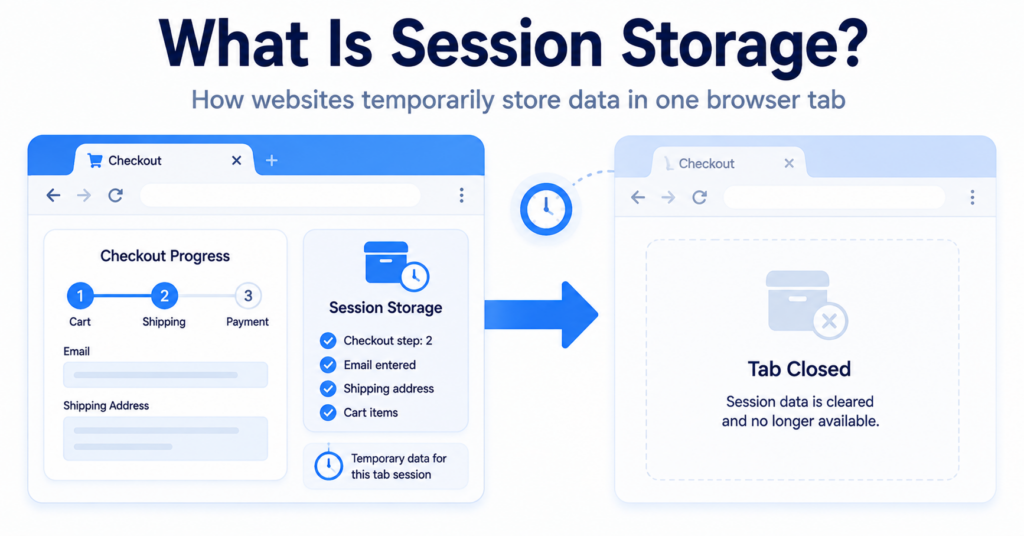
Server-side and client-side tracking describe where data is collected and processed. Session Storage is a different browser technology that temporarily stores information during a visitor’s browsing session.

Frequently Asked Questions
Common questions about this topic
Client-side tracking processes and sends events mainly from the visitor’s browser. Server-side tracking sends events through a server before selected data is forwarded to other platforms.
Yes. Many websites use browser tracking for on-page interactions and server tracking for validation, processing, and backend-confirmed events.
It can improve the reliability of some events, especially backend-confirmed actions. It does not guarantee complete or correct data.
It can provide more control over outgoing information, but the privacy result depends on what the server collects, retains, and shares.
Not necessarily. Server-side setups may still use cookies for sessions, consent preferences, campaign data, and browser recognition.
A carefully configured client-side setup is usually the simpler and more affordable option for a small website with basic analytics needs.
They may. Requirements depend on the tracking purpose, technologies used, visitor location, and applicable privacy rules.