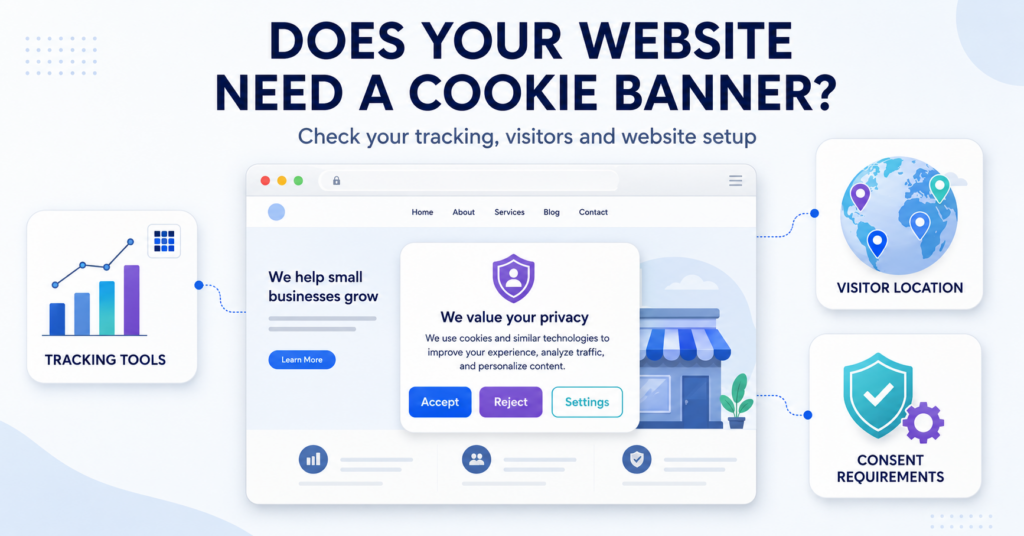
Yes, you normally need a cookie consent solution if your website uses non-exempt cookies or device-access technologies for analytics, advertising or profiling and European cookie rules apply. A banner is the usual way to collect permission before those activities begin.
No consent banner is needed for uses that you have confirmed do not require consent under the applicable rules. That can include a website with no relevant tracking or one using only genuinely necessary technologies. Privacy information or other controls may still be required.
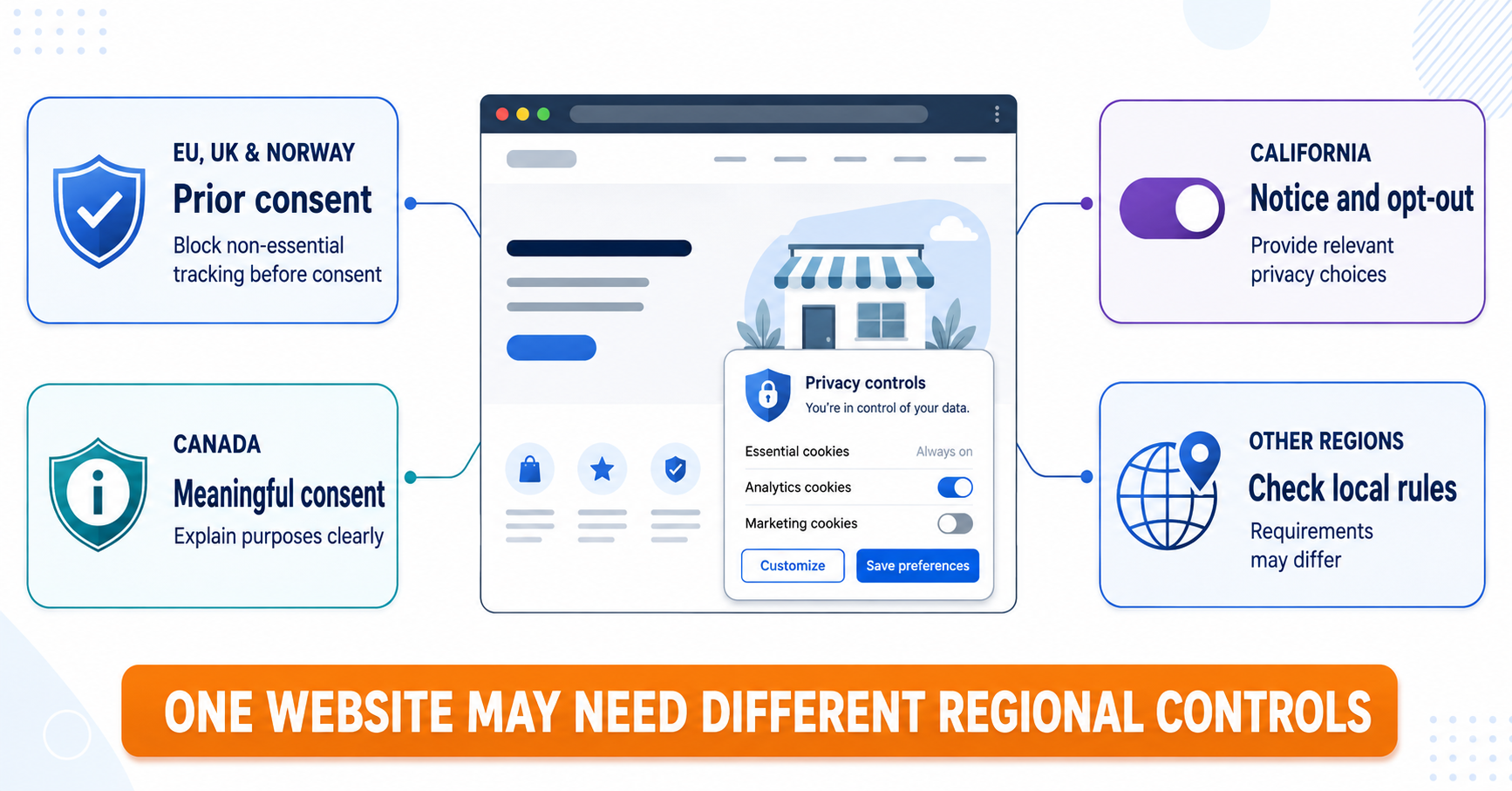
Some regions focus on opt-out rights instead of general prior consent. Start with your region below, compare the website examples, then use the checks to reach one of four results: consent needed, no consent banner needed, different privacy controls needed or more information required.
Start with the Rules That Apply to Your Website
If you came here from a country-law guide, start with that region below. Use it to choose the right decision path, then compare your website with the examples. If several regions apply, check each relevant path.
A website may need prior consent for one visitor, opt-out controls for another, and a different form of meaningful choice for someone in another country. The location of the business is not always the only relevant factor. Visitor location, service targeting, tracking activities, and the type of information collected may also matter. Check the law’s scope as well: a country appearing in your visitor statistics is not the only test, and some laws have business thresholds.
| Region | Common approach | Your decision path |
|---|---|---|
| European Union | Prior consent for many non-essential storage and access technologies | Check whether your technologies require prior consent or meet a local exception |
| United Kingdom | PECR consent rules with specific exceptions, including qualifying statistical and appearance uses | Consent controls unless an exception applies; some exceptions require information and an easy way to object |
| Norway | Consent for storage or access unless an applicable exception covers the use | Consent controls for non-exempt uses, with necessary functions assessed separately |
| California | Notice and sale/sharing opt-out rights where the business and activity fall within the CCPA | Privacy choices interface and support for applicable GPC signals |
| Canada | Meaningful consent based on context, sensitivity, and reasonable expectations | Assess the purpose and sensitivity before deciding whether express or implied consent is appropriate |
| Other regions | The correct approach depends on the applicable local privacy and tracking rules | Prior consent, opt-out controls, notice, or regional settings |
The UK exceptions are not identical to those used elsewhere in Europe. The ICO’s exceptions guidance explains the conditions; it does not exempt every analytics setup. For California, check the CCPA’s coverage and opt-out requirements before choosing controls.
For a broader comparison, read our guide to cookie consent laws around the world.
Do not assume that an EU-style banner automatically satisfies every privacy law. A banner must provide the controls required by the applicable region and must change what the website actually loads or does.
Choose the Answer That Matches Your Website
These answers depend on both the technology and the rules identified above. You do not need to guess: if either is unknown, use the investigation path.
| What you have established | Your answer | What to do |
|---|---|---|
| A technology requires prior consent under the rules that apply | Yes — you need consent controls | Use a banner or another suitable consent interface that controls the relevant activity |
| Your review confirms that all relevant uses are exempt or do not require consent | No — you do not need a consent banner for those uses | Document the conclusion and provide any required information or objection mechanism |
| The applicable law requires notice or opt-out controls for your activity | You need those privacy controls | Provide the required choices; do not assume an EU-style banner covers them |
| You do not know what loads, why it is used or whether an exception applies | You cannot decide yet | Identify the missing information using the checks below |
A website can fall into more than one row when it serves different regions or uses technologies for several purposes. A “no consent banner” answer is not a finding that every privacy obligation has been satisfied.
Real-World Website Examples
For the European examples below, assume that European cookie rules apply. For other visitors, use the regional path above. Each answer includes the condition that makes it valid.
| Website setup | Likely starting point | Reason |
|---|---|---|
| Static portfolio with no tracking or embeds | No, if a review confirms there is no consent-requiring storage or access | A clean-looking page or an empty scan alone is not enough to establish this |
| WordPress site using standard Google Analytics | Yes, for a standard cookie-based setup where European cookie rules apply | The analytics use normally needs prior consent; it is not necessary to deliver the page |
| Shopify store with Meta Pixel | Yes for non-exempt tracking under European rules; check opt-out duties in other regions | The advertising integration adds obligations beyond the store’s necessary functions |
| WooCommerce store using only cart, checkout, and security cookies | No for these uses, if each meets the relevant exception and there is no additional tracking | The exception concerns the actual cart, checkout and security purposes |
| Business website with a Google Maps embed | Not enough information from the service name alone — inspect the embed | The answer depends on what the map loads before interaction |
| News website funded by personalised advertising | Yes, when the advertising uses non-exempt device storage or access under European rules | Funding the website through advertising does not make that tracking necessary |
| Contact form with no tracking integration | No cookie-banner requirement from the form alone; check its integrations | Collecting form information and storing cookies are related but separate questions |
| California-facing business covered by the CCPA that sells or shares personal information | Provide the applicable notices and opt-out controls, including relevant preference signals | A generic cookie notice or EU consent banner does not automatically meet these duties |
| UK website using only qualifying statistical measurement and exempt necessary functions | No prior-consent banner for these uses if every exception condition is met | The statistical exception still requires clear information and an easy way to object |
What Is a Cookie Banner?
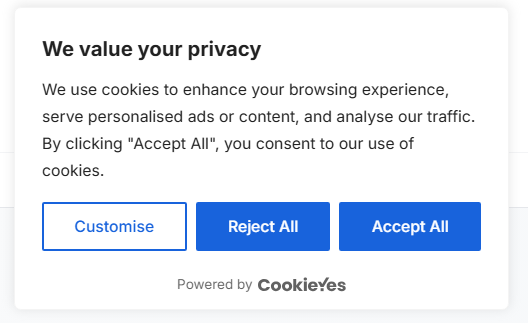
A cookie banner is a message or consent interface that appears when someone visits a website. It explains that the website uses cookies or similar technologies and gives the visitor relevant choices.
Depending on the applicable rules and the technologies used, those choices may include:
- accepting non-essential cookies;
- rejecting non-essential cookies;
- choosing between analytics, advertising, and other purposes;
- opting out of the sale or sharing of personal information;
- changing or withdrawing a previous choice.
A cookie banner is therefore not just a notice. When consent is required, its controls must prevent the relevant storage or access until the visitor makes a valid choice. A site-wide banner is not the only possible design: a clear consent request beside a blocked embed may sometimes be appropriate.
If you are new to this topic, begin with our guide explaining what web cookies are and how they work.
Check Your Website: Start with a Scan
You cannot confidently decide whether you need a cookie banner until you know what your website actually loads. A website may look simple while plugins, analytics tools, advertising tags, videos, maps, or chat widgets load technologies in the background.
Start with our free scanner to look for initial signs of cookies and tracking services, then investigate the findings:
Enter your website address and review any detected cookies or tracking indicators. Treat this as a starting check, not a complete inventory.
A scanner cannot make the complete legal decision by itself. You must also check why each technology is used, whether an exception applies, when it loads and which rules cover your website.
A result showing no cookies does not prove that no tracking occurs. Automated checks can miss technologies that depend on JavaScript, login or user interaction. Read what the scanner results can and cannot tell you, and check important interactions in a browser.
Check the Purpose of Each Technology
Where European cookie rules apply, prior consent is generally needed before storing information on, or accessing information from, a visitor’s device unless a relevant exception applies. A consent banner is a common way to collect that permission.
The storage-and-access rules come from national laws implementing the ePrivacy framework. GDPR also matters when personal data is processed and for the standard of consent. The exact scope and exceptions need checking for the relevant country.
This can include cookies as well as:
- tracking pixels and web beacons;
- local storage and similar browser storage;
- advertising identifiers;
- scripts and tags that carry out relevant storage or access;
- device fingerprinting;
- tracking technologies loaded by embedded services.
The name of the technology does not determine whether consent is required. Its purpose, behaviour, and applicable legal exception matter more. Ordinary scripts do not all need consent merely because they are scripts, and “cookieless” does not automatically mean exempt.
Analytics tools
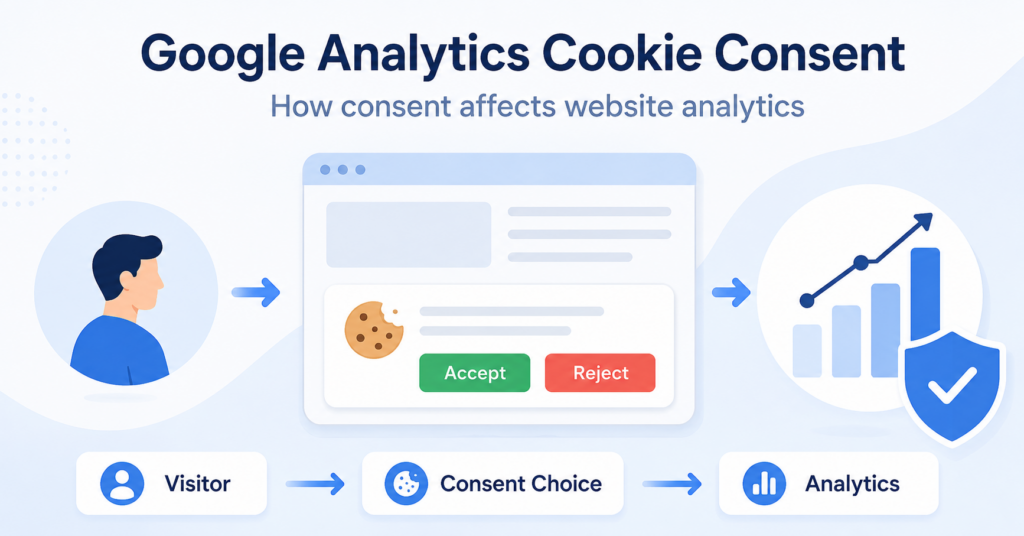
Analytics technologies are often used to measure visits, page views, conversions, and visitor behaviour. Under the consent-first model commonly used in the EU, many analytics technologies should remain disabled until the visitor gives permission.
However, analytics should not be treated as one universal category. The correct answer can depend on the tool, its configuration, whether it identifies or profiles visitors, whether information is shared with other services, and which national rules apply.
For example, a standard cookie-based Google Analytics setup will commonly require consent where European cookie rules apply. Limited audience measurement may qualify for an exception under some national approaches, but only when its conditions are met. A “privacy-focused” label alone is not enough.
Advertising and remarketing
Advertising cookies, remarketing pixels, cross-site identifiers, and visitor profiling are strong indicators that a website needs a consent mechanism for EU visitors.
These technologies may follow people across pages, websites, apps, or devices and use the resulting information to select or measure advertising. They should not be activated before consent when the applicable rules require prior permission.
Embedded videos, maps, and social media
YouTube videos, Google Maps, social media feeds, chat widgets, and other embedded services can load third-party scripts and tracking technologies.
An embed does not automatically prove that a banner is required. Website owners should check what loads before the visitor interacts with it. One possible approach is to block the embedded service until the visitor makes an informed choice. If clicking a placeholder is intended to give consent, explain the relevant purpose and provider before the click. A generic Play button does not automatically authorize unrelated advertising or profiling.
Forms, logins, and comments
A contact form does not automatically create a cookie banner requirement. The website should check whether the form, spam protection service, customer relationship platform, or marketing integration stores or accesses information on the visitor’s device.
Login and security cookies may be strictly necessary. Additional analytics, advertising, or profiling connected to the same form or account may require a separate choice.
Online stores
WooCommerce, Shopify, and other ecommerce platforms commonly use essential cookies for shopping carts, checkout, security, and user sessions. These functions do not automatically require prior consent when they are genuinely necessary to provide the service requested by the visitor.
An online store will be more likely to need a banner when it also uses analytics, advertising pixels, remarketing, personalised recommendations, or other non-essential tracking.
A WooCommerce store may load a necessary cart cookie without consent. If the same store also uses Meta Pixel for remarketing, that advertising technology will commonly need to remain disabled for EU visitors until they consent.
Quick EU Cookie Banner Decision
The following table provides a practical starting point for websites serving visitors in the European Union. The final answer still depends on the exact technology, purpose, and configuration.
| Website technology or purpose | Common EU starting point | What to check |
|---|---|---|
| Login, security, or shopping cart | Consent may not be required | Confirm that it is genuinely necessary for a visitor-requested service |
| Website analytics | Consent is commonly required | Review the tool, purpose, identifiers, data sharing, and national rules |
| Advertising or remarketing | Prior consent is commonly required | Keep advertising technologies disabled before consent |
| YouTube, Maps, or social embeds | Depends on what loads | Test the embed before interaction and consider a blocked placeholder |
| Contact form | Not automatically a cookie banner issue | Check connected spam, analytics, CRM, and marketing services |
| Cross-site tracking or profiling | Prior consent is commonly required | Identify every provider and purpose involved |
Want a beginner-friendly explanation of valid GDPR cookie consent?
How to Check Your Scanner Results
After scanning your website, review the results instead of relying only on the total number of cookies. A website with one advertising tracker may need stronger controls than a website with several essential session cookies.
- Identify each technology. Review cookies, local storage, pixels, scripts, network requests, and third-party domains.
- Check its purpose. Determine whether it supports a necessary function, analytics, advertising, personalisation, or another purpose.
- Check when it loads. Test whether the technology appears immediately, after interaction, or only after consent.
- Review the source. Connect detected technologies to plugins, tags, embeds, payment services, chat tools, or other integrations.
- Scan important pages. The homepage alone may not reveal technologies used during checkout, login, form submission, or video playback.
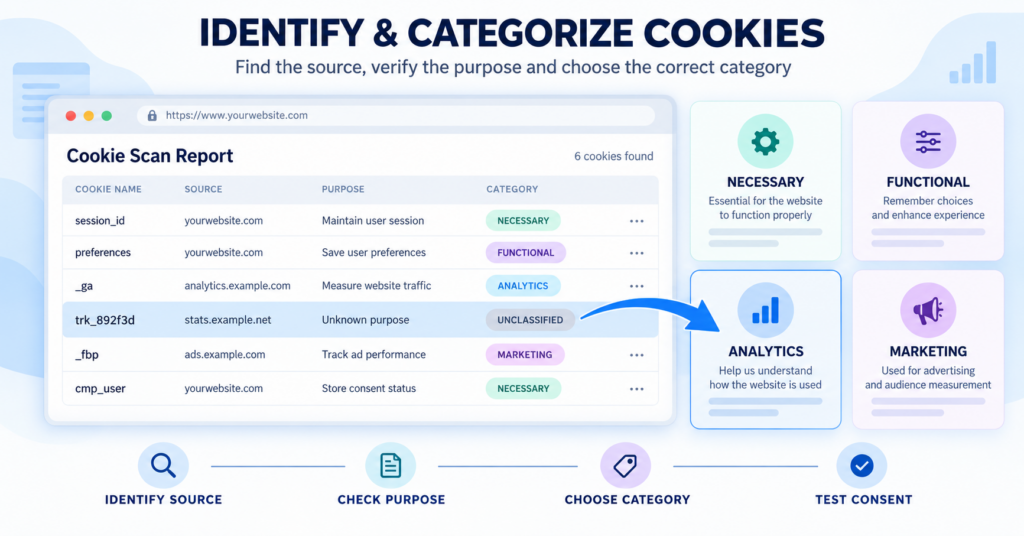
If a purpose is unclear, use our guide to identifying and categorizing website cookies before assigning it to a category.
If you need a more complete review, a cookie audit combines scanning with manual checks, purpose assessment, provider review, and testing.
Your Result: Do You Need a Cookie Banner?
Choose the result supported by your review. Where several regional rules apply, you may need a combination of controls.
You have identified at least one use that requires prior consent. A cookie banner is usually suitable when several services or purposes need managing; a clear consent request beside a blocked embed can sometimes cover a more limited use.
Specify the necessary choices and make sure the relevant storage or access waits for permission. Next, choose the type of consent solution that fits your platform and services.
Your scan, manual checks and purpose assessment confirm that the relevant uses do not need consent or meet the conditions of an applicable exception. You do not need to add a consent banner just because the website exists.
Record what you checked, why the exception applies and the date. Provide the required cookie or privacy information and any objection mechanism. Review the decision when you add plugins, analytics, embeds or other services.
Your activity is subject to notice, opt-out or other regional requirements. For example, a covered California business may need sale/sharing opt-out controls and support for applicable preference signals.
List those requirements before choosing a solution. If you also serve people whose applicable rules require prior consent, configure both sets of controls.
Result 4: You Need More Information Before Deciding
You cannot identify a technology’s purpose, confirm the scan’s coverage or establish which rule applies. This is an unresolved check, not evidence that no banner is needed.
If the missing information concerns cookies or scripts, follow the identification guide linked above. If it concerns legal scope or an exception, return to the relevant country guide and check the regulator’s conditions. Avoid continuing optional tracking you cannot assess or control while investigating it.
When You May Not Need a Cookie Banner
You may not need a consent banner when your website uses no consent-requiring technology, or uses only technologies that meet an applicable exception. The strictly necessary exception concerns functions needed to provide a service explicitly requested by the visitor.
Possible examples include technologies used to:
- keep products in a shopping cart;
- maintain a secure login session;
- authenticate a user;
- prevent fraud or protect website security;
- remember the visitor’s cookie choices;
- balance traffic required to deliver the website.
These examples can fall within the strictly necessary or communication exceptions when the relevant conditions are met. The exceptions should be interpreted narrowly: a technology does not become necessary simply because it is useful to the website owner or improves marketing results.
Some jurisdictions also permit limited uses under other exceptions. Check their conditions rather than assuming that “not strictly necessary” always means the same thing worldwide.
Even when a consent banner is not required, the website may still need to provide clear cookie and privacy information.
Should You Use One Global Banner or Regional Settings?
Websites serving several regions commonly choose between two approaches.
Use one strict consent model
The website can use an EU-style consent-first banner for every visitor. This may simplify the technical setup, but it can ask for more consent than some regional laws require. It does not automatically replace separate notice, sale/sharing opt-out or preference-signal obligations.
Use region-specific settings
The website can display different controls based on visitor location. For example, an EU visitor may receive prior consent choices while a qualifying California visitor receives sale and sharing opt-out controls.
Regional settings can create a more appropriate experience, but they must be configured and tested carefully. Installing a consent management platform does not automatically make the setup correct.
What Happens If You Do Not Use the Required Controls?
If a website activates restricted tracking without the consent or privacy controls required by an applicable law, possible consequences can include:
- visitor complaints;
- requests for information from a regulator;
- orders to change or stop unlawful tracking;
- restrictions on using data collected unlawfully;
- problems with advertising platforms and service providers;
- loss of visitor trust;
- financial penalties in serious cases.
The practical goal should not be to display a banner only for appearance. The website should ensure that its technologies respond correctly to the visitor’s choices.
Learn more in our guide explaining what can happen when a required cookie banner is missing.
Common Cookie Banner Mistakes
- Allowing storage or access that requires prior consent before the visitor gives it.
- Showing an acceptance option while hiding or complicating rejection.
- Using pre-enabled analytics or advertising categories.
- Treating scrolling, silence, or continued browsing as valid GDPR consent.
- Displaying buttons that do not change what the website actually loads.
- Forgetting to provide a way to change or withdraw a choice later.
- Failing to support regional requirements such as applicable opt-out preference signals.
- Leaving the banner unchanged after adding new plugins, embeds, or providers.
See our complete guide to cookie banner requirements for more design and configuration guidance.
Practical Cookie Banner Decision Checklist
Use these steps to decide which consent or privacy controls your website may need.
- Identify your technologies. Check cookies, pixels, local storage, scripts, tags, embeds, and device identifiers.
- Record every purpose. Explain why each technology is used and what information it handles.
- Check visitor locations. Identify the main countries and regions your website serves.
- Separate necessary and optional purposes. Do not classify analytics or advertising as necessary merely because it is useful.
- Identify third parties. Determine which providers receive or access visitor information.
- Choose the correct model. Decide whether you need prior consent, opt-out controls, meaningful consent, or regional settings.
- Configure the technology. Make sure restricted scripts remain disabled when required.
- Test every choice. Confirm that accepting, rejecting, and changing preferences work correctly.
- Repeat the review. Check again whenever plugins, tags, embeds, or providers change.
Conclusion
The decision comes from the technologies your website uses, their purposes and the rules that apply. Where prior consent is required, provide controls that actually govern the relevant activity. Where your reviewed uses are exempt, a consent banner is not needed for those uses — but information or other privacy controls may still be required.
Keep your conclusion and the evidence behind it. If something remains unknown, resolve that question before relying on a “no banner needed” result.
This article provides general information about cookie consent and privacy requirements. It does not constitute legal advice.
Recommended Next Step
If you need consent or regional privacy controls, continue to the next guide to choose the right type of solution for your website.
If your review confirms that no consent banner is needed, document the decision and repeat the check when your website changes. You do not need to choose a consent tool for uses that are exempt.
If the result is still unclear, finish identifying your technologies and checking the applicable rules before choosing a tool.

Frequently Asked Questions
Common questions about this topic
No. A consent banner may not be needed if your website uses no consent-requiring technologies or each relevant use meets an applicable exception. Privacy information or other controls may still be required.
A standard cookie-based Google Analytics setup normally requires prior consent where European cookie rules apply. Check your configuration and applicable rules rather than assuming that every analytics setup has the same requirements.
Check the state laws that apply to your business and visitors. Covered businesses may need privacy notices and opt-out controls for sale, sharing or targeted advertising. Having mostly US visitors does not automatically exclude European obligations.
One consent platform can support both models if it provides the required controls. You must configure and test consent, applicable sale/sharing opt-outs and preference signals; regional support is not an automatic compliance guarantee.
If no consent mechanism is required, the absence of a banner is not itself a violation. If required controls are missing, possible consequences include complaints, regulatory action and penalties.
Review it whenever plugins, tracking tools, embeds, purposes or regional requirements change. Also schedule periodic checks rather than relying on the original installation.
They can. The purposes of the technologies and applicable rules matter more than the number of pages or visitors. A small website using advertising trackers may need consent controls.
Not always. The answer depends on applicable state laws, business coverage, data practices and whether the website also falls within rules outside the US. Some sites need opt-out controls rather than a universal prior-consent banner.