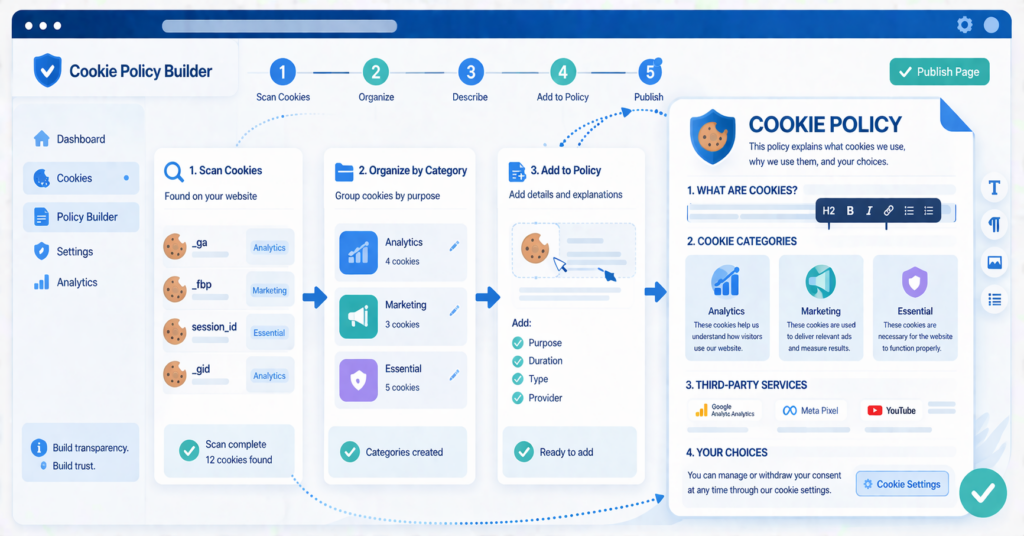
Creating a cookie policy starts with identifying the cookies and similar technologies your website actually uses. You then need to explain their purposes, providers, categories, and durations in language your visitors can understand.
This step-by-step guide shows what to include, how to organize the page, where to publish it, and how to keep the information aligned with your website as its tools and services change.
If you are new to the topic, first read What Is a Cookie Policy?.
To create a cookie policy page, identify the cookies and similar technologies your website actually uses. Record their names, providers, purposes, categories, and durations, then explain how visitors can manage their choices. A scanner or consent provider can help collect this information, but the results should still be reviewed for accuracy.
What Is a Cookie Policy Page?
A cookie policy page explains how a website uses cookies and similar technologies. It tells visitors which technologies may be used, why they are used, who provides them, and how visitors can control their choices.
A cookie policy is more specific than a general privacy policy. A privacy policy covers broader personal data practices, while cookie information focuses on browser storage, tracking technologies, and consent controls. Some websites publish a separate cookie policy, while others include the information in a broader privacy notice.
If you want to understand the purpose of this information before creating the page, read What Is a Cookie Policy?.
Why Creating a Cookie Policy Page Matters
A dedicated cookie policy page is a practical way to give visitors clear and accessible information about the cookies and similar technologies used on your website. The most important point is that the information matches your real website setup and is easy to find.
On many websites, the cookie policy works together with the cookie banner, consent preferences, and privacy policy. The banner collects or records a visitor’s choice, while the policy provides more detail about the technologies and purposes behind that choice.
Clear and accessible information also supports the broader principle of transparency described in the EDPB guidelines on transparency.
If you want to understand the possible problems caused by missing or inaccurate information, read What Happens If You Don’t Have a Cookie Policy?.
Do not copy a generic cookie policy without checking it against your website. If you use analytics, advertising, embedded videos, social media features, payment services, or chat tools, your policy should reflect the technologies that are actually active.
What to Include on a Cookie Policy Page
A useful cookie policy should be easy to scan and written in plain language. Depending on the website and applicable rules, the page may include:
- a short explanation of what cookies and similar technologies are;
- the purposes for which the website uses them;
- the main cookie categories;
- the names and providers of important cookies;
- whether third-party services are involved;
- how long cookies remain on the visitor’s device;
- how visitors can accept, reject, or change optional cookie choices;
- how visitors can control cookies through their browser;
- the date when the policy was last reviewed.
Grouping cookies into categories can make the information easier to understand.
| Cookie Category | What It Usually Does | Typical Example |
|---|---|---|
| Necessary | Supports essential website functions | Login, security, and shopping cart |
| Functional | Remembers visitor choices | Language and regional preferences |
| Analytics | Measures website traffic and use | Website measurement tools |
| Marketing | Supports advertising and audience measurement | Advertising and remarketing tools |
Category names can differ between consent platforms. What matters is that each description accurately explains the purpose of the technologies placed in that category.
Step-by-Step: How to Create a Cookie Policy Page
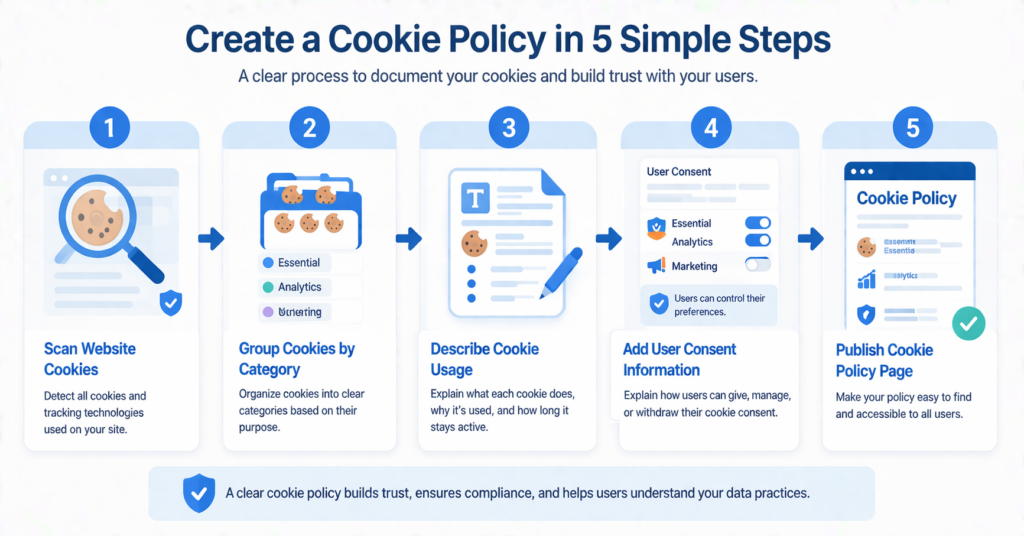
Step 1: Identify the Cookies Your Website Uses
Start by finding out which cookies and similar technologies are active on your website. Your policy should describe your real setup instead of repeating a generic template.
You can inspect cookies manually through browser developer tools, review the services installed on your website, and run a cookie scanner. Because different pages and visitor actions may trigger different technologies, check more than only the homepage.
If you are not sure where to begin, follow our guide on how to find cookies on a website. It explains how to check browser storage, review third-party tools, and use a cookie scanner.
Check whether your cookie banner provider already offers website scanning, generated cookie tables, or policy support. These features can provide a useful starting point, but you should still verify the results.
Step 2: Group Cookies by Category
Once you know which cookies your website uses, group them by purpose. Common categories include necessary, functional, analytics, and marketing cookies.
Do not categorize a cookie only by its name or provider. The correct category depends on what the technology does in your specific setup.
For a clearer explanation of the categories, read our guide to the main types of website cookies.
Step 3: Record the Details of Each Cookie
A category-level explanation is helpful, but a practical cookie list should also contain details about the individual technologies found on the website.
| Field | What to Record |
|---|---|
| Cookie name | The exact identifier shown in the browser or scan result |
| Provider or domain | The website or external service that sets or controls it |
| Purpose | What the cookie is used for in plain language |
| Category | Necessary, functional, analytics, marketing, or another accurate category |
| Duration | When the cookie expires or whether it lasts only for the session |
| Party type | Whether it is set as a first-party or third-party cookie |
| Consent behavior | Whether the technology is blocked until the required consent is obtained |
If a scanner cannot identify a cookie, review the provider’s documentation, inspect the script or plugin that created it, and confirm its purpose before publishing the description.
Step 4: Explain What Each Category Does
Explain each category in language that an ordinary visitor can understand. Avoid relying only on technical names or legal terms.
For example, explain that analytics cookies may help measure visits and page use, while marketing technologies may support advertising, conversion measurement, or audience creation. Only describe purposes that apply to your website.
Step 5: Identify Third-Party Services
Review the external services used on your website. Embedded videos, analytics tools, advertising platforms, payment services, maps, chat tools, and social media widgets may create or access cookies and similar identifiers.
Record the provider and link to additional information when appropriate. Do not assume that every cookie from an external provider has the same purpose or duration.
Our guide to first-party and third-party cookies explains how these two types differ.
Step 6: Explain How Visitors Can Manage Their Choices
Tell visitors how to accept, reject, change, or withdraw optional cookie choices. If your website has a preference center, explain how it can be reopened after the original banner has been closed.
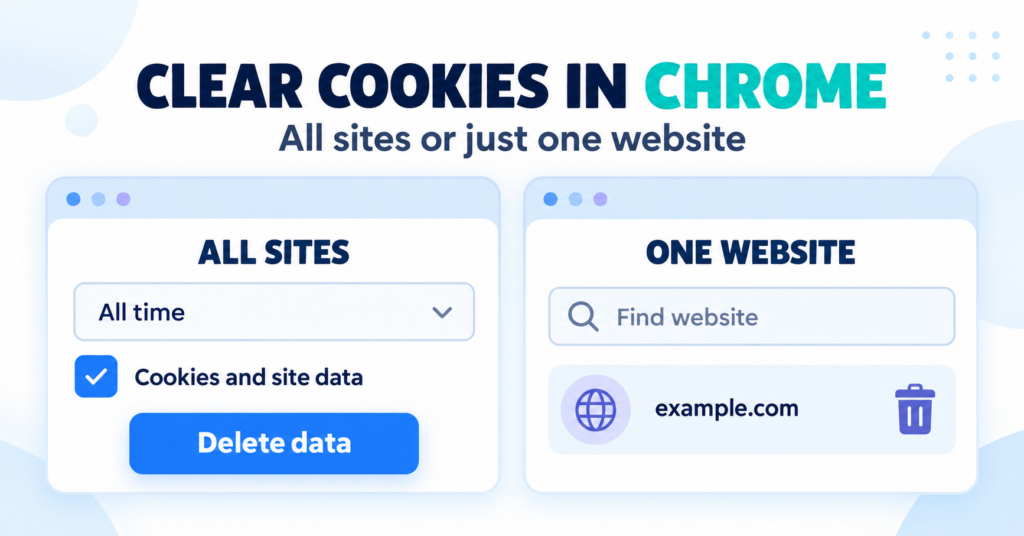
You can also explain that browser settings may be used to remove or block cookies. However, browser controls do not replace a website’s own consent controls where those controls are required.
Step 7: Publish the Page in the Right Place
Publish the information somewhere visitors can easily find it. A common location is the website footer. Many websites also link to the cookie information from their cookie banner or preference center.
Make sure the page works on mobile devices and that visitors can open it before making a consent choice.
A Simple Cookie Policy Page Structure
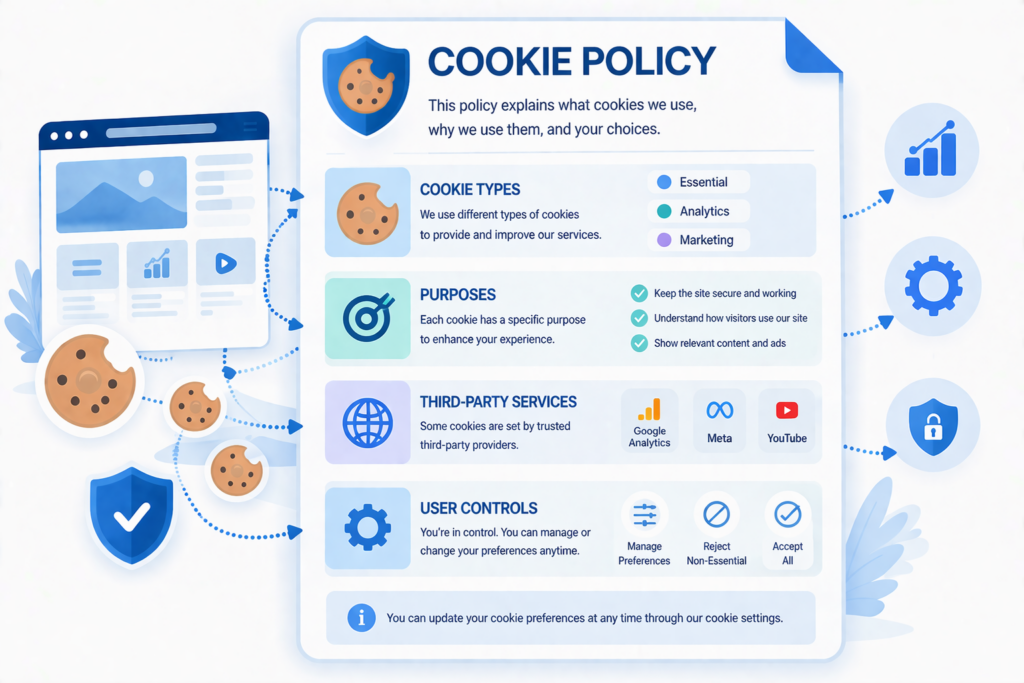
You do not need a complicated layout. Use clear headings and tables so visitors can find the information they need.
A basic cookie policy can explain what cookies are, why the website uses them, which individual cookies were detected, which third-party services are involved, and how visitors can manage their choices.
| Section | What to Include |
|---|---|
| Introduction | A short explanation of why the information is provided |
| What Cookies Are | A simple beginner-friendly definition |
| Why Cookies Are Used | The purposes that apply to the website |
| Cookie List | Names, providers, purposes, categories, and durations |
| Third-Party Services | Relevant analytics, ads, videos, maps, chat tools, or other services |
| Managing Cookie Choices | Banner settings, preference center, and browser controls |
| Policy Updates | The latest review or update date |
| Contact Information | A way for visitors to ask questions |
Should You Create It Manually or Use a Tool?
The best method depends on the complexity of your website and how frequently its services change. A small, stable website may be able to maintain the information manually. A larger or frequently updated website may benefit from scanning and generated cookie declarations.
| Option | Best For | Main Benefit | Main Limitation |
|---|---|---|---|
| Manual page | Small websites with a stable setup | Full control over wording and structure | Cookies and changes must be checked manually |
| Tool-supported page | Websites with more scripts or frequent changes | Scanning and declarations can reduce manual work | Results still require review and depend on provider features |
A tool can help discover cookies and generate descriptions, but it may miss technologies triggered by specific pages, logins, purchases, locations, or visitor actions.
If you are still deciding which provider to use, compare the best cookie consent tools for websites.
Common Mistakes to Avoid
A cookie policy becomes less useful when it is too vague, outdated, or disconnected from the website’s real setup.
Use this checklist before publishing or updating your page.
- Copying text that does not match your website
- Listing categories without identifying important cookies
- Using incorrect providers, purposes, or durations
- Forgetting cookies used on subpages or after visitor actions
- Leaving third-party services out of the policy
- Not explaining how visitors can change consent choices
- Publishing the page without linking to it clearly
- Treating an automatic scan as a complete legal review
- Never reviewing the content after the website changes
How to Keep Your Cookie Policy Page Updated
Your cookie policy should not be treated as a one-time task. Cookie use may change when you add or remove plugins, analytics tools, advertising services, payment features, embedded content, or consent providers.
Review the page whenever the website changes and consider running periodic scans. Compare new results with the published cookie list, investigate unknown technologies, and update descriptions or durations when necessary.
Also test the consent banner after making changes. An accurate policy explains what should happen, while technical testing helps confirm what the website actually does.
Conclusion
A useful cookie policy should reflect the cookies and similar technologies that your website actually uses. Start by identifying those technologies, recording their purposes and providers, and organizing the information in a format visitors can understand.
Do not copy a generic policy without checking it against your own website. Review the page whenever you add a plugin, analytics tool, advertising service, embedded video, chat feature, or another technology that may change your cookie use.
A consent provider or scanning tool can make maintenance easier, but automatically generated information should still be reviewed for accuracy.
Recommended Next Step: Identify Your Website’s Cookies
Your cookie policy can only be accurate when it is based on the technologies your website actually uses.
The next step is to understand how a cookie scanner works, what it can detect, and which results may still require manual review. This will help you build and maintain a cookie list that matches your real website setup.

Frequently Asked Questions
Common questions about this topic
Yes, in most cases you should have both. The banner helps users make choices, while the cookie policy explains what cookies are used and what they do.
That is not a good idea. Your cookie policy should match your own website’s cookies, tools, and consent setup.
The most common place is the website footer. Many websites also link to it directly from the cookie banner or cookie settings area.
Yes, many providers offer some level of help. Some include cookie scanning, cookie declarations, or built-in policy generators, so it is worth checking your provider’s features before creating everything manually.