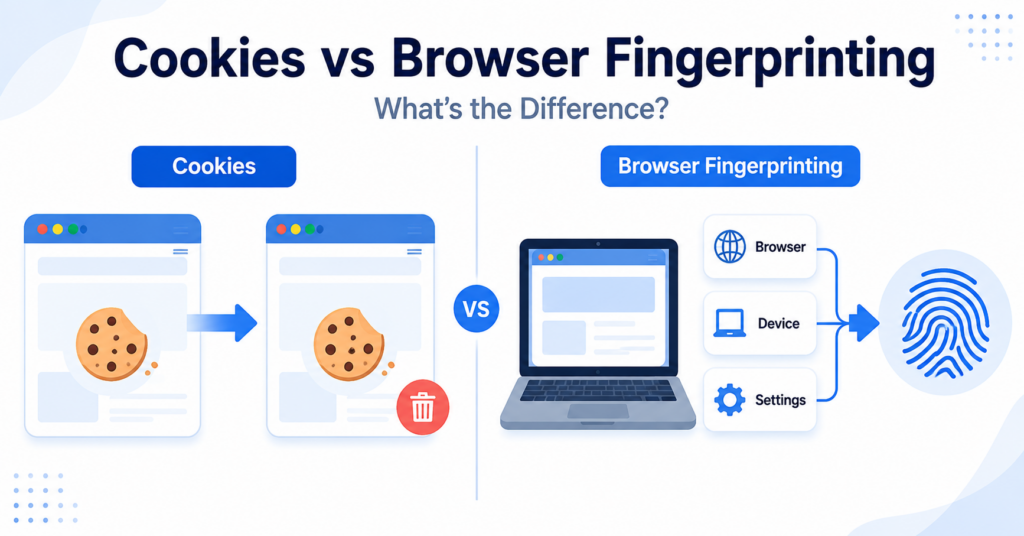
Cookies and browser fingerprinting can both help websites recognise returning visitors, but they work in very different ways.
A cookie stores information in the visitor’s browser. Browser fingerprinting creates a profile by combining characteristics such as browser version, screen size, language, time zone, fonts, and graphics capabilities.
In this guide, you’ll learn the key differences between cookies and browser fingerprinting, how each method works, when websites use them, and why both can raise privacy and consent questions.
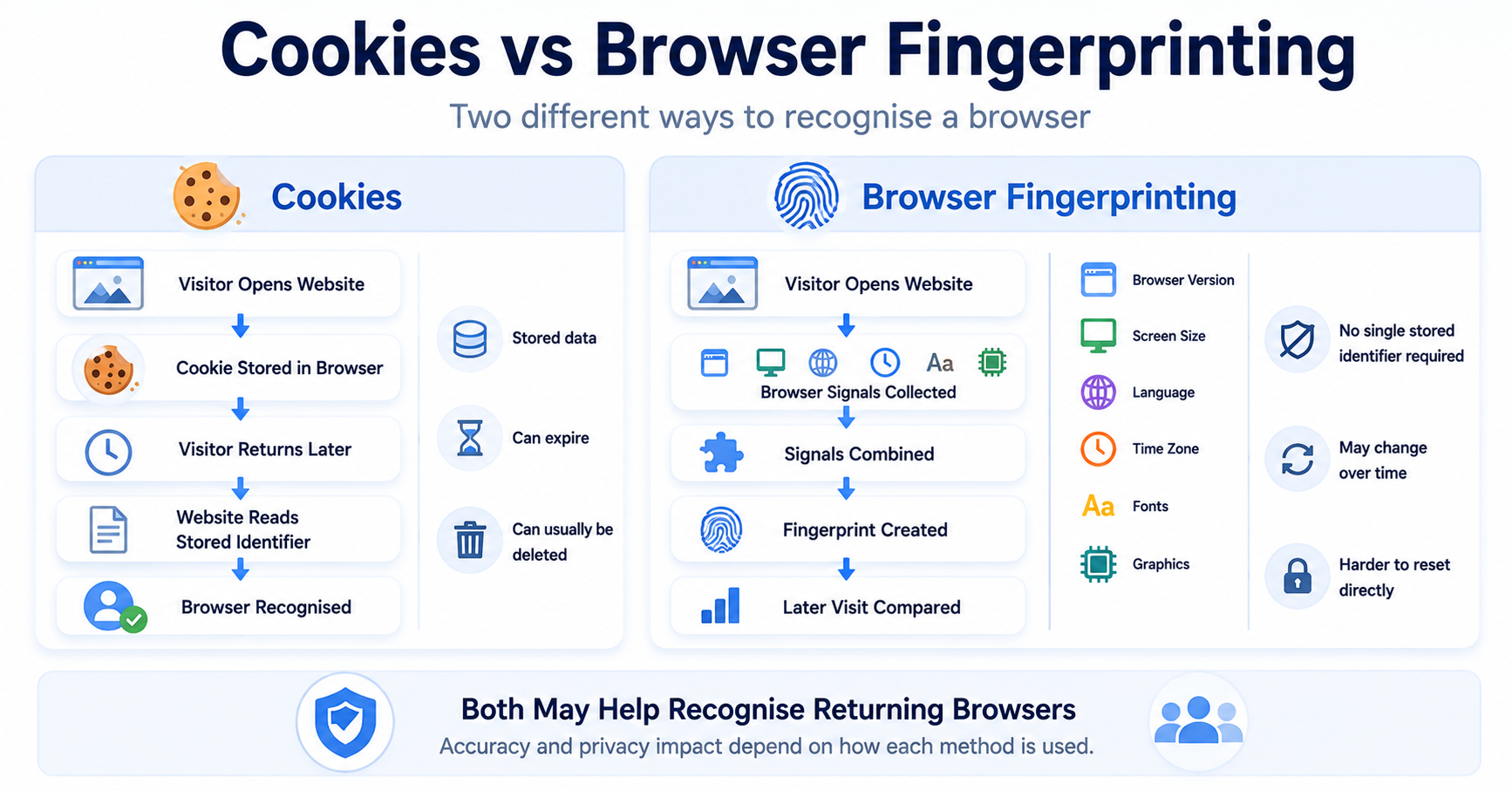
Cookies recognise browsers by storing information or identifiers on the visitor’s device. Browser fingerprinting attempts to recognise a browser by combining its technical characteristics. Cookies can usually be deleted, while a fingerprint may be calculated again during a later visit.
Cookies vs Browser Fingerprinting: Quick Comparison
The main difference is where the identifying information comes from.
Cookies use stored browser data. Fingerprinting uses a combination of browser and device signals.
| Feature | Cookies | Browser Fingerprinting |
|---|---|---|
| Main method | Stores and reads browser data | Combines browser and device characteristics |
| Traditional identifier stored in browser | Yes | Not always |
| Can usually be deleted by the visitor | Yes | There may be no single stored item to delete |
| Can recognise returning browsers | Yes | Potentially |
| Stability | Remains until expiry, replacement, or deletion | May change when browser or device signals change |
| Common uses | Sessions, preferences, consent, analytics, and advertising | Security, fraud prevention, analytics, and tracking |
| Consent considerations | Depend on purpose and applicable rules | Depend on purpose, method, and applicable rules |
What Is a Cookie?
A cookie is a small piece of information stored in a visitor’s browser by a website or connected service.
Cookies can help a website remember information during the current visit or during a later visit.
Common uses include:
- keeping a visitor logged in;
- maintaining a shopping cart;
- remembering language or display preferences;
- storing cookie consent choices;
- measuring website activity;
- supporting advertising and personalisation.
A cookie may last only for the current browser session or remain until a configured expiration date.
You can learn more in our beginner-friendly guide explaining what web cookies are and how they work.
What Is Browser Fingerprinting?
Browser fingerprinting is a technique that collects and combines information about a visitor’s browser, device, and technical configuration.
The individual signals may include:
- browser type and version;
- operating system;
- screen size and resolution;
- language;
- time zone;
- installed or available fonts;
- graphics capabilities;
- audio processing characteristics;
- supported browser features.
Each signal may be common on its own. When several signals are combined, the resulting profile may become more distinctive.
The service can then compare that profile with information collected during later visits.
Read our complete guide explaining what browser fingerprinting is for a more detailed overview.
Key Differences Between Cookies and Browser Fingerprinting
Cookies store information
A cookie creates a specific browser record containing a name, value, domain, expiration details, and other settings.
The browser can later send or expose that stored information under the conditions defined by the cookie.
Fingerprinting observes characteristics
Browser fingerprinting does not necessarily rely on one stored identifier.
Instead, it may observe several browser and device characteristics and combine them into a profile or similarity score.
Cookies are usually easier to find
Visitors can normally view cookies through browser settings or developer tools.
Fingerprinting may be more difficult to identify because the profile can be created through scripts, browser features, and server-side processing.
Cookies can usually be deleted
A visitor can normally remove cookies by clearing browser data.
With fingerprinting, there may be no single browser item to delete. A service may calculate a new profile when the website is opened again.
Fingerprints may change over time
A cookie identifier can remain stable until it expires or is removed.
A browser fingerprint may change after browser updates, operating system changes, new fonts, different screens, or modified privacy settings.
Browser fingerprinting is not always perfectly unique or accurate. Similar browsers may produce similar profiles, while the same browser may look different after technical changes.
How Do Cookies Recognise Returning Browsers?
A website or connected service can create a cookie containing an identifier.
During a later visit, the browser may provide that cookie again. The service can then connect the new activity with the previously stored identifier.
A simplified cookie-based recognition process looks like this:
- A visitor opens a website.
- The website stores a cookie in the browser.
- The visitor leaves and returns later.
- The browser provides the matching cookie again.
- The website recognises the stored identifier.
The recognition normally stops if the cookie expires, is deleted, is blocked, or can no longer be accessed.
How Does Browser Fingerprinting Recognise Browsers?
Fingerprinting collects browser and device signals during each visit.
The service combines those signals and compares the result with earlier profiles.
A simplified fingerprinting process looks like this:
- A visitor opens a website.
- The website or an external script collects browser signals.
- The signals are combined into a profile.
- The service stores or analyses the result.
- A later visit creates another profile.
- The new profile is compared with earlier results.
If the profiles are sufficiently similar, the service may treat the browser as returning or related to an earlier visit.
Can Cookies and Browser Fingerprinting Work Together?
Yes. A website or external service may use both methods as part of the same system.
For example:
- a cookie may provide the main visitor identifier;
- fingerprinting may help confirm that the browser looks similar to earlier visits;
- the combination may support security or fraud checks;
- fingerprinting may be used when the cookie is unavailable;
- both may contribute to analytics or advertising profiles.
A service may also combine cookies and browser fingerprints with account information, IP addresses, Local Storage values, tracking pixels, or server-side data.
An online service recognises a returning visitor through a cookie. It also compares browser characteristics to check whether the login appears to come from the same device configuration.
Which Method Is Easier to Delete or Reset?
Cookies
Cookies can usually be viewed and deleted through browser settings or developer tools.
A visitor may also:
- block cookies;
- delete cookies automatically;
- use private browsing;
- limit third-party cookies;
- clear data for a specific website.
Deleting the cookie removes that stored identifier, although the website may create a new one during a future visit.
Browser fingerprints
A browser fingerprint is not necessarily stored as one visible item in the browser.
Changing or reducing it may require changes to the signals used to create the profile, such as browser settings, browser version, device characteristics, or privacy protections.
Even then, the website may create a new fingerprint during the next visit.
Which Method Is More Accurate?
Neither method is perfectly reliable in every situation.
Cookie accuracy
A cookie can provide a stable identifier while it remains available.
However, recognition can fail if the visitor:
- deletes the cookie;
- uses another browser;
- changes device;
- uses private browsing;
- blocks the cookie;
- uses browser privacy protections.
Fingerprint accuracy
Fingerprinting may help recognise browsers even when no traditional cookie is available.
However, it may produce incorrect matches or fail to recognise the same browser after its configuration changes.
A fingerprint is generally a probability-based signal, not guaranteed proof that two visits came from the same person or device.
Neither a cookie nor a browser fingerprint automatically identifies a named person. They may become connected to a person when combined with account details, customer records, or other information.
Common Uses for Cookies
| Cookie Use | How It Helps |
|---|---|
| Account sessions | Keeps a visitor logged in while using the website |
| Shopping carts | Remembers selected products between pages |
| Consent preferences | Stores accepted and rejected cookie categories |
| Website preferences | Remembers language, region, or display choices |
| Analytics | Helps recognise sessions and returning browsers |
| Advertising | Supports campaign measurement and audience recognition |
Common Uses for Browser Fingerprinting
| Fingerprinting Use | How It Helps |
|---|---|
| Fraud prevention | Adds a device or browser signal to risk checks |
| Account security | Detects browser configurations that differ from earlier logins |
| Abuse prevention | Helps identify repeated sign-ups, spam, or automated activity |
| Analytics | May help estimate returning or unique browsers |
| Advertising | May support browser recognition when other identifiers are unavailable |
| Bot detection | Compares technical signals with expected browser behaviour |
Are Cookies More Transparent Than Browser Fingerprinting?
Cookies are generally easier for visitors to see because browsers provide tools for viewing and deleting them.
A fingerprinting process may be less obvious because it can operate through ordinary browser features and website scripts.
However, technical visibility does not automatically mean that visitors understand the purpose of every cookie.
Website owners should provide clear information about both stored identifiers and other tracking methods where relevant.
Do Cookies and Browser Fingerprinting Require Consent?
Consent considerations depend on how each technology is used, what information is accessed, and which rules apply.
A strictly necessary cookie used for a requested service may be treated differently from an advertising cookie.
Similarly, narrowly configured fingerprinting used for security or fraud prevention may require a different assessment from fingerprinting used for advertising or cross-site tracking.
Website owners should review:
- the purpose of the technology;
- which browser or device information is used;
- whether information is stored or accessed on the device;
- whether personal data is processed;
- whether external providers receive the information;
- whether visitors are recognised across websites;
- whether the use is strictly necessary;
- which regional rules apply.
Replacing cookies with fingerprinting does not automatically remove privacy, consent, or transparency responsibilities.
Our guide to cookie banner requirements explains why websites should review cookies and similar tracking technologies together.
Can a Cookie Banner Control Both Methods?
A cookie banner can control cookies and browser fingerprinting only when the related scripts and services are connected to the consent system.
A suitable setup may need to:
- block optional cookies before consent;
- prevent optional fingerprinting scripts from running;
- activate analytics or advertising technologies only after consent;
- send consent choices to connected services;
- stop or adjust processing when consent is withdrawn;
- allow visitors to change their preferences later.
Displaying a banner alone does not guarantee that optional fingerprinting has been disabled.
Can a Cookie Scanner Detect Both?
A cookie scanner can normally identify traditional cookies created during the scan.
Some more advanced scanners may also identify:
- external tracking scripts;
- services associated with fingerprinting;
- browser storage technologies;
- tracking pixels;
- external domains;
- possible consent issues.
However, browser fingerprinting may be difficult to confirm automatically because it does not always create one visible cookie or storage entry.
A scanner may also miss fingerprinting that:
- runs only after a specific interaction;
- appears only during login or payment;
- is activated after consent;
- uses a first-party script;
- is processed mainly on the server;
- is hidden inside a wider analytics or security system.
Read our guide explaining what a cookie scanner is to understand the benefits and limitations of automated scans.
Which Method Should Website Owners Use?
The correct answer depends on the website’s purpose.
Before using either method, consider whether it is necessary and proportionate.
- What specific problem does the technology solve?
- Could a less intrusive method achieve the same result?
- Is the technology used for security, functionality, analytics, or advertising?
- Which information is stored, accessed, or observed?
- Is an external provider involved?
- Can visitors understand and control the processing?
- Does the consent setup technically control the technology?
Cookies are often appropriate for sessions, consent preferences, and basic website functionality.
Fingerprinting may support security or fraud prevention, but its use should be carefully limited, documented, and reviewed.
Common Misconceptions
Fingerprinting is simply a hidden cookie
No. Cookies store browser data, while fingerprinting combines browser and device characteristics.
Deleting cookies prevents all browser recognition
No. A website may still use account information, Local Storage, fingerprinting, IP information, or other signals.
Browser fingerprints never change
No. Browser updates, device changes, privacy settings, and other configuration changes can alter the profile.
Cookies are always less invasive
Not necessarily. The privacy impact depends on purpose, duration, data sharing, and whether the technology supports tracking or profiling.
Fingerprinting always identifies a person
No. It generally attempts to distinguish a browser or device. It may become linked to a person when combined with other information.
A cookie banner automatically blocks fingerprinting
No. The fingerprinting script or service must be technically connected to the consent setup.
Next Step: Learn About Server-Side Tracking
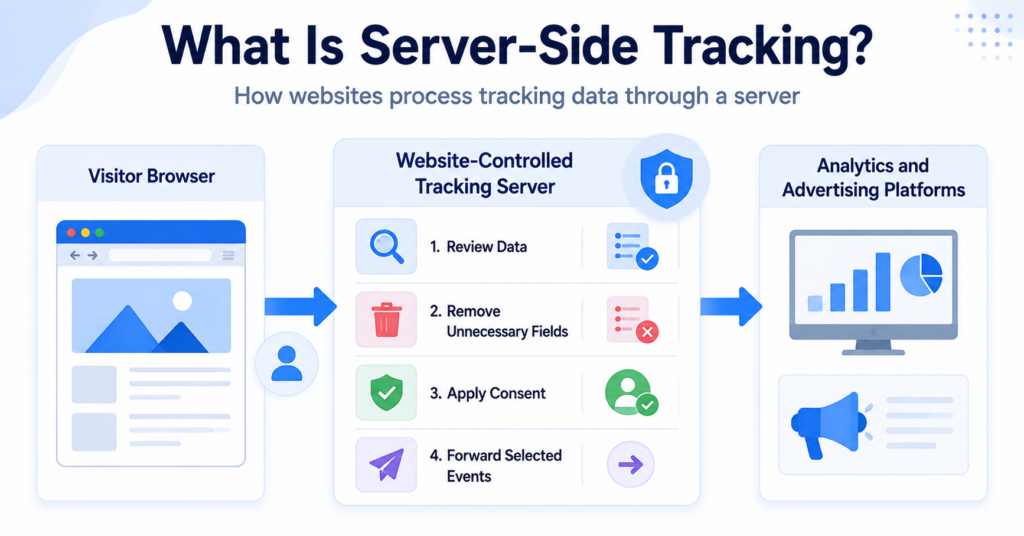
Cookies and browser fingerprinting mainly involve information available through the browser and device. Server-side tracking moves more of the collection and processing to a website-controlled server, creating a different technical and privacy model.

Frequently Asked Questions
Common questions about this topic
Cookies recognise browsers using stored information. Browser fingerprinting creates a profile from browser and device characteristics.
Yes. Fingerprinting may use browser characteristics without relying on a traditional cookie, although both methods can also be used together.
Clearing cookies removes stored cookie data. It does not necessarily prevent a website from collecting browser signals and creating a new fingerprint.
A cookie can be very stable while it remains available. Fingerprinting may recognise browsers without cookies, but it can produce incorrect or changing results.
Private browsing limits some stored data but does not necessarily prevent websites from observing browser and device characteristics during the session.
Neither technology is automatically illegal. Requirements depend on purpose, implementation, transparency, visitor location, and applicable privacy rules.