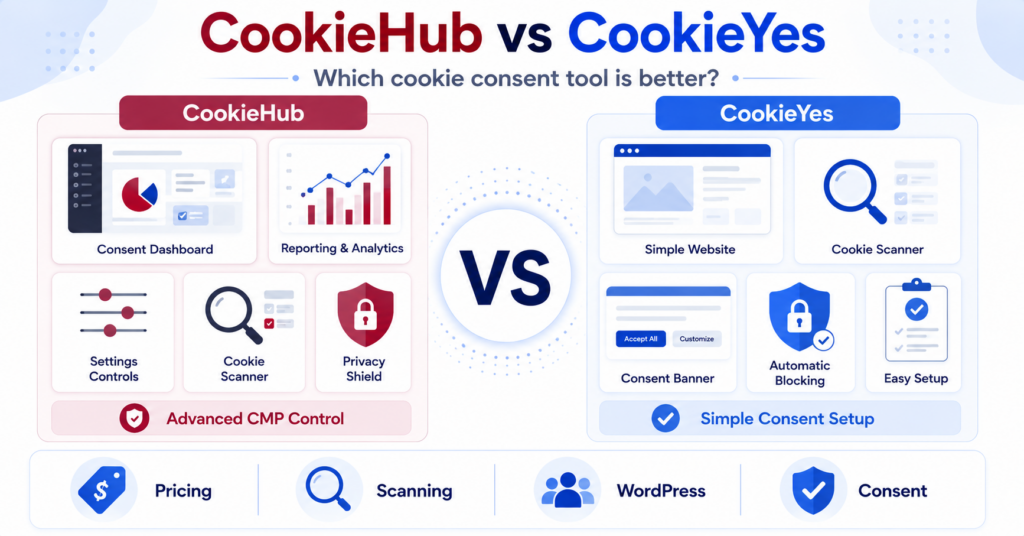
CookieHub charges mainly by monthly sessions, while Cookiebot Core uses subpage count. This comparison shows how those differences affect your costs, which free plan may be enough and which tool fits your website’s features and setup needs.
CookieHub vs Cookiebot: Which Should You Choose?
Choose CookieHub if:
- you want a simple consent platform with an easy setup process
- you run a small or medium website with moderate traffic
- you want a lower starting price on paid plans
- you want automatic blocking and Google Consent Mode v2
- you prefer pricing based mainly on monthly sessions and scan limits
Choose Cookiebot if:
- your website has relatively few pages but receives a lot of traffic
- you prefer pricing based on subpage count rather than traffic
- you want a structured consent-management platform
- you need strong automated cookie scanning
- you want paid Core plans without traffic limits
Our paid-plan pick for many small and medium websites with moderate traffic: CookieHub.
Cookiebot can be the much better value when traffic is high but the website has relatively few pages.
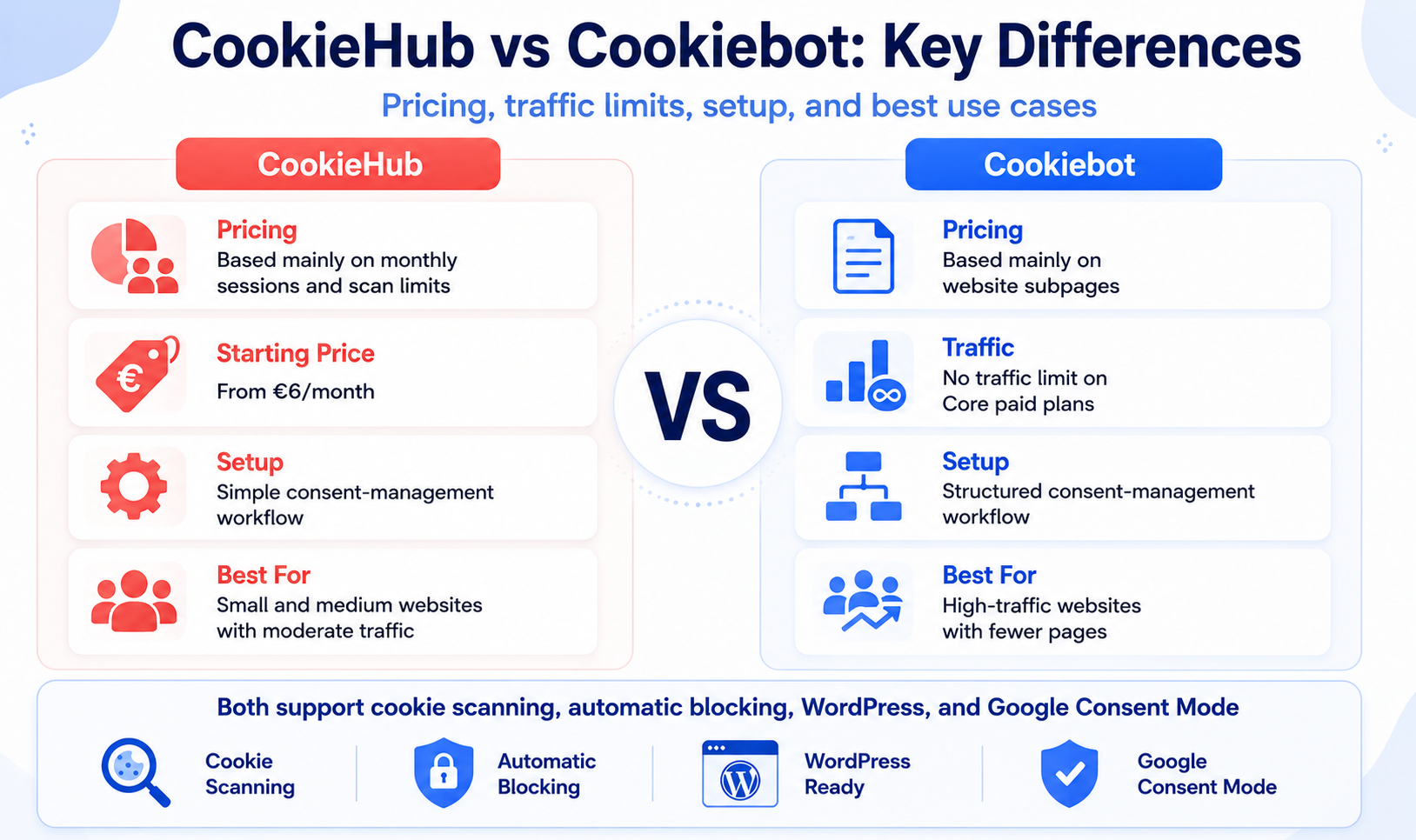
We compared current pricing, free-plan limits, cookie scanning, automatic blocking, banner controls, Google integrations, and WordPress support.
We also considered the setup workflow and how each pricing model changes as website size and traffic increase.
CookieHub vs Cookiebot at a Glance
| Feature | CookieHub | Cookiebot |
|---|---|---|
| Free plan | Yes | Yes |
| Paid plans start | €6/month | €7/month/domain |
| Main pricing model | Monthly sessions + scan limits | Subpages per domain |
| Free plan limit | Under 1,000 sessions + 50 pages scanned | Up to 50 subpages |
| Cookie scanning | Yes | Yes |
| Automatic blocking | Yes | Yes |
| Google Consent Mode | Yes | Yes |
| WordPress integration | Yes | Yes |
| Traffic limit on paid plans | Depends on plan | No traffic limit on Core paid plans |
| Best fit | Small and medium websites with predictable traffic | High-traffic sites with relatively few pages |
Pricing checked: September 9, 2026. Prices shown use monthly EUR pricing and may exclude applicable taxes.
The Biggest Difference: Sessions vs Subpages
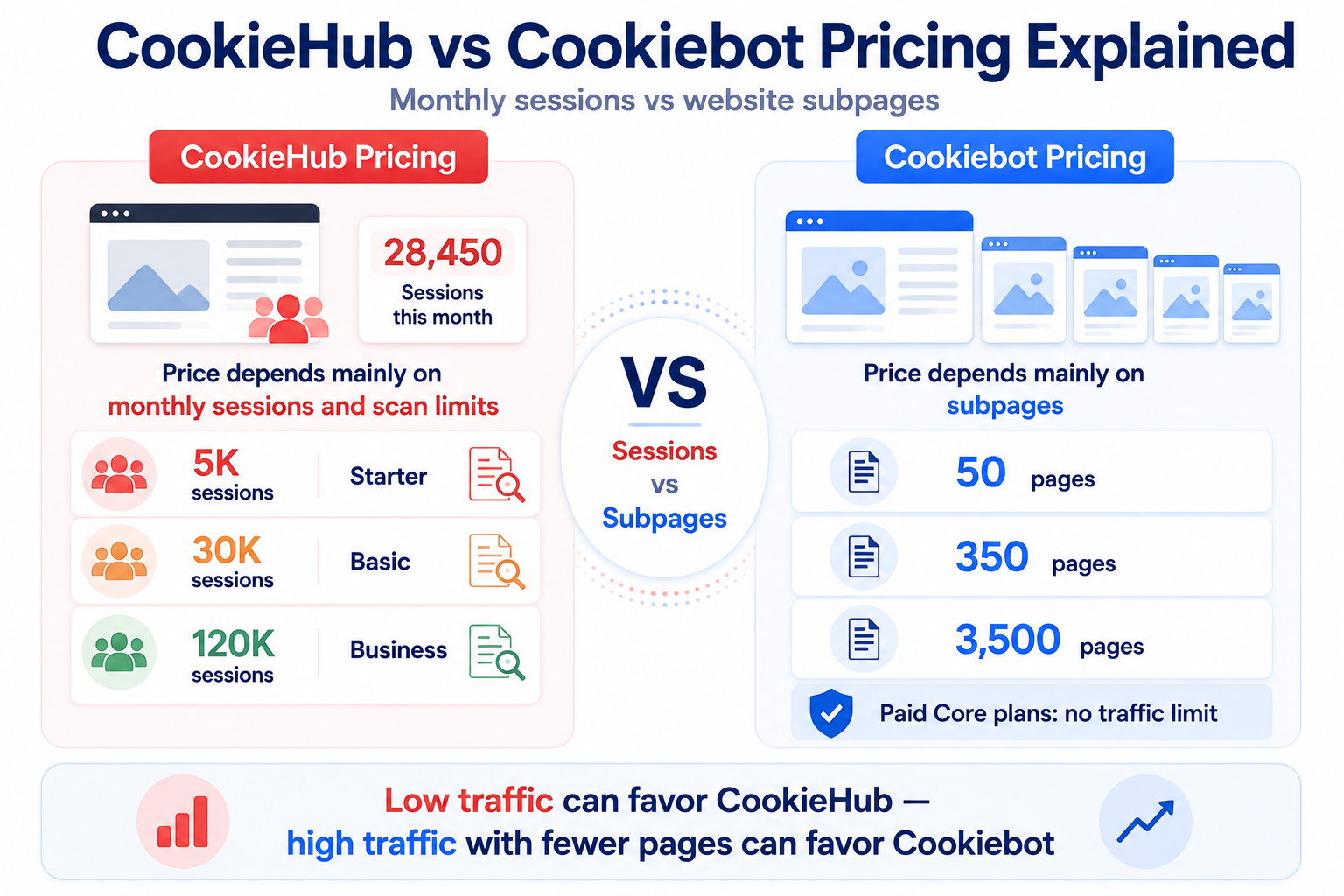
The biggest difference between CookieHub and Cookiebot is how the two platforms decide which paid plan your website needs.
CookieHub focuses mainly on monthly sessions and page-scan limits.
Cookiebot focuses mainly on the number of subpages on each domain.
This distinction can completely change which tool is cheaper.
A small website receiving modest traffic can fit comfortably into one of CookieHub’s lower-priced plans. But a small website receiving hundreds of thousands of visits can move into a much higher CookieHub tier.
Cookiebot works in the opposite way. Traffic does not determine the paid Core plan, so a very popular website can remain on a low-cost tier as long as its page count remains low.
CookieHub Pricing
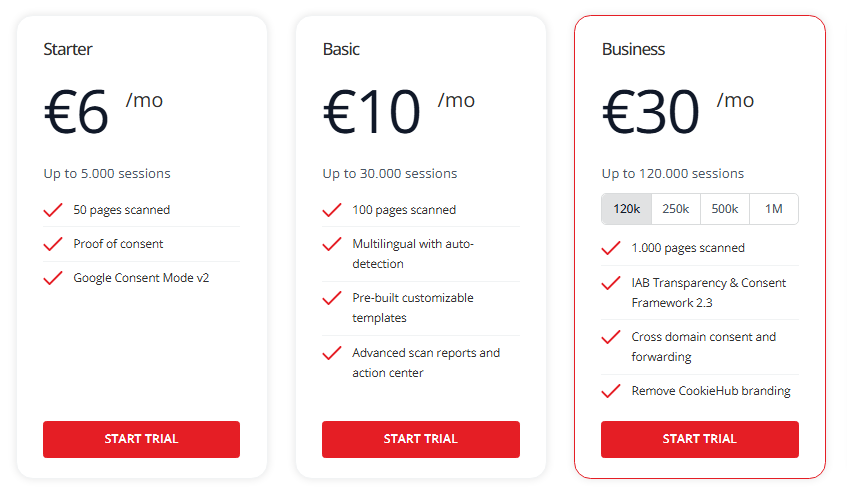
CookieHub uses monthly sessions and scan limits as important parts of its pricing structure.
| Plan | Monthly Price | Included Sessions | Pages Scanned |
|---|---|---|---|
| Free | €0 | Under 1,000/month | Up to 50 |
| Starter | €6/month | Up to 5,000/month | 50 |
| Basic | €10/month | Up to 30,000/month | 100 |
| Business | From €30/month | Up to 120,000/month at the starting price | From 1,000 |
| Enterprise | Custom | From 1,000,000/month | From 10,000 |
The Starter plan includes Proof of Consent and Google Consent Mode v2, which are also available on Free. Starter adds a higher session allowance, recurring scans, and longer consent record retention.
Starter scan-limit note: the official pricing card lists 50 pages, while the detailed feature table lists 100. Confirm your subscription’s allowance before relying on the higher number.
Basic adds features including multilingual support with auto-detection, customizable templates, and more advanced scan reporting.
Business expands the limits and adds features aimed at larger implementations, including IAB Transparency & Consent Framework support, cross-domain consent features, and the ability to remove CookieHub branding.
Want a complete breakdown of CookieHub Free, Starter, Basic, Business, and Enterprise?
Cookiebot Pricing
Cookiebot Core uses a different pricing model.
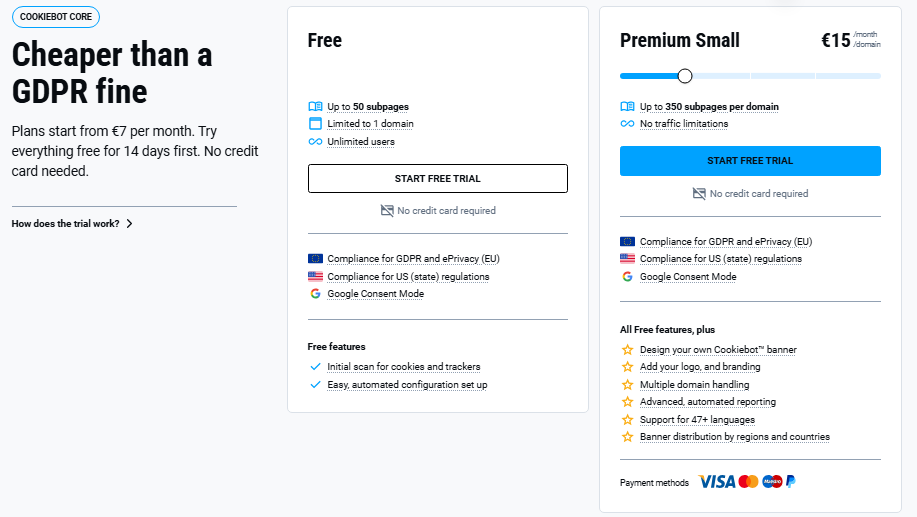
Your plan is determined mainly by the number of subpages detected on each domain. Each unique URL can count as a subpage. Free and Premium Lite are each limited to one domain; additional small domains cannot all use the Lite rate.
| Plan | Monthly Price | Subpage Limit |
|---|---|---|
| Free | €0 | Up to 50 |
| Premium Lite | €7/domain | Up to 50 |
| Premium Small | €15/domain | Up to 350 |
| Premium Medium | €30/domain | Up to 3,500 |
| Premium Large | €50/domain | Up to 7,000 |
| Premium XLarge | €90/domain | More than 7,000 |
The major pricing advantage is that Cookiebot’s paid Core plans are not limited by website traffic.
This can make Cookiebot particularly attractive for websites that receive large amounts of traffic but contain relatively few pages.
Want to see every Cookiebot plan in more detail?
Which Is Cheaper: CookieHub or Cookiebot?
Neither platform is always cheaper.
The answer depends mainly on the relationship between website traffic and page count.
Example 1: 30-Page Website With 2,000 Monthly Sessions
A 30-page website with around 2,000 monthly sessions could fit into CookieHub Starter:
CookieHub: €6/month
The same website could use Cookiebot Premium Lite:
Cookiebot: €7/month
In this paid-plan comparison, CookieHub is slightly cheaper. However, Cookiebot Free may cover this single-domain website if its features are sufficient, making Cookiebot the cheaper option at €0. If you need automatic multilingual banners, compare CookieHub Basic rather than Starter.
Example 2: 100-Page Website With 20,000 Monthly Sessions
A website with 100 pages and around 20,000 monthly sessions could fit into CookieHub Basic:
CookieHub: €10/month
A 100-page website would fall into Cookiebot Premium Small:
Cookiebot: €15/month
In this example, CookieHub has the lower paid price, provided its included features meet your needs.
Example 3: 40-Page Website With 100,000 Monthly Sessions
This is where the pricing models start to reverse.
A 40-page website can still fit into Cookiebot Premium Lite:
Cookiebot: €7/month
CookieHub Starter and Basic would not cover 100,000 monthly sessions, so the website would need a higher traffic tier.
In this situation, Cookiebot becomes much more attractive. Cookiebot Free may also cover this single-domain website if its Free features are enough; high traffic alone does not require Premium.
Low or moderate traffic: CookieHub can offer excellent value.
High traffic + relatively few pages: Cookiebot can be significantly cheaper.
CookieHub vs Cookiebot Free Plan
Both CookieHub and Cookiebot offer a Free plan, but the limits work differently.
CookieHub Free
CookieHub Free is available for an individual subscription with fewer than 1,000 monthly sessions.
It includes:
- up to 50 pages scanned
- Proof of Consent
- Google Consent Mode v2
- no credit card requirement
Free includes a one-time scan. The 50-page allowance limits scan coverage, not the permitted size of your website. When the monthly session limit is reached, the banner stops displaying and resumes in the next monthly cycle.
Cookiebot Free
Cookiebot Free supports one domain with up to 50 subpages.
It includes core features such as:
- an initial cookie and tracker scan
- automated configuration setup
- support for GDPR and ePrivacy requirements
- support for US state privacy regulations
- Google Consent Mode
Cookiebot Free is based mainly on website size rather than a monthly session allowance.
Which Free Plan Is Better?
For a very small website with low traffic, both free plans can work well.
CookieHub Free provides useful features but requires the site to remain below 1,000 monthly sessions.
Cookiebot Free becomes especially interesting when the website has up to 50 subpages but receives more traffic than CookieHub Free allows.
For that reason, there is no universal winner in this category.
Cookie Scanning and Automatic Blocking
Both CookieHub and Cookiebot provide cookie scanning and tools for controlling non-essential cookies and scripts.
CookieHub includes automatic cookie blocking, which can prevent third-party scripts and cookies from loading before the visitor gives the required consent.
Its scan limits depend on the plan, with a one-time scan of up to 50 pages on Free and recurring scans on paid plans. Starter’s published allowance differs between the pricing card and detail table, as noted above.
Cookiebot also provides automated scanning and automatic blocking as core parts of its consent-management system.
For most small and medium websites, both platforms provide the core functionality needed to identify and control cookies. You still need to review cookie categories and verify blocking on your own website. Follow our cookie banner testing guide to check behavior before consent, after rejection and after acceptance.
Cookie Banner Customization
Both platforms allow website owners to customize the appearance and behavior of their consent banners.
CookieHub provides customizable banner templates and expands its customization features across the paid plans.
Depending on the plan, CookieHub can also provide:
- multilingual banners on Basic and above
- automatic language detection on Basic and above
- customizable templates
- cross-domain consent features
- branding removal
Cookiebot Premium also provides strong banner customization, branding controls, support for many languages, and regional banner distribution.
For a typical small website, both provide enough flexibility to match the consent banner to the website design.
Google Consent Mode and Google Tag Manager
Both CookieHub and Cookiebot support Google Consent Mode v2.
CookieHub includes Consent Mode support even in its Free and Starter offerings and provides implementation options for WordPress and Google Tag Manager.
Cookiebot also supports Google Consent Mode v2 and can send consent signals to supported Google services based on the visitor’s choices.
Both platforms can therefore work with websites using:
- Google Analytics
- Google Ads
- Google Tag Manager
For most website owners using Google services, this category is effectively a tie.
Google Consent Mode support does not mean your existing Google tags are automatically configured correctly. With either tool, check the integration settings and test whether your tags respond to the visitor’s consent choices.
CookieHub vs Cookiebot for WordPress
Both CookieHub and Cookiebot provide dedicated WordPress integrations.
CookieHub on WordPress
CookieHub provides a WordPress plugin that connects the website to your CookieHub configuration.
The setup process includes adding your CookieHub domain code and enabling the required settings in WordPress.
Automatic Cookie Blocking can also be enabled so scripts and cookies are controlled according to the visitor’s consent choice.
For website owners who want a straightforward consent setup, the WordPress integration keeps the process relatively simple.
Cookiebot on WordPress
Cookiebot also has a dedicated WordPress plugin.
The plugin connects WordPress to your Cookiebot account and supports scanning, automatic blocking, consent banners, and Google Consent Mode.
Cookiebot’s setup includes account and domain management. Both platforms provide these functions, so compare the specific workflow and integrations you need.
Want to see how each tool works in practice?
Which Is Better for Different Types of Websites?
| Website Type | Better Fit | Why |
|---|---|---|
| Very small low-traffic website | Check both Free plans first | CookieHub has a session limit; Cookiebot has a subpage and single-domain limit |
| Small business website | CookieHub | Competitive pricing at moderate traffic levels |
| WordPress website | Both | Both provide plugins and blocking; compare the price for your required features |
| High-traffic site with few pages | Cookiebot | Paid Core pricing is not based on traffic |
| Large content website | Depends | CookieHub session limits and Cookiebot page count both need comparison |
| More structured CMP setup | Depends on requirements | Compare domain management, integrations and consent-sharing requirements |
| Simple cloud consent management | CookieHub | Easy-to-manage workflow and straightforward plan structure |
CookieHub Pros and Cons
Pros
- paid plans start at a low price
- simple consent-management workflow
- dedicated WordPress plugin
- automatic cookie blocking
- Google Consent Mode v2 support
- Proof of Consent included even on lower tiers
- good value for small and medium sites with moderate traffic
- multilingual and advanced features available on higher plans
Cons
- pricing increases as monthly sessions grow
- Free plan is limited to fewer than 1,000 monthly sessions
- scan limits also depend on the plan
- high-traffic websites can require much higher tiers
Cookiebot Pros and Cons
Pros
- paid Core plans are not limited by traffic
- strong automated cookie scanning
- structured consent-management workflow
- Google Consent Mode v2 support
- dedicated WordPress plugin
- strong multilingual and regional controls
- excellent pricing model for high-traffic websites with fewer pages
Cons
- price increases as the number of subpages grows
- Free plan is limited to up to 50 subpages
- each domain is evaluated separately
- can cost more than CookieHub for moderate-traffic websites with more pages
CookieHub vs Cookiebot: Which Is Better?
For small and medium website owners who need a paid plan and have moderate traffic, CookieHub is our recommendation when its included features cover their needs. For a single-domain site with up to 50 subpages, check Cookiebot Free before paying.
Its lower starting price, straightforward consent-management workflow, automatic blocking, WordPress support, and Google Consent Mode v2 make it a strong option for websites with predictable or moderate traffic.
Cookiebot becomes the better choice when website traffic is high but page count remains relatively low.
Because Cookiebot Core paid plans are based mainly on subpages rather than traffic, its pricing model can become significantly more attractive as visitor numbers increase.
| Category | Our Pick |
|---|---|
| Our paid-plan pick for small sites with moderate traffic | CookieHub |
| Best starting paid price | CookieHub |
| Best for moderate traffic | CookieHub |
| Best for high traffic with few pages | Cookiebot |
| Best traffic-independent pricing | Cookiebot |
| Cookie scanning | Tie |
| Google Consent Mode | Tie |
CookieHub vs Cookiebot Scorecard
| Category | CookieHub | Cookiebot |
|---|---|---|
| Ease of use | 4.5 / 5 | 4.0 / 5 |
| Free plan | 4.0 / 5 | 4.0 / 5 |
| Entry-level pricing | 4.5 / 5 | 4.0 / 5 |
| High-traffic pricing | 3.5 / 5 | 5.0 / 5 |
| Cookie scanning | 4.5 / 5 | 4.5 / 5 |
| Banner customization | 4.5 / 5 | 4.0 / 5 |
| WordPress | 4.5 / 5 | 4.0 / 5 |
| Google integration | 5.0 / 5 | 5.0 / 5 |
| Traffic flexibility | 3.5 / 5 | 5.0 / 5 |
The scores are editorial assessments for small and medium website owners, not measured performance results or a universal ranking. Use the plan limits and examples above to decide whether the recommendation fits your website.
Conclusion
CookieHub and Cookiebot are both strong consent management platforms, but their pricing models make them suitable for different websites.
CookieHub is our preferred paid option for many small and medium websites with moderate traffic when its features meet their needs, because it combines a low starting price with straightforward consent management, automatic blocking, WordPress support, and Google Consent Mode v2.
Cookiebot is the better choice when your website receives a lot of traffic but has relatively few pages, because its paid Core pricing is based mainly on subpage count rather than visitor volume.
Compare Both Tools in More Detail
Considering CookieHub? Read our review for a closer look at its setup, features and plan limitations. Considering Cookiebot? Explore its review to decide whether its features and subpage-based pricing fit your website.

Frequently Asked Questions
Common questions about this topic
CookieHub can be the better choice for small and medium websites with moderate traffic because its paid plans start at a low price and the setup is straightforward. Cookiebot can be better for high-traffic websites with relatively few pages.
Cookiebot can be better if your website receives a lot of traffic but has relatively few pages. Its paid Core plans are based mainly on subpage count rather than monthly traffic.
CookieHub can be cheaper for small and medium websites with moderate traffic, while Cookiebot can become much cheaper for high-traffic websites with relatively few pages. The better value depends on both traffic and website size.
Yes. CookieHub provides a Free tier for individual subscriptions with fewer than 1,000 monthly sessions and up to 50 pages scanned.
Yes. Cookiebot offers a Free plan for one domain with up to 50 subpages.
Both have dedicated WordPress integrations. CookieHub provides a straightforward WordPress setup with automatic blocking, while Cookiebot offers a more structured CMP workflow connected to its external account and domain-management system.
Yes. Both platforms support Google Consent Mode v2 and can work with common Google services such as Google Analytics, Google Ads, and Google Tag Manager.
Yes. If you change consent platforms, remove the old implementation, install and configure the new platform, and test cookie blocking and consent behavior before considering the migration complete.