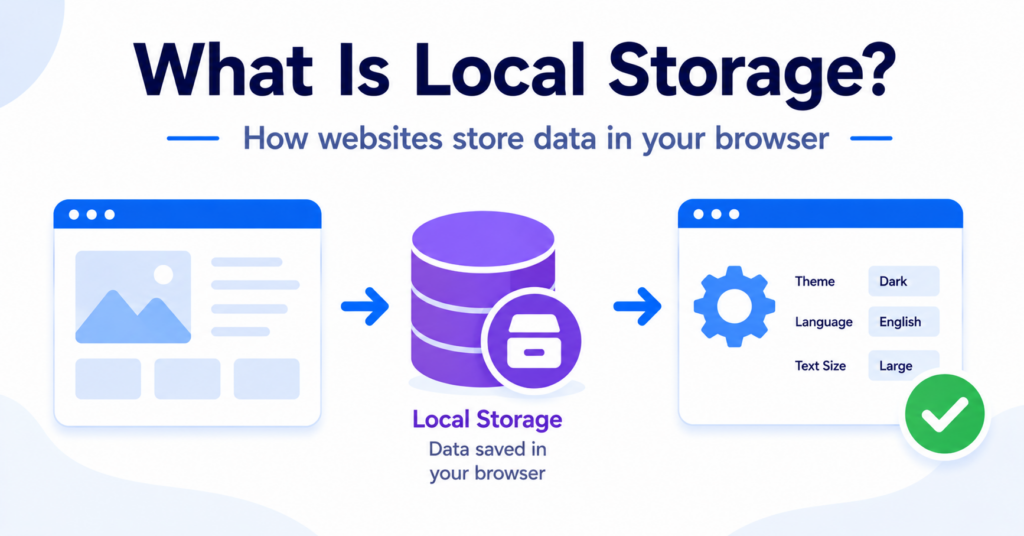
Local Storage is a browser technology that allows websites to save information directly in a visitor’s browser.
It can remember settings, preferences, interface choices, and other data between visits. Unlike cookies, Local Storage data is not automatically sent to the website’s server with every page request.
In this guide, you’ll learn what Local Storage is, how it works, how websites use it, and how it differs from browser cookies.
Local Storage is a browser feature that lets websites save data on a visitor’s device. The data can remain after the browser closes and is only available to the website that stored it. Unlike cookies, Local Storage is not automatically sent with every server request.
What Is Local Storage?
Local Storage is part of a browser system commonly called Web Storage.
It allows a website to save information as simple name-and-value pairs inside the visitor’s browser. The website can later read that information when the visitor returns.
For example, a website may use Local Storage to remember:
- a selected colour theme;
- a preferred language;
- whether a message was dismissed;
- items saved in a temporary interface;
- progress inside an online tool;
- settings used by a website application.
Local Storage is linked to the website domain that created it. One website cannot normally read Local Storage created by an unrelated website.
The information usually remains available until the website removes it, the visitor clears browser data, or the browser applies its own storage restrictions.
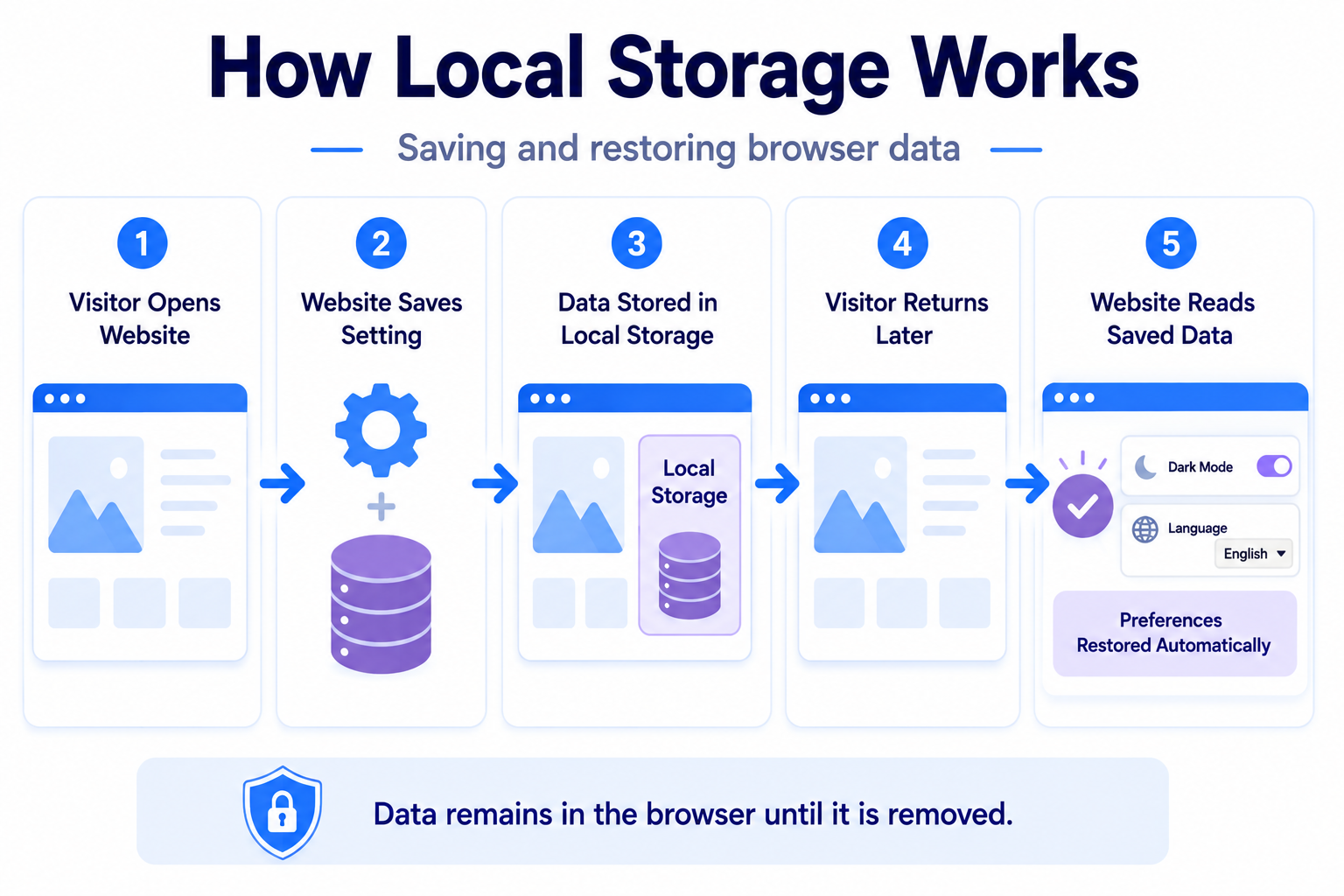
A visitor switches a website from light mode to dark mode. The website stores that choice in Local Storage. When the visitor returns later, the site reads the saved value and displays dark mode again.
How Does Local Storage Work?
Local Storage works inside the browser rather than being automatically included in every request sent to a server.
A simplified process looks like this:
- A visitor opens a website.
- The website stores a value in Local Storage.
- The browser keeps the value on the visitor’s device.
- The visitor closes and later reopens the website.
- The website reads the stored value and restores the related setting or feature.
The website must actively read or update the stored information using code. The browser does not automatically send the Local Storage data with every page request.
The website stores a value
A website can save information after a visitor performs an action, changes a setting, or uses a feature.
For example, selecting a preferred layout may cause the website to save a value such as “compact layout” in Local Storage.
The browser keeps the value
The browser stores the information for the website that created it.
The data may remain after the browser window closes, which makes Local Storage useful for settings that should continue between visits.
The website reads the value later
When the visitor returns, the website can check whether Local Storage contains a saved value.
If it does, the website may use that information to restore a preference or continue an earlier experience.
Local Storage remains on the visitor’s device, but website scripts can read it. Website owners should avoid storing sensitive personal information or security credentials there.
What Can Local Storage Store?
Local Storage stores information as text. A website can organise that text in different ways, depending on how the feature has been built.
Common examples include:
- interface preferences;
- language choices;
- recently viewed items;
- dismissed notifications;
- form progress;
- tool settings;
- temporary application data;
- identifiers used by website services.
Although Local Storage can hold more information than a typical cookie, that does not mean it should be used for every type of data.
Sensitive information should be handled carefully because scripts running on the website may be able to access stored values.
How Long Does Local Storage Last?
Local Storage normally remains until it is deliberately removed.
It is not automatically deleted when the browser session ends. This makes it different from Session Storage and from session cookies that are designed for temporary use.
Local Storage may disappear when:
- the visitor clears browser data;
- the website removes the stored value;
- the browser removes website storage;
- privacy settings block or limit storage;
- the visitor uses a private browsing session;
- the browser applies storage limits or expiration policies.
For this reason, website owners should not assume that Local Storage will remain available forever.
Local Storage vs Session Storage
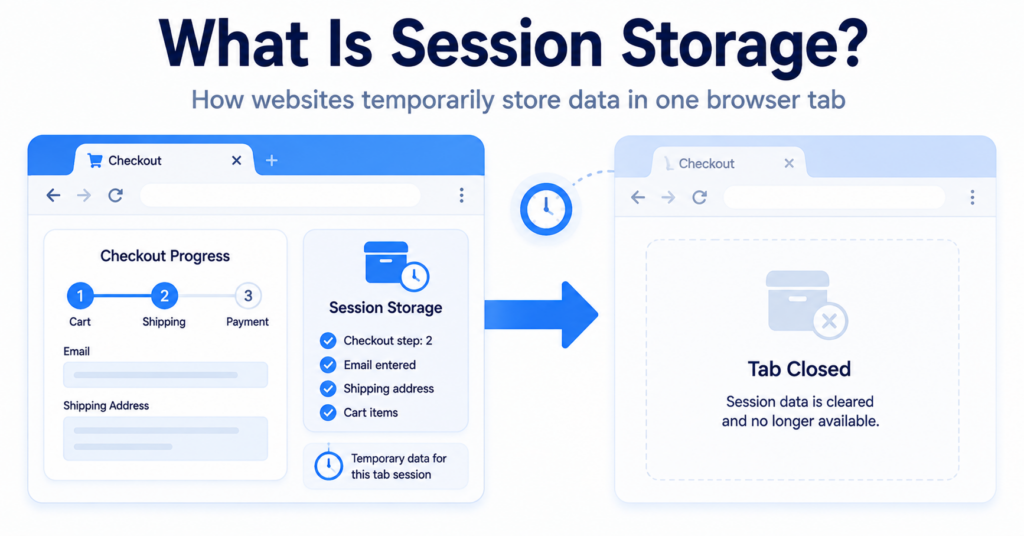
Local Storage and Session Storage are both part of Web Storage, but they have different lifetimes.
| Feature | Local Storage | Session Storage |
|---|---|---|
| Typical lifetime | Remains between visits | Usually lasts for the current tab session |
| After the browser closes | Can remain stored | Normally removed |
| Shared between tabs | Usually available to tabs from the same website | Normally limited to the current tab or session |
| Common use | Longer-term preferences | Temporary page or form activity |
In simple terms, Local Storage is intended for information that may be useful during a later visit. Session Storage is better suited to temporary information needed only during the current tab session.
Local Storage vs Cookies
Local Storage and cookies can both save information in a browser, but they work differently.
| Feature | Local Storage | Cookie |
|---|---|---|
| Main purpose | Store browser data for website scripts | Store information used by the browser and website |
| Sent with server requests | No, not automatically | Yes, depending on the cookie configuration |
| Typical storage capacity | Larger | Much smaller |
| Expiration | Usually remains until removed | Can be session-based or have an expiry date |
| Accessed by website scripts | Yes | Often, unless protected by certain settings |
| Common use | Preferences and application data | Sessions, preferences, consent, analytics, and tracking |
A cookie can be included automatically when the browser sends a request to the website’s server. Local Storage remains in the browser until website code chooses to read it.
This difference makes Local Storage useful for larger amounts of browser-side information that do not need to be included with every server request.
You can learn more about cookies in our guide explaining what web cookies are and how they work.
Advantages of Local Storage
It can store more data than cookies
Local Storage usually provides more space than a traditional browser cookie.
This can make it useful for website applications, interface settings, saved progress, and other browser-based features.
Data is not automatically sent to the server
Local Storage values remain in the browser unless website code reads and sends them.
This can reduce unnecessary data being included with every page request.
It can remain between visits
Local Storage can remember information after the browser closes.
This is helpful when a website wants to restore preferences or settings during a later visit.
It is simple for browser-based features
Local Storage can support lightweight features without requiring every preference to be saved in a website account or external database.
Limitations and Risks of Local Storage
Website scripts can access it
Local Storage is normally available to scripts running on the same website.
If harmful code is successfully added to the website, it may be able to read stored values. This is one reason sensitive security information should not be kept in Local Storage.
Visitors can delete it
A visitor can clear website data, use private browsing, or change browser privacy settings.
Websites should not rely on Local Storage as the only permanent record of important information.
It is limited to one website origin
Local Storage belongs to the website origin that created it.
This improves separation between unrelated websites, but it also means information is not automatically shared across different domains.
Browser behavior can differ
Private browsing, storage restrictions, browser settings, and privacy features can affect how long Local Storage remains available.
It can still be used for tracking
Local Storage is not automatically privacy-friendly simply because it is not a cookie.
A website could store an identifier in Local Storage and use it to recognise a returning browser or support tracking-related activity.
Replacing a cookie with Local Storage does not automatically avoid privacy or consent requirements. The purpose and use of the stored information still matter.
Does Local Storage Require Consent?
Consent considerations depend on what the website stores, why it stores it, and which rules apply to the visitor.
Local Storage used for a strictly necessary website feature may be treated differently from storage used for analytics, advertising, profiling, or recognising visitors.
Website owners should consider:
- what information is stored;
- why the information is needed;
- whether the feature is necessary for a service requested by the visitor;
- whether the data is used for analytics or advertising;
- whether an identifier can recognise a returning browser;
- which privacy rules apply to the website’s visitors.
A consent system should therefore consider browser storage technologies as well as traditional cookies.
Our guide to cookie banner requirements explains why website owners should review the purpose of each technology rather than relying only on its name.
Can a Cookie Banner Control Local Storage?
A cookie banner does not automatically control Local Storage.
The website’s scripts, tags, plugins, and consent platform must be configured so that optional storage is not created or read before the relevant consent choice when required.
A correct setup may involve:
- blocking optional scripts before consent;
- loading features only after the related category is accepted;
- preventing analytics identifiers from being stored too early;
- removing stored values when consent is withdrawn where appropriate;
- allowing visitors to change their consent settings later.
Simply displaying a cookie banner does not guarantee that Local Storage is handled correctly.
Can You View Local Storage in Your Browser?
Yes. Most modern browsers allow you to inspect Local Storage using developer tools.
In Google Chrome, you can:
- open the website you want to inspect;
- right-click the page and select Inspect;
- open the Application panel;
- find Local Storage under Storage;
- select the relevant website domain;
- review the stored names and values.
The exact panel names may differ between browsers, but Firefox and Safari also provide tools for viewing website storage.
Our guide to finding cookies on a website explains how to use similar browser tools to inspect cookie data.
Compare Local Storage before and after accepting optional cookie categories. This can help reveal whether analytics or advertising tools store identifiers before consent.
Can a Cookie Scanner Detect Local Storage?
Some scanners focus mainly on traditional cookies, while broader website scanners may also detect Local Storage, Session Storage, scripts, tags, and other tracking technologies.
The result depends on how the scanner works and which website actions it performs.
A scanner may miss Local Storage that appears only after:
- accepting a cookie category;
- opening a website feature;
- logging into an account;
- playing an embedded video;
- submitting a form;
- completing a purchase.
Automated scanning is therefore a useful starting point, but important results should still be reviewed manually.
Read our guide explaining what a cookie scanner is to learn more about automatic website checks.
Common Misconceptions About Local Storage
Local Storage is a type of cookie
No. Both can store information in a browser, but they are separate technologies with different technical behavior.
Local Storage is automatically more private
No. Privacy depends on what information is stored, why it is used, and who can access it.
Local Storage is sent to the server automatically
No. Website code must actively read the stored value and send it if the server needs it.
Local Storage disappears when the browser closes
Usually not. It normally remains available between browser sessions until it is removed.
Cookie consent rules never apply to Local Storage
Not necessarily. Rules may apply to technologies that store or access information on a visitor’s device, not only to files called cookies.
Next Step: Compare Local Storage and Cookies
Local Storage and cookies can both save information in a browser, but they differ in capacity, expiration, server communication, and common use. The next step is comparing them directly so you can understand which technology is being used and why.

Frequently Asked Questions
Common questions about this topic
Local Storage is a browser feature that allows a website to save information on a visitor’s device and read it again during a later visit.
No. Cookies and Local Storage both save browser data, but Local Storage is not automatically sent with server requests and normally provides more storage space.
It normally remains until the website removes it, the visitor clears browser data, or the browser applies its own storage restrictions.
It can be used to store identifiers that help recognise a returning browser. Whether that counts as tracking depends on how the information is used.
Yes. Visitors can normally remove it by clearing website data through their browser settings or developer tools.