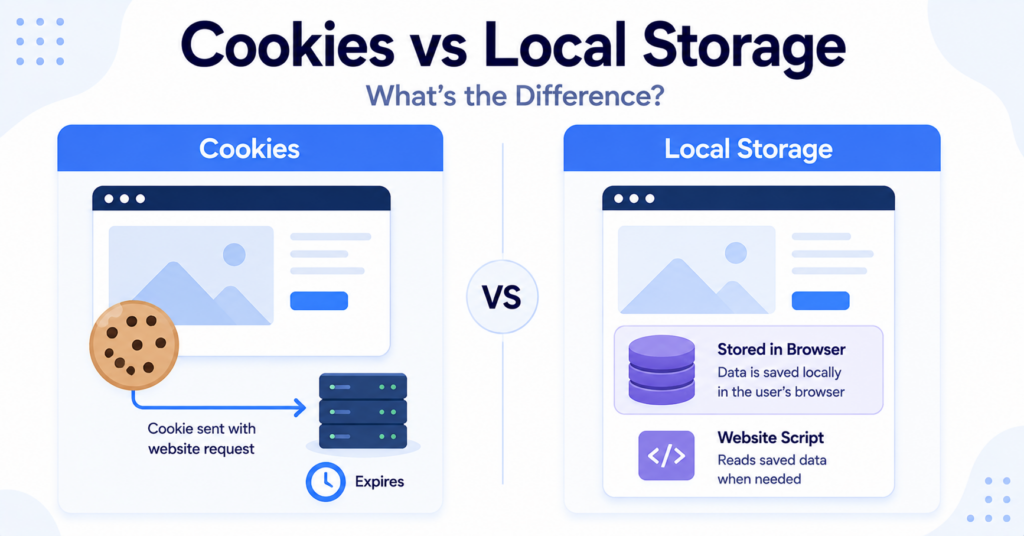
Cookies and Local Storage both allow websites to save information in a visitor’s browser, but they work in different ways.
Cookies are commonly used for login sessions, consent preferences, analytics, and communication with a website’s server. Local Storage is mainly used by website scripts to save larger amounts of browser-side data that do not need to be sent automatically with every request.
In this guide, you’ll learn the key differences between cookies and Local Storage, when websites use each technology, and why privacy considerations depend on purpose rather than the storage method alone.
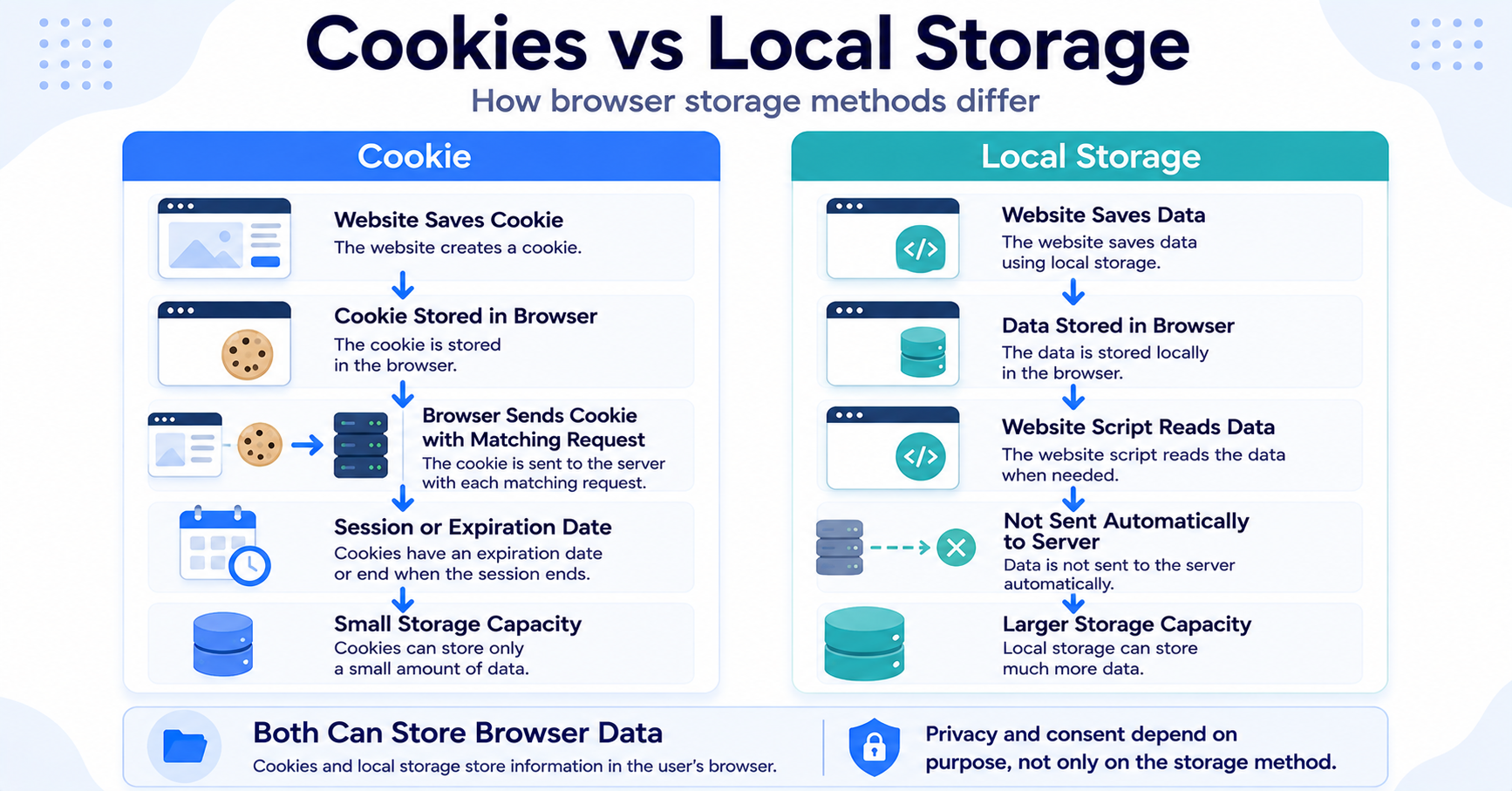
Cookies and Local Storage both save data in a browser. Cookies are smaller and can be sent automatically with website requests, while Local Storage holds more data and is read directly by website scripts. The better option depends on what the website needs to store and how the data will be used.
Cookies vs Local Storage: Quick Comparison
The most important difference is how the stored information is accessed and communicated.
| Feature | Cookies | Local Storage |
|---|---|---|
| Storage location | Visitor’s browser | Visitor’s browser |
| Sent with server requests | Yes, when the cookie matches the request | No, not automatically |
| Typical storage capacity | Small | Larger |
| Expiration | Session-based or configured expiry date | Usually remains until removed |
| JavaScript access | Often available unless protected by settings such as HttpOnly | Available to website scripts from the same origin |
| Common uses | Sessions, consent, preferences, analytics, and tracking | Interface preferences, saved progress, and application data |
| Consent considerations | Depend on purpose | Depend on purpose |
What Is a Cookie?
A cookie is a small piece of information stored in a visitor’s browser by a website or connected service.
Cookies can help websites remember information between page requests, browser sessions, or later visits. Depending on their configuration, they may be temporary session cookies or persistent cookies that remain until a future expiration date.
Common uses include:
- keeping a visitor logged in;
- maintaining a shopping cart;
- remembering language preferences;
- storing cookie consent choices;
- measuring website activity;
- supporting advertising and personalization.
One important feature of cookies is that the browser can automatically include them in requests sent to the website’s server.
For a broader introduction, read our guide explaining what web cookies are and how they work.
What Is Local Storage?
Local Storage is a browser feature that allows websites to save information directly on a visitor’s device.
The information remains inside the browser until website code chooses to read it. Unlike cookies, Local Storage values are not automatically included with every request sent to the server.
Websites commonly use Local Storage to remember:
- dark mode or light mode;
- interface settings;
- dismissed messages;
- saved tool preferences;
- recently viewed content;
- progress inside a browser-based application.
Local Storage can normally hold more information than a cookie. It also usually remains after the browser closes until the website or visitor removes it.
Read our complete guide to what Local Storage is for a detailed explanation.
Key Differences Between Cookies and Local Storage
Cookies can be sent automatically to the server
When a browser sends a matching request, it may automatically include the relevant cookies.
This makes cookies useful for server-based functions such as authentication, account sessions, and remembering information needed across page requests.
Local Storage stays in the browser until scripts read it
Local Storage data is not automatically added to server requests.
If the website needs to send a stored value to its server or an external service, its scripts must actively read and transmit that information.
Local Storage normally offers more space
Cookies are intentionally small. Local Storage generally provides more room for preferences, application data, and other browser-side information.
This does not mean websites should save unlimited or sensitive information there. Storage capacity and security are separate questions.
Cookies have more flexible expiration options
A cookie may last only for the current session or remain until a configured date.
Local Storage normally stays available until it is removed by the website, the visitor, or the browser.
You can learn more about cookie lifetimes in our comparison of session cookies and persistent cookies.
Security controls are different
Cookies can use settings such as Secure, SameSite, and HttpOnly to control how they are transmitted or accessed.
Local Storage does not use the same cookie settings. Website scripts from the same origin can normally access it, which means sensitive data should not be stored there without careful security planning.
Local Storage is not automatically safer or more private than cookies. The risks depend on what is stored, which scripts can access it, and how the information is used.
How Cookies and Local Storage Can Work Together
A website does not always need to choose only one technology. Cookies and Local Storage can support different parts of the same website experience.
For example, an online service might use:
- a cookie to maintain the visitor’s secure login session;
- Local Storage to remember the preferred dashboard layout;
- a cookie to store the visitor’s consent choice;
- Local Storage to save temporary progress inside an interactive tool.
A simplified workflow might look like this:
- The visitor logs into the website.
- A secure cookie helps maintain the account session.
- The visitor changes the website layout.
- Local Storage saves the layout preference.
- The visitor returns later.
- The cookie supports the account session, while Local Storage restores the interface choice.
Using both can be appropriate when each technology has a clear and necessary role.
Common Uses for Cookies
Cookies are especially useful when information needs to be connected to server requests or maintained across different pages.
| Cookie Use | Why Cookies Fit |
|---|---|
| Login sessions | The server can recognize the active browser session |
| Shopping carts | Products can remain connected to the visitor while pages load |
| Consent preferences | The website can remember which categories were accepted or rejected |
| Analytics | Identifiers may help recognize returning browsers and sessions |
| Advertising | Cookies may support measurement, audience creation, or personalization |
Common Uses for Local Storage
Local Storage is useful when website scripts need to remember browser-side information that does not need to travel with every request.
| Local Storage Use | Why Local Storage Fits |
|---|---|
| Theme preference | The website can restore dark or light mode |
| Interface layout | The browser can remember dashboard or menu settings |
| Dismissed notices | A message can stay hidden during future visits |
| Tool progress | A browser-based tool can continue from an earlier point |
| Recently viewed content | The website can restore a local browsing history or list |
Which Is Better: Cookies or Local Storage?
Neither option is automatically better. The right choice depends on what the website needs to do.
Consider how the stored information will be used before choosing a technology.
- Does the server need the information with page requests?
- Is the data needed only by browser scripts?
- How much information must be stored?
- Should the data expire automatically?
- Does the information include anything sensitive?
- Will the storage support analytics, advertising, or visitor recognition?
Cookies are generally more suitable when the server needs to receive information automatically or maintain an authenticated session.
Local Storage is often more suitable for browser-side preferences and application data that do not need to be sent with every request.
A website uses a cookie to maintain a secure login session and Local Storage to remember whether the user prefers a compact dashboard. Each technology handles a different task.
Are Cookies More Secure Than Local Storage?
Cookies can offer security controls that Local Storage does not provide.
For example, an HttpOnly cookie cannot normally be read by website JavaScript. A Secure cookie can be limited to encrypted HTTPS connections.
Local Storage values are normally readable by scripts running on the same website origin. If harmful code is injected into the website, those values could potentially be exposed.
However, cookies are not automatically secure either. Poorly configured cookies can also create privacy or security risks.
The safest option depends on:
- the sensitivity of the information;
- the website’s security configuration;
- whether scripts need access;
- how authentication is handled;
- how long the data remains stored.
Sensitive information such as passwords, payment details, or valuable security tokens should not be placed in Local Storage simply because it is convenient.
Do Cookies and Local Storage Require Consent?
Consent considerations depend mainly on the purpose of the storage, not whether the technology is called a cookie or Local Storage.
Storage used for a strictly necessary service may be treated differently from storage used for analytics, advertising, profiling, or recognizing visitors.
For both technologies, website owners should review:
- what information is stored or accessed;
- why it is needed;
- whether it supports a service requested by the visitor;
- whether it recognizes a returning browser;
- whether information is shared with external providers;
- which rules apply to the website and its visitors.
Replacing an analytics cookie with a Local Storage identifier does not automatically remove privacy or consent requirements.
Our guide to cookie banner requirements explains why websites should consider cookies and similar technologies together.
Can a Cookie Banner Control Both?
A consent banner can help control cookies and Local Storage only when the connected scripts and services are configured correctly.
A suitable setup may need to:
- block optional scripts before consent;
- prevent optional cookies from being created too early;
- prevent analytics or advertising identifiers from being stored in Local Storage;
- activate the relevant technologies only after consent;
- respond when a visitor withdraws consent;
- allow visitors to update their preferences later.
Displaying a banner alone does not guarantee that either storage method is being controlled.
How Can You View Cookies and Local Storage?
Modern browser developer tools allow you to inspect both technologies.
In Google Chrome, you can usually:
- open the website;
- right-click the page and select Inspect;
- open the Application panel;
- expand Cookies to view cookie data;
- expand Local Storage to view stored names and values;
- select the relevant website domain.
Cookies may show details such as domain, path, expiry, Secure, and SameSite settings. Local Storage normally shows saved names and values.
Our practical guide explains how to find cookies on a website using browser tools and automated scanners.
Check both Cookies and Local Storage before and after accepting optional categories. This can reveal which technologies are activated by the visitor’s consent choice.
Can a Cookie Scanner Detect Local Storage?
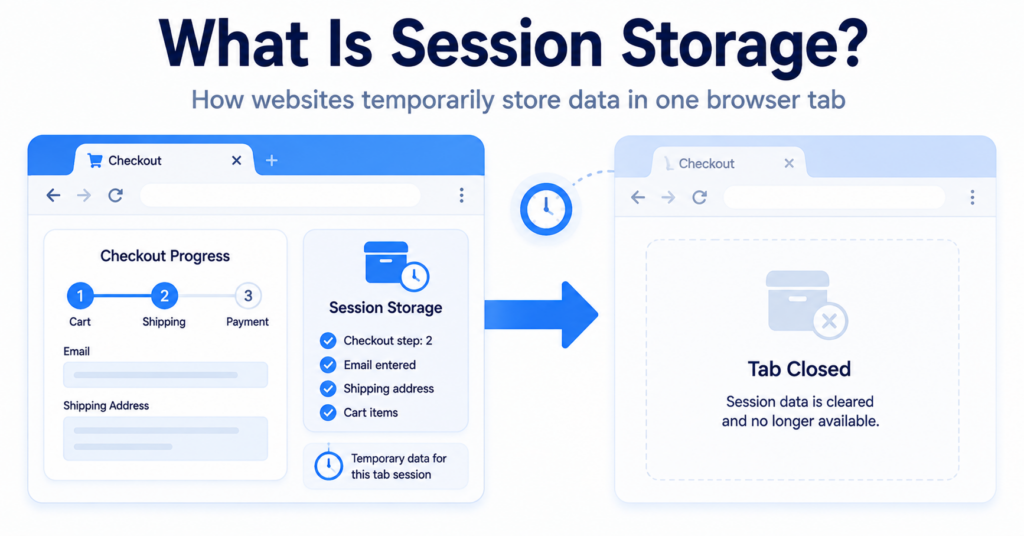
Some scanners focus mainly on traditional cookies. More advanced tools may also detect Local Storage, Session Storage, external scripts, tracking tags, and other website technologies.
Results depend on how the scanner works and which actions it performs.
A scanner may miss stored information that appears only after:
- accepting analytics or marketing cookies;
- opening a particular feature;
- logging into an account;
- playing an embedded video;
- submitting a form;
- completing a purchase.
Automated scanning should therefore be followed by manual checks when accurate results are important.
Learn more in our guide explaining what a cookie scanner is.
Common Misconceptions
Local Storage is a larger cookie
No. Both technologies save browser data, but Local Storage is a separate browser feature with different behavior.
Local Storage is always more private
No. Local Storage can still contain identifiers and support analytics, advertising, or visitor recognition.
Cookies are always sent to every server
No. A cookie is sent only when its domain, path, security settings, and other conditions match the request.
Local Storage disappears when the browser closes
Usually not. It typically remains available until it is removed by the website, visitor, or browser.
Only cookies need consent
Not necessarily. Privacy and consent rules may also apply to Local Storage and other technologies that store or access information on a visitor’s device.
Local Storage should be used for login tokens
Not automatically. Website scripts can normally read Local Storage, which may create additional risks if harmful code runs on the page.
Next Step: Learn About Browser Fingerprinting
Cookies and Local Storage both save information on a visitor’s device. Browser fingerprinting works differently by combining browser and device characteristics to recognize or distinguish users without relying on a traditional stored identifier.

Frequently Asked Questions
Common questions about this topic
Cookies can be sent automatically with matching server requests. Local Storage remains in the browser until website scripts actively read or transmit it.
Local Storage normally has a much larger capacity than an individual browser cookie.
It usually remains until the website removes it, the visitor clears browser data, or the browser applies its own storage restrictions.
Yes. A website might use cookies for sessions and consent preferences while using Local Storage for interface settings or application data.
Not automatically. Cookies and Local Storage have different security controls and risks. The correct choice depends on the information being stored and how it is accessed.
No. Consent considerations depend on the purpose and behavior of the technology, not only on its technical name.