Yes. Google states that reCAPTCHA sets the _GRECAPTCHA cookie when it runs to provide its risk analysis.
Unlike analytics or advertising cookies, this cookie supports reCAPTCHA’s security purpose: helping websites distinguish legitimate users from potentially abusive or automated activity.
In this guide, you’ll learn what the _GRECAPTCHA cookie does, where reCAPTCHA may appear on a website, and what website owners should consider when reviewing consent and privacy.
Yes. Google states that reCAPTCHA sets the _GRECAPTCHA cookie when it executes. Google describes this cookie as necessary for providing reCAPTCHA’s risk analysis, which helps protect websites against fraud, spam, bots, and abuse.
Does reCAPTCHA Use Cookies?
Yes. Google states that reCAPTCHA uses a cookie called:
_GRECAPTCHA
This cookie is set when reCAPTCHA executes and is used to provide its risk analysis.
That is an important distinction because reCAPTCHA is primarily a website security and abuse-prevention service rather than an analytics platform.
Its purpose is to help websites evaluate whether an interaction appears legitimate or suspicious.
If you first want to understand how browser cookies work in general, read What Are Web Cookies and How Do They Work?.
What Is the _GRECAPTCHA Cookie?
The _GRECAPTCHA cookie is associated with Google reCAPTCHA.
Google describes it as a necessary cookie used to provide reCAPTCHA’s risk analysis.
| Cookie | Service | Main Purpose |
|---|---|---|
_GRECAPTCHA |
Google reCAPTCHA | Risk analysis for security, fraud, and abuse prevention |
The cookie helps reCAPTCHA perform the security checks needed to evaluate website interactions.
Do not assume that every cookie associated with a Google service is automatically an analytics or advertising cookie. Google specifically describes _GRECAPTCHA as necessary for reCAPTCHA’s risk analysis.
Why Does reCAPTCHA Need a Cookie?
reCAPTCHA is designed to help websites distinguish normal users from potentially abusive or automated activity.
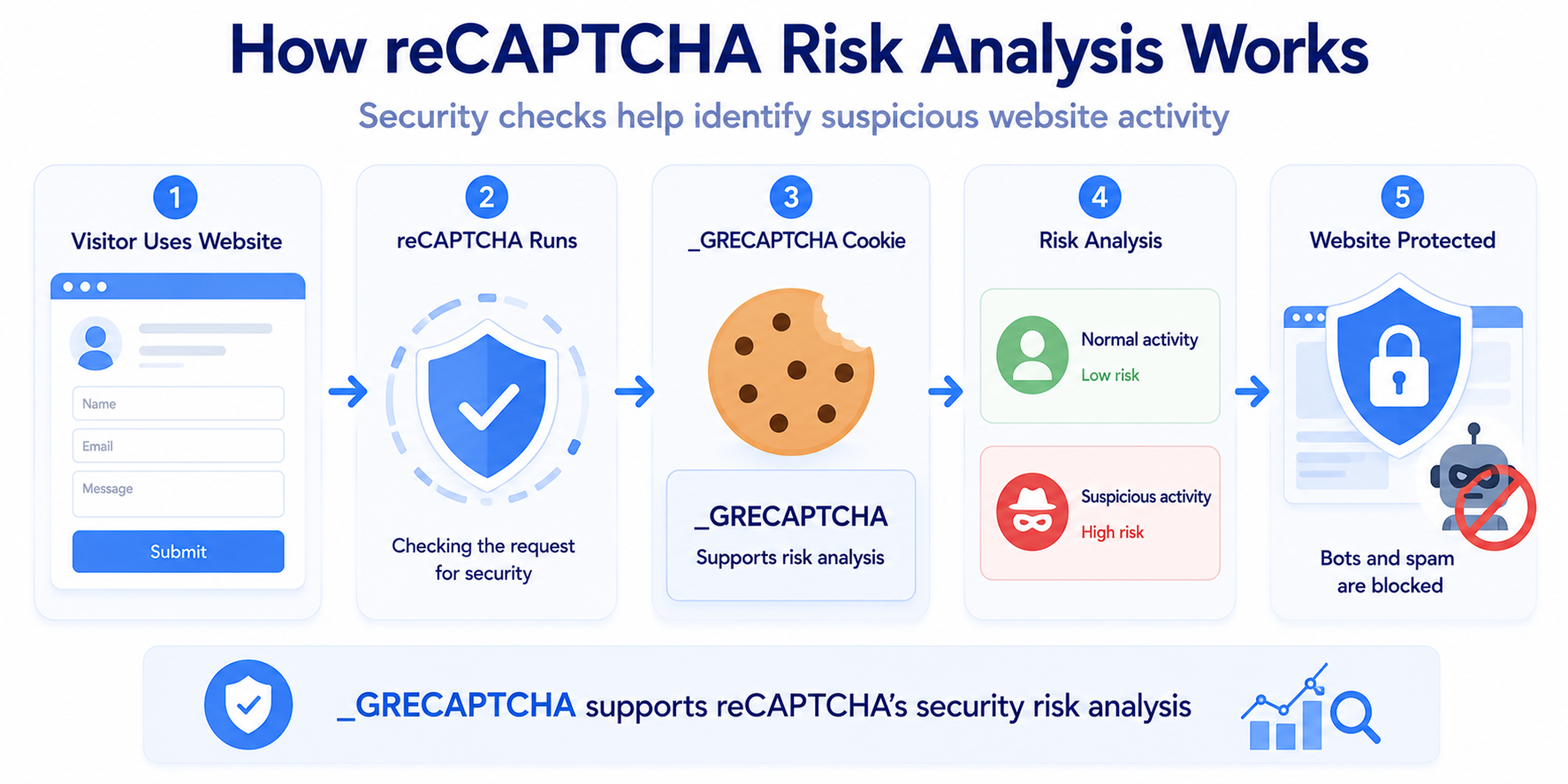
A simplified process looks like this:
Visitor Uses Protected Page → reCAPTCHA Runs → Risk Signals Are Evaluated → Risk Analysis Is Produced → Website Can Respond
This can help protect features such as:
- contact forms
- login pages
- account registration
- password reset forms
- checkout pages
- comment forms
The _GRECAPTCHA cookie is part of this risk-analysis process.

Is _GRECAPTCHA an Analytics or Marketing Cookie?
Google does not describe _GRECAPTCHA as an analytics or marketing cookie.
Its stated purpose is to support reCAPTCHA’s risk analysis.
Google also describes reCAPTCHA processing as being used for:
- security
- fraud prevention
- abuse prevention
This makes it different from a typical analytics cookie used to measure page views or a marketing cookie used for advertising.
For a broader explanation of cookie categories, see Types of Website Cookies Explained.
Where Can reCAPTCHA Appear on a Website?
reCAPTCHA can be added to many different parts of a website.
Common examples include:
- contact forms
- newsletter signup forms
- login pages
- registration forms
- password reset pages
- checkout forms
- account creation
- comment forms
It may also be added automatically by a WordPress plugin or another website platform integration.
You install a WordPress contact form plugin and enable its reCAPTCHA integration.
You may not have added reCAPTCHA code manually, but the external Google service is still part of the form and should be included when you review your site’s technologies.
Does reCAPTCHA v2 Use Cookies?
reCAPTCHA v2 can use the _GRECAPTCHA cookie as part of its risk analysis.
reCAPTCHA v2 is often easier for visitors to notice because it may display:
- a checkbox
- a challenge
- an interactive verification step
However, the visible challenge is only one part of how reCAPTCHA evaluates activity.
Does reCAPTCHA v3 Use Cookies?
reCAPTCHA v3 can also use reCAPTCHA risk-analysis technologies without displaying a traditional checkbox challenge.
This is important because reCAPTCHA v3 may work in the background.
A visitor may therefore never see a large CAPTCHA box even though reCAPTCHA is active on the page.
No visible CAPTCHA does not necessarily mean that reCAPTCHA is not running. Background implementations should still be included when you review external services, cookies, and privacy disclosures.
When Does reCAPTCHA Set the _GRECAPTCHA Cookie?
Google says that reCAPTCHA sets the _GRECAPTCHA cookie when reCAPTCHA is executed.
The practical question for website owners is therefore:
When does my implementation execute reCAPTCHA?
This can vary depending on how the website or plugin is configured.
For example, reCAPTCHA may execute:
- when the protected page loads
- when a form becomes active
- when the visitor interacts with the form
- when the form is submitted
You should test the actual implementation rather than assuming that reCAPTCHA always runs at the same moment on every website.
Is reCAPTCHA a Third-Party Service?
Yes. From the website owner’s perspective, reCAPTCHA is an external service provided by Google.
The visitor remains on your website, but the browser can communicate with Google infrastructure so reCAPTCHA can perform its security analysis.
This is similar to other external services commonly embedded or integrated into websites, such as:
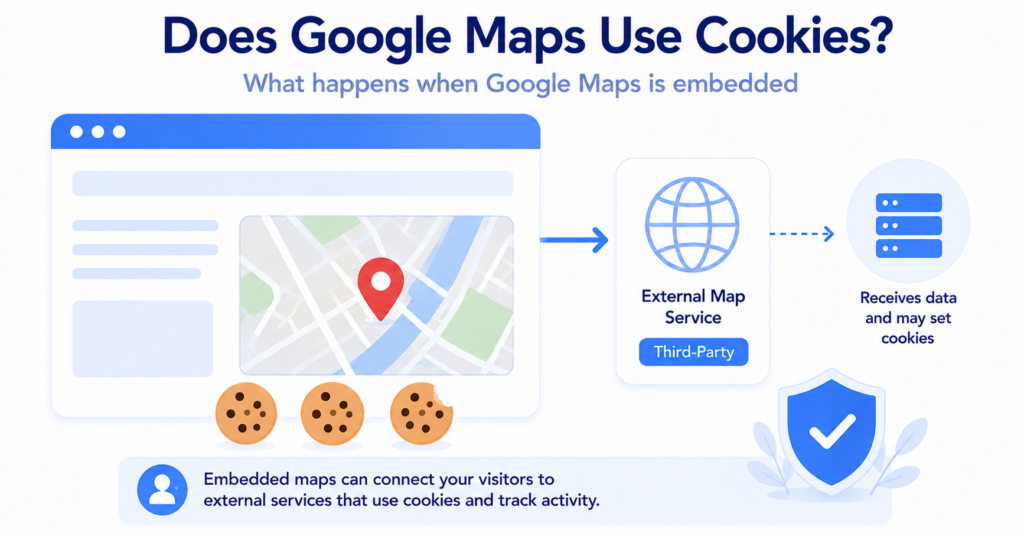
- Google Maps
- YouTube
- payment providers
- analytics services
- chat platforms
Want to understand how external-service cookies differ from website cookies?
What Is www.recaptcha.net?
Google also allows some frontend reCAPTCHA implementations to use:
www.recaptcha.net
instead of:
www.google.com
Google specifically suggests this option when www.google.com is not accessible to users.
Google also notes that the www.google.com domain may have other cookies set.
However, using www.recaptcha.net does not mean that reCAPTCHA stops using the _GRECAPTCHA cookie.
recaptcha.net should not be described as a “cookie-free version” of reCAPTCHA. Google states that the reCAPTCHA cookie remains part of the service.
Does reCAPTCHA Require Cookie Consent?
This is not something that can be answered only by looking at the cookie name.
Google describes _GRECAPTCHA as necessary for providing reCAPTCHA’s risk analysis.
However, website owners should still consider:
- how reCAPTCHA is implemented
- which Google domains are loaded
- whether additional technologies are involved
- the purpose of the processing
- the privacy rules that apply to visitors
- how the website’s consent system is configured
Google currently recommends that reCAPTCHA customers review their end-user privacy disclosures and make sure they explain that reCAPTCHA processing is used for security, fraud, and abuse prevention.
If you are unsure about your website more generally, read Does My Website Need a Cookie Banner?.
Should reCAPTCHA Be Blocked Until Consent?
There is no universal answer that works for every website.
reCAPTCHA is often connected to security-sensitive functionality.
For example, if a contact form relies on reCAPTCHA to prevent automated spam, completely blocking reCAPTCHA may also prevent that form from working correctly.
This creates an important practical difference between:
- a security service needed to protect a form
- an analytics tool used to measure visitors
- a marketing tool used for advertising
Your implementation should therefore be reviewed according to its actual purpose rather than applying the same blocking rule to every external service.
If your consent setup blocks reCAPTCHA, test every protected form while consent is denied. A privacy configuration is not useful if it accidentally makes essential website functions unusable.
reCAPTCHA and Privacy Disclosures in 2026
Google changed how it describes the data-processing relationship for reCAPTCHA from April 2, 2026.
Google now describes the website owner using reCAPTCHA as the controller of Customer Data, while Google processes that reCAPTCHA Customer Data under its applicable cloud terms.
Google also recommends reviewing end-user privacy disclosures so they explain reCAPTCHA’s processing purpose:
security, fraud, and abuse prevention.
This does not change the existence of the _GRECAPTCHA cookie. Google states that the cookie remains part of reCAPTCHA.
This article provides general educational information, not legal advice. Your privacy notice and consent setup should reflect your own website, implementation, visitors, and applicable requirements.
How to Check reCAPTCHA Cookies on Your Website
The best way to understand your implementation is to test the exact page where reCAPTCHA is active.
Use a fresh private or incognito browser session and follow this process:
- Open the page containing the protected form or feature.
- Open Developer Tools.
- Check cookies and network requests before interacting with the form.
- Look for reCAPTCHA or Google connections.
- Interact with the form.
- Submit or trigger the protected action if appropriate.
- Check whether
_GRECAPTCHAappears. - If you use a cookie banner, repeat the test under different consent choices.
If reCAPTCHA v3 is used, pay particular attention to what happens when the page first loads because the service may run without displaying a visible checkbox.
Do not test only your homepage. reCAPTCHA may exist only on specific contact, login, registration, or checkout pages.
You can also use our Cookie Scanner as a starting point for identifying cookies and third-party technologies detected on your website.
reCAPTCHA vs Other Google Services
reCAPTCHA, Google Maps, and Google Analytics can all appear on the same website, but their purposes are very different.
| Service | Main Purpose | Typical Website Role |
|---|---|---|
| reCAPTCHA | Security and abuse prevention | Protect forms, logins, and other actions |
| Google Maps | Maps and location functionality | Show interactive locations |
| Google Analytics | Website measurement | Measure users, sessions, and activity |
This is why website owners should classify technologies by what they actually do instead of treating every Google service the same way.
If your site also embeds maps, see Does Google Maps Use Cookies?.
Common reCAPTCHA Cookie Mistakes
These are some of the most common mistakes website owners make when reviewing reCAPTCHA:
- assuming every Google cookie is an advertising cookie
- forgetting that reCAPTCHA can run in the background
- assuming no visible checkbox means no reCAPTCHA
- forgetting reCAPTCHA added through WordPress form plugins
- assuming reCAPTCHA always runs only after form submission
- blocking reCAPTCHA without testing whether protected forms still work
- assuming
recaptcha.netmeans no_GRECAPTCHAcookie - testing only the homepage instead of the protected page
- relying on outdated generic Google cookie lists
Your contact form uses reCAPTCHA v3 through a WordPress plugin, but there is no visible CAPTCHA checkbox.
A cookie review that checks only visible widgets could miss the service completely. Testing the form page and its network activity gives a more accurate result.
Conclusion
reCAPTCHA does use a cookie. Google states that the _GRECAPTCHA cookie is set when reCAPTCHA executes and is necessary for providing its risk analysis.
The key point is that reCAPTCHA serves a security, fraud, and abuse-prevention purpose. Website owners should identify where reCAPTCHA runs, understand when it executes, test the actual protected pages, and make sure their privacy disclosures reflect how the service is used.
Next Step: Does Stripe Use Cookies?
reCAPTCHA is often used around forms, accounts, and checkout flows. Another common external service on ecommerce websites is Stripe, which can also use cookies and other technologies for payment and fraud-prevention functionality.

Frequently Asked Questions
Common questions about this topic
Yes. Google states that reCAPTCHA sets the _GRECAPTCHA cookie when it executes to provide its risk analysis.
_GRECAPTCHA is a reCAPTCHA cookie used to support risk analysis for security, fraud, and abuse prevention.
Google describes _GRECAPTCHA as a necessary cookie for providing reCAPTCHA’s risk analysis.
reCAPTCHA v3 can use reCAPTCHA risk-analysis technologies while working in the background. A visible checkbox is not required for the service to be active.
Yes. reCAPTCHA v2 can use the _GRECAPTCHA cookie as part of the service’s risk analysis.
Yes. reCAPTCHA is provided by Google and connects the visitor’s browser with external Google infrastructure while protecting features on your website.
Yes. Using www.recaptcha.net does not remove the _GRECAPTCHA cookie. Google says that reCAPTCHA still sets the cookie when executed.
The answer depends on the implementation, purpose, other technologies involved, and the privacy rules that apply to your website. Google describes _GRECAPTCHA as necessary for risk analysis, but your overall setup should still be reviewed.