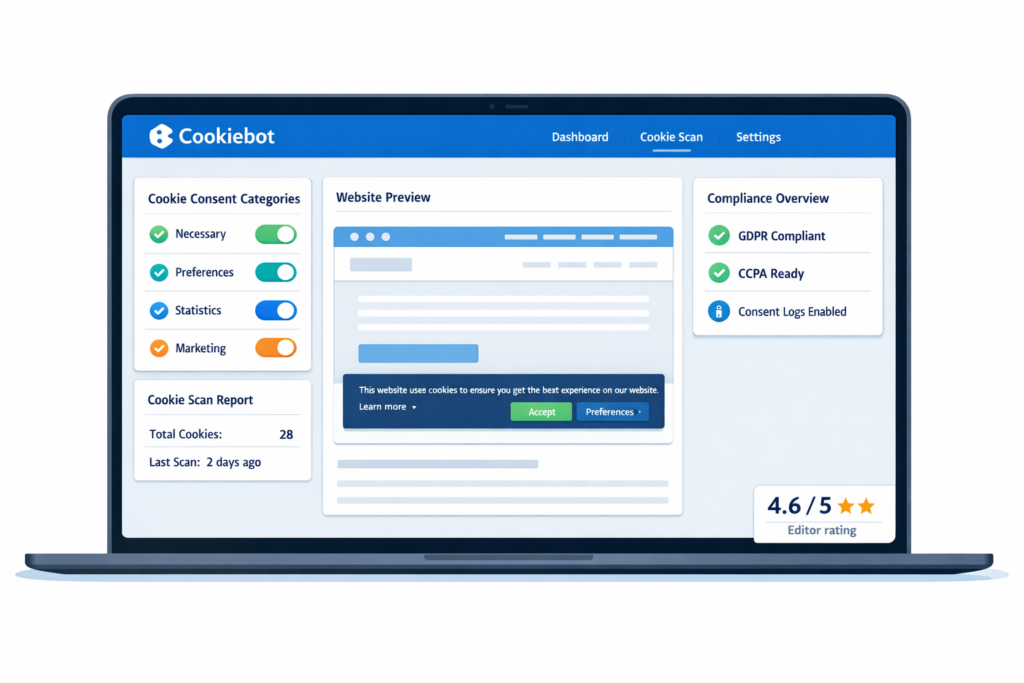
Cookiebot is a powerful cookie consent and compliance platform designed to help websites meet privacy regulations like GDPR and ePrivacy.
In this Cookiebot review, we’ll look at its features, pricing, ease of use, strengths, drawbacks, and whether it’s the right solution for your website.
If you’re new to cookie compliance, you may also want to read What Is a Cookie Banner? and Understanding GDPR Cookie Consent to better understand how these tools work.
Reviewed by: Cookie compliance specialist
Experience: 5+ years with GDPR & consent tools
Tested on: WordPress, Shopify, custom sites
Is Cookiebot worth considering?
Cookiebot is a feature-rich cookie consent solution built for websites that need strong compliance, detailed control, and automated cookie scanning. It is especially suited for businesses that want a more advanced and reliable solution compared to beginner-focused tools.
What is Cookiebot?
Cookiebot is a cookie consent management platform developed by Usercentrics, designed to help websites comply with GDPR and other privacy laws.
It automatically scans your website for cookies, categorizes them, and generates a compliant cookie banner and cookie declaration.
Unlike simpler tools, Cookiebot focuses heavily on automation, compliance accuracy, and advanced customization.
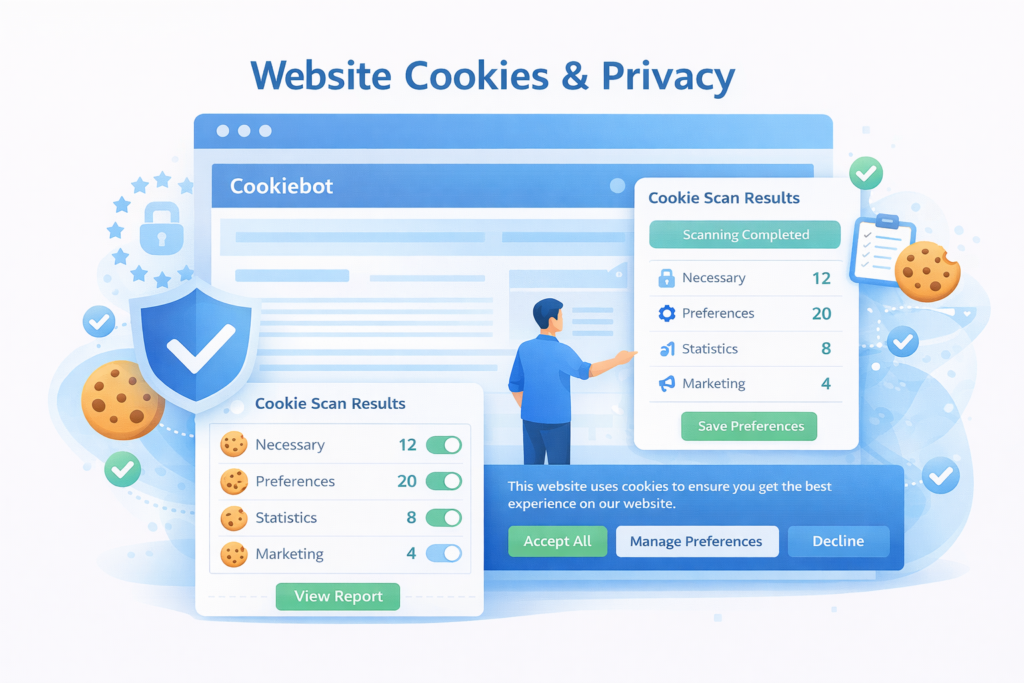
Cookiebot is widely used by businesses that need reliable cookie consent management and strong GDPR compliance.
Is Cookiebot the Right Fit for You?
Use this section to quickly evaluate whether Cookiebot matches your website and compliance needs.
These are the key factors to consider when choosing a cookie consent tool.
- Platform fit: Works well with WordPress, Shopify, and custom websites.
- Ease of use: Easy to use, but slightly more structured than basic banner tools.
- Pricing: Free plan available. Paid plans depend on number of pages.
- Region support: Strong GDPR and ePrivacy support.
- Language support: Supports multiple languages automatically.
- Cookie policy: Automatically generates cookie declarations.
- Control: Users can accept, reject, or customize consent.
- Customization: Good banner customization options.
- Cookie blocking: Blocks cookies before consent when configured correctly.
- Consent records: Stores consent logs for compliance.
- Integrations: Supports Google Tag Manager and Consent Mode.
Overall, Cookiebot is a strong choice for websites that need reliable compliance and structured consent management.
If you need a reliable cookie consent tool with strong GDPR compliance features, Cookiebot is a great choice.
If you want the simplest possible setup with minimal configuration, another tool may be easier.
Or compare the best cookie consent tools before making your final decision.
Pros and Cons
Pros
- Advanced compliance features
- Automatic and accurate cookie scanning
- Strong script blocking before consent
- Works well with Google Tag Manager
- Suitable for larger and more complex websites
Cons
- Can be more complex to set up
- Pricing increases with website size
- Interface may feel overwhelming for beginners
Pricing
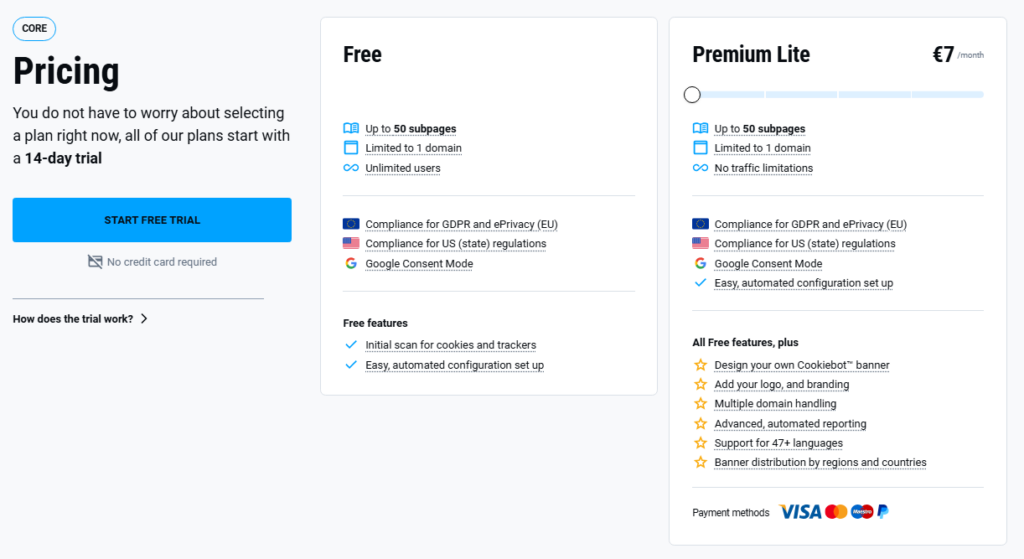
Cookiebot offers a free plan, which is suitable for smaller websites or testing. Paid plans are based on the number of pages your website has.
This pricing model is different from many other tools that use traffic-based pricing. It can be beneficial for some websites, but less ideal for others depending on how your site is structured.
You can check the latest pricing on the official Cookiebot pricing page.
| Plan | Best for | Pricing model |
|---|---|---|
| Free | Small websites | Limited features |
| Paid | Growing websites | Based on number of pages |
Want the full breakdown of Cookiebot plans, pricing, subpage limits, and included features?
Is Cookiebot GDPR compliant?
Cookiebot is designed to fully support GDPR compliance, but proper configuration is essential.
To be compliant, your cookie solution must:
- Block non-essential cookies before consent
- Allow users to accept or reject cookies
- Provide clear information about cookies
- Store user consent logs
Cookiebot includes all these features and is widely used by companies that require strict compliance standards.
According to the European Commission, websites must obtain user consent before placing non-essential cookies such as analytics or marketing trackers.
Who is Cookiebot best for?
If your website requires strong compliance, automation, and detailed control, Cookiebot is a very strong option.
It is especially a good fit for:
✔ Medium to large websites
✔ Ecommerce stores with tracking tools
✔ Agencies managing multiple client sites
✔ Websites using Google Tag Manager
✔ Businesses that need audit-ready compliance
A growing ecommerce store using multiple tracking tools (Google Analytics, Facebook Pixel, etc.) can use Cookiebot to automatically detect and block cookies until consent is given.
If your website setup is simple, however, Cookiebot may feel more complex than necessary.
How easy is it to set up?
While Cookiebot offers more features than simpler tools, the setup process is still straightforward for most users.
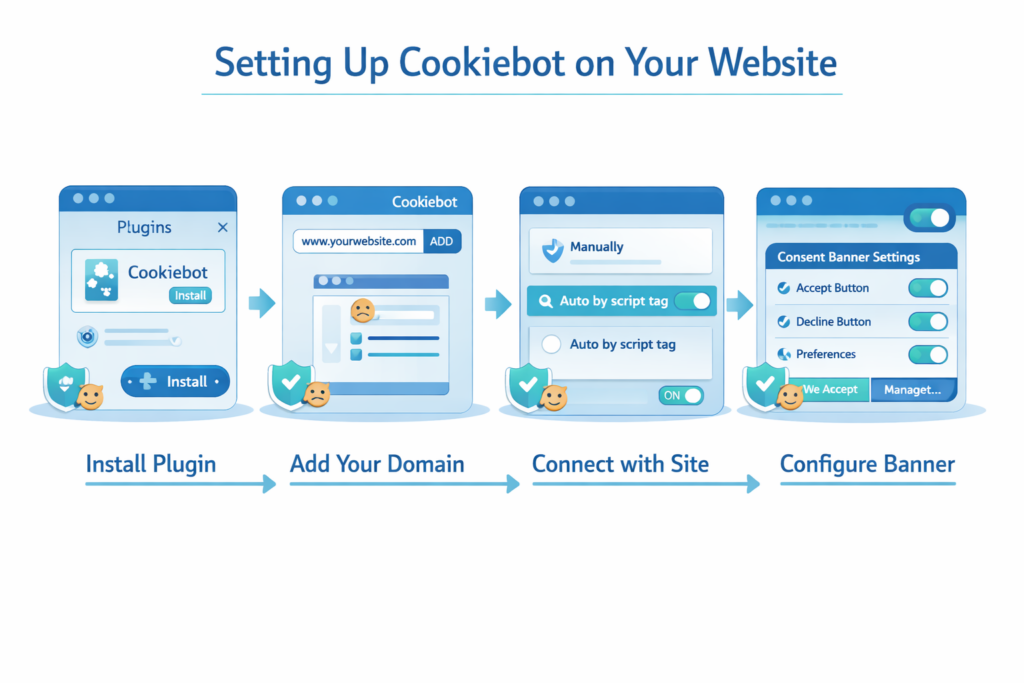
For WordPress:
- Install plugin
- Add your domain
- Connect with site
- Configure banner
For other platforms:
- Add script manually
- Configure consent settings
If you’re using WordPress, the fastest way to get a working cookie banner is by installing the Cookiebot plugin and connecting your account.
See the full setup guide: 👉 How to Install Cookiebot on WordPress (Step-by-Step)
Cookiebot vs other tools
Here’s how Cookiebot compares to other popular tools:
| Feature | Cookiebot | CookieYes | Termly |
|---|---|---|---|
| Free plan | Limited | Yes | Yes |
| Ease of use | Moderate | Very easy | Easy |
| Script blocking | Advanced | Yes | Yes |
| Best for | Advanced users | Beginners | Small websites |
| Setup time | Medium | Fast | Fast |
Cookiebot stands out for its advanced compliance and automation, while tools like CookieYes focus more on simplicity.
Not sure if CookieYes is the right tool for your website?
See our full comparison: 👉 Best Cookie Consent Tools for Websites
This guide compares CookieYes, Cookiebot, Termly, and other tools to help you choose the best option.
When Cookiebot might not be the best choice
Cookiebot may not be the best choice if:
– You want a very simple, plug-and-play setup
– You are a complete beginner with no technical experience
– Your website is very small and does not require advanced compliance features
Cookiebot is slightly more advanced than beginner tools like CookieYes, but most users can still set it up without coding.
The added complexity comes from more powerful features like automatic cookie scanning, detailed consent logging, and advanced configuration options.
If you prefer something simpler, tools like CookieYes may be easier to start with.
Final verdict
Cookiebot is a powerful and reliable cookie consent tool that is best suited for websites that need advanced compliance and automation.
It may not be the easiest tool for beginners, but it offers strong features, accurate scanning, and excellent control over cookie management.
For businesses that take privacy seriously, Cookiebot is one of the top choices on the market.
Still unsure which Cookiebot plan is right for your website? See our complete Cookiebot pricing breakdown before starting the setup.
Ready to set up your cookie banner?
Compare Cookiebot with other tools, or follow our free setup guide to get started.

Frequently Asked Questions About Cookiebot
Common questions about this topic
Yes, but the free plan is limited to smaller websites.
It can be used by beginners, but it is more suited for users who want advanced control.
Yes, it has a plugin and can also be integrated via script.
Yes, it is designed to support GDPR compliance when configured correctly.
Yes, it can block non-essential cookies before consent.