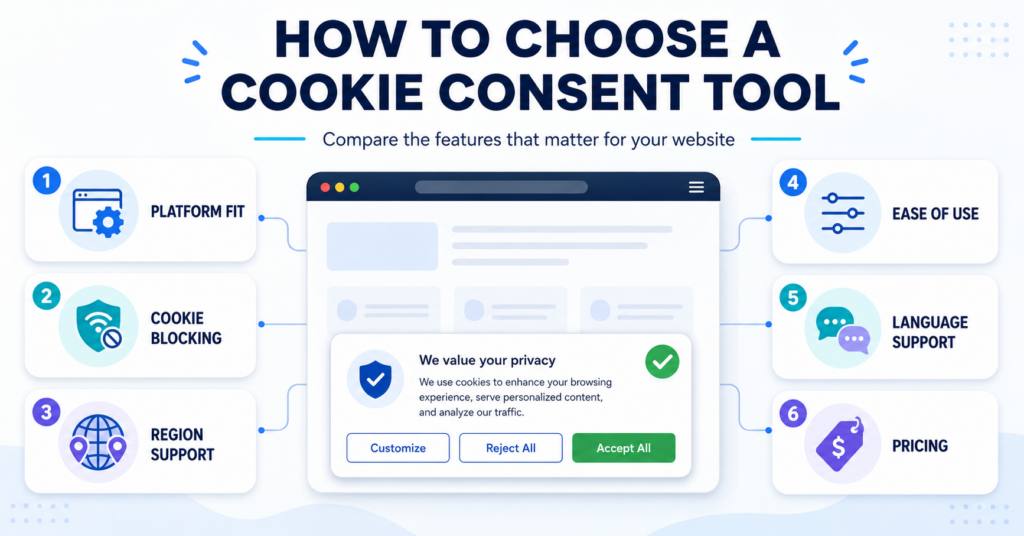
Once you know the type of consent solution your website needs, the next task is choosing a provider. This guide helps you build a shortlist and check it against your website’s requirements before committing to a tool.
Choose a cookie consent tool by checking your required controls first, then comparing the price and ease of use of tools that pass those checks. Platform compatibility, control of your actual tracking services and the right visitor choices matter more than the longest feature list.
- Shortlist two or three providers with documented support for your platform and integrations.
- Check the exact plan’s controls, limits and total cost.
- Test a candidate on your website before treating the choice as final.
The examples and comparison checklist below show what evidence to look for, which gaps should rule a tool out and when a simpler or free plan can be enough.
Start with Your Non-Negotiable Requirements
If you already know your installation route and privacy requirements, use them to compare providers. If you are still choosing between plugins, apps and scripts, first identify the type of cookie consent solution your website needs.
| Requirement | Evidence to look for | When to reject or investigate a tool |
|---|---|---|
| Supported platform and integrations | Instructions for your platform and the services you actually use | “Works everywhere” is the only explanation, or an important integration is unsupported |
| Required consent or opt-out controls | Documented choices, purpose controls and enforcement behavior | A banner appears but cannot control a required activity |
| Changing a saved choice | A working preference link or badge and updates reaching the relevant services | Visitors cannot reopen preferences or changed choices are ignored |
| Regional and language needs | Included settings for your required controls and languages | A necessary option is unavailable in the plan you intend to buy |
| Usable plan limits | Clear domain, traffic, page, scan and feature limits | Your site exceeds the limits or the provider cannot explain what happens when it does |
Mark each requirement as confirmed, not supported or needs checking. Do not let a low price or attractive design compensate for a missing control you need.
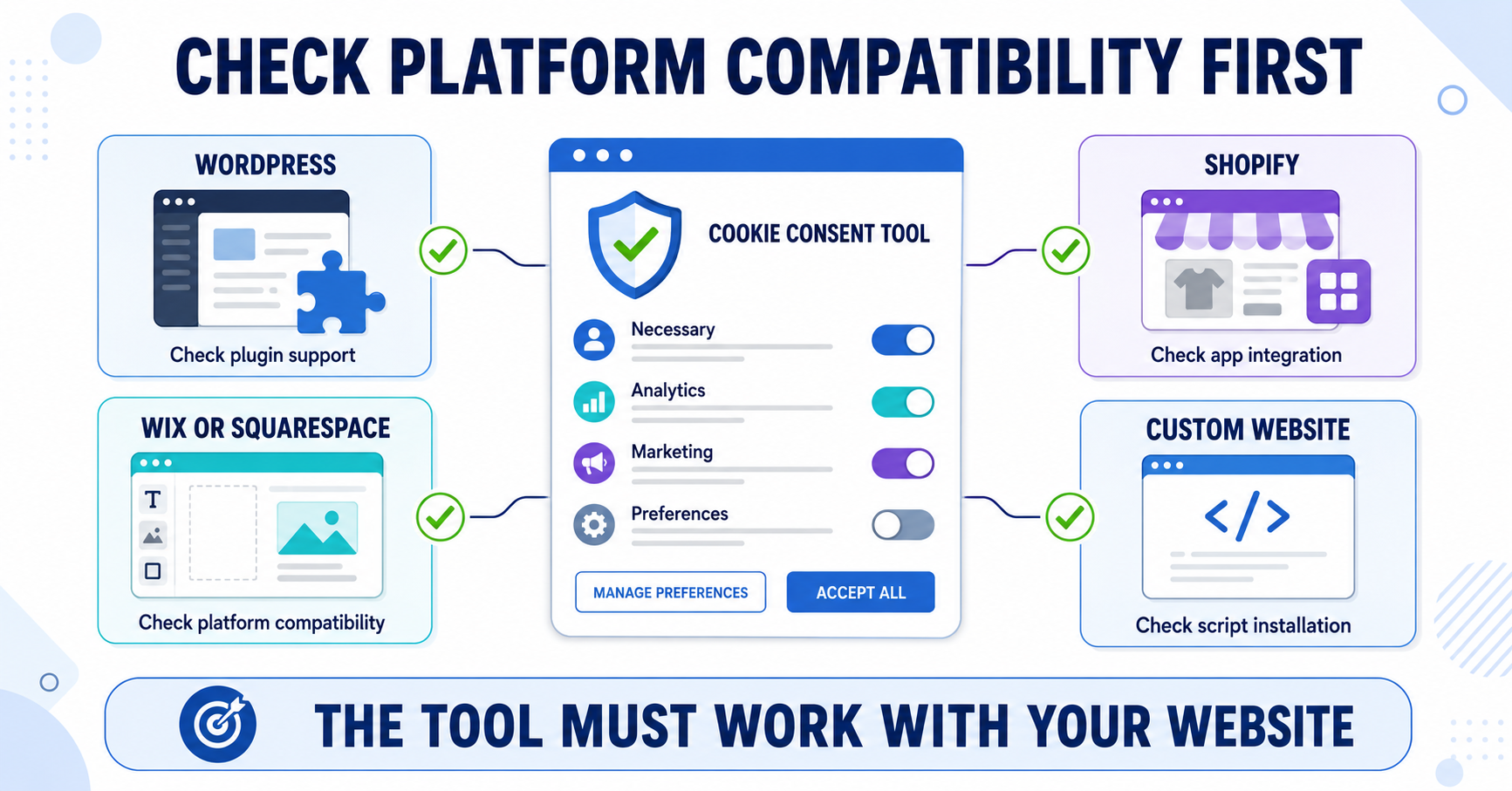
Start with Your Website Platform
Now check each shortlisted provider against your website platform. This affects how the cookie consent tool will be installed, how easy it will be to manage, and which providers make the most sense for your setup.
In simple terms, the best tool is not just the one with the most features. It is the one that fits how your website is built.
- WordPress: Check the provider’s supported plugin and where its settings are managed.
- Shopify: Check built-in privacy controls and whether the provider integrates with Shopify’s Customer Privacy API.
- Wix or Squarespace: Check supported platform integrations, built-in controls and any plan restrictions on adding scripts.
- Custom HTML website: Check documented script or tag-manager support and who will configure and maintain it.
If you use WordPress but are also considering a broader consent management platform, see our Complianz vs Cookiebot comparison. Use it to compare their installation and management approaches, then verify the current plan and integration details relevant to your own site.
How Easy Do You Want the Setup to Be?
Some website owners want the easiest setup possible. Others are comfortable with more options and more control. This is one of the biggest differences between cookie consent tools.
If you are a beginner, you will usually want a tool that gives you a simple dashboard, a guided setup process, and clear steps you can follow without technical help.
If you are more advanced, or if your website uses more third-party tools, you may prefer a provider that gives you more control over how the banner behaves and how consent is managed.
- Easier setup: Better for beginners, bloggers, and small business websites.
- More advanced setup: Better for websites with more tracking tools, more legal requirements, or more complex needs.
Among tools that meet your requirements, prefer one you can configure and maintain confidently. A simple interface is valuable, but it cannot compensate for an integration that does not respect consent. Try changing a category, finding the installation instructions and contacting support before deciding.
Free vs Paid Tools
One of the first things many website owners look at is price. That makes sense. If you are running a small website, you may want to start with a free plan and avoid paying for features you do not need yet.
Many cookie consent providers offer a free version or a limited free plan. A free plan can be enough if it includes every required control and your website fits its limits. Website size alone does not establish that it is sufficient.
As your website grows, you may need more advanced features, more page views, more languages, more customization, or better support. That is usually when a paid plan starts to make more sense.
Before choosing a free tool, ask yourself:
- Will the free plan be enough for your website traffic?
- Does it include the features you actually need?
- Will you likely need to upgrade soon?
- Is the free version useful, or is it too limited to be practical?
Compare the exact plan, not only the provider’s starting price:
| Pricing detail | What to record |
|---|---|
| Billing unit | Domains, pages, sessions, page views or another unit; these are not interchangeable |
| Included limits | Scanned pages, scan frequency, traffic, subdomains, languages and required features |
| Total cost | Monthly versus annual billing, renewal price, taxes and necessary add-ons |
| Exceeding a limit | Whether scans pause, features stop, charges increase or an upgrade is required |
| Leaving the provider | Cancellation terms and any configuration or record export you will need |
Ask the provider about any unclear limit. A free plugin may still connect to a paid service, and a trial does not establish what remains available afterward.
Free plans can also differ significantly between providers. If you are considering two popular options, see our Cookiebot vs CookieYes comparison to compare their free plans, pricing, features, and overall ease of use.
Will It Work in Your Country and with Your Visitors?
Another important question is whether the tool supports the rules that matter for your website and your visitors.
Identify the applicable obligations before comparing country labels. European cookie rules can require prior consent, while a business covered by California’s CCPA may need sale/sharing opt-out controls. Scope and exceptions matter; visitor location alone is not the complete legal test.
If a tool does not properly support the regions your visitors come from, your banner may not meet local requirements or may confuse users. This can affect both compliance and user experience.
You don’t need to become a legal expert. The goal is to translate the rules that apply into specific controls. Our overview of cookie consent requirements by region helps you identify the country-specific checks.
When looking at a cookie consent provider, here are a few practical things to check:
- Can the selected plan provide the actual consent or opt-out choices you need?
- Do they support region-based banner behavior?
- Can it honor applicable opt-out preference signals such as Global Privacy Control, rather than just displaying different text?
- Can you test regional rules and configure a suitable fallback when location is unknown?
A single-region audience may reduce configuration work, but does not reduce the controls required for your activities. California’s CCPA guidance explains coverage and sale/sharing opt-out rights, including Global Privacy Control.
If you run a travel blog and get visitors from Europe, the US, and other regions, a good tool can show a GDPR-style banner to EU users and a different version to visitors from other regions.
A cookie consent tool can support compliance, but it does not automatically make your website compliant by itself. The setup, configuration, and how cookies are actually loaded on your site still matter.
Does It Support Your Website Language?
This is something many website owners forget at first, but it matters a lot in practice.
If your website is in English, this may be simple. But if your site is in Estonian, Norwegian, German, or multiple languages, the banner should also work in the language your visitors expect to see.
A good provider should make it easy to:
- show the banner in the correct language
- support multiple languages if your site is multilingual
- translate banner text clearly
- match the language of your privacy and cookie information
Test the title, buttons, purposes and preference panel in every required language. Check how the tool selects a language, whether you can edit translations and what appears when a translation is missing. This affects whether visitors can understand their choices, not just the banner’s appearance.
Does It Support the Privacy Information You Need?
Some cookie consent providers only focus on the banner itself, while others also help you create a cookie policy, privacy policy, or other legal pages.
This matters because a cookie banner and a cookie policy serve different purposes. The banner asks for consent, while the policy explains what cookies your website uses and why.
When comparing tools, check whether the provider:
- includes a cookie policy generator
- keeps the policy updated automatically
- lets you link the banner directly to your cookie policy page
- offers additional legal documents like a privacy policy
Required cookie information must describe your actual setup, but a built-in generator is not a requirement for every buyer. A cookie declaration, a separate policy page and broader privacy information are different things. Check what is generated and what you must maintain yourself. Our guide to creating a cookie policy page explains the content review.
If you already manage your legal pages separately, this may not be a priority. But if you want an all-in-one solution, this can be a useful feature to look for.
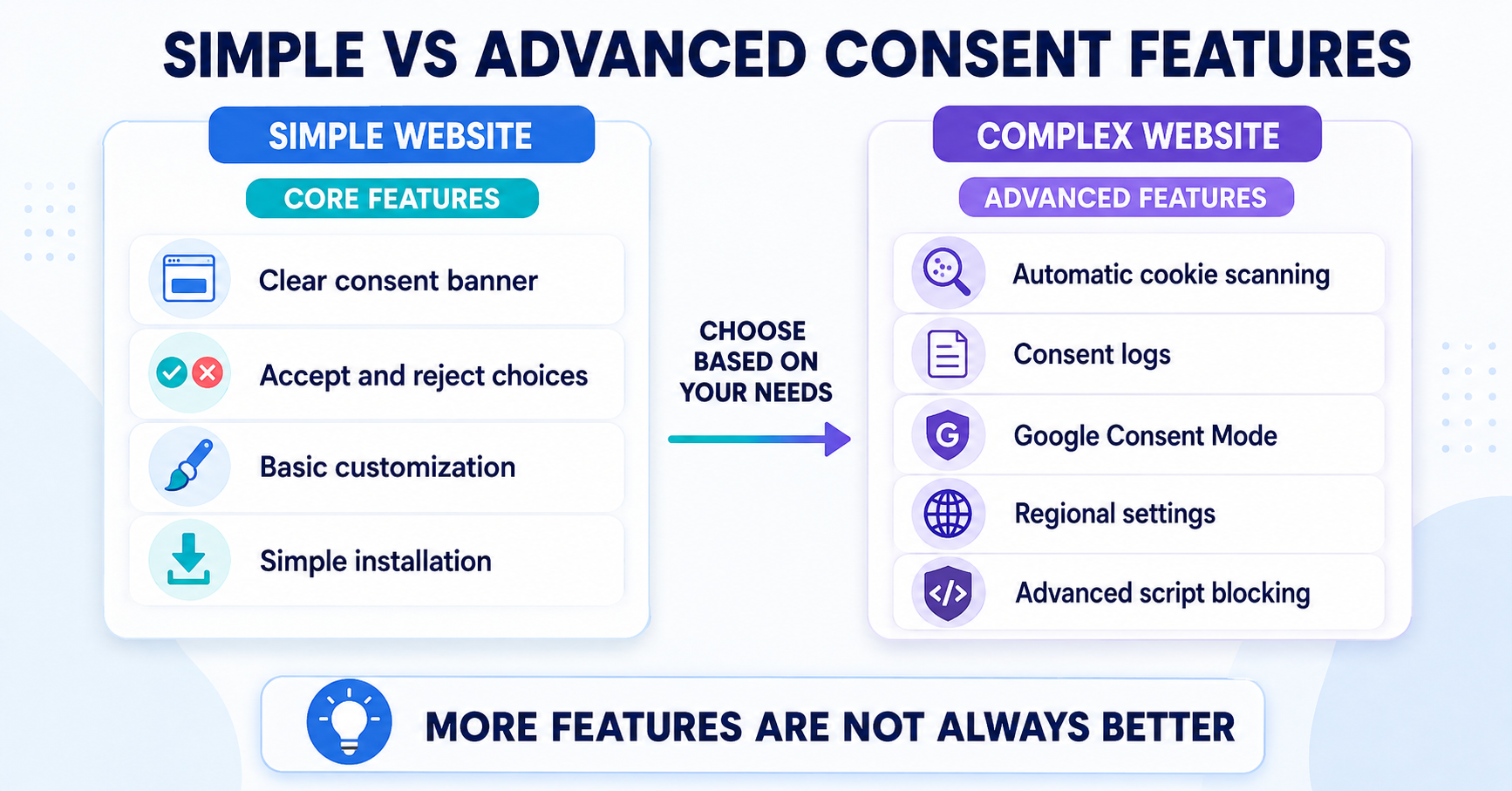
Required Controls and Helpful Management Features
Separate controls you must provide from automation that makes them easier to manage. Required blocking is not an optional upgrade simply because your website is small.
This is where it helps to understand a few common features in plain language.
You do not need to understand these features in detail. The goal is simply to recognize when they might matter for your website.
Consent Logs
Where you rely on consent, assess how you can demonstrate it. Ask what records the tool provides, whether they identify the notice and choices presented, how long they are retained and whether you can export them. A feature called “consent logs” is one implementation; the label alone does not prove the records meet your needs.
Automatic Cookie Scanning
This feature helps detect cookies and tracking technologies on your website. Check which pages, interactions and storage types the scan covers, how often it runs and how unknown entries are handled. Automated discovery still needs review; an empty scan does not prove that there is no tracking.
Cookie Blocking Before Consent
When prior consent is required, the relevant storage or access must wait for permission. Ask which of your services are controlled automatically and which require manual rules or platform integration. Test unsupported or newly added scripts too. Effective control is the requirement; automatic blocking is a way to reduce the configuration work.
Google Consent Mode
Google Consent Mode is a feature that works with Google services such as Google Analytics and Google Ads. In simple terms, it helps Google tools adjust how they collect and use data based on the visitor’s consent choices.
If you use Google tags, check support for your intended Consent Mode v2 configuration, including initial defaults and updates after choices change. Basic and advanced Consent Mode behave differently: advanced mode can send cookieless measurements while storage consent is denied. “Denied” therefore does not automatically mean no network requests. See our Google Consent Mode guide and Google’s overview. Consent Mode does not automatically control unrelated third-party scripts.
Region-Based Banner Settings
Some tools let you show different banner behavior depending on where the visitor is located. This can be useful if your website serves visitors from different countries with different privacy expectations.
Not every website needs all the automation or management features. Confirm the controls required for your setup first, then decide which extras justify their cost.
How Much Banner Customization Do You Need?
Banner customization is another thing worth checking before you choose a tool. Most providers let you change the basics, but the level of control can vary quite a lot.
Some website owners only want a clean banner that matches their brand colors. Others want much more control over layout, button text, style, position, and how the banner behaves.
When looking at customization, ask yourself:
- Can you change the colors to match your website?
- Can you edit the button text and wording?
- Can you choose the banner layout and position?
- Can you make the banner fit your brand without needing custom code?
- Can you customize the cookie settings panel as well as the main banner?
Check readability, clear acceptance and rejection choices, keyboard access, visible focus and the preference panel on a phone. Attractive colors cannot replace usable controls.
For many small websites, basic customization is enough. But if your brand matters a lot, or if you want the banner to feel more natural on your site, this can be an important difference between providers.
A small business website may only need a simple banner with matching colors and clear buttons. A larger brand site may want more design control so the banner feels fully integrated into the website experience.
Real Examples: What Different Website Owners Should Look For
Sometimes the easiest way to choose the right tool is to look at your own situation.
Example 1: A Small Local Business Website in Europe
If you run a simple business website in one European country, you will probably want a tool that is easy to set up, supports your language, and gives you a clear banner with a manageable free or low-cost plan.
Decision: shortlist tools with documented control of your actual analytics or embeds, the right language and all required choices. Prefer the easier, lower-cost option among those that pass; enterprise management features may add little value here.
Example 2: A Blog or Content Website
If your site is mostly articles and a few basic tools, a beginner-friendly provider with a free plan may be enough. Check traffic limits, video embeds, affiliate scripts and any ad network before assuming the site is simple. Decision: use a free or inexpensive plan only if those integrations and required controls are included; otherwise compare the relevant paid plans.
Example 3: An Ecommerce Website Using Ads and Analytics
If your site uses multiple marketing tools, analytics, tracking pixels, and advertising platforms, you may want a provider with stronger control, better scanning, and more advanced settings.
Decision: require documented support for each pixel, checkout-related integration and relevant Google consent configuration. Test a purchase journey and changed consent choices. Rule out a candidate if a required integration remains uncontrolled, even if its scanner or design looks impressive.
Example 4: A Multilingual Website
If your website serves users in more than one language, make sure the banner can also match that experience. Decision: test each translated page, the preference panel and manual text editing in the plan you intend to buy. Do not choose a lower tier that omits a required language.
Example 5: A Website Owner with No Technical Experience
If you want to do everything yourself, choose a provider with a clear setup process, simple dashboard, and good documentation. Decision: try the installation guide and one configuration change yourself. If an essential integration needs code you cannot maintain, look for a supported simpler route or include implementation help in the total cost.
Test Your Shortlist Before Making the Final Choice
Use a trial or suitable test environment for one candidate at a time. Do not load two consent solutions together to compare them, because their controls can interfere.
- Start with a fresh visitor session and check which relevant cookies, storage and requests appear before a choice.
- Reject optional purposes and confirm the services follow that choice.
- Accept, then check that the intended services work.
- Reopen preferences, withdraw or change the choice and verify subsequent behavior. The update must reach the services, not just change the button display.
- Repeat important checks on mobile, across required languages and regional configurations, and on pages with forms, embeds or checkout.
Use our cookie banner testing guide for the practical process. For Google tags, judge requests against the intended Consent Mode configuration rather than assuming every pre-consent request has the same meaning.
Keep a short comparison note for each provider: plan tested, required features confirmed, unresolved issues, total cost and maintenance effort. If a required control fails, fix and retest it or reject that candidate. Compare convenience and price only among candidates that meet your needs.
Common Mistakes When Choosing a Cookie Consent Tool
Many people choose too quickly and focus only on one thing, usually price. That can lead to the wrong decision.
Here are some common mistakes:
- choosing a tool without checking platform compatibility
- choosing only based on price
- ignoring language support
- assuming a policy generator or compliance badge proves the setup is correct
- picking a tool that is too advanced for a simple website
- choosing a simple tool when the site needs more control
- focusing only on features without thinking about ease of use
A good choice is usually the one that fits your real situation, not the one with the longest feature list.
What Matters Most When Choosing a Cookie Consent Tool?
Providers may use similar feature names while differing in coverage, plan limits and implementation. Compare evidence from documentation and your own test, not just checkmarks on a pricing page.
Instead of focusing on long feature lists, use this simple checklist to quickly evaluate which cookie consent tool is the right fit for your situation.
If you only remember one thing from this guide, use this checklist.
Use this checklist to quickly compare cookie consent tools and find the one that fits your website best.
- Is it a good fit for your website platform?
- Is it easy enough for you to set up and manage?
- Have you compared the full price, billing unit, renewal terms and limit behavior?
- Does the selected plan implement the regional choices and signals you need?
- Does it support your website language?
- Can it display or link the required information, whether you maintain it yourself or use a generator?
- Have required blocking, saved preferences and consent updates passed your test?
- Can you customize the banner to match your website?
Conclusion
Choosing the right cookie consent tool is not about finding one perfect provider that works for everyone. It is about choosing the one that fits your website, your platform, your experience level, and the setup you actually need.
First rule out tools that cannot meet a required control or integration. Then choose among the remaining candidates using total cost, ease of setup, language support and maintenance effort. Keep the reasons for your choice so you can review it when your website changes.
Recommended Next Step
You now know which features, setup options, regional controls, and pricing details matter for your website.
The next step is to compare leading cookie consent tools side by side. This will help you see which providers match your platform, budget, technical experience, and required level of control.

Frequently Asked Questions
Common questions about this topic
List your required controls and integrations, shortlist compatible providers, and check the exact plan’s limits and total cost. Test a candidate on your website before making the final choice.
No. Similar feature names can hide differences in integration coverage, plan restrictions and configuration. Check what the selected plan actually controls and verify it on your website.
You need a tool that provides your required controls. A simple setup can be enough, but effective consent handling is not an optional upgrade. Add automation and management features when they reduce work or cover a specific need.
Yes, this can be very important. If your website is in a specific language or uses multiple languages, the banner and related privacy information should match that experience as closely as possible.
You may need detailed cookie and privacy information in addition to the banner. A separate page or built-in policy generator is not a universal requirement. Check that the information provided accurately covers your website’s technologies and purposes.
First check that the tool meets your required controls and integrations. Among tools that pass, compare total cost, setup effort and ongoing maintenance. Neither a low price nor a simple dashboard compensates for a missing requirement.